

Google Ad Tags Get Full IP Addresses in Server-Side GTM: What Changes in 2027?
The GTM IP address update changes how certain Google advertising tags can handle IP addresses in server-side Google Tag Manager. According to a Google notice to advertisers reported in November 2026, the change is scheduled to begin on 11 January 2027. The notice describes a move from container-wide IP redaction to tag-level processing. That means you should check individual tags instead of assuming one container-wide behaviour still covers every destination. seroundtable.com
Start by confirming whether your website actually sends events to a GTM Server container. If it does, identify the tags that receive those events and decide what IP data each destination should receive. Google’s public documentation already explains how to send a partially redacted IP address to selected server tags using Transformations. Server-side | Google for Developers
Documentation reviewed on 12 November 2026. The rollout date comes from the advertiser notice as publicly reported; Google’s public redaction guide documents the configuration method. Check your account notice and current documentation before publishing or changing production settings.
| What readers want to know | Practical answer |
|---|---|
| Who should review the update? | Teams that use a GTM Server container to send events to Google advertising destinations. |
| Which Google advertising products were named? | Google Ads, Display & Video 360, Search Ads 360 and Campaign Manager 360. |
| Are Google Analytics server tags changing in the same way? | Google says its Analytics server tags already apply partial IP redaction by default. Do not infer the behaviour of an Ads tag from a GA4 tag. |
| Can you still send a partially redacted address? | Yes. Google documents a server-side Transformation that sets ip_override for selected tags. |
| Does that cover every third-party tag? | Only where the tag is in scope and uses that field. Other templates may read a different parameter or header. |
Sources: the advertiser notice as reported, and Google’s IP address redaction guidance for server-side tagging. seroundtable.com
What is changing with IP addresses in server-side GTM in 2027?
The reported notice says the listed Google ad tags will be able to accept a full IP address. The important change is where the decision about redaction is made. A team that previously relied on the server container’s overall treatment of IP addresses should now review what each tag can access and send. seroundtable.com
“Can accept” is not evidence that a specific production request contained a full visitor IP. Your website may route different events through different containers. An affected tag may not fire on a particular event, or a Transformation may already change the value it receives. To answer the question for your account, you need to trace an actual event through the relevant configuration.
Consider a hypothetical Indian ecommerce store. Its developer sends a purchase event to a server container. A GA4 tag and a Google Ads conversion tag both use that event. If the team checks only the Analytics tag, it has established how one destination is handled. It still needs to inspect the Ads tag separately. If the site has a browser-side Ads tag for the same purchase, that is another route to document. Changing the server workspace would not change the browser-side tag’s configuration.
Why will Google Ads tags accept full IP addresses?
The notice describes IP addresses as network signals that can support advertising measurement and personalisation. It does not give a forecast for your conversion volume, reporting accuracy or campaign ROI. seroundtable.com
For an advertiser, this matters because the tagging decision and the campaign result are separate questions. A retailer might change a redaction rule the same week it updates a conversion action, starts a sale and moves budget between campaigns. If reported conversions rise, those changes make it difficult to isolate why. The retailer can still verify whether the intended IP field changed in a controlled test. It should not present the increase in conversions as proof that the IP change improved performance.
Before making a decision, ask two people different questions:
- Ask the developer: Which field does each tag read, and where can we verify its value without copying visitor IPs into a shared report?
- Ask the person responsible for privacy and data handling: Which destinations should receive a partially redacted address, and who approves changes to that policy?
The developer can establish what the system does. The second answer tells the developer what to configure.
How a server-side event reaches an advertising tag
A GTM Server container receives an incoming HTTP request. A client in the container interprets the request and creates event data. Transformations can then change which event parameters a tag sees before the tag processes the event. Server-side | Google for Developers
An illustrative purchase flow looks like this:
Website purchase → incoming request → server GTM client → event data → Transformation → selected server tag → destination
That sequence gives you three useful places to check the setup:
| Where you look | Question to answer |
|---|---|
| At the server endpoint | Did the website send this purchase to the server container you expected? |
| At the tag | Did the correct event fire the correct tag, and did that tag see the intended IP value? |
| At the outbound request | Did the selected tag send the expected request to the intended destination? |
Each check answers something different. Seeing purchase arrive does not tell you which tags fired. Seeing a tag fire does not tell you which IP field it used. And seeing a redacted event field does not establish that a vendor template used that field if it reads an alternative source. Google specifically advises checking how third-party tags obtain the address. Tag Manager Help
What partial IP redaction means in practice
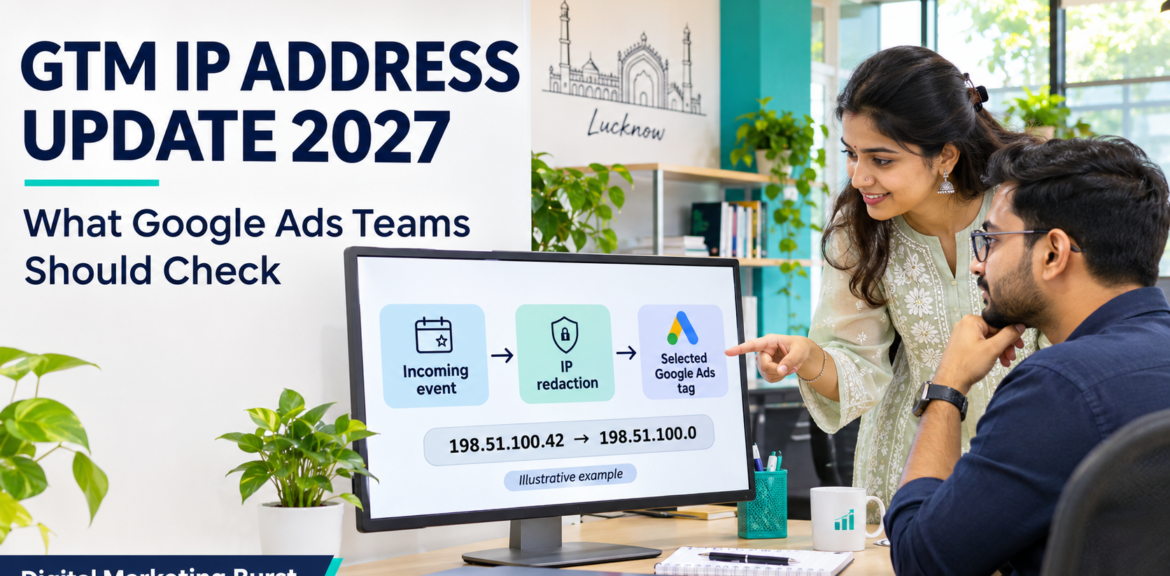
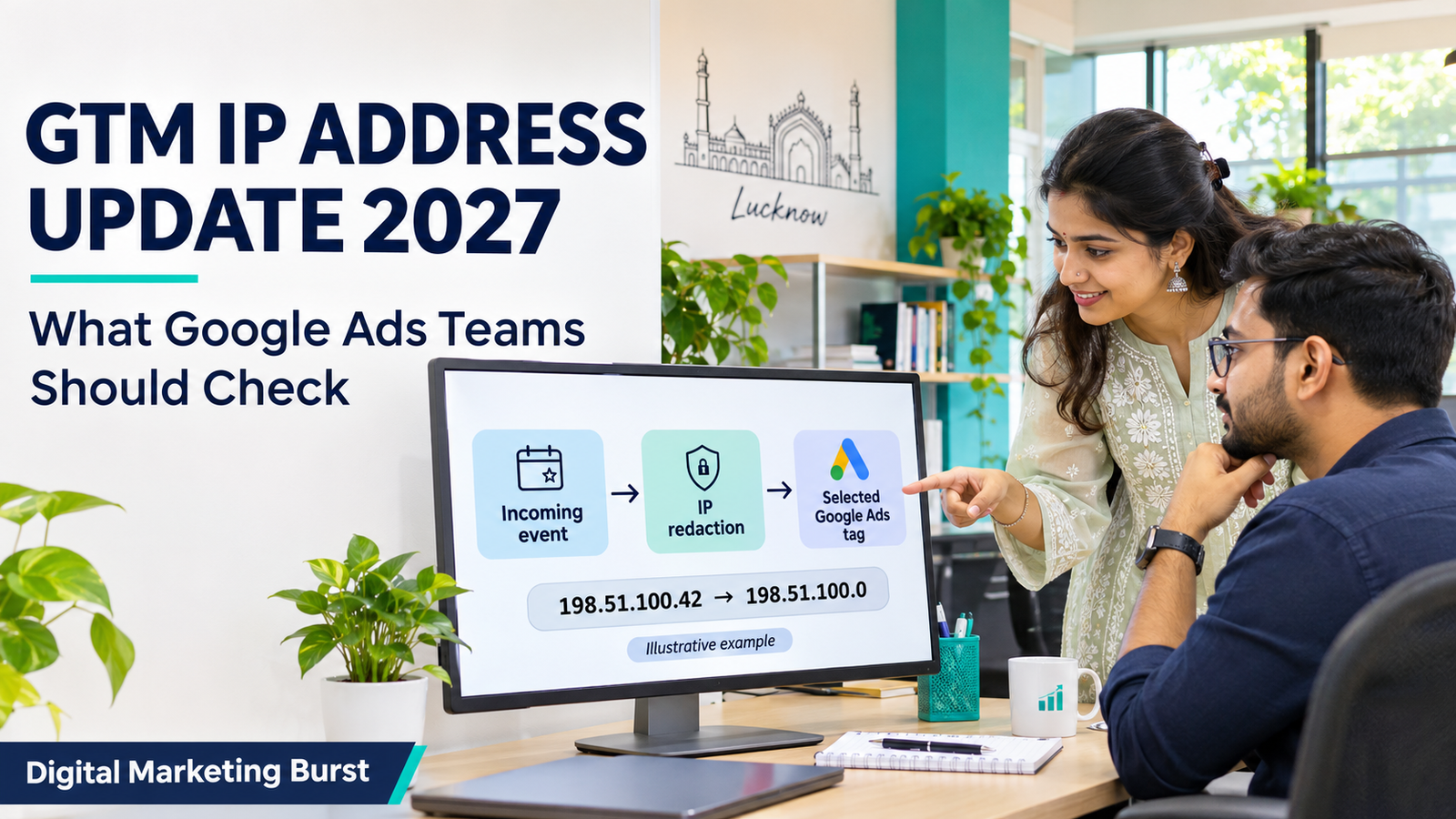
Google’s getAnonymizedIpAddress() API masks part of the address. For IPv4, it sets the last octet to zero. For IPv6, it masks the last 80 bits, leaving the first 48. For example, the documentation address 198.51.100.42 would become 198.51.100.0. The function returns :: if it cannot resolve a valid IP, so seeing that value is also a reason to check whether the test request had a usable source address. Server-side | Google for Developers
For this article, partially redacted is the clearest description. Some of the address remains. The name of the API should not be taken as proof that the complete tracking event is anonymous or that a rule covers every place where an IP might appear.
An ip_override Transformation is also different from a change to infrastructure logging. The Transformation applies to event data available to the tags it affects. If your hosting service, proxy or other infrastructure keeps request logs, review those settings separately. Testing what a Google Ads tag receives does not answer what an upstream system logs. Server-side | Google for Developers
Does the GTM IP address update apply to your website?
Start with one event you can reproduce safely, such as a controlled test enquiry or a test order. Follow it rather than auditing every tag in the account at once.
Step 1: Find the container that handles the event
Open GTM and identify the relevant Web and Server containers. Having a Server container in the account is not enough to establish that the site uses it. Ask the developer to confirm the endpoint used by the live website and show the event reaching the expected Server container in Preview. Server-side | Google for Developers
If the site uses only a Web container and does not route the event through a GTM Server container, the reported server-container change does not call for adding a server-side Transformation to that setup. If some events go through the browser and others through a server, record them as separate paths. Do not apply one finding to both.
One common audit mistake is testing a staging site and assuming the live site sends data to the same endpoint. Confirm the environment and the container version before treating a test as evidence about production.
Step 2: List tags by destination and purpose
Use the destination as well as the tag’s display name. A tag called “Purchase — new” is hard to assess until you know whether it sends to Google Ads, GA4 or another vendor.
Here is a starter inventory for a hypothetical shop. It records what to verify, not what any live account has been shown to send.
| Event | Destination | IP handling to check | Evidence to record |
|---|---|---|---|
purchase |
Google Ads conversion tag | Whether the tag is in scope for the intended ip_override rule |
Tag name, event name, test result and tested container version |
purchase |
GA4 server tag | Whether this path uses the expected Analytics tag and whether custom rules also affect it | Tag type, any applicable Transformation and test result |
purchase |
Third-party advertising tag | Whether the template reads ip_override, a custom field or another source |
Template name, field identified and how its behaviour was verified |
generate_lead |
Google Ads conversion tag | Whether the same IP decision applies to lead events and whether the rule covers them | Trigger, matching conditions and test result |
Add two columns of your own: person responsible and intended IP handling. Without those, an inventory may document the current setup but leave the team unable to decide what to change.
Step 3: Check where the same event takes a second route
A website can have tags managed by more than one team. For instance, an agency may manage server-side Ads tracking while a developer maintains an ecommerce plugin. If a conversion action appears to have more than one source, identify which component creates each event and where it sends it.
Do not disable an unfamiliar tag just because its name looks similar to another one. It could measure a different outcome, send to a different account or support a separate reporting workflow. If both track the same action, make a note for your Google Ads conversion tracking review and verify how the account counts that action before changing either route.
Step 4: Decide which existing controls need a separate check
Consent and IP redaction answer different questions. Consent settings help determine how tags behave based on a visitor’s choices. A redaction rule modifies a value available to selected tags. A working banner does not prove that a tag receives a redacted address, and a correctly redacted address does not prove that the tag behaved as intended when consent was denied. Google provides separate documentation for server-side consent mode and IP redaction. Server-side | Google for Developers
For an India-based business, list the websites, markets and configurations that your team actually operates. If two storefronts share a container but use different consent settings or destinations, include both in the test plan. Have the person responsible for privacy review the intended behaviour. This guide is about implementing and verifying that decision, not determining what a particular law or contract requires.
What to prepare before changing a live GTM container
At the end of the audit, you should be able to write a short instruction that a developer can implement and another person can verify:
Example change brief: On our ecommerce Server container, apply the approved partial IP redaction rule to the selected Google Ads purchase tag. Confirm that the tag sees the intended
ip_overridevalue on the test purchase. Check that the other destinations behave as intended and record the tested container version.
That brief is stronger than “anonymise GTM.” It names the container, event, tag, expected change and verification method. It also gives the reviewer a clear way to spot a rule that reaches more tags than intended.
Prepare these items before opening the workspace for changes:
- The current published version. Record it so the team knows what was live before the change.
- A short list of affected tags. Include the conversion action or destination each one supports.
- A controlled test event. Use an approved test route or account where possible. Make clear how test conversions will be identified.
- Expected results for affected and unaffected tags. If the rule should apply only to the Ads purchase tag, test an event where another tag should stay outside that rule.
- A decision on evidence handling. Record what changed, which test passed and who reviewed it. Avoid including real visitor IP addresses or raw payloads in screenshots, shared tickets or client reports.
If you cannot yet identify a third-party tag’s IP source, mark it unverified. Do not tick it off simply because the Google Ads tag passes. That distinction is the most useful outcome of the first audit: it tells you what your team knows and where it still needs evidence.
How to redact IP addresses in server-side GTM
If your team has decided that a Google Ads server tag should receive a partially redacted IP address, the documented setup has two parts: a custom variable that returns the masked address and an Augment event Transformation that writes it to ip_override for the selected tag. The variable produces the value; the Transformation determines where it is used. support.google.com
Start with one destination and one event you can reproduce. For example, a retailer might test a server-side Google Ads purchase tag before applying the same policy to its lead or remarketing tags. A small first test makes it easier to tell whether a problem comes from the variable, the tag selection or an existing rule.
Step 1: Open the right Server container and record your starting point
Check the container ID, workspace and environment before editing. A business may have separate containers for different storefronts, or a staging site that uses a different tagging endpoint from the live site. The correct-looking tag in the wrong workspace is still the wrong place to make the change.
Record the current published version. Then review existing Transformations for anything that adds, removes or rewrites ip_override. Look at rules that apply broadly, not only ones with “IP” in their names. An existing rule called “Ads parameter cleanup,” for example, might remove a field you are about to add.
Before changing the workspace, run the event once in Preview and note the baseline:
- Which client claims the request?
- What event name does the Server container receive?
- Which Ads, Analytics or vendor tags fire?
- Which conversion action or destination does each tag use?
- Do any Transformations already run for the tag you intend to change?
A useful baseline can be a few lines in a ticket. Record the event, tag, destination and result; there is no need to paste a visitor’s raw IP address or a full request payload into a shared document.
Step 2: Create the custom variable template
In the Server workspace, create a Custom Variable Template. Add the following code, which Google provides in its IP address redaction guidance:
const getAnonymizedIpAddress = require('getAnonymizedIpAddress');

return getAnonymizedIpAddress();
This code belongs in the server-side template editor. It is not a script to paste into your website, a Web container’s Custom HTML tag or a page builder. Google’s API reference identifies user_ip as the associated permission. Review the permissions in the template before saving it. Then create a variable in the workspace using the saved template so that the Transformation can reference it. support.google.com
Use names that explain what each item does. For instance:
| Item | Example name |
|---|---|
| Variable template | IP — Partial redaction template |
| Variable instance | IP — Partially redacted request address |
| Transformation | Ads — Set redacted ip_override |
Those names make the distinction clear for the next person who opens the container. If the template exists but the variable is missing from the Transformation’s value picker, check whether you created a variable instance from the template.
What should the variable return? With a valid source IP, expect a partially masked address. The API uses the request’s source address and returns :: when a valid address cannot be resolved. If you see ::, record that separately. It shows the fallback path ran; it does not demonstrate that your test successfully masked a valid IPv4 or IPv6 address. Server-side | Google for Developers
Step 3: Map the variable to ip_override
Open Transformations, create a rule and select the Augment event type. Add ip_override as the parameter to set, then select the variable you created as its value. Use the variable picker where available so you are referencing a variable, rather than entering its name as literal text. support.google.com
For a first test, your configuration can be as simple as this:
| Setting | Example configuration |
|---|---|
| Transformation type | Augment event |
| Event parameter | ip_override |
| Parameter value | The variable that returns the partially redacted request IP |
| Affected tag | The identified Google Ads purchase tag |
| Matching conditions | Add a condition only if the approved rule is limited to certain events or circumstances |
Do not assume that deleting ip_override achieves the same result as supplying a redacted value. Google’s documented redaction method sets an explicit override. If you merely remove the field, you have not verified how a tag behaves without it. Likewise, setting a field named ip_address will not substitute for ip_override in this documented Google tag setup. support.google.com
Step 4: Select the affected tags and define when the rule applies
Think of scope as two separate questions:
- Which tags should receive the override?
- Under which event conditions should they receive it?
Suppose an Indian ecommerce business has three server tags: a Google Ads purchase tag, a GA4 event tag and a third-party conversion tag. The approved first change covers the Ads purchase tag only. Select that tag explicitly. Do not broaden the rule to the entire container just because all three tags use the same purchase event.
Now suppose the same business approves partial redaction for both Ads purchase and Ads lead tags. A matching condition limited to purchase would leave the lead path outside the rule even if both tags were selected. In that situation, either scope the rule to the named tags without that unnecessary event condition or use conditions that cover both intended paths. The right configuration follows the approved policy. Google’s Transformations documentation explains how to define matching conditions and affected tags. developers.google.com
A good review question is: “If someone adds a new Ads tag next month, does this rule apply to it, or must they add it explicitly?” Document the answer. A narrowly scoped rule makes the immediate change easier to review, but the team must remember to assess new tags as they are added.
How to verify Google Ads IP redaction in Preview
A successful test should establish three things: the intended event arrived, the correct tag received the intended field, and the tag still sent the expected conversion request. Use an approved test route or account where possible. Preview helps you inspect the flow, but it does not make a test order harmless if the tag still sends to a live conversion destination. Server-side | Google for Developers
1. Find the event in the Server container debugger
Open Preview from the Server workspace. Trigger the controlled event from the connected site, then find the corresponding request or event in the debugger. Confirm that the expected client claimed it and that you are inspecting the right event. An earlier page-view request or a second submission can look plausible if you are only scanning the event list. Server-side | Google for Developers
If nothing appears, verify the endpoint and environment first. Changing the Transformation will not help if the browser sends the event elsewhere or the expected server client does not claim the request.
2. Inspect the fired tag rather than only the event summary
Open the Tags view for the event and select the Google Ads tag that fired. Check which Transformations ran for it. In the Transformation details, inspect the event data exposed to that tag. The debugger can show the original and transformed values for comparison. Server-side | Google for Developers
For a controlled IPv4 test, the before-and-after comparison might look like this:
| Check | Illustrative result |
|---|---|
| Test request’s resolved source address | 198.51.100.42 |
Final ip_override available to the selected tag |
198.51.100.0 |
| Transformation applied | Ads — Set redacted ip_override |
| Google Ads conversion tag | Fired for the intended test event |
The addresses above are documentation examples, not visitor data. In your own test, the original event may not already contain ip_override; the Transformation can add it. The useful check is whether the final value available to the selected tag matches what you expect from the controlled request. developers.google.com
3. Inspect the outbound request where the debugger exposes it
Google’s server-side debugger can display outgoing HTTP requests. Open the request associated with the tag you tested and check the destination and the information you can inspect. If the outbound IP-related value is visible, verify it there too. If the debugger does not expose an interpretable field, record the distinction: the selected tag received the masked override, but the outbound representation was not independently verified in this test. Server-side | Google for Developers
This distinction is especially important for third-party templates. A value in the tag’s event data is useful evidence about what was available to it. It is not proof that the template used that value instead of a different field or header. Google advises checking how the specific vendor obtains the IP address. support.google.com
4. Check that the conversion still works
The IP field can look correct while the conversion itself is broken. Compare the new test with your baseline. For a purchase event, check the destination, event or conversion action, order identifier, currency and value wherever those details are part of your implementation. For a lead event, confirm the intended tag fires on a successful test submission and does not count an unsuccessful attempt.
Where possible, test one tag that should remain outside the new rule. If the selected Google Ads tag receives the redacted value but another tag also changes unexpectedly, stop and review the scope. That is a configuration issue, even if the first tag appears correct.
A compact test record could look like this:
| Test case | Expected result |
|---|---|
| Selected Ads purchase tag on a valid test purchase | Override matches the intended redaction; the expected conversion request is still sent |
| Unselected tag on the same event | The new Transformation does not run for that tag |
| A different event outside the rule’s conditions | The rule does not apply there |
| Failed checkout or unsuccessful lead submission | No successful conversion is recorded under the intended tracking setup |
| Source IP cannot be resolved | The fallback is identified separately; a valid-address test is still needed |
What if another Transformation changes the same field?
Inspect the order in Tag Details. Google documents the default sequence as Allow → Augment → Exclude, and says priorities can change the order. An exclusion that runs after an augmentation can remove the field you just added. Another rule that writes to ip_override may also leave the tag with a different final value from the one you expected. Server-side | Google for Developers
For example, imagine a retailer has an existing rule that excludes IP-related fields from all advertising tags. You add a rule that writes a partially redacted value to ip_override for one purchase tag. Preview shows the new rule ran, yet the field is absent from the tag’s final event data.
In that case, do not increase priority until the field reappears and call the issue solved. First establish why the exclusion exists. It may implement a decision to withhold the field entirely. If that policy still applies, forcing a redacted value into the tag changes the intended behaviour. If the policy has changed, document the approved rule and resolve the overlap explicitly.
Use these checks to narrow down common failures:
| What you see | First thing to check |
|---|---|
| The server event never appears | The site endpoint, environment and client claiming the request |
| The event arrives, but the expected tag does not fire | Its trigger, applicable consent state and any changes to required fields |
| The tag fires, but the new rule does not run | Affected tag selection and matching conditions |
The rule runs, but ip_override is absent at the end |
The order of Transformations and any later exclusion |
ip_override contains an unexpected value |
Variable mapping, another writer to the field or the source-IP fallback |
| The masked override is present, but the vendor still appears to use a full address | The template’s actual IP source and outbound behaviour |
Google notes that changing or removing required event parameters can affect tag firing. Keep the redaction change narrow so you can tell whether it is responsible for an unexpected result. Server-side | Google for Developers
When is the setup ready for a rollout review?
The setup is ready for review when you can show which container, event and tag you tested, which value the selected tag saw, and whether the conversion request behaved as expected. Record any limits on what you could verify. For instance, “Override confirmed in tag event data; outbound representation not independently visible” is more useful than a blanket pass.
Give the reviewer the workspace name, baseline version, selected tags, matching conditions, test results and any open questions. Include one expected pass and one case where the rule should not apply. Keep the existing published version identifiable so the team can assess rollback options if production behaves differently.
Test consent and IP redaction separately
A Google Ads tag can receive the expected ip_override value and still behave differently from what your team intended when a visitor declined consent. The opposite is possible too: a tag can respond correctly to a consent choice while receiving an IP value your team did not intend to share.
Treat these as two separate checks:
- Consent check: Did the visitor’s choice reach the relevant system, and did the tag behave as expected for that choice?
- Redaction check: If the tag processed the event, did it receive and use the intended IP value?
Google’s server-side consent mode documentation describes how consent signals reach the server container and how Google tags adjust their behaviour. A Transformation changes the event data available to selected tags. It does not collect consent or replace the consent setup. Server-side | Google for Developers
Write the expected result before opening Preview
A test is much easier to assess when the expected result is written down. For example, “reject Ads consent and see what happens” is less useful than “reject Ads consent, verify the state received by the server, and compare the tag’s behaviour with our approved configuration.”
Use a test matrix like this:
| Test case | What to verify |
|---|---|
| Fresh visit before a choice is made | The intended default state is applied. Check whether any request is sent and whether that matches your setup. |
| Visitor grants the relevant consent | The updated state reaches the server, the intended tag behaves as expected, and the IP override applies where approved. |
| Visitor denies the relevant consent | The denial reaches the relevant system. Check whether the tag is blocked or sends a limited request, as intended for your implementation. |
| Visitor changes a previous choice | A new event reflects the updated state. Check the event after the change rather than relying on an earlier request. |
| Two storefronts use different consent configurations | Test both storefronts, even if they send events to the same Server container. |
| A third-party tag fires on the same event | Verify that tag’s consent behaviour independently of the Google tag. |
Google distinguishes basic and advanced consent mode. In its basic implementation, Google tags are blocked if the visitor does not consent; advanced implementations can send limited cookieless signals in certain denied states. A request in the debugger is therefore not, by itself, proof of a fault. The test needs to establish what was sent, why it was sent and whether that matches the intended setup. developers.google.com
A practical way to catch mistakes is to run the same test event twice in clean browser sessions: once with the relevant consent granted and once denied. Check that the consent state belongs to the event you are reviewing. If the server sees the wrong state, investigate the banner-to-tag flow before trying to solve the problem with IP redaction.
Audit third-party tags by the field they actually use
An ip_override rule that works for a selected Google Ads tag does not automatically establish how a third-party template behaves. Google’s redaction guide says some vendor templates read ip_override, while others use a different event parameter or a header. The test must follow the field the template actually reads. support.google.com
Follow the value from its source to its destination
For each vendor tag, write down four things:
- Source: Where does the tag obtain the IP address? Start with the template documentation, then confirm against the implementation or controlled test evidence.
- Scope: Does the relevant Transformation apply to this tag and event?
- Destination: Which endpoint does the tag send to, and what can you verify about the outgoing data?
- Result: Is the intended handling confirmed, contradicted or still unverified?
Suppose a hypothetical retailer has a Google Ads purchase tag and a separate vendor conversion tag in the same container. The Ads tag receives a partially masked ip_override. The vendor tag, however, reads a separate field populated by the retailer’s integration. If the team has changed only ip_override, its Google Ads test can pass while the vendor path remains unchanged.
If the vendor documents a supported event field, review whether it can be overridden for that tag and test the result. If the template takes the address from a request header instead, first establish whether the template offers a supported way to change that behaviour. Do not assume that adding a similarly named event parameter rewrites a header. support.google.com
Use evidence labels that make the limits clear
A single “pass” box can hide an important distinction. Use labels that show how far the review got:
| Evidence recorded | What you can say |
|---|---|
| The tag received the expected event value and the outgoing field was inspectable | “Verified the masked value on the tested path.” |
| The tag received the masked event value, but the outgoing field was not interpretable | “Verified the tag input; outbound IP handling was not independently verified.” |
| The vendor uses a different field and that path was not tested | “Vendor IP handling remains unverified.” |
| The event did not fire the expected tag | “The test did not exercise this tag.” |
The only value observed was :: |
“Observed the fallback; masking of a valid source address still needs a test.” |
This approach matters when more than one person owns the system. A developer can confirm what the container exposed. A vendor may need to explain what its template reads. The person signing off should be able to see which conclusion is supported and which still depends on an unanswered question. Google’s debugger guidance explains which requests and tag details can be inspected, while the API reference documents the :: fallback. developers.google.com
Keep server logs and browser routes in the audit
A rule that changes data exposed to a server tag does not show what was recorded before the event reached that tag. Review any relevant proxy, hosting or application logs separately. Also check whether the website sends the same event through a browser-side tag or another integration. Those routes need their own verification. developers.google.com
For a marketing agency managing several client accounts, use one change record per container and environment. Do not copy a “verified” result from one account into another because the tags share the same names. The endpoints, scope and templates may differ.
Publish the GTM change in stages
Once the Preview checks pass, keep the first deployment as focused as practical. A release that changes IP handling, consent defaults and conversion triggers together makes it harder to work out why production behaves differently.
Before publishing: Review the whole workspace
Open the list of workspace changes and confirm that the version contains what you intend to release. If another team has added unrelated changes, resolve that before publishing. Record the version that is currently live, the target environment, the affected tags and the test evidence. Google’s Tag Manager publishing and versions guide explains how to review workspace changes and select an environment when publishing. Tag Manager Help
A useful version description might say:
Apply partial
ip_overrideredaction to the selected Google Ads purchase and lead tags. Verified controlled purchase and lead events, applicable consent states, and an unrelated tag outside the rule. Third-party tags were reviewed separately.
Use that as a format. Replace it with the work actually completed, including any known limits. If a test was skipped, do not make the release description sound as though it passed.
After publishing: Repeat a controlled test on the live path
A successful test in Preview tells you how the workspace behaved under the tested conditions. After publishing, confirm that the live site uses the intended endpoint and environment. Repeat an approved purchase or lead test, then check that the intended tag and destination still behave as expected.
For an ecommerce business, compare the conversion action, value, currency and order ID where applicable. For a lead-generation business, check whether the test enquiry reached the team as well as whether the tag fired. A technically valid request does not help if the contact never reaches the person responsible for replying.
Review your Google Analytics reports and Google Ads conversion reports as supporting checks. An unexpected change in counts deserves investigation, but a stable dashboard cannot prove that an address was redacted. Use event-level evidence for the data-handling decision and business records to check whether measurement still represents real purchases or enquiries.
Decide what would trigger a rollback
Agree on rollback conditions before releasing. Examples include a required conversion tag no longer firing, the wrong destination receiving an override, or a consent-state test behaving differently in production.
Before restoring an older container version, check what else that version would restore. It may undo an unrelated fix, reinstate a duplicate tag or remove the redaction control you just verified. If reverting would conflict with the approved IP handling, have the responsible owner decide how to contain the affected route while the configuration is corrected.
After a rollback or corrective release, repeat the same controlled checks. The older version number tells you which configuration was restored. It does not show whether that version is still appropriate for your current site or the Google behaviour in effect when you test. Tag Manager Help
Investigate reporting changes without assuming the IP update caused them
If conversion counts change after publishing, start with the closest observable event rather than the dashboard total.
| What changed | What to investigate first |
|---|---|
| Test events no longer reach the Server container | Endpoint, environment and incoming request handling |
| Events arrive but the intended tag does not fire | Trigger, consent state and whether a required parameter is missing |
| The tag fires but the conversion value differs | Compare the source order or lead with the values passed to the destination |
| The Google Ads tag behaves as expected but a vendor result changes | Check that vendor’s field mapping, trigger and consent handling separately |
| The tracking test passes but reported sales or enquiries fall | Compare backend records, reporting lag, campaign changes and actual demand before attributing the decline to redaction |
For example, imagine a store notices fewer reported purchases after a tagging release. Its order system shows roughly the same number of completed transactions. The first question is whether the same orders are still eligible to be measured and whether the expected conversion requests are being sent. Now consider the opposite: the order system also shows fewer purchases. In that case, an ad campaign change, an inventory issue or lower demand may be more relevant than the IP field.
These examples are diagnostic scenarios, not predictions about the update. If several changes occurred together, say that the cause remains unclear. A date match tells you where to begin looking; it does not tell you which change produced the outcome.
To make the record easy to reuse, keep your audit checklist alongside the container version and the decision owner. Add a review whenever you introduce a new tag, replace a vendor template or move an event to a different endpoint. A narrowly scoped rule that works today still needs someone to assess new destinations tomorrow.
Frequently asked questions
Should I remove ip_override to prevent an ad tag from using an IP address?
Deleting the field is not the same as setting it to a partially redacted address. Google documents an explicit override for its partial-redaction method. If your requirement is to withhold an address entirely, verify which controls the particular tag supports and what it does without that field. Do not treat a blank value in Preview as proof that no IP was used. support.google.com
Does the documented method mask IPv6 as well as IPv4?
Yes. Google’s API documentation says it masks the final octet for IPv4 and the final 80 bits for IPv6. If both address types matter to your setup, test both where practical. A valid IPv4 test does not establish that your infrastructure passes a resolvable IPv6 address to the same container. developers.google.com
Do I need to recreate my Google Ads conversion actions for this update?
The documented redaction procedure changes the event data provided to a server tag. It does not instruct you to create new conversion actions. Keep the existing action where appropriate and verify that the same intended destination, action and values still work after the change. Treat any redesign of conversion tracking as a separate decision. support.google.com
What to do before the GTM IP address update
Start with one event and follow it to each destination. Confirm which Google and third-party tags it reaches, decide what each should receive, and test the result under the relevant consent states. When applying partial IP redaction, verify the selected tag’s final event data and inspect its outbound request where possible. Record what you could not independently confirm.
The GTM IP address update is a reason to review the data path, not to rebuild a working container from scratch. The most useful deliverable is a record another team member can reproduce: the event tested, the tag selected, the expected IP handling and the evidence that supports the result.
Why Choose Digital Marketing Burst for Server-Side GTM in Lucknow?
If you’re looking for the best Google Tag Manager agency in Lucknow or comparing top digital marketing agencies in India, ask one question: Can the team show what each tag receives and verify that conversion tracking still works after the change?
At Digital Marketing Burst, we offer Google Ads, analytics and website services for businesses that want to understand what their tracking setup measures. If you’re preparing for the 2027 GTM IP address update, we can discuss a focused review of your server container: which ad tags receive your events, where ip_override applies, and which third-party tags need separate testing.
Whether you need a server-side GTM audit in Lucknow or help reviewing Google Ads conversion tracking after IP redaction, start with one event that matters to your business, such as a completed order or a confirmed enquiry. Trace it to the intended destination and verify what changed before making wider updates.
Discuss your GTM setup with Digital Marketing Burst. Tell us which event you want to verify and whether you already use a server container.