





Digital marketing in 2026 demands clear strategy, strong content, and a user-first approach. Brands must use the latest digital marketing tips to stay ahead in a competitive market. To increase website traffic fast, you need better content, improved SEO, and stronger engagement. Understanding how to get more website traffic becomes easier when you update your methods regularly. Focus on the best SEO strategy 2026, because search behaviour is changing quickly. Apply the best SEO techniques 2026 to boost visibility and authority. Social platforms also matter, so use effective social media marketing ideas to grow faster. Add more creative social media ideas to connect with a wider audience. Strong content still leads the way. Use seo friendly blog writing to build trust and improve rankings. Learn how to write SEO blogs that are simple, clear, and helpful. These methods prepare your brand for long-term digital success in 2026.

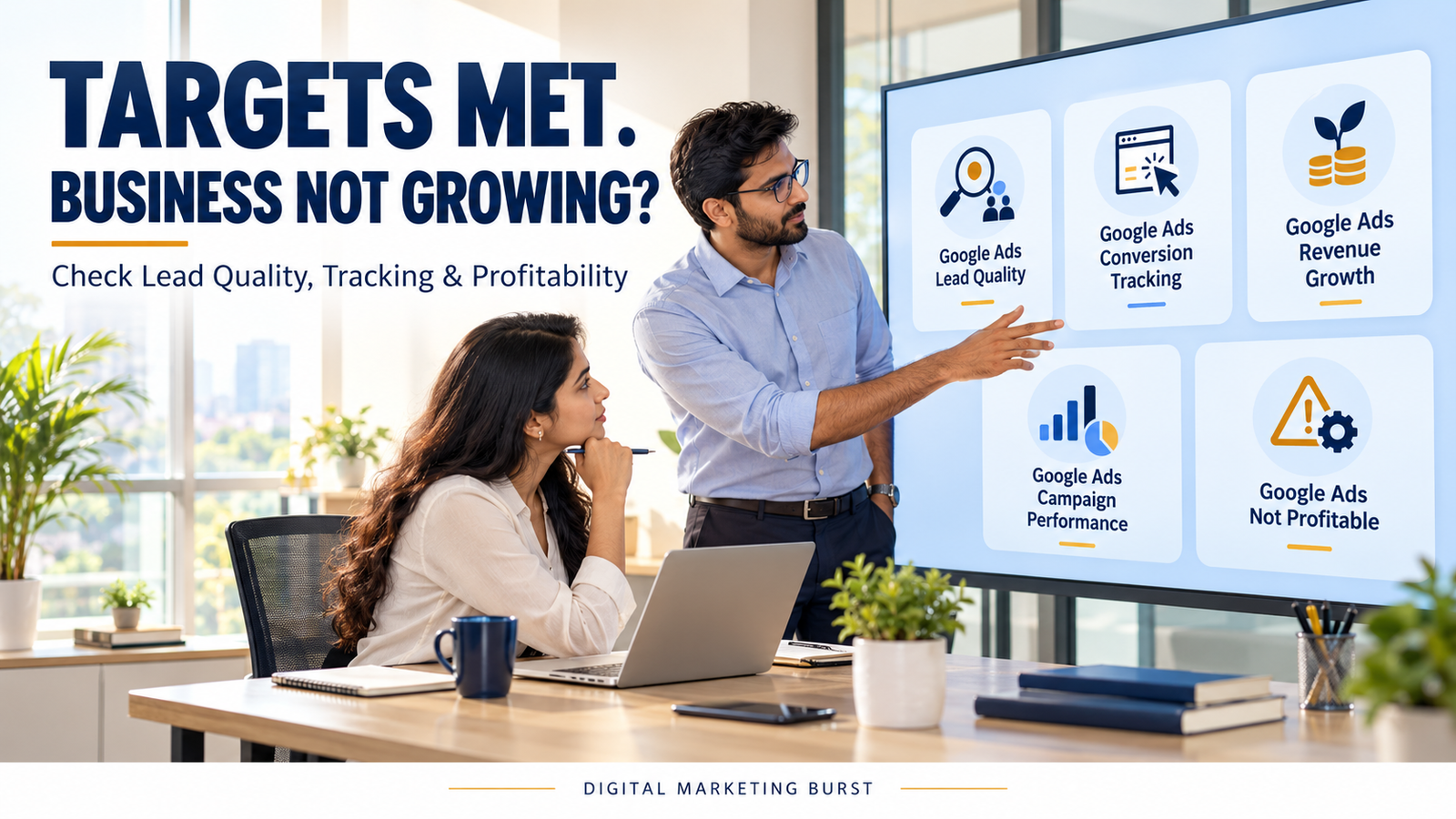

Google Ads Targets Are Being Met, So Why Isn’t Your Business Growing?
Google Ads Targets Are Being Met, So Why Isn’t Your Business Growing?
Your Google Ads account can meet its cost-per-lead target while the business struggles to generate profitable sales. One reason may be Google Ads lead quality: the campaign is producing enquiries, but too few come from people who need the service, can purchase it or receive a timely response.
Tracking can also create a misleading picture. A reported conversion might be a phone-number click, a form submission or a page view—not necessarily a qualified customer.
The problem is not always inside the Ads account. Pricing, service coverage, stock availability, sales follow-up and the time customers take to decide can all affect the outcome.
Before increasing the budget or replacing the agency, trace the journey from the ad interaction to the final business result. That will show whether the gap is in measurement, lead quality, sales handling or the offer itself.
What Does It Mean When Google Ads Meets Its Targets?
A target is useful only when everyone understands what it measures.
A campaign may be judged against:
- Cost per reported conversion.
- Number of form submissions.
- Number of calls.
- Conversion value.
- Return on ad spend.
- Traffic or click volume.
Each number answers a different question. None automatically tells you whether the business gained a profitable new customer.
Consider a hypothetical business that sets a target of ₹500 per reported lead.
At the end of the month, the account shows:
| Google Ads measure | Hypothetical result |
|---|---|
| Ad spend | ₹50,000 |
| Reported conversions | 100 |
| Cost per reported conversion | ₹500 |
| Target cost per reported lead | ₹500 |
The account has met the target mathematically.
The business owner still needs to know what those 100 reported conversions represent. If several are repeated forms, calls from existing customers or enquiries outside the service area, the reported cost per conversion does not describe the cost of obtaining a suitable prospect.
Meeting the target is an observation. Whether the target supports the business is the next question.
Ask what happens after the reported conversion
Follow the chain:
Ad interaction → enquiry → valid enquiry → qualified lead → sales opportunity → customer → collected revenue → profit
Not every business uses these exact stages. The point is to define the stages that matter to yours and record what happens after the first interaction.
A lead-generation campaign may be doing its assigned job while the sales team struggles to contact prospects. Equally, prompt follow-up cannot turn every irrelevant enquiry into a suitable customer.
The diagnosis needs evidence from both sides.
Google Ads Lead Quality: Why More Enquiries May Not Mean More Customers
A lead is an expression of interest. Its quality depends on whether the person’s need matches the business’s actual offer.
For a local service provider, a qualified lead might need:
- A service the business currently offers.
- A location the business serves.
- A realistic requirement.
- Contact details that allow a response.
- An appropriate decision timeline.
A business selling industrial equipment may use different criteria, such as technical suitability, order size or purchasing authority.
Define quality before examining the numbers. Otherwise, one person may count every message as a lead while another counts only people ready to buy.
A valid lead and a qualified lead are different
Use separate definitions:
| Stage | Suggested meaning |
|---|---|
| Reported conversion | An action recorded in Google Ads under the account’s settings |
| Valid enquiry | A genuine, usable request rather than spam or a test |
| Qualified lead | An enquiry that meets the business’s agreed suitability criteria |
| Sales opportunity | A qualified prospect with a defined potential purchase |
| Customer | A person or organisation that has completed the business’s agreed purchase milestone |
These definitions are examples. Adapt them to your process and use them consistently.
A customer might be counted when an order is paid, a contract is signed or a service is delivered. Choose one definition for the report and state it.
Example: A local service with limited coverage
Imagine a Lucknow-based business that installs water purifiers only within selected areas.
Its ad receives enquiries from:
- People seeking installation in its service area.
- People seeking repairs the business does not offer.
- Customers in cities it does not serve.
- Existing customers looking for support.
- People asking for jobs.
All are contacts, but they do not represent the same sales opportunity.
The campaign report alone may not reveal that distinction. The business needs to record the reason an enquiry was qualified or disqualified.
That information can then guide a review of targeting, ad wording, landing-page information and follow-up.
Calculate the Cost of a Qualified Lead
The cost per reported conversion is:
Ad spend ÷ reported Google Ads conversionsFor a business with a reliable lead record, a separate operational measure can be:
Ad spend for the selected cohort ÷ qualified leads in that cohortThe second calculation depends on the quality of the business’s records. It should not be presented as an exact Google Ads attribution measure when the sources or records are incomplete.
Hypothetical example
Assume a campaign spends ₹50,000 on interactions in a defined period. The team records the following outcomes for the corresponding lead cohort:
| Stage | Count |
|---|---|
| Valid enquiries | 80 |
| Qualified leads | 40 |
| Customers | 8 |
The calculations are:
Cost per qualified lead = ₹50,000 ÷ 40 = ₹1,250Cost per customer = ₹50,000 ÷ 8 = ₹6,250These are illustrative calculations, not client results or industry benchmarks.
The cost per qualified lead is different from the earlier ₹500 cost per reported conversion. That difference can change the business decision.
The campaign may still be worthwhile. To decide, the owner needs to compare acquisition cost with the value and cost of serving those customers.
Do not compare mismatched time periods
A lead may arrive in one month and purchase in another.
If you divide October ad spend by sales closed in October, some of those sales may come from earlier leads. Recent enquiries may still be under consideration.
A better investigation follows a defined group of leads from its starting period through a reasonable follow-up period.
Record:
- When the lead entered.
- When it was qualified.
- Whether an opportunity was created.
- When the sale was completed.
- Which outcome was recorded at the review date.
The newest cohort will often have more unresolved leads than an older one. Show that openly instead of treating every open enquiry as a lost sale.
Find Where the Business Funnel Is Losing People
Before changing targeting or bids, identify the stage where the numbers weaken.
Use a simple funnel worksheet.
| Stage | Count | Question |
|---|---|---|
| Reported conversions | ___ | What actions are included? |
| Valid enquiries | ___ | How many were genuine and usable? |
| Qualified leads | ___ | How many matched the offer and service area? |
| Contacted leads | ___ | How many received a response? |
| Sales opportunities | ___ | How many had a defined purchase need? |
| Customers | ___ | How many reached the agreed sales milestone? |
| Collected revenue | ₹___ | How much was actually collected? |
The worksheet is a diagnostic tool. It does not automatically prove which campaign caused a sale.
Read the pattern before choosing the fix
Different patterns suggest different investigations.
| Observed pattern | Investigate first |
|---|---|
| Many reported conversions, few genuine enquiries | Conversion actions, duplicate events and spam |
| Many genuine enquiries, few qualified leads | Search intent, location, offer and landing page |
| Many qualified leads, few contacted | Response process, staffing and contact details |
| Many contacted leads, few opportunities | Qualification, customer needs and sales conversations |
| Many opportunities, few customers | Pricing, follow-up, competition and sales process |
| Customers acquired but little profit | Pricing, fulfilment costs, refunds and acquisition cost |
Do not assume the first visible weakness has only one cause.
For example, a low contact rate may involve incomplete phone numbers, missed calls or an enquiry form that sends messages to an unmonitored inbox.
The sales team and marketing team need to review the same evidence.
Check Whether the Account Is Measuring the Right Actions
Google Ads can measure actions such as purchases, form submissions and calls. The business chooses which actions matter for its objectives.
That choice affects how the account’s results are interpreted.
Google distinguishes conversion actions by their settings and campaign goals. Primary actions associated with a goal used for bidding can appear in the Conversions column and inform bidding. Secondary actions are generally observed in All conversions, with an important exception when included in a custom goal. Google Ads Help
This means the label “conversion” should never be read without checking the underlying action.
A phone-number click is not always a completed call
Imagine someone taps the phone number on a mobile website but closes the dialler before calling.
Depending on the setup, the click may still be recorded as an action. That record does not, by itself, establish that a conversation occurred.
Likewise:
- A form-button click may differ from a successfully delivered submission.
- A successful submission may differ from a qualified enquiry.
- A call may concern customer support rather than a new sale.
- A quotation request may not become a paid order.
These distinctions do not make early actions useless. They determine how those actions should be labelled and used.
Review the conversion-action inventory
Ask the account manager to provide a list of active actions.
For each one, record:
| Field | What to check |
|---|---|
| Action name | Is the name understandable? |
| Source | Website, call, imported event or another source |
| Business meaning | What happened from the customer’s perspective? |
| Primary or secondary | How is the action configured? |
| Goal used by the campaign | Is this action associated with an active optimisation goal? |
| Counting setting | Can the configuration count repeated actions? |
| Value | Is the assigned amount real, estimated or a placeholder? |
| Validation | How was the action tested? |
Do not change primary actions simply because a checklist says to do so. Understand the current setup, affected campaigns and bidding implications first.
A sudden measurement change can make before-and-after reports difficult to compare.
Look for Duplicate or Misleading Conversions
A target can appear to be met when the same business action is measured more than once.
For example, a website form might be recorded through two separate setups. A confirmation page may also be revisited.
These are possibilities to investigate, not proof that your account has duplicate tracking.
Test one controlled enquiry
With the website and Ads teams, agree on a safe test process.
Record:
- Which form or call action is being tested.
- The time of the test.
- Whether the action was completed successfully.
- Whether the business received the enquiry.
- Which analytics events fired.
- Which Google Ads conversion actions later recorded the test.
- Whether any test records need to be excluded from business reporting.
Do not expect a test interaction to appear instantly in every reporting system. Processing and attribution settings can affect what appears and when.
Google notes that performance and conversion data have different freshness characteristics. Google Ads Help
Investigate confirmation-page behaviour
Ask the developer:
- Can the confirmation page be opened directly?
- Does refreshing it trigger the event again?
- Does every form submission reach that page?
- Can a failed submission still trigger a conversion event?
- Is the same successful action recorded by more than one setup?
The answers should be based on the actual website implementation.
A page title saying “Thank you” does not prove that the enquiry reached the business.
Measure the Customer Journey, Not Only the Form
A person may click an ad, read the service page, leave, return later and then contact the business.
Another person might call immediately. A third might submit a form, receive a quotation and take several weeks to decide.
A single reporting period may not contain the entire journey.
This matters when an owner compares recent ad spend with sales closed during the same calendar month.
Understand conversion delay
Google Ads describes conversion lag as the delay between an ad interaction and a conversion action. Recent periods can look incomplete because some actions have not yet occurred or been reported. Google Ads Help
Business sales can have an additional delay after the initial enquiry.
For example:
Day 1: Ad interaction and enquiry
Day 3: Initial discussion
Day 10: Quotation
Day 25: Customer confirms the order
Day 35: Payment is collected
This is a hypothetical journey, not a benchmark.
If the team reviews performance on Day 5, the lead may be promising but has not yet generated revenue. A report should show that it is still open.
Compare cohorts at a similar stage
A practical comparison might examine:
- Enquiries received in an earlier period.
- Their status after an agreed follow-up interval.
- Enquiries received in a later period.
- Their status after the same interval.
Include open cases.
Do not compare a mature cohort with a recent cohort and assume that the recent one has permanently performed worse.
The appropriate follow-up period depends on the business’s sales process.
Separate Revenue From Profit
Revenue answers how much money was received or recognised under the business’s reporting method. Profit requires the relevant costs to be considered.
A campaign can produce sales while leaving too little after product, fulfilment and advertising costs.
Illustrative unit economics
Assume a business sells a service for ₹20,000.
| Item | Hypothetical amount |
|---|---|
| Customer payment | ₹20,000 |
| Direct delivery cost | ₹11,000 |
| Contribution before advertising and other costs | ₹9,000 |
| Allocated acquisition cost | ₹6,000 |
| Amount remaining before other costs | ₹3,000 |
This is a simplified example.
It does not include all overheads, taxes, refunds or other costs. The figure remaining should not be called final net profit.
If the same customer later buys again, that may change the economics—but only include repeat revenue that the business can support with evidence or clearly labelled estimates.
Do not confuse ROAS with profit
Return on ad spend generally compares recorded conversion value with advertising cost. It does not automatically subtract product costs, salaries, refunds or fulfilment expenses.
Google’s documentation distinguishes conversion value and return-on-ad-spend measures from the broader calculation of return on investment. support.google.com
A healthy-looking ROAS can therefore coexist with weak profit if margins are low or costs are omitted.
Ask finance and operations which costs should be included before calling a campaign profitable.
Investigate Sales Follow-Up Before Blaming the Campaign
A qualified enquiry still needs an appropriate response.
Review the process:
- Where does the enquiry arrive?
- Who is responsible for responding?
- Is there a backup when that person is unavailable?
- How is the outcome recorded?
- What happens after a missed call?
- How are unsuitable enquiries identified?
- When is an unresolved enquiry reviewed again?
The aim is to identify actual gaps.
Do not assume that every lost sale resulted from slow follow-up. A prospect may choose another option because of pricing, availability, service fit or circumstances outside the business’s control.
Use sales notes to find patterns
A simple reason code can be more useful than a free-text note saying “not converted”.
Possible categories include:
- Outside service area.
- Requested service unavailable.
- Unable to contact.
- Price did not fit.
- Requirement postponed.
- Chose another provider.
- Duplicate or existing customer.
- Reason unknown.
Use these categories consistently and allow the team to record uncertainty.
“Unknown” is better than inventing a reason for every lost enquiry.
Include missed calls in the review
For call-driven businesses, compare available call records with the leads entered into the sales system.
Ask whether:
- The call was answered.
- The caller left usable details.
- The request was new business or support.
- A follow-up occurred.
- The outcome was recorded.
A call count can be useful, but a count alone cannot explain the commercial result.
Review the Offer the Customer Actually Sees
Ad targeting is only one part of the customer’s experience.
A campaign may reach suitable people while the landing page leaves important questions unanswered.
For an Indian business, useful details can include:
- Actual service areas.
- What the service includes.
- Relevant exclusions.
- Whether a quotation is required.
- Delivery or installation conditions.
- The information needed to begin.
- An accurate contact method.
Only publish details the business can verify.
Match the promise to the destination
If an ad highlights a specific service, the destination should help the visitor understand that service.
A visitor looking for commercial installation should not have to search through an unrelated general page to discover whether the company serves their location.
Check the complete path:
Search or ad → landing page → enquiry method → business responseAt each step, ask whether the person can continue without guessing.
An account can meet a low cost-per-conversion target while the business’s offer or follow-up remains unclear.
Use a First Review Meeting to Agree on the Problem
Bring the account manager, sales representative and business owner together with a limited set of records.
The meeting should answer:
- What did Google Ads count as a conversion?
- How many enquiries were valid?
- What made an enquiry qualified?
- How many qualified leads were contacted?
- How many became opportunities or customers?
- Which results are still pending?
- What information is missing?
- Who will investigate each gap?
Avoid turning the meeting into an argument over whether marketing or sales is responsible.
The outcome should be a small action list with owners.
Example action record
| Finding | Next action | Owner |
|---|---|---|
| Some enquiries request an unavailable service | Review ad and landing-page wording | Marketing |
| Several forms have no recorded response | Check inbox delivery and assignment | Operations |
| Two tracking setups may record one submission | Run a controlled tracking test | Website and Ads teams |
| Many qualified leads remain open | Review follow-up dates and customer status | Sales |
| Acquisition cost is known but delivery cost is not | Confirm the relevant cost calculation | Finance or owner |
These are hypothetical findings.
Your account may reveal a different pattern.
What You Should Have Before Changing the Campaign
By the end of the initial review, prepare:
- A list of conversion actions and their meanings.
- A clear definition of a qualified lead.
- A representative set of enquiry outcomes.
- A record of missed or unanswered contacts.
- A distinction between reported conversions and customers.
- A basic view of acquisition cost and direct delivery cost.
- A list of unresolved tracking or attribution questions.
This foundation makes campaign changes more deliberate.
Without it, increasing budget can increase activity without resolving the reason business growth is weak.
How to Improve Google Ads Lead Quality
Improving Google Ads lead quality starts with a clear definition of the customer you can serve.
Before editing keywords or forms, write down:
- The products or services currently available.
- The locations you serve.
- The requirements your team can fulfil.
- The enquiries that should go to sales.
- The requests that belong to support, recruitment or another team.
Then compare those definitions with a representative sample of actual enquiries.
A campaign cannot be judged accurately if the marketing team calls every form submission a lead while the sales team counts only confirmed orders.
Create a shared qualification checklist
A small business can begin with a simple checklist.
| Qualification question | Example |
|---|---|
| Is the request genuine? | The enquiry contains usable information and is not a test or spam |
| Is the service available? | The customer wants a service the business actually provides |
| Is the location covered? | The customer is within the confirmed service area |
| Is there a potential requirement? | The enquiry contains enough information for an appropriate response |
| Can the team follow up? | The customer has supplied a usable contact method |
Add criteria that reflect your business. Avoid declaring someone unqualified merely because they have not yet supplied every detail needed for a final quotation.
A prospect may be at an early research stage and still become a suitable customer later.
Record why an enquiry is unsuitable
Use a reason field instead of deleting the record from your analysis.
For example:
Outside service area
Service not offered
Existing customer support
Duplicate enquiry
Job application
Incomplete contact information
No identifiable requirement
Include an “unknown” option. The sales team should not have to guess why someone stopped responding.
Over time, the reasons can point to different actions. Repeated requests for an unavailable service suggest a different issue from enquiries the team cannot contact.
Audit Google Ads Conversion Tracking Before Changing Bids
The purpose of Google Ads conversion tracking is to record defined customer actions. The business must decide what each action means and how it supports the campaign objective.
An audit should answer:
- Which actions exist?
- What triggers each action?
- Which campaigns use the associated goals?
- What appears in the main reporting columns?
- Does the action represent a meaningful business step?
- Can the same event be counted more than once?
Google Ads groups conversion actions into goals. Its documentation explains that primary and secondary settings affect reporting and bidding, while campaign goal selection also matters. Secondary actions included in a custom goal are an exception to the usual observation-only treatment. Google Ads Help
Step 1: Document the current setup
Before making changes, export or record:
- Conversion-action names.
- Sources.
- Goal categories.
- Primary or secondary settings.
- Account-default and campaign-specific goals.
- Counting settings.
- Conversion windows.
- Values.
- Recent configuration changes.
Record which campaigns depend on each goal.
This baseline helps the team understand what will change and prevents a tracking update from being mistaken for an improvement in customer demand.
Step 2: Compare action names with actual behaviour
A useful action name should describe the event being recorded.
For example:
| Action name | Question to verify |
|---|---|
| Contact form submitted | Was the submission accepted and delivered? |
| Phone number clicked | Was only the link tapped, or was a call completed? |
| Appointment requested | Did the visitor submit a request or receive a confirmed appointment? |
| Qualified lead | Who applied the qualification criteria? |
| Converted lead | What business milestone does this represent? |
A name such as “Lead” can hide several different actions. Rename or document it carefully if the meaning is unclear.
Changing a label does not change the event itself. Verify both.
Step 3: Inspect goals at campaign level
An account-wide list is only part of the picture.
Check whether each important campaign uses account-default goals, campaign-specific goals or a custom goal.
This matters when one campaign seeks phone enquiries while another promotes an online purchase. A shared goal may not be appropriate for both.
Before changing goal selection, document:
- The reason for the change.
- Campaigns affected.
- Existing bidding strategy.
- Current action volume.
- Expected reporting differences.
- The validation plan.
Do not switch every action at once merely to make the dashboard look cleaner.
Test Form Submissions From Click to Inbox
A conversion can be recorded even when the business cannot use the resulting enquiry.
Test the full journey.
A controlled form test
With the website and sales teams:
- Choose a form and record its URL.
- Use clearly identified test information.
- Submit it once.
- Check whether validation works.
- Confirm that the correct success message appears.
- Confirm that the intended inbox or CRM receives the enquiry.
- Record the event seen in the testing tools.
- Review the corresponding Google Ads action after applicable processing.
- Mark the test record so it is not mistaken for a customer lead.
Do not expose personal customer data in screenshots or shared reports.
Check for partial failures
A form can fail in several different ways:
| Visitor experience | Business outcome | What to investigate |
|---|---|---|
| Success message appears | No enquiry is received | Delivery, integration and routing |
| Form appears to fail | Enquiry is received twice | Error handling and repeat submission |
| Form submits | Required details are missing | Validation and field mapping |
| Form submits once | Multiple conversions are recorded | Duplicate tags or events |
| Valid submission occurs | No conversion appears | Trigger, configuration and processing |
Do not assume the tracking platform is responsible for a delivery problem. The form and the measurement setup may fail independently.
Test the confirmation method
If tracking depends on a confirmation page, ask:
- Can the page be opened without submitting the form?
- Does a reload trigger another event?
- Can a failed form submission reach it?
- Do all successful forms use the same page?
- Is another event also recording the same submission?
A page-based implementation may be appropriate, but its behaviour must match the intended action.
Check Calls According to What They Represent
A phone-related conversion can describe different events.
For example:
- A visitor taps a number on the website.
- A call connects through an advertising call feature.
- A call reaches the business.
- A conversation meets a defined duration.
- A staff member identifies a suitable enquiry.
These are not interchangeable.
Create labels that reflect the observed event. If a report says “phone lead”, the owner should be able to tell whether it means a number click, a connected call or a qualified conversation.
Review missed and non-sales calls
With the business’s available records, distinguish:
- New sales enquiries.
- Existing customer support.
- Recruitment calls.
- Wrong numbers.
- Missed calls.
- Calls whose purpose is unknown.
Do not record every missed call as a lost sale. The person’s intent may be unknown.
Where a suitable callback process exists, record whether a response was attempted and what happened next.
Coordinate around business hours
A business may receive enquiries outside its normal response window.
Review whether the website explains when customers can expect a reply and whether the team has a process for those messages.
Advertising schedules, staffing and customer expectations should be considered together. Restricting ads to office hours is one possible decision, not a universal rule.
Test the commercial effect rather than assuming the change will improve results.
Connect Qualified Leads to the Sales Record
Part 1 separated reported conversions, valid enquiries and customers. This section explains how to make those stages usable in day-to-day work.
Start with a simple shared record if the business does not have a CRM.
| Field | Purpose |
|---|---|
| Lead reference | Identify the enquiry without relying on a name alone |
| Enquiry date | Place it in the correct lead cohort |
| Requested service | Check alignment with the offer |
| Location | Check confirmed coverage |
| Contact status | Record whether a response occurred |
| Qualification status | Apply the agreed criteria |
| Reason | Explain a disqualification or unresolved status |
| Opportunity status | Record whether a potential sale is being pursued |
| Sale status | Record the agreed customer milestone |
| Notes | Capture relevant context without unnecessary sensitive detail |
Restrict access to the people who need the information.
Give the sales team an easy update process
A complicated system is unlikely to remain accurate if staff members do not have time to use it.
Make the minimum required updates clear:
- Assign the enquiry.
- Record the contact attempt.
- Select the qualification status.
- Add the next action or outcome.
- Mark duplicates and tests consistently.
Review missing entries regularly.
A report containing many “unknown” outcomes does not necessarily prove that leads are poor. It may show that the process for recording outcomes needs attention.
Avoid using personal information as a reporting shortcut
The marketing team usually needs stage and outcome information. It does not need unrestricted access to every detail of a customer conversation.
For sensitive sectors, including healthcare, ensure that the record and any data sharing follow the organisation’s applicable policies, platform requirements and legal obligations.
Do not upload diagnoses or other sensitive details simply to identify a lead. Agree on permitted fields and access with the responsible team.
Understand Offline Conversions and Enhanced Conversions for Leads
Some businesses close sales after the website enquiry—for example, following a phone call, site visit or quotation.
Where eligible and implemented correctly, imported offline conversion information can help connect later business milestones with advertising measurement.
Google provides categories for actions such as qualified lead and converted lead. Its implementation guidance also covers prerequisites, data handling and verification. support.google.com
This is a measurement project, not a switch that instantly reveals the outcome of every customer.
Define the milestone before importing it
A qualified lead should have a documented meaning.
For a hypothetical commercial cleaning business, the definition might be:
“A genuine enquiry for a service we offer, in a confirmed service area, with enough information for the team to assess the requirement.”
A converted lead might be defined as a signed agreement or a first paid order, depending on the business.
Write the definition before asking staff to apply it. Otherwise, different employees may upload inconsistent outcomes.
Test the connection before using it for bidding
Work with an authorised specialist to review:
- The correct Ads account and conversion action.
- Required account settings.
- The source of the sales-stage data.
- How records are matched.
- The import process.
- Error and diagnostics reports.
- Duplicate handling.
- Privacy and customer-data requirements.
- Reporting and bidding settings.
Google’s implementation checklist describes prerequisites and recommends an initial observation period for a new enhanced-conversions-for-leads action. Follow the current guidance and your account’s setup rather than assuming every implementation is identical. Google Ads Help
Understand the matching limitation
An imported record may not be matched or attributed in every case.
A matching rate should be interpreted in the context of the implementation, consent, available identifiers and time windows. It should not be described as a complete record of every customer influenced by advertising.
Keep the CRM or sales system’s business totals separate from the attributed totals in Google Ads.
Review Search Terms for the Need Behind the Query
The search terms report can help you inspect searches associated with Search Network ads. Google notes that some low-volume queries are omitted to protect privacy, so the report should not be treated as a complete list of every search. Google Ads Help
Review the visible terms alongside actual lead outcomes.
Do not judge a term solely by whether it sounds promising.
Group searches by likely intent
For a hypothetical Lucknow business offering commercial website development:
| Search theme | Possible interpretation | Next question |
|---|---|---|
| Website developer in Lucknow | May indicate a local service search | Does the enquiry match the business’s offer? |
| Website design course | May indicate training intent | Does the business offer courses? |
| Free website templates | May indicate a do-it-yourself need | Is this audience commercially relevant? |
| Website developer jobs | May indicate employment intent | Are these enquiries reaching the sales team? |
| Website maintenance agency | May indicate ongoing support need | Is maintenance offered? |
The examples are hypothetical. A real query can have more than one intent.
Use the landing page and enquiry evidence to investigate rather than assigning a definite motive to every searcher.
Add exclusions carefully
A negative keyword can be useful when it excludes consistently irrelevant demand. It can also remove searches that would have been valuable.
Before adding one:
- Review the actual business offer.
- Check whether the word appears in useful searches.
- Choose the appropriate scope and match type.
- Document the reason.
- Monitor the effect.
For example, excluding a broad term associated with existing customers could also prevent relevant searches from new buyers. Test the implication rather than acting on one ambiguous query.
Check Location Targeting Against Real Service Coverage
A qualified lead depends partly on where the business can fulfil the request.
Compare:
- The locations named in ads.
- Campaign location settings.
- Landing-page coverage.
- Actual operational capability.
- Locations recorded in enquiries.
A business serving selected areas should explain that clearly. Do not publish a nationwide service claim simply because the campaign targets India.
Diagnose an outside-area enquiry
One unsuitable location does not establish a targeting fault.
Investigate:
- What location settings are in use?
- How is the customer’s location being recorded?
- Did the person ask about a service for another location?
- Does the landing page clearly explain coverage?
- Is the enquiry genuinely outside the service area?
A person located elsewhere may be arranging a service for someone in the target city. Qualification should consider the service location, not only where the form was submitted.
Align the handover with operations
The sales team needs a current list of supported locations and exceptions.
If coverage changes, update:
- The website.
- Ad copy where relevant.
- Qualification criteria.
- Internal sales guidance.
- Campaign settings after review.
An outdated service-area list can make suitable leads appear unqualified or attract requests the team cannot fulfil.
Improve the Landing Page for Decision-Making
A landing page should answer the questions that determine whether a visitor should enquire.
For a service business, review:
- What service is offered.
- Who it is suitable for.
- Where it is available.
- What is included or excluded.
- What information is needed for a quotation.
- How the enquiry will be handled.
Avoid vague claims that cannot be supported.
A visitor should understand the offer before submitting personal information.
Replace generic promises with useful scope
Vague example:
“We provide the best solutions with guaranteed satisfaction.”
More useful hypothetical example:
“Request an assessment for commercial water purifier installation in our listed service areas. Our team will confirm equipment suitability and provide a quotation after reviewing your requirements.”
The second version explains the next step and avoids promising a result the business may not control.
Use the actual business’s verified coverage and process.
Check the message against the ad
Review the ad and destination together.
If an ad refers to a specific service, ensure the landing page addresses that service clearly. If eligibility or coverage has an important condition, make it easy to find.
A visitor who must guess whether the offer applies may submit an unsuitable enquiry—or leave without contacting the business.
Test the form on a mobile device
Complete a controlled test using a phone.
Check:
- Whether labels are readable.
- Whether required fields are clear.
- Whether the keyboard suits the input.
- Whether errors explain the problem.
- Whether the submit button works.
- Whether the success message is meaningful.
- Whether the enquiry reaches the team.
Do not add unnecessary fields solely to make leads appear more serious.
Every question should help the business respond or qualify the request.
Balance Qualification With Form Friction
A longer form can provide more information. It can also make enquiry submission harder.
The right balance depends on the purchase.
A complex industrial project may justify asking for technical requirements. A local enquiry may only need a service, location and contact method initially.
Ask for information the team will use
For each field, ask:
“What decision will we make using this answer?”
If the team has no answer, reconsider the field.
Possible useful questions include:
- Which service is required?
- Where is the service needed?
- When would the customer like to begin?
- What is the preferred contact method?
Avoid making sensitive or unnecessary questions mandatory.
Do not measure success by form completion alone
If the team adds fields and submissions fall, review both:
- The number of enquiries.
- The suitability of the enquiries received.
A reduction in form volume may or may not be acceptable. The business needs to consider qualified opportunities and the customer experience, not just one percentage.
Use a defined comparison period and record other changes that may affect the result.
Build a Clear Marketing-to-Sales Handover
The enquiry should reach a person or team with a defined responsibility.
A simple handover can specify:
| Step | Responsible person or team |
|---|---|
| Receive the enquiry | Shared inbox or CRM owner |
| Assign the enquiry | Sales coordinator |
| Contact the prospect | Assigned salesperson |
| Apply qualification criteria | Trained sales or operations team |
| Record the outcome | Assigned owner |
| Review recurring issues | Marketing and business lead |
Adapt the roles to the business. A small company may assign several steps to one person.
The important point is that every enquiry has an owner.
Establish a response expectation
Agree on a realistic internal response process.
Consider business hours, weekends, staffing and the type of enquiry.
Record:
- When the enquiry arrived.
- When the first response was attempted.
- Whether the prospect was reached.
- What should happen next.
A response-time target should reflect what the team can actually deliver. Do not publish a promise before confirming operational capacity.
Review the quality of the conversation
A contacted lead is not necessarily an understood lead.
Where appropriate, review whether the team:
- Confirmed the customer’s requirement.
- Explained the offer accurately.
- Checked location and timing.
- Clarified the next step.
- Recorded unanswered questions.
Use a small, permitted sample and protect customer privacy.
The purpose is to identify process improvements, not assign blame from a single conversation.
Avoid Changing Every Setting at Once
When sales disappoint, it is tempting to change keywords, bids, conversion goals, location targeting and the landing page on the same day.
That makes the outcome harder to interpret.
Instead:
- Fix confirmed measurement or delivery faults.
- Document the baseline and affected campaigns.
- Choose the next change based on evidence.
- Record the implementation date.
- Review the relevant results after enough data and sales follow-up are available.
- Decide whether to continue, revise or stop.
Urgent faults should not wait for an experiment. A broken form needs repair.
For less urgent choices, controlled changes make the learning more useful.
What to Review Before Part 3
By this stage, the business should know:
- What its conversion actions represent.
- Which goals each important campaign uses.
- Whether forms and calls are being measured and handled correctly.
- How qualified leads are defined.
- Where sales-stage outcomes are recorded.
- Which visible search themes may need investigation.
- Whether locations and landing-page claims match actual operations.
- Which changes have been made and when.
The next question is whether those improvements support sustainable economics.
Find Out Why Google Ads Is Not Profitable
Once tracking, lead quality and follow-up have been reviewed, compare the cost of acquiring customers with the value those customers bring.
A campaign can produce real sales and still leave too little money to cover delivery costs and advertising. Conversely, a campaign with a higher cost per lead may be commercially useful if more leads become valuable customers.
Begin with the costs your business can verify.
Calculate contribution before advertising
For a straightforward product or service, start with:
Revenue from the selected sales
− Direct costs of fulfilling those sales
= Contribution before advertising and other costs
Then subtract the advertising cost and any other costs included in your analysis.
The result is useful for assessing the selected sales. It is not automatically final net profit unless all relevant business costs have been included.
Hypothetical example: A service business
Suppose a business reviews one sufficiently mature group of enquiries and records:
| Item | Illustrative amount |
|---|---|
| Advertising spend | ₹60,000 |
| Customers from the selected records | 10 |
| Revenue collected | ₹2,00,000 |
| Direct delivery costs | ₹1,20,000 |
| Contribution before advertising | ₹80,000 |
| Contribution after advertising | ₹20,000 |
The calculations are:
₹2,00,000 revenue − ₹1,20,000 direct costs = ₹80,000₹80,000 contribution − ₹60,000 ad spend = ₹20,000This example is illustrative, not a client result or industry benchmark.
The remaining ₹20,000 is before other relevant costs such as agency fees, software, staff time or overheads. The business should include those where appropriate before drawing a profitability conclusion.
It also assumes the selected customer and cost records can be connected meaningfully to the period being reviewed. In a real account, incomplete attribution may limit that conclusion.
Include the costs that change with the sale
Depending on the business, relevant costs might include:
- Product or material cost.
- Delivery or installation.
- Payment processing.
- Sales commissions.
- Service staff time.
- Refunds or cancellations.
- Agency fees.
- Software used specifically for the campaign.
Work with the business owner or finance team to define the calculation.
The purpose is to make the decision more realistic, not to force every business into an identical accounting model.
Set a Sensible Customer-Acquisition Limit
A cost-per-lead target should be derived from what the business can afford to pay for a customer.
Start with the contribution available from a typical sale, then consider the other costs and profit the business needs to retain.
A simplified planning relationship is:
Maximum affordable advertising cost per customer
= Contribution per customer
− Other allocated costs
− Desired contribution remaining
This is a planning formula, not a substitute for the business’s full financial accounts.
Work backwards to a lead target
Suppose a hypothetical business determines that it can spend up to ₹6,000 on advertising per new customer.
If one in five qualified leads becomes a customer, then an initial planning calculation is:
₹6,000 ÷ 5 qualified leads = ₹1,200 per qualified leadThat calculation assumes the one-in-five rate remains representative and that the qualification process is consistent.
It does not mean the business should automatically set a ₹1,200 target for every form submission. A form submission may not yet be a qualified lead.
Also, a past closing rate is not a guarantee of future performance. Review it using sufficiently mature records.
Use actual variation where possible
A business may sell several services with different prices and delivery costs.
A single customer-acquisition limit can hide that difference.
For example:
| Hypothetical service | Contribution before advertising | Planning implication |
|---|---|---|
| Small one-time service | ₹3,000 | Acquisition cost must leave room for the business’s other costs |
| Larger installation | ₹15,000 | A higher acquisition cost may be viable |
| Recurring service | Depends on retention and delivery costs | Use observed retention, not assumed lifetime revenue |
Where the data is limited, state the uncertainty. Avoid assigning an optimistic lifetime value simply to make the campaign appear profitable.
Review Conversion Values Before Trusting ROAS
Return on ad spend is commonly expressed as:
Recorded conversion value ÷ advertising costIf recorded conversion value is ₹3,00,000 and ad spend is ₹1,00,000, the reported ratio is 3:1, or 300%.
That figure depends on the conversion values recorded in the account.
Google’s conversion-value guidance explains how values support measurement and value-based bidding. The values still need to reflect the business event being measured. support.google.com
Identify placeholder values
Ask whether the account uses:
- Actual transaction values.
- Estimated lead values.
- The same default value for every enquiry.
- Values imported from another system.
- Values that include tax or delivery.
- Values that are updated after refunds or cancellations.
A placeholder value can be useful for a defined measurement plan. It should not be reported to the owner as collected revenue.
Check values against the business record
For a sample of transactions or leads, compare the amount recorded in the account with the corresponding business record.
Document differences such as:
- Tax treatment.
- Refunds.
- Currency.
- Duplicate records.
- Pending payments.
- Different reporting dates.
- Estimated values assigned before the sale.
Do not correct every discrepancy by changing the bid strategy. Some differences originate in the data or reporting definitions.
Use the Same Cohort When Comparing Spend and Outcomes
A fair comparison requires clarity about which enquiries and customers belong in the analysis.
Suppose a business reviews enquiries received during one month. Some customers may purchase later, while others remain undecided.
Record the cohort’s status at a stated review date.
| Cohort field | What to record |
|---|---|
| Enquiry period | Dates when the selected enquiries entered |
| Review date | When outcomes were checked |
| Total enquiries | Number in the selected set |
| Qualified | Number meeting the agreed criteria |
| Customers | Number reaching the defined sale milestone |
| Still open | Enquiries without a final outcome |
| Revenue and cost | Amounts included under the stated method |
| Attribution limit | What can and cannot be connected to Google Ads |
A recent cohort should not be described as a failure merely because its open opportunities have not yet closed.
Google Ads conversion lag and the business’s own sales-cycle delay should both be considered. They are related but not necessarily the same interval. Google Ads Help
Keep reporting dates visible
A monthly financial report may use invoice or payment dates. An advertising report may use a different reporting basis.
Before comparing them, note:
- The date range.
- The action being counted.
- The attribution method.
- The conversion window.
- Whether the amount is estimated or collected.
- Whether refunds and cancellations are included.
A difference between two reports is a reason to investigate their definitions. It is not automatically evidence that one is wrong.
Create a Report the Business Owner Can Use
A useful monthly report should answer:
- What was spent?
- What did the account report?
- What did the business record after follow-up?
- Which outcomes remain unresolved?
- What decision is proposed?
Keep account metrics and business outcomes clearly labelled.
Example report layout
| Measure | This period | Previous comparable period | Notes |
|---|---|---|---|
| Advertising spend | ₹___ | ₹___ | State campaign scope |
| Reported conversions | ___ | ___ | Name the actions included |
| Valid enquiries | ___ | ___ | State the business definition |
| Qualified leads | ___ | ___ | Apply consistent criteria |
| Contacted leads | ___ | ___ | Include the relevant follow-up window |
| Customers | ___ | ___ | State the sales milestone |
| Open opportunities | ___ | ___ | Do not treat as closed sales |
| Collected revenue | ₹___ | ₹___ | State the reporting basis |
| Direct delivery costs | ₹___ | ₹___ | State what is included |
| Proposed action | — | — | Explain the evidence |
If a figure is unavailable, write “not available”.
A blank or clearly labelled gap is more useful than a confident estimate with no source.
Include a short explanation
A useful commentary might say:
“Reported conversions met the account target. The business record shows that a substantial portion of reviewed enquiries requested services outside the current offer. The next action is to review the relevant search terms and landing-page wording.”
That is a hypothetical example. It connects an observation to a specific next step without assuming the fix will work.
Choose a Budget Decision Based on Evidence
The owner’s question is often: “Should we spend more, reduce the budget or pause?”
The answer depends on what has been established.
| Situation | Sensible next investigation |
|---|---|
| Tracking is unreliable | Validate measurement before judging the target |
| Enquiries are relevant but not being answered | Fix the handover and response process |
| Most enquiries are outside the offer | Review search intent, targeting and landing-page clarity |
| Sales are occurring but margins are weak | Review pricing and direct costs |
| Recent leads remain open | Allow for the business’s actual follow-up period |
| A specific campaign has poor-quality outcomes | Investigate its audience, search terms and offer before reallocating |
| Evidence is incomplete | Identify the missing data and assign an owner |
A business may still need to reduce spending during uncertainty. The decision should be documented as a risk-management choice rather than presented as proof of the underlying cause.
Increase budget only with a capacity plan
Before increasing spend, ask:
- Can the team respond to additional enquiries?
- Is the service available in the promoted locations?
- Is there sufficient stock or delivery capacity?
- Are conversion records reliable?
- Are qualified customers commercially viable?
- How will the team review the result?
More enquiries are useful only if the business can handle them appropriately.
A growth plan should include operations and sales, not just the advertising budget.
Avoid Four Common Reporting Traps
1. Celebrating a low cost per lead without checking suitability
A low figure can be attractive, but its value depends on what was counted.
Report cost per reported conversion and cost per qualified lead separately when the data supports both.
If qualification records are incomplete, state that limitation.
2. Treating every open enquiry as a lost sale
A recent enquiry may still be considering a quotation.
Use an explicit “open” status and an agreed follow-up date. Compare cohorts at similar stages.
3. Calling recorded conversion value collected revenue
An account may use estimated values or count an early action.
Name the measure correctly. Revenue should come from the business’s defined financial record.
4. Declaring a campaign profitable from ROAS alone
ROAS does not automatically include direct service costs, agency fees or refunds.
Use the business’s financial inputs to assess contribution and profit.
Example: When the Dashboard Looks Healthy but Sales Are Weak
Consider a fictional Lucknow-based office furniture supplier.
Its Google Ads campaign reports a target cost per lead. The sales team says that revenue from new customers has not grown as expected.
A review finds three possible issues:
- Some enquiries ask for furniture repair, which the business does not offer.
- A phone-number click is included in reported conversions, even when no conversation is confirmed.
- Several suitable quotation requests have no recorded follow-up outcome.
None of those findings alone explains the whole result.
The business can assign separate actions:
| Finding | Proposed action | Review evidence |
|---|---|---|
| Repair enquiries | Clarify the offer and review visible search terms | Changes in enquiry reasons |
| Number clicks | Relabel and evaluate the action’s role | Controlled measurement test |
| Missing follow-up outcomes | Assign owners and update records | Proportion of enquiries with a status |
After implementing changes, compare a sufficiently mature set of enquiries with an appropriate earlier set.
Record other changes that could affect the outcome, including pricing, stock and seasonal demand. A difference in results does not automatically prove which action caused it.
A Four-Week Investigation Plan
This schedule organises the work; it is not a promise of business growth within four weeks.
Week 1: Establish the measurement baseline
- List conversion actions and campaign goals.
- Record what each action means.
- Test a form and the enquiry handover.
- Define valid and qualified leads.
- Select a cohort for review.
Deliverable: A measurement inventory and list of confirmed faults.
Week 2: Review enquiry quality and follow-up
- Review a representative sample of enquiries.
- Record disqualification reasons.
- Check missed and unanswered contacts.
- Compare service requests with actual coverage.
- Identify open opportunities.
Deliverable: A lead-stage worksheet with owners for incomplete records.
Week 3: Make focused improvements
- Repair confirmed tracking or form faults.
- Clarify the landing-page offer.
- Review visible search terms and location settings.
- Agree on any carefully scoped exclusions.
- Document every material change.
Deliverable: A change log and validation record.
Week 4: Review the business economics
- Calculate qualified-lead and customer costs where records allow.
- Compare revenue with direct delivery costs.
- Identify pending opportunities.
- Review whether the team can handle the current enquiry volume.
- Choose the next action.
Deliverable: A concise report stating what is known, what remains uncertain and what the business will do next.
For the wider budget discussion, an existing paid media strategy guide may help frame how this campaign fits alongside other channels.
When to Pause, Repair or Continue
A binary “Google Ads works” or “Google Ads does not work” conclusion is rarely enough.
Pause or restrict a broken customer journey
If the promoted page cannot receive enquiries or the business cannot provide the advertised service, investigate whether affected campaigns should be paused or limited while the issue is repaired.
Document the reason and confirm when it is suitable to resume.
Repair confirmed measurement problems
If one enquiry is recorded twice, correct the implementation through a controlled plan.
Keep the change date visible in reports. Results before and after the repair may use different definitions.
Continue observing unresolved sales
If qualified prospects have received quotations and remain within the business’s normal decision process, keep them open and follow up appropriately.
Do not create a sale in the report before the agreed customer milestone occurs.
FAQs
Can Google Ads meet its target and still attract poor-quality leads?
Yes. A target can be met for the actions configured in the account while some enquiries do not match the business’s offer or service area. Review the underlying actions and qualified-lead outcomes.
Should every form submission be a primary conversion?
Not automatically. Its role depends on the campaign objective, goal configuration and the availability of reliable later-stage data. Review the account and business process before changing the setting.
Is a higher cost per lead always a problem?
No. A higher cost may be acceptable if a greater proportion of leads become commercially valuable customers. Compare outcomes using consistent definitions and mature data.
Does a high ROAS prove the campaign is profitable?
No. Check what conversion value represents and account for relevant delivery and business costs.
How quickly should results be judged after a tracking change?
There is no universal period that proves an outcome for every business. Consider data processing, conversion delay, the business’s sales cycle and the amount of reliable data available.
Can offline conversion imports identify every sale influenced by Google Ads?
No. Matching and attribution have limitations. Keep imported advertising outcomes separate from the complete business sales record.
Should the business increase the budget as soon as leads improve?
First check sales capacity, service availability, tracking and unit economics. A budget increase should be tied to a defined review plan.
Looking for the Best Digital Marketing Agency in Lucknow to Improve Google Ads Lead Quality?
Meeting a Google Ads target is useful when it supports the results your business needs. That means looking beyond enquiry numbers to understand lead quality, sales follow-up and profitability.
Digital Marketing Burst, based in Lucknow, offers Google Ads, website and digital marketing services to help businesses review their customer journey—from the ad and landing page to the enquiry process.
For businesses comparing a top Google Ads agency in India or the best digital marketing agency in Lucknow, ask how the agency will approach:
- Google Ads lead quality: Defining which enquiries match your services and locations.
- Conversion tracking: Checking what the account counts and how actions are configured.
- Campaign performance: Reviewing search terms, landing pages and reported outcomes.
- Sales follow-up: Identifying gaps between receiving an enquiry and responding to it.
- Profitability: Comparing acquisition costs with the business’s revenue and relevant delivery costs.
A clear scope and a reporting process help you understand what is being measured and what action comes next.
Contact Digital Marketing Burst to discuss your Google Ads lead quality and business growth goals.
Conclusion: Judge Google Ads by the Business Outcome
Google Ads lead quality matters because a reported conversion is only the beginning of the customer journey.
Start by checking what the account counts. Follow genuine enquiries through qualification, contact, sales and collected revenue. Then compare customer-acquisition costs with the contribution available from the sale.
When a target is being met but the business is not growing, the answer may involve tracking, audience fit, follow-up, pricing or delivery capacity. Use evidence to find the weakest part of the journey before changing the budget.
A useful Google Ads report should help the business make a decision—not simply confirm that a dashboard target is green.

Google on 503 Errors, Robots.txt Limits & Bracket URLs: What Website Owners Should Check
Google on 503 Errors, Robots.txt Limits & Bracket URLs: What Website Owners Should Check
The HTTP 503 SEO impact depends on where the error occurs, how widely it affects the website and how long it continues. A temporary maintenance response and a persistent availability problem require different actions.
Google explains that server errors can reduce crawling. Previously indexed URLs may remain indexed initially, but persistent failures can eventually lead to their removal. Restoring access matters more than repeatedly submitting affected pages for indexing. developers.google.com
Two related checks also deserve attention: whether Google can retrieve your robots.txt file and whether your website generates consistent, usable URLs.
These issues belong in the same technical review, but they are not interchangeable. A blocked URL, a server error and an unusual URL format need separate diagnoses.
This guide explains how to identify the problem, collect useful evidence and give your hosting or development team a clear repair request.
HTTP 503 SEO Impact: The Answer Website Owners Need First
A 503 Service Unavailable response means the server is temporarily unable to handle the request. The HTTP specification identifies temporary overload and scheduled maintenance as examples. A server may also send a Retry-After header to indicate when a client should try again. rfc-editor.org
The response tells you that the request failed. It does not identify the underlying fault.
A 503 might originate from the application, the hosting environment or a component in front of the application. Finding that source is the first practical task.
For SEO, separate these questions:
| Question | Why it matters |
|---|---|
| Which URLs return 503? | Establishes whether the problem is isolated or widespread |
| Does it affect ordinary visitors? | Identifies the immediate customer impact |
| Does it affect crawler requests? | Helps investigate crawl-access problems |
| Does robots.txt also fail? | Introduces a separate crawl-control issue |
| When did it begin? | Helps connect the failure with deployments or infrastructure changes |
| Is it still happening? | Distinguishes a historical report from a current fault |
Do not diagnose the entire website from one screenshot.
A browser may show a successful page while another request fails. Conversely, Search Console may still contain a record of an error that has already been repaired.
Both observations can be valid.
Understand the Three Issues Before Changing Anything
The title covers three technical subjects. Give each one its own question.
| Subject | Main question | Typical evidence |
|---|---|---|
| 503 responses | Can the server deliver the requested resource? | Response status, timestamps and server logs |
| Robots.txt | What crawl rules are served, and can they be retrieved? | File response, contents and matching rules |
| Bracket URLs | Are URLs generated, encoded and handled consistently? | Links, redirects, canonicals and request results |
A website can have more than one issue simultaneously.
For example, a maintenance configuration could return 503 for content pages and accidentally make robots.txt unavailable. Separately, a product filter could generate inconsistent parameter URLs.
Repairing the product URLs would not restore the server. Rewriting robots.txt would not fix an exhausted application worker pool.
Keep the diagnosis organised so that each action addresses the evidence behind it.
Check the HTTP Response, Not Just the Message on the Screen
A page displaying “Service unavailable” does not prove that it returns HTTP 503.
The visible message is the response body. The HTTP status is separate.
A maintenance page might display a friendly notice while returning 200 OK. Another page could look largely normal while its main request returns an error.
Google’s documentation distinguishes successful responses from server errors and notes that an error-like page returning success may be treated as a soft 404. developers.google.com
The practical check is to inspect both.
Inspect the response in your browser
In a desktop browser:
- Open the affected page.
- Open Developer Tools.
- Select the Network panel.
- Reload the page.
- Select the request for the main HTML document.
- Check the response status.
- Review any redirects before the final response.
Inspect the main document rather than assuming that every red request represents the same problem.
A failed image and a failed HTML page have different consequences for the visitor.
Record the URL, status and time of the test.
Use a GET request when checking with a command-line tool
A developer can inspect an illustrative URL with:
curl -sS -D - -o /dev/null 'https://example.com/affected-page/'This requests the page and displays its response headers while discarding the body.
Replace the example URL with the actual page. A single request establishes what happened during that test, not the website’s complete availability history.
Some infrastructure handles HEAD and GET requests differently. If results conflict, investigate that difference rather than relying only on a header-only test.
Follow the response chain
The first response may redirect to another URL.
For example:
Requested page → redirected page → final responseRecord the complete chain.
If the original URL redirects successfully but the destination returns 503, the destination’s failure still prevents the intended content from being delivered.
A report that records only the initial redirect can miss the problem.
Determine Whether the Problem Is Isolated or Site-Wide
Choose a small, meaningful sample of URLs.
Include:
- The homepage.
- An important service or product page.
- A recent article.
- An older article.
- A page involved in a critical customer journey.
- The root robots.txt URL.
You are checking whether the pattern follows a page type, a system component or the whole site.
Do not repeatedly request hundreds of pages while the server is already struggling.
Compare similar and different page types
Suppose product pages fail while articles load.
That pattern suggests checking components used by product pages, such as their templates, application requests or dependencies. It does not prove which component is responsible.
If every tested URL fails, investigate shared infrastructure and the broader hosting environment.
A sample helps narrow the next question. It does not replace logs or a technical diagnosis.
Record intermittency
A page that sometimes works and sometimes fails needs more than one successful retest.
Record failures and successes with timestamps. Compare them with:
- Deployments.
- Scheduled jobs.
- Traffic changes.
- Hosting alerts.
- Application errors.
- Resource-limit events.
The sequence can reveal a useful lead.
For instance, an error that begins immediately after a deployment gives the team a specific change to inspect. Timing alone still does not prove causation.
Identify Which Layer Generated the 503
The visitor sees the final response, but the failure may originate at different points.
A simplified request path is:
Visitor or crawler → CDN or proxy → web server → application → supporting services
Not every website uses every component shown here.
Ask your hosting or development team:
“Which component generated this 503, and what evidence identifies it?”
Useful evidence may include response headers, request identifiers and logs from the relevant systems.
Distinguish the edge from the origin
A CDN or reverse proxy can return an error when it cannot obtain an acceptable response from the origin.
The origin application might also return 503 itself.
Those situations require different investigation.
Your team may need to compare the public response with an authorised origin-side test. That test should respect the website’s access controls and deployment design.
Do not remove security controls or expose the origin publicly simply to simplify troubleshooting.
Check application and infrastructure evidence together
A WordPress error log may explain an application failure. It may contain little useful information when the request never reaches WordPress.
Similarly, a hosting dashboard showing available storage does not prove that PHP workers, memory or another resource remained available.
Collect evidence from the component involved rather than treating one green dashboard indicator as confirmation that everything worked.
Temporary Maintenance Needs a Controlled Response
During planned work, the aim is to communicate temporary unavailability accurately and restore normal delivery promptly.
A maintenance message should:
- Explain that the service is temporarily unavailable.
- Avoid claiming that the requested page has been permanently removed.
- Give a genuine support route where appropriate.
- Avoid promising a restoration time the team cannot support.
The server response must match that situation.
Keep the maintenance response independent of the component being stopped
If PHP is being restarted or replaced, a PHP-dependent maintenance plugin may be unable to respond while PHP is unavailable.
Ask the administrator which layer will serve the maintenance response during the work.
Depending on the architecture, an appropriate arrangement may sit at the web server, proxy or hosting layer.
This is an implementation decision for the environment. Copying an unrelated server configuration into production can create a second problem.
Treat Retry-After as guidance, not a guarantee
An illustrative response could include:
HTTP/1.1 503 Service Unavailable
Retry-After: 600
Here, 600 expresses a delay of 600 seconds. The header does not guarantee that every crawler will return at that exact moment, and it does not repair the server. The HTTP standard defines its role as guidance about retrying. rfc-editor.org
Only use a value the operations team considers reasonable.
Do not leave a short retry estimate in place indefinitely while the maintenance window keeps expanding.
Avoid a permanent maintenance state
A maintenance response is an arrangement for a temporary condition.
If the work takes longer than expected, review the deployment and restoration plan. Do not assume that the word “temporary” in the page text makes a prolonged outage harmless.
Escalate based on operational impact rather than waiting for a supposed SEO grace period to expire.
How Google Handles Repeated Server Errors
Google’s documentation says server errors cause its crawlers to slow down. Content received with a 5xx response is ignored, and persistent failures can eventually remove affected URLs from the index. Crawling can increase gradually once successful responses resume. developers.google.com
That establishes the direction of the risk. It does not provide a guaranteed removal or recovery deadline for your website.
Avoid claims such as:
- “A 503 is always safe for a fixed number of hours.”
- “Every page will disappear after exactly two days.”
- “Rankings return immediately once the server responds.”
Your investigation should consider the actual duration, affected URLs and recovery evidence.
Distinguish an error response from a penalty
An unavailable page creates a delivery problem.
Calling every visibility change a “Google penalty” adds an unsupported explanation before the availability issue has been understood.
Start with what can be observed: the server failed to deliver particular resources during particular requests.
If search performance also changed, investigate that evidence separately and in context.
Website 503 Error Fix: Collect Evidence Before Choosing a Repair
There is no single repair that applies to every 503.
A useful incident record contains:
| Field | What to record |
|---|---|
| Affected URL | Exact address requested |
| First observed | Date, time and timezone |
| Last observed | Most recent confirmed failure |
| Response | Status and relevant headers |
| Scope | Pages or functions affected |
| Visitor impact | What users cannot complete |
| Recent changes | Deployments, updates or configuration work |
| Evidence location | Relevant logs or monitoring records |
| Owner | Person coordinating diagnosis |
| Current action | What is being investigated |
Include timezone information. A hosting log in UTC and a support message in IST can otherwise appear to describe different events.
Preserve useful evidence before restarting everything
Restarting a service may restore access, but it can also change the evidence available for diagnosis.
Where practical, capture relevant logs and system state before making changes.
During a serious outage, restoring service may take priority. Record what was changed and when so the team can investigate afterwards.
Do not confuse an emergency restoration with a complete explanation of the cause.
Change one thing at a time where feasible
If several changes are made together, it becomes harder to identify which one helped or introduced another problem.
However, do not prolong an outage merely to conduct a tidy experiment.
Use the safest practical restoration plan, document the actions and review the underlying cause once the service is stable.
WordPress 503 Error Fix: Start With the Failure Pattern
For WordPress, avoid assuming that a plugin is responsible simply because plugins are present.
Possible investigation areas include:
- A recent plugin or theme change.
- PHP runtime or worker availability.
- Hosting resource limits.
- A failed deployment.
- Maintenance configuration.
- A supporting service.
- CDN or security-layer behaviour.
These are diagnostic categories, not confirmed causes for your website.
Use debugging with an appropriate backup or staging plan
WordPress’s debugging documentation recommends a staging environment or an appropriate backup before modifications. It also describes logging options that can help investigate application errors. Developer.WordPress.org
Ask the developer to capture useful logs without displaying internal error details publicly.
Logs can contain sensitive information. Store and share them through appropriate channels, and remove unnecessary debugging after the investigation.
Do not disable every plugin without considering the consequences
A broad plugin shutdown can interrupt payments, forms, bookings or other essential functions.
If a particular update is suspected, investigate it using the available evidence and a controlled test.
On a production store, restoration planning must account for new orders and transactions. Restoring an old database without reviewing that impact can create a separate business problem.
Verify customer functions after restoration
A working homepage is only the beginning.
Test the functions that matter to the business:
- Contact forms.
- Booking requests.
- Product selection.
- Checkout.
- Account access.
- Confirmation messages.
- Relevant background processes.
Choose checks based on the site’s actual purpose.
For a hypothetical Indian service business, an enquiry form that displays success but sends nothing to the team means the customer journey is still incomplete.
What to Send Your Hosting Provider
A focused support request is easier to investigate than “SEO is down”.
Use a message such as:
Our website is intermittently returning HTTP 503. The affected URLs and test timestamps are attached, with timezone details. Please identify which component generated the responses and check the corresponding origin, proxy and application logs. Please also confirm whether robots.txt was affected, what restoration action was taken and whether any resource limits were reached.
Add the recent changes you know about.
Do not guess at a cause to make the request sound technical.
Ask for a verifiable completion statement
“Resolved” should be accompanied by enough information to understand what was repaired.
Ask for:
- The identified cause, if established.
- The changes made.
- The affected period.
- The URLs or functions tested.
- Any monitoring or follow-up required.
If the cause remains uncertain, record that honestly.
A temporary restart can be useful while still requiring further investigation.
Prepare the Next Check: Robots.txt
Before closing the incident, inspect the root robots.txt response separately.
Its retrieval has different implications from an ordinary content-page failure. Do not assume that the same maintenance behaviour should apply to both.
Record:
- Whether it loads.
- Its HTTP status.
- Whether it serves the intended text.
- Whether its contents changed during the incident.
Robots.txt File Limits: What Website Owners Should Check
A website can recover from a server outage while its crawl instructions remain incorrect.
That is why robots.txt needs a separate check after a 503 incident. A working homepage does not establish that the file is available, contains the intended rules or behaves consistently across the relevant hosts.
Start with two questions:
- Can the crawler retrieve the intended file?
- Do the rules express the website owner’s actual intentions?
These are different problems. A perfectly written file cannot help if the server delivers an error instead. A successful response can still contain an accidental restriction.
Record the response and the contents before editing either.
Understand What Robots.txt Controls
Robots.txt communicates crawl instructions to crawlers that follow the protocol. It does not function as a password, prevent ordinary visitors from opening a URL or reliably keep a page out of Google’s index.
Google’s introduction explicitly distinguishes crawl management from indexing and recommends appropriate indexing controls or password protection for different requirements. developers.google.com
Choose the control according to the objective.
| Objective | What to investigate |
|---|---|
| Manage crawling of selected URL patterns | Appropriate robots.txt rules |
| Keep confidential information private | Authentication and access controls |
| Prevent an accessible page from appearing in search | A supported indexing control |
| Communicate temporary service unavailability | Correct temporary HTTP response |
| Remove an obsolete page | Appropriate removal and URL-handling plan |
Do not use these controls interchangeably.
For example, listing a confidential directory in robots.txt does not secure the information inside it. The server must enforce access restrictions independently.
Write the objective before writing a rule
A clear objective might be:
“We want to prevent crawling of a specific set of unnecessary generated URLs while preserving access to product pages.”
A vague objective is:
“We want Google to stop wasting crawl budget.”
The first gives the team a URL set to inspect. The second can lead to broad rules without evidence of a meaningful problem.
Before adding restrictions, identify the actual URLs involved and explain why they should be treated differently.
Check the File Delivered at the Root
For an illustrative website, begin with:
https://example.com/robots.txtInspect the response at the website root rather than assuming that a file inside the CMS installation directory controls the public site.
The Robots Exclusion Protocol specifies a top-level /robots.txt resource. It also explains that robots instructions are not a substitute for content-security measures. rfc-editor.org
A browser address ending in robots.txt is not enough. Check what the server actually returns.
Look for the wrong kind of response
Possible investigation findings include:
- A server error.
- An HTML maintenance page.
- A login screen.
- A security challenge.
- An unexpected redirect.
- A file from an old deployment.
- A response that differs between environments.
These are examples of things to inspect, not claims about your website.
If the response is an HTML challenge, changing a Disallow rule in WordPress will not resolve the delivery problem. The team needs to investigate why that response is being served.
Save the original response
Before making a change, preserve:
- The requested URL.
- Response status.
- Relevant response headers.
- Redirect chain.
- File contents.
- Test timestamp and timezone.
This record makes it easier to identify whether the repair changed delivery, rules or both.
Avoid saving only a screenshot of the top few lines. An accidental restriction may sit farther down the file.
What Is Google’s Robots.txt File Size Limit?
Google documents a limit of 500 kibibytes, or KiB, for robots.txt. Content beyond that limit is ignored. That equals 512,000 bytes, not 500,000 bytes. developers.google.com
The practical concern is whether important instructions fall outside the processed portion.
Do not interpret the limit as a target. A small site generally has no reason to expand its file towards that boundary.
Measure the actual response body
Check the file delivered publicly, rather than only the copy stored in a repository or CMS editor.
A developer can download an illustrative response:
curl -sS -D robots-headers.txt \
  -o robots-response.txt \
  'https://example.com/robots.txt'
Then measure the saved body:
wc -c robots-response.txtInspect the headers and contents as well. A short error page is still the wrong response.
If the response uses content compression, ensure the measurement concerns the decoded text that will be parsed. Do not use a compressed transfer-size figure as a substitute for the file’s text size.
Find out why the file became large
An oversized file deserves an investigation into its source.
Ask:
- Is software adding one rule per URL?
- Are obsolete campaign paths retained indefinitely?
- Are multiple teams appending instructions?
- Does a generated parameter pattern create unnecessary entries?
- Are large comments or repeated blocks contributing substantially?
The aim is to simplify the rule set without broadening restrictions accidentally.
Moving a rule nearer the beginning may help address an immediate parsing concern, but it does not resolve uncontrolled file generation.
Simplify Rules Without Blocking Useful Pages
A long list of individual restrictions may be replaceable with a narrower, well-understood pattern. However, a shorter rule is not automatically a safer rule.
Consider a hypothetical retailer with unnecessary generated URLs and valuable product pages under similar paths.
A broad restriction could catch both.
Before consolidation, prepare two test sets:
Expected to remain crawlable: representative product, category and editorial pages.
Expected to remain restricted: the exact unnecessary URL patterns the team has identified.
Test the proposed change against both sets.
Use representative exceptions
A test set should contain more than the easiest examples.
Include:
- Similar-looking paths.
- Uppercase and lowercase variants if they exist.
- URLs with query parameters.
- Recently added sections.
- Important assets or endpoints.
- A URL just outside the intended pattern.
The last example is particularly useful. It helps reveal whether a rule extends beyond its intended boundary.
Keep a reason for each restriction
Maintain a simple rule inventory.
| Field | What to record |
|---|---|
| Rule or rule group | The instruction being maintained |
| Purpose | Why it exists |
| Intended URL set | Examples it should affect |
| Protected exceptions | Important URLs it must not restrict |
| Owner | Who approves changes |
| Last review | When its continued need was checked |
This inventory need not be published inside robots.txt. It can remain part of the website’s technical documentation.
Its purpose is to prevent future editors from guessing why a rule exists.
A Robots.txt 503 Is Different From a Content-Page 503
Google documents special handling when robots.txt returns server errors: it initially pauses crawling while retrying the file, then may use a previously retrieved version. Longer failures are handled according to file availability and the site’s broader condition. developers.google.com
Do not treat that behaviour as permission to leave the file unavailable.
For the website owner, the immediate questions are operational:
- Did maintenance affect robots.txt?
- Can the file be served independently?
- Was an unintended restriction introduced?
- Has successful delivery been restored?
- Is the response consistent across relevant requests?
The maintenance plan should answer those questions before the next deployment.
Build robots.txt into the outage checklist
Add a separate line to your incident record.
| Resource | Intended behaviour | Observed behaviour |
|---|---|---|
| Homepage | Normal content or a planned temporary response | Record actual result |
| Important service page | Normal content or a planned temporary response | Record actual result |
| Robots.txt | Intended crawl instructions remain retrievable | Record actual result |
| Essential customer function | Restored and tested after work | Record actual result |
The third row prevents the file from disappearing into a general statement that “the site is back”.
Do not assume every path needs the same maintenance rule
A maintenance configuration can apply too broadly.
Ask the administrator whether it intercepts all requests, including robots.txt and resources required to explain the outage.
Review the design before deployment. Do not attempt to repair it by adding untested exceptions during a production incident.
The appropriate configuration depends on the server and application architecture.
Avoid Combining Disallow and Noindex Without Understanding the Result
A common mistake is to block a page from crawling while expecting Google to read a noindex instruction on that same page.
Google needs access to the page to detect a page-level noindex instruction. Blocking crawling can prevent that detection. developers.google.com
For an indexing objective, ask the team to explain the complete plan.
Example: an outdated public download page
Suppose an organisation has a public download page it no longer wants in search.
The correct action depends on whether:
- The page should remain accessible.
- A replacement exists.
- The download itself should remain available.
- The information is confidential.
- Existing links need to keep working.
These details determine the implementation.
Adding a robots.txt block without answering them can leave the business with an incomplete removal plan.
Example: a private customer document
If the document contains private information, the priority is access control.
A noindex instruction or robots.txt rule does not establish confidentiality. Review authentication and the delivery of the document itself.
Separate the security requirement from the search-appearance requirement.
Treat Staging and Production as Different Environments
A restriction intended for staging can cause problems if it is copied into production.
Conversely, making staging publicly accessible can expose unfinished content or create avoidable maintenance work.
Before a release, compare the environment-specific settings.
Record:
- Public hostname.
- Access restrictions.
- Robots.txt response.
- Indexing directives.
- Canonical destinations.
- Sitemap destinations.
- Any maintenance settings.
This is particularly important when a deployment replaces more than the page templates.
Check the deployed result
A configuration file in version control expresses an intention. The public response establishes what visitors and crawlers receive.
Test after deployment.
A hosting platform, security layer or application setting may alter the result.
If a website recently changed domains, investigate website migration indexing issues alongside the environment configuration. A restriction copied from the old setup can create a different problem from the migration itself.
Robots.txt and AI Crawlers: Define Which Use You Mean
“Block AI” is not a sufficiently precise technical instruction.
It could refer to:
- Automated collection for model training.
- Retrieval for search.
- A user-triggered request.
- A browser acting on someone’s instructions.
- An unidentified automated client.
Different services can use different mechanisms and identifiers.
Do not assume that one rule controls every activity associated with a company or that every automated client follows the same protocol.
Create a policy inventory before adding crawler rules
Use a worksheet such as:
| Field | Question |
|---|---|
| Service | Which provider or system is involved? |
| Activity | What type of access are you addressing? |
| Official documentation | What does the provider currently describe? |
| Control | Which documented setting applies? |
| Business consequence | What useful access might also change? |
| Owner | Who approves the decision? |
| Review date | When should it be checked again? |
This is a governance aid, not a ranking tactic.
A business may reasonably make different choices for different activities. The important requirement is that those choices are informed and implemented accurately.
Keep crawl preferences separate from enforcement
The Robots Exclusion Protocol states that its rules are requests rather than access authorisation. rfc-editor.org
If unwanted traffic is causing operational problems, investigate appropriate server-side controls with the hosting or security team.
Do not expose private information on the assumption that an automated client will choose not to retrieve it.
Similarly, do not disable a protective system without understanding why it is affecting a legitimate request.
Google Search Console Errors Need Context
A Search Console finding is a starting point for investigation.
When reviewing an affected URL, separate:
- The report’s recorded observation.
- The result of a current live test.
- Your own external test.
- The corresponding server evidence.
These can describe different moments.
If the page failed yesterday and works now, the difference is not automatically a reporting error.
Build a URL investigation record
For each important affected URL, record:
| Item | What to capture |
|---|---|
| Reported issue | The exact wording |
| Observation date | When the tool says it encountered the condition |
| Current test | What happens now |
| Server response | Status, redirects and relevant content |
| Crawl intention | Whether the page should be accessible |
| Indexing intention | Whether it should appear in search |
| Change history | Relevant repairs or deployments |
| Next action | A specific investigation or validation task |
Avoid changing a page merely to remove a label without understanding the intended outcome.
Some exclusions are deliberate.
Distinguish a current fault from a historical sample
A historical error can still be useful because it identifies an incident worth explaining.
However, it should not automatically trigger another production change after the cause has been repaired.
Check the timeline first.
If new failures continue after restoration, investigate them. If only older observations remain, monitor and use the appropriate follow-up process without repeatedly altering a stable configuration.
Test Robots.txt Changes With a Clear Expected Result
Before publication, write down what should change.
For example:
“The revised rules should restrict the identified generated URL pattern while leaving our product, service and article examples accessible.”
Then compare the deployed result with that expectation.
A useful test matrix contains:
| URL category | Expected result |
|---|---|
| Homepage | Retains intended access |
| Main service page | Retains intended access |
| Important product page | Retains intended access |
| Recent article | Retains intended access |
| Targeted generated URL | Matches intended restriction |
| Similar but unrelated URL | Remains unaffected |
Use the applicable crawler interpretation when evaluating rules. Do not assume every testing tool represents every crawler’s behaviour.
Review the response after cache or deployment changes
A successful edit in a CMS may not immediately be the response served by every delivery layer.
Ask which caches or generated files affect robots.txt.
Follow the platform’s deployment and invalidation process. Recheck the public response afterwards.
Avoid indiscriminately clearing every cache on a struggling site. The team should understand the operational effect of its actions.
Preserve Ownership After the Incident
Robots.txt can become difficult to maintain when several systems can modify it.
Identify whether the response comes from:
- A physical file.
- The CMS.
- A plugin.
- A server rule.
- The hosting platform.
- Another delivery component.
Document the authoritative source.
If multiple components contribute, explain their order and responsibilities so the next editor does not overwrite someone else’s required configuration.
Add a change-review requirement
For each proposed modification, ask:
- What problem is being solved?
- Which URLs should be affected?
- What must remain unchanged?
- How will the result be tested?
- How can the previous version be restored?
These questions make a small text-file change reviewable.
They also reduce the temptation to paste a large “SEO-friendly robots.txt” template into a website with different requirements.
A Practical Handover for Your Developer
Use a concise request such as:
Please verify the public robots.txt response, its byte size and the source that generates it. Compare the current contents with the last approved version. Test the proposed rules against our important public URLs and the exact patterns intended for restriction. Confirm whether the recent maintenance affected file retrieval, and provide the deployed response and test results.
Attach representative URLs rather than asking the developer to infer your commercial priorities.
For a hypothetical Indian retailer, those examples might include a main category, an individual product, an important buying guide and the unnecessary filtered URLs under investigation.
The handover should make the intended outcome understandable to both the business and technical teams.
What Must Be Resolved Before Moving to URL Structure
By this stage, you should know:
- Whether the server delivers the intended robots.txt response.
- Whether the file stays within Google’s documented limit.
- Which component maintains it.
- What each important restriction is intended to do.
- Whether necessary public pages remain accessible.
- Whether indexing controls match the business objective.
- Whether any AI-crawler decisions have a documented basis.
Once these points are understood, investigate the URLs themselves.
Bracketed parameters, redirects and preferred-page signals belong to that next review. Do not rewrite URLs simply because they look unusual; first establish how they are generated, requested and handled.
Bracket URLs: Why Two Similar Addresses May Need Separate Checks
Square brackets can appear in URLs generated by filters, forms and application frameworks. The important question is how the website handles the address, rather than whether the address looks unusual.
Consider these illustrative examples:
https://example.com/products?filter[]=123https://example.com/products?filter%5B%5D=123The second uses percent-encoded brackets.
In an October 2026 clarification, Google’s John Mueller explained that these forms should not be assumed equivalent, referring to the reserved-character rules in RFC 3986. bsky.app
For a website owner, the practical implication is straightforward: inspect how each form is generated, requested and processed.
Do not automatically rewrite every URL containing brackets.
A change could affect filters, saved links, forms or other application behaviour. Establish the intended outcome before choosing a repair.
Distinguish three separate questions
A bracket-URL review should answer:
- Syntax: What address is actually being generated?
- Application behaviour: What does the server do with that address?
- Search consistency: Which version do the website’s links and preferred-page signals support?
The answers can differ.
Two addresses might show the same visible products while taking different paths through a cache or application. Alternatively, an incorrectly encoded version might fail to apply the intended filter.
A visual comparison alone does not establish that everything is working correctly.
Check the URL Sent in the Request
A browser’s address bar is useful, but it may not show the same representation used in every technical context.
Compare the address in:
- The link’s
hrefattribute. - The browser’s Network panel.
- The redirect response, if present.
- Relevant server logs.
- The canonical element.
- Sitemap entries.
- Structured data containing the page URL.
Record the strings accurately.
Avoid manually “cleaning up” the examples while collecting them. That can remove the difference you are trying to investigate.
Use the website’s actual links as the starting point
Begin with a page that generates the affected URL.
For example:
- Open a product category.
- Apply the filter.
- Inspect the resulting address.
- Copy the relevant link from the page.
- Check the network request.
- Reload the resulting URL directly.
- Confirm that the selected filter still works.
This tests the customer journey as well as the address.
An address that works only after an earlier interaction may need a different investigation from one that works independently.
Identify where the inconsistency begins
The source might be:
- A link-generation function.
- A filter component.
- A CMS plugin.
- A redirect rule.
- A sitemap generator.
- A template.
- A delivery-layer transformation.
These are places to investigate, not confirmed causes.
If the sitemap uses one representation while the application produces another, ask the developer which component owns the preferred format and how the others will be aligned.
Prefer Clear Parameter Conventions for New Implementations
Google’s URL-structure guidance recommends conventional parameter formatting, using = between keys and values and & between parameters. It gives a bracket-and-colon arrangement as an example of a format it does not recommend. developers.google.com
For example:
https://example.com/products?colour=blue&size=largeThis is easier to interpret than an improvised format such as:
https://example.com/products?[colour:blue][size:large]These examples illustrate parameter conventions. They are not a universal instruction to remove every bracket used by a framework.
Preserve the application’s meaning
Suppose a form accepts several selected values.
The application may expect those values in a particular structure. Removing characters without updating the parser could change the request’s meaning.
Before implementation, confirm:
- Which component creates the URL.
- How the application reads it.
- Whether multiple values are supported.
- What happens when a value is missing.
- How the URL behaves when shared or bookmarked.
SEO recommendations should preserve useful functionality.
A shorter address is not an improvement if it stops the filter from working.
Do Not Confuse Encoding With HTML Escaping
URL encoding and HTML escaping solve different problems.
For instance, an HTML source may contain:
<a href="/products?colour=blue&size=large">
View matching products
</a>The & represents an ampersand inside HTML. It is not the same operation as percent-encoding a reserved character within URL data.
Keep the contexts separate when investigating what the customer or crawler requests.
Watch for repeated encoding
Repeated encoding can introduce another representation.
For illustration:
%5Bcan become:
%255Bif the percent sign is encoded again.
Whether that causes a fault depends on how the application processes the request. Do not assume that adding another encoding step is harmless.
Test the complete round trip:
Generated link → request → server interpretation → displayed result
The final page should represent the intended selection.
Decide What Each Filtered Page Is For
Before choosing canonical, redirect or crawling rules, decide whether a filtered page has a useful independent purpose.
A hypothetical furniture retailer may generate combinations for colour, size, material and availability.
Some combinations might support a meaningful buying task. Others may be temporary, empty or only useful during a session.
Document the intended treatment.
| URL type | Question to resolve |
|---|---|
| Main category | Which stable page represents the category? |
| Useful filtered collection | Does it warrant a maintained search destination? |
| Sort order | Does it merely reorder the same items? |
| Empty result | What should the visitor see? |
| Invalid parameter | How should the application respond? |
| Session-specific address | Can unnecessary session information be avoided in public links? |
There is no sensible universal rule that every filtered URL should be indexed or that every parameter should be blocked.
Choose based on content, functionality and the site’s architecture.
Test empty and invalid combinations
Do not test only combinations that produce attractive results.
Include:
- A valid selection with matching products.
- A valid selection with no matching products.
- A missing value.
- An unsupported value.
- Repeated parameters.
- A shared URL opened in a fresh browser session.
Record both the HTTP response and what the visitor sees.
If an invalid combination triggers a server error, the task may involve application error handling as well as URL consistency.
Align the Website’s References to the Chosen Version
Once the team has selected an appropriate representation, review the places that refer to it.
A practical checklist includes:
- Navigation and contextual links.
- Filter-generated links.
- Canonical elements.
- Sitemaps.
- Structured data.
- Redirect destinations.
- Templates that generate sharing links.
Google’s guidance supports clear, understandable URL structures. The implementation task is to remove avoidable contradictions within your own site. developers.google.com
Fix the generator, not just one example
Manually correcting a single link does little if a template keeps generating inconsistent addresses.
Identify the shared source.
A correction in a component may resolve an entire group of URLs. It also needs broader testing because the component may serve several page types.
Use a representative sample and include important exceptions.
Avoid an unnecessary site-wide migration
Changing existing URLs introduces work beyond editing their appearance.
Before approving a broad change, ask:
- What verified problem will it solve?
- Which existing links will be affected?
- How will old requests be handled?
- Does application functionality change?
- What will be monitored after release?
- How can a faulty deployment be reversed?
If no meaningful problem has been established, further investigation may be more appropriate than immediate restructuring.
Validate Restoration in Three Layers
After repairing the server, robots.txt or URL handling, check three layers separately.
| Layer | What to verify |
|---|---|
| Delivery | The intended resources respond correctly |
| Functionality | Customers can complete important tasks |
| Search observations | Available reports and tests reflect the current condition over time |
A successful delivery test does not establish that a form sends its message.
A functioning customer journey does not prove that every historical search error has disappeared.
Keep the evidence attached to the conclusion it supports.
Delivery checks
Retest the affected examples and a small control group of unaffected URLs.
Capture:
- Final status.
- Redirect chain.
- Intended content.
- Relevant response headers.
- Robots.txt response.
- Differences between URL variants.
Use repeat observations where the original problem was intermittent.
The purpose is to establish stability without overwhelming the restored service with unnecessary requests.
Functional checks
Choose tasks that reflect the website’s purpose.
For a service business:
- Open the main service page.
- Submit a valid enquiry.
- Confirm receipt by the responsible team.
- Check the confirmation shown to the visitor.
For a store:
- Select a product or filter.
- Add an item to the basket.
- Complete an authorised test process.
- Confirm the expected records and messages.
Use the site’s established testing arrangements. Avoid generating unintended live transactions.
Search checks
Review relevant Search Console observations alongside the current test results and change log.
Record the date associated with each finding.
Do not treat a historical observation as proof that a repaired problem is still active. Equally, do not dismiss fresh failures simply because another test succeeded.
Investigate the timeline.
Prioritise Technical Work by Its Actual Impact
A useful technical queue starts with the effect on visitors and essential resources.
| Situation | Practical priority |
|---|---|
| Important pages are unavailable to customers | Restore service and identify the failure |
| Robots.txt cannot be retrieved as intended | Investigate delivery and maintenance configuration |
| A broad rule unintentionally restricts important pages | Correct the rule through a tested change |
| URL variants cause broken filters | Repair the customer journey and URL handling |
| Duplicate variants work but references are inconsistent | Plan a controlled consistency review |
| An old report remains after a verified repair | Monitor and follow up without unnecessary production changes |
This is a suggested prioritisation framework, not a universal incident-severity standard.
Adapt it to the business.
A failed booking flow can be urgent even when the homepage remains available.
Keep Security Maintenance and SEO Recovery Separate
PHP maintenance may be the reason a website briefly becomes unavailable. That does not mean the SEO checks confirm that the security work was completed.
Keep separate evidence for:
- Runtime or package remediation.
- Website availability.
- Customer-function testing.
- Crawl access.
- Search observations.
For a broader hosting-level review, use the PHP security vulnerabilities WordPress checklist alongside the maintenance record.
A clean response from the homepage is not package-specific patch evidence.
Likewise, a confirmed patch does not establish that every page, form and integration survived the change.
Turn the Findings Into an Actionable Record
A technical report should make the next action obvious.
Use SEO templates and checklists to organise the evidence, rather than collecting screenshots without decisions.
For each issue, record:
| Field | Example of useful detail |
|---|---|
| Problem | Product-filter requests intermittently return 503 |
| Scope | Affected page pattern and representative URLs |
| Evidence | Timestamped requests and relevant log references |
| Intended behaviour | Correct filtered results without a server failure |
| Owner | Named technical lead |
| Action | Specific investigation or repair |
| Validation | Delivery and customer-task checks |
| Remaining uncertainty | What has not yet been established |
Do not describe a suspected cause as confirmed.
“Errors began after deployment” and “the deployment caused the errors” are different conclusions.
Use a clear completion statement
A useful closure note might say:
The affected requests now return the intended content in our repeated tests. The relevant filter interactions and enquiry journey passed. Robots.txt remains available with the approved contents. Historical search observations will be reviewed against the repair date.
If the cause remains uncertain, say so.
A transparent completion record is more useful than an unsupported declaration that the website is “fully SEO-proof”.
Prevent the Same Failure From Returning
After restoration, review the process that allowed the problem to occur.
Useful questions include:
- Was the maintenance response tested before deployment?
- Did monitoring include robots.txt?
- Could the team identify the component generating the error?
- Were important customer journeys included in validation?
- Did URL changes receive application testing?
- Was there a clear restoration owner?
Choose preventive work based on the incident evidence.
Monitor resources that represent different risks
A homepage-only monitor can miss a failure limited to product pages, forms or robots.txt.
Select a small monitoring set that represents the website:
- Main public page.
- Commercial page.
- Critical customer interaction.
- Robots.txt.
- A representative generated URL, where relevant.
Choose suitable methods and frequency with the technical team.
Monitoring should identify meaningful failures without creating unnecessary load or collecting sensitive information.
Frequently Asked Questions
Does an HTTP 503 mean Google has penalised the website?
A 503 establishes temporary service unavailability for that request. It does not, by itself, establish a penalty.
Investigate the server response, duration and scope before explaining any visibility change.
Should I redirect every unavailable page to the homepage?
That is not a general repair for temporary downtime.
The response should reflect what happened to the requested resource. Ask the developer to implement the appropriate behaviour rather than sending unrelated requests to the homepage.
Can a security challenge interfere with technical testing?
Yes, a challenge can prevent the intended resource from being delivered during a test.
Identify which layer served it and investigate the relevant configuration. Do not remove protection indiscriminately.
Should I block every bracket URL in robots.txt?
No. First identify what the URLs do and whether customers or application features depend on them.
A broad block may affect more than the unwanted variants.
Does successful live testing guarantee search recovery?
No. It provides evidence that selected requests work now.
Continue reviewing stability, functionality and available search observations without promising a recovery date.
Can I combine all repairs into one release?
Sometimes a coordinated release is appropriate, but combining unrelated changes can make diagnosis harder.
Record each change and its validation. Prioritise restoring essential service over cosmetic restructuring.
Looking for the Best Digital Marketing Agency in Lucknow for Technical SEO?
When your website returns a 503 error, choosing the right support starts with a clear diagnosis. Server availability, robots.txt rules and URL handling need specific checks before changes are made.
Digital Marketing Burst, based in Lucknow, offers SEO and website services for businesses in India. Discuss your technical SEO requirements with the team, including:
- HTTP 503 SEO impact: Investigating affected pages and coordinating with your hosting provider.
- Google Search Console errors: Comparing reported issues with current website behaviour.
- Robots.txt checks: Reviewing delivery, file size and unintended crawl restrictions.
- WordPress troubleshooting: Identifying relevant website changes and involving the appropriate technical specialist.
- URL consistency: Reviewing internal links, redirects and canonical references.
When comparing the best digital marketing agencies in Lucknow or a technical SEO agency in India, ask for a clear scope, documented findings and validation after repairs.
Contact Digital Marketing Burst to discuss your website’s SEO and maintenance needs.https://digitalmarketingburst.com/
Conclusion: Fix Delivery Before Chasing Indexing
The HTTP 503 SEO impact is best addressed by restoring reliable service, identifying the source of failures and validating the result.
Check robots.txt separately. Its delivery, size and intended rules deserve their own review.
For bracket URLs, inspect the actual requests and application behaviour before changing the format. Align links and preferred-page references through a controlled implementation.
A useful technical review ends with evidence: what failed, what changed, what passed and what remains uncertain. That gives the business a sound basis for its next decision.

Beyond GEO: Where the Real AI Search Opportunity Lies for Your SEO Strategy
Beyond GEO: Where the Real AI Search Opportunity Lies for Your SEO Strategy
A useful generative engine optimization strategy begins with a business question: what does a potential customer need to understand before choosing your product or service?
That question matters more than whether your marketing proposal calls the work GEO, AEO or AI SEO. A business can gain an AI mention and still leave buyers confused about its pricing, availability or suitability. Another website may offer accurate, helpful information but make the next step unnecessarily difficult.
The opportunity is to improve that entire journey: help people discover relevant information, evaluate it confidently and take an appropriate action.
For an Indian business, this could mean explaining a service’s actual coverage, publishing a meaningful product comparison, clarifying a quotation or showing how a process works. These improvements have a purpose even when no AI-generated answer cites the page.
“Beyond GEO” therefore means looking past the label and examining the work underneath it. Which customer problem will an activity solve? What evidence supports the recommendation? How will the business know whether the change helped?
This guide uses those questions to build a practical approach to AI search visibility without turning uncertain tactics into promises.
What a Generative Engine Optimization Strategy Should Achieve
Generative engine optimisation is commonly used to describe efforts to improve visibility in AI-generated search experiences. The term can cover several activities, from improving website information to monitoring citations and brand mentions.
However, the label alone does not tell you whether a proposed activity is useful.
A strategy needs a defined audience, a clear business problem, an agreed set of actions and a way to assess the results.
Consider a hypothetical Lucknow business that installs commercial water purification systems. Its buyers might need to know:
- Which system suits their expected daily usage.
- What an installation quotation includes.
- Which maintenance tasks require professional support.
- Whether the provider serves their location.
- What information is needed before a site assessment.
Publishing answers to those questions creates something a buyer can use. The business can then observe whether enquiries become better informed and whether the right people reach the relevant service pages.
By comparison, a plan that promises “more AI visibility” without specifying the audience or the information being improved leaves important decisions unresolved.
A practical strategy should connect four elements:
| Element | Question to answer | Example output |
|---|---|---|
| Customer need | What is the person trying to decide? | Whether a service suits their requirements |
| Useful information | What would help them decide? | Scope, exclusions, specifications and constraints |
| Discoverable destination | Where should that information live? | A maintained service or comparison page |
| Business outcome | What useful action should become easier? | A suitable enquiry, purchase or booking request |
These elements make the work reviewable. They also give the marketing team a reason to reject activities that produce reports without improving a customer’s experience.
Why GEO Can Become a Distraction
GEO becomes distracting when the discussion moves away from the customer problem and towards the appearance of sophistication.
A proposal may contain unfamiliar terms, elaborate dashboards and dozens of deliverables. Those details can look impressive while leaving the business owner unable to answer a simple question: what will be better for our customers after this work?
Three situations deserve particular attention.
When the service is defined by its label
“AI-ready content” is too vague to approve as a deliverable.
Does it mean correcting inaccurate information? Adding original product photographs? Making a comparison easier to understand? Improving a page that fails to load properly on mobile?
Ask the provider to explain the actual change.
For example:
“We will review your installation page, identify unanswered buyer questions, confirm the answers with your operations team and publish the approved information.”
That description gives the business something concrete to assess.
The same principle applies to a generative engine optimization strategy. Its quality depends on the decisions and improvements it contains.
When visibility becomes the only goal
A brand name appearing in an answer is an observation. Its commercial value depends on context.
Was the brand recommended for a relevant service? Did the answer describe the business correctly? Was the person asking a question connected to a purchase decision?
A hypothetical business that serves Lucknow may appear in an answer about providers in another state. The mention could generate unsuitable enquiries if the answer implies coverage that does not exist.
Counting that appearance as an uncomplicated success would hide the underlying problem.
Visibility needs to be assessed alongside accuracy and relevance.
When reports create more work than insight
A team can spend hours collecting screenshots while leaving important website problems unresolved.
Suppose a product page has an outdated specification, an unclear warranty statement and a broken enquiry form. Monitoring more prompts does not resolve those issues.
A useful reporting process should lead to a decision:
- Correct an inaccurate statement.
- Improve an unclear page.
- Investigate a technical problem.
- Test a better customer journey.
- Continue monitoring because no intervention is justified.
If a report repeatedly produces no action, review whether the measurement is worth maintaining.
What Google’s Guidance Actually Establishes
Google’s current guidance places its generative search features within the wider Search experience. It explains that established SEO practices remain relevant and describes GEO and AEO as terms used for work on AI search visibility.
Its guidance also rejects the idea that businesses need special AI files or unique schema markup to appear in Google’s generative search features. developers.google.com
The practical implication is to evaluate a recommendation by the problem it solves.
A clearer product specification has an obvious purpose. A new file added solely because someone claims every website needs it requires stronger justification.
These statements concern Google Search. They should not be extended automatically to every AI assistant, retrieval system or platform.
For each technical recommendation, ask:
- Which platform does this apply to?
- Where is the supporting documentation?
- What change will be made?
- How will its effect be assessed?
Keep documented requirements separate from experiments. Both can belong in a strategy, but the business should know which type of work it is approving.
Separate Being Mentioned, Being Cited and Winning a Customer
AI search discussions often combine several different outcomes under the word “visibility”.
That makes reports difficult to interpret.
A more useful approach distinguishes the events.
| Observation | What it tells you | What it does not establish |
|---|---|---|
| Brand mention | The answer included the business name | That the description was accurate or favourable |
| Website citation | A page was linked as a source | That the business was recommended |
| Referral visit | A recorded visit arrived from an identifiable source | That every visit from that platform was identified |
| Qualified enquiry | A prospect met the business’s agreed requirements | That one observed AI answer caused the enquiry |
| Completed sale | A transaction occurred | The contribution of every earlier interaction |
Imagine an answer that cites a website’s technical guide while recommending a different supplier. The citation and the recommendation represent different things.
Alternatively, an answer might name a business without linking to its website. That appearance should not be reported as a website visit.
Separating these outcomes prevents a measurement shortcut from becoming a misleading business conclusion.
Define a qualified enquiry before reporting it
For a service business, qualification might depend on:
- The requested service.
- The customer’s location.
- The likely project scope.
- The intended timeline.
- Any essential eligibility requirements.
Choose criteria that match the business.
For instance, a wedding photographer may receive an enquiry for an unavailable date. It is still an enquiry, but its immediate commercial value differs from a suitable request for an available date.
An AI search optimisation strategy becomes more useful when the marketing and sales teams agree on these distinctions before reviewing performance.
Start With the Customer’s Decision, Then Choose the Content
Keyword research can reveal how people express a need. It does not replace understanding the decision behind that search.
A customer may use several phrases while trying to solve one problem. Creating a separate page for every variation can produce a collection of near-identical articles.
Start by describing the underlying decision in plain language.
For example:
“A small manufacturer needs to decide whether a standard packaging machine can handle its product or whether a customised configuration is necessary.”
That decision suggests specific information:
- Supported product characteristics.
- Operating limitations.
- Changeover requirements.
- Space and utility needs.
- Information required for a suitability assessment.
The resulting page can answer related questions without being built around repeated keyword variations.
Use a decision worksheet
Before commissioning a new article, complete this worksheet.
| Field | What to write |
|---|---|
| Reader | The specific person the page serves |
| Decision | What they need to choose or understand |
| Uncertainty | What currently prevents that decision |
| Evidence | What the business can substantiate |
| Destination | The existing or proposed page |
| Next step | The appropriate action after reading |
| Owner | Who can confirm and maintain the information |
Here is a hypothetical example for a Bengaluru software company.
| Field | Example |
|---|---|
| Reader | An operations manager evaluating inventory software |
| Decision | Whether the software supports their multi-location workflow |
| Uncertainty | How transfers, permissions and stock reconciliation work |
| Evidence | Current product documentation and a demonstrated workflow |
| Destination | A detailed multi-location inventory page |
| Next step | Request a relevant demonstration |
| Owner | Product marketing, reviewed by the product team |
This is a planning example, not a case study or a claim about business results.
Its value is the discipline it introduces. The team must identify what it knows before deciding what to publish.
Build an Evidence Inventory Before a Content Calendar
A content calendar answers when material will be published. An evidence inventory answers what the business can explain reliably.
Build the inventory first.
Useful material might already exist in:
- Product manuals.
- Approved quotations.
- Customer onboarding documents.
- Service operating procedures.
- Frequently repeated sales questions.
- Demonstration recordings.
- Original photographs.
- Documented tests.
- Support explanations.
Do not assume that everything in an internal document should be published. Review it for accuracy, confidentiality and relevance.
The aim is to find information that genuinely helps a customer evaluate the offering.
Classify information by its reliability
Use three categories.
Confirmed: A responsible person has checked the statement against current records or operations.
Conditional: The answer depends on a variable that must be explained.
Unverified: The business cannot currently substantiate the statement.
A service turnaround is often conditional. Its duration may depend on location, stock availability or the complexity of the request.
Publishing a single confident number can create an expectation that the business cannot consistently meet. Explaining the conditions may be more useful.
| Proposed statement | Evidence status | Publishing decision |
|---|---|---|
| “Installation includes the listed fittings” | Confirmed against current scope | Publish the precise inclusion |
| “Delivery takes the same number of days everywhere” | Unverified | Remove or verify |
| “Site conditions can affect installation requirements” | Conditional | Explain the relevant conditions |
| “We are the most trusted provider in India” | Unsupported comparative claim | Replace with specific, verifiable information |
A detailed answer does not need exaggerated language to be persuasive.
Find Information That Helps Buyers Compare
Many websites explain what a service is but offer little help with choosing it.
A generic page might say that professional website development improves a business’s online presence. A more useful page explains the decisions a buyer will face.
For example:
- Who owns the domain and hosting accounts?
- Is content entry included?
- What happens when the buyer requests additional pages?
- Which integrations are included?
- Who maintains the website after launch?
- What is required from the client before development starts?
- How are changes approved?
These questions can reveal differences between proposals that initially look similar.
For AI search engine optimization, this is a productive editorial direction: publish information that makes a real evaluation possible.
The intended value is straightforward. A visitor should leave with a better understanding of fit, scope and limitations.
Make a comparison fair
A comparison does not become useful merely because it contains a table.
Choose criteria that affect the buyer’s decision. Explain the assumptions and avoid presenting a preferred option as universally suitable.
For a hypothetical software comparison, include:
- Which business size each option suits.
- Essential integrations.
- Implementation requirements.
- Support arrangements.
- Pricing conditions that have been verified.
- Important limitations.
If current competitor information cannot be verified, leave it out or mark it for checking before publication.
The purpose is to help the reader choose appropriately. An inaccurate comparison weakens that purpose even if it makes the business look better.
Use India-Specific Detail Where It Changes the Answer
Targeting India should influence the information, rather than simply adding “India” to headings.
Consider whether the reader needs clarity on:
- Prices displayed in rupees.
- Whether a quotation includes applicable taxes.
- Actual service locations.
- Delivery limitations.
- Support languages.
- Payment arrangements.
- Installation or implementation conditions.
- Local contact and escalation options.
Only include details that apply to the business and can be confirmed.
For example, stating “available across India” creates a service expectation. If coverage is limited, name the supported locations and explain how other requests are handled.
That clarity can reduce a mismatch between the reader’s requirement and the business’s offering.
Avoid treating every Indian audience as identical
A procurement manager buying industrial equipment needs different information from a first-time entrepreneur choosing accounting software.
Language preferences, technical knowledge and purchasing responsibilities can also vary within the same city.
Choose the audience before choosing the tone.
An English-language technical guide may suit one buyer. Another audience may benefit from a separate Hindi explanation maintained with equal care.
Translation should preserve the meaning of prices, conditions and limitations. Adding multiple languages without a review process creates another source of inconsistency.
Choose the Page That Should Own the Answer
Before creating a new URL, inspect the pages already covering the subject.
A new article is justified when it addresses a distinct need. Where an existing page already serves that need, improving it may be the better use of time.
Use these questions:
- Does an existing page answer the same main question?
- Would the same reader need both pages?
- Can the difference between the pages be explained in one sentence?
- Will the new page contain different evidence or practical guidance?
- Which page should be maintained as the main reference?
If the distinction is only a keyword variation, reconsider the separate page.
Give related pages different responsibilities
A website could reasonably maintain:
- A foundational explanation of generative engine optimisation.
- A guide to measuring observed AI visibility.
- A practical article on choosing where to invest effort.
- A platform-specific implementation guide.
Each has a different reader task.
Problems arise when all four repeat the same definitions, benefits and generic recommendations.
For this article, the central responsibility is prioritisation: helping a business decide which work deserves attention and why.
That allows the existing generative engine optimisation guide to carry the introductory explanation, while this page develops the business decision framework.
Prioritise the Weakest Part of the Journey
A business does not necessarily need more content first.
Its most important problem could be an inaccessible page, an inaccurate offer or a confusing enquiry process.
Review the journey in order.
| Stage | Question | Example issue |
|---|---|---|
| Access | Can the intended visitor use the page? | A key page fails on mobile |
| Understanding | Can the visitor understand the offer? | Service scope is vague |
| Evaluation | Can the visitor judge suitability? | Specifications or exclusions are missing |
| Action | Can the visitor take the next step? | The enquiry form fails |
| Follow-through | Does the business handle the request appropriately? | Enquiries reach an unmonitored inbox |
This sequence helps prevent a fashionable activity from taking priority over an obvious obstacle.
A clearer explanation cannot compensate for a form that does not submit. More visitors cannot resolve a service description that attracts the wrong audience.
Write the problem before choosing the tactic
Use a sentence such as:
“Customers cannot confirm whether our service covers their location because the website uses broad national wording.”
That problem suggests a practical response: correct the coverage information and make it consistent across relevant pages.
Compare it with:
“We need more GEO content.”
The second statement chooses an activity before establishing the need.
A good AI search optimization strategy makes that order explicit: diagnose, choose, implement and review.
Turn the First Review Into a Manageable Work Plan
The initial review should produce a short set of clear actions.
For each proposed task, record:
- The customer problem.
- The affected page.
- The supporting evidence.
- The person responsible.
- The proposed change.
- The review method.
A hypothetical task might look like this:
| Field | Example |
|---|---|
| Problem | Buyers cannot tell whether onboarding is included |
| Page | Software implementation service page |
| Evidence | Current approved service scope |
| Owner | Service delivery manager |
| Change | Add inclusions, exclusions and client responsibilities |
| Review | Confirm accuracy and check whether related enquiries become clearer |
Avoid assigning a guaranteed traffic or revenue result to an individual edit.
Instead, state the intended effect and identify what evidence would support or challenge the decision.
For example:
“The change is intended to help suitable buyers understand the onboarding scope. We will review relevant enquiries and customer questions after publication.”
That is a useful, testable reason to make the change.
Establish the Baseline Before Making Changes
A baseline gives the team a record of what existed before implementation.
Without one, later discussion can depend on memory.
For the pages being improved, save:
- The previous content.
- The date of the change.
- The reason for the change.
- Available search and website performance records.
- Relevant enquiry themes.
- Any known tracking limitations.
- Other business changes occurring at the same time.
Do not treat a later improvement as proof that one content edit caused it.
Promotions, seasonality, sales activity and changes elsewhere on the website may also affect results.
A baseline supports investigation. It does not remove uncertainty.
Keep the first measurement proportionate
A small business can begin with a focused record of its most important pages and customer questions.
There is little benefit in building a complex monitoring programme before the team knows what it will do with the findings.
For each metric, complete this sentence:
“If this changes, we will investigate or decide ______.”
If nobody can complete it, consider leaving the metric out of the regular report.
Digital Marketing Burst’s AI visibility report guide covers the reporting topic separately. For this strategy, the important requirement is that observations support a decision.
What Your Strategy Should Contain Before Implementation
By the end of this first stage, the business should have a working brief with:
- A defined audience: Who the work serves.
- A customer decision: What that audience needs to evaluate.
- A specific information gap: What is missing or unclear.
- Verified material: What the business can support.
- A clear destination: Which page should own the answer.
- An implementation owner: Who will make and approve the change.
- A useful next step: What the reader can do afterwards.
- A review method: How the business will assess the work.
This brief creates a foundation for SEO for AI search without assuming that a new acronym requires an entirely separate marketing system.
Put Your Generative Engine Optimization Strategy Into Practice
Once you have identified the customer’s decision and the information needed to support it, turn the strategy into changes people can use.
Start with a small group of commercially important pages. Choose pages that describe an actual product, service or purchasing decision. Include someone who understands the offering, someone who can edit the website and someone who handles customer enquiries.
Their responsibilities differ:
- The subject specialist confirms accuracy.
- The editor makes the information understandable.
- The website owner implements the changes.
- The customer-facing team identifies questions that remain unresolved.
One person may perform several roles in a small business. What matters is that each responsibility has an owner.
For every page, agree on a completion standard. “Content updated” is insufficient. A stronger standard is:
“The page explains the service scope, shows verified inclusions and exclusions, identifies the information needed for a quotation and provides a tested enquiry route.”
That statement connects the work to the reader’s needs.
Check Whether the Intended Page Can Be Discovered and Used
Content improvements depend on having a working destination.
Before rewriting a page, check its technical condition. A useful article cannot fulfil its purpose if visitors encounter an error or search systems cannot access the intended content.
The following is a diagnostic sequence, rather than a complete technical audit.
| Check | What to examine | What to do with a problem |
|---|---|---|
| Page response | Does the intended URL load successfully? | Investigate errors and unintended redirects |
| Indexing intention | Should this page appear in search? | Confirm that settings match the intended purpose |
| Canonical destination | Does the site identify the appropriate preferred page? | Review conflicting or incorrect signals |
| Main content | Can visitors access the essential information? | Investigate missing or unusable content |
| Internal navigation | Can readers reach the page from relevant sections? | Add a useful contextual route |
| Mobile experience | Can a visitor read, compare and act comfortably? | Correct layout and interaction problems |
| Enquiry or purchase | Does the next step work? | Test the complete process and receipt |
A successful check does not guarantee indexing, ranking or inclusion in an AI answer. It establishes that an obvious obstacle has been investigated.
Check the live page and the intended URL
Website teams sometimes inspect a staging page while customers reach an older production URL. Redirects, navigation links and campaign links can also send visitors somewhere unexpected.
Record the URL being reviewed. Follow the same path a customer would take from the website’s navigation.
Then test the next action.
For an enquiry form, confirm that:
- The form accepts a valid submission.
- Required fields are understandable.
- Errors explain what needs correcting.
- A confirmation appears.
- The request reaches the responsible team.
A button that looks correct is not proof of a working enquiry process.
Preserve intentional access restrictions
Some pages should remain private or excluded from search. Examples include customer records, internal documents and account-specific information.
Technical optimisation should respect that purpose.
If an important public page is excluded accidentally, investigate the cause. If a private page is restricted deliberately, keep the restriction.
The objective is appropriate access, based on the page’s role.
Rewrite the Opening Around the Reader’s Immediate Question
A visitor should understand the page’s purpose without reading several paragraphs of background.
For a service page, the opening might establish:
- What the service includes.
- Who it is suitable for.
- Where it is available.
- Which conditions affect the answer.
- What the reader should do next.
For an educational article, it should answer the main question and explain any limitation that materially changes the advice.
Consider a hypothetical website maintenance page.
Vague opening:
“In today’s competitive digital world, every business needs a powerful online presence to succeed.”
This provides little help to someone evaluating maintenance support.
More useful opening:
“Website maintenance covers agreed tasks such as software updates, backups and functionality checks. Before choosing a plan, confirm which tasks are included, who handles urgent faults and whether content changes are charged separately.”
The revised introduction gives the reader criteria for evaluating the service.
Use this test:
If someone reads only the opening, will they understand the main answer and the most important condition?
If the answer is no, revise the opening before expanding the rest of the page.
Give Each Section a Specific Job
Clear headings help readers locate information. However, a page can contain many headings and still repeat the same point.
Assign each section a responsibility.
For example, an implementation service page could use:
| Section | Its responsibility |
|---|---|
| Who the service suits | Help readers recognise whether they are an appropriate customer |
| What is included | Define the agreed scope |
| What is excluded | Prevent incorrect expectations |
| How implementation works | Explain responsibilities and sequence |
| What affects the quotation | Describe relevant variables |
| Information needed to begin | Prepare the reader for the next step |
Remove sections that merely restate the introduction.
A heading such as “Why this service is important” may be unnecessary if the reader already understands the need and wants to compare providers. The available space could instead explain a difficult buying decision.
Use FAQs to resolve remaining questions
An FAQ earns its place when it answers something useful that the main content has not already covered.
For example:
“Can we retain our existing domain and hosting accounts?”
That might deserve an answer on a website redevelopment page if account ownership is otherwise unclear.
Repeating “What is website redevelopment?” after explaining it in the introduction adds little.
Review FAQs after completing the main article. Remove questions whose answers already appear clearly elsewhere.
Explain Conditions Beside the Claim They Affect
Qualifications are easy to miss when they sit far below the statement they modify.
If a price excludes an essential component, explain that alongside the price. If an installation time depends on site readiness, state the dependency where the duration is discussed.
A hypothetical service description might say:
“The package includes configuration for one location. Additional locations require a separate scope review.”
That is more useful than a broad “terms apply” statement at the bottom of the page.
This approach also reduces the chance that a short excerpt presents an incomplete claim. It cannot control how another platform summarises the page, but it makes the original information clearer.
Replace unsupported certainty with useful detail
Avoid filling evidence gaps with confident wording.
Instead of:
“Our solution works perfectly for every business.”
Explain:
“The solution supports the workflows listed below. Businesses requiring a different approval process should confirm compatibility before purchasing.”
A limitation can help a suitable customer proceed while allowing an unsuitable customer to recognise the mismatch.
That is a valuable outcome for both parties.
Add Evidence That Helps the Reader Evaluate the Answer
Evidence should support the specific statement being made.
A generic stock photograph cannot demonstrate how a product is installed. A testimonial about friendly communication cannot establish a technical performance claim.
Choose evidence according to the question.
| Reader’s question | Potentially useful evidence |
|---|---|
| What does the product look like? | Current photographs of the actual product |
| How does the workflow operate? | An annotated demonstration |
| What does the service include? | An approved scope description |
| What affects suitability? | Specifications and documented limitations |
| What happened in a project? | A documented case study with permission and context |
| Who reviewed the technical explanation? | The reviewer’s relevant role and review details |
Use only material the business can verify and publish legitimately.
Make original visuals informative
For a product business, an annotated photograph could show dimensions, connection points or required clearances.
For a software business, a current screenshot could explain where a user completes an important task.
For a service business, a process diagram could show which steps require customer approval.
The image should reduce uncertainty.
An attractive featured image can support the article’s presentation, but it should not replace evidence in the body. Label an illustrative mockup appropriately when it could otherwise be mistaken for a real interface, completed project or measured result.
Show the method behind a test
If you publish original testing, explain enough for readers to understand the result.
Record:
- What was tested.
- Which version or configuration was used.
- How the test was performed.
- Which conditions applied.
- What was observed.
- What the test cannot establish.
A narrow, well-described test can be useful. Presenting it as a universal result would overstate the evidence.
Use Internal Links to Support the Next Decision
An internal link should help the reader continue a relevant task.
Suppose a service page briefly mentions a technical migration. Linking to a detailed migration guide can help someone assess that requirement without forcing every visitor through a long explanation.
Choose anchor text that describes the destination.
For this article, the AI visibility report guide is a relevant destination when discussing how observations are recorded. A general contact page would serve a different purpose.
Avoid inserting unrelated links simply to reach a numerical target.
Check the destination before adding the link
Read the page you intend to recommend.
Confirm that:
- It addresses the promised topic.
- Its information remains accurate.
- It works on mobile.
- It does not substantially duplicate the current page.
- It offers a useful next step.
If the destination contains an incorrect definition, repair it before sending readers there.
For example, this article uses GEO to mean generative engine optimisation. A page that defines the same term as geographic targeting would introduce confusion rather than clarify the strategy.
Internal linking and editorial maintenance therefore belong together.
Approach Google AI Overviews Optimization Within Its Actual Scope
Google AI Overviews optimisation concerns a particular search experience. It should not be treated as a universal method for every AI platform.
Google’s current guidance emphasises established SEO, useful original content and clear technical foundations. It also cautions against publishing separate content for every possible query variation primarily to influence search responses. There is no prescribed ideal page length or special writing format required for its generative search features. developers.google.com
Apply that guidance to the page in front of you.
Ask whether the content answers a meaningful question, whether the explanation is accurate and whether the reader can use it.
A comparison table may help a purchasing decision. A table added solely because someone claims AI systems prefer tables needs a better reason.
Cover related questions without creating repetitive pages
A buyer evaluating office internet services may ask about installation, supported locations, contract conditions and fault reporting.
These questions can belong together when they support the same decision.
Separate pages become useful when a topic needs its own substantial explanation. For instance, a detailed troubleshooting guide serves a different task from a purchasing page.
Use the reader’s task to determine the structure.
Do not create a new URL solely because “installation cost”, “setup price” and “connection charges” appear as different phrases in a keyword list.
Treat observed answers as research material
Reviewing AI answers can reveal questions worth investigating.
For example, an answer might mention a service condition that your website explains poorly. Check the original information, verify what is correct and improve the relevant page where necessary.
Record the observation with its context:
- Platform.
- Date.
- Exact question.
- Relevant location or language setting.
- Brand statement.
- Displayed sources, where available.
- Accuracy assessment.
One answer is an observation from that test. It does not establish how every customer will experience the platform.
Keep Business Information Consistent With Actual Operations
A content strategy can fail when different pages describe the business differently.
A service page might name three supported cities while a banner says “available everywhere”. An enquiry form may offer products that have been discontinued. A quotation guide could describe an outdated package.
Identify the responsible source for each important business fact.
| Information | Suggested owner |
|---|---|
| Service coverage | Operations |
| Product availability | Product or inventory team |
| Package inclusions | Service delivery |
| Pricing conditions | Commercial team |
| Support arrangements | Customer support |
| Contact information | Business administration |
These are suggested responsibilities; adapt them to the organisation.
When something changes, update the connected pages rather than correcting one isolated paragraph.
Create a small business-facts record
Maintain a controlled reference containing:
- Official business name.
- Current contact details.
- Actual service locations.
- Main products or services.
- Approved descriptions.
- Important exclusions.
- Information owners.
- Last verification dates.
The purpose is operational consistency. This record is not a special AI ranking file.
Writers, designers and website editors can use it to avoid introducing contradictory claims across pages.
Adapt the Strategy to the Business Model
An effective AI search optimization strategy should reflect what the customer is buying.
The following examples are hypothetical planning scenarios. They do not describe Digital Marketing Burst client results.
Local service business: clarify fit and coverage
Consider a Lucknow business offering commercial cleaning.
Its website should help a prospect understand:
- Which property types it handles.
- Which locations it serves.
- Whether a site assessment is required.
- What information affects the quotation.
- Which activities fall outside the standard scope.
The priority might be improving one service page and its enquiry form.
Publishing dozens of broadly worded city articles would not resolve an unclear service scope.
A suitable form could request the property type, approximate area, location and preferred schedule. Only request information the team needs to assess the enquiry.
The intended improvement is better matching between the request and the service offered.
Manufacturer: explain technical suitability
A manufacturer selling packaging equipment may need to answer detailed compatibility questions.
Its content could explain:
- Supported materials.
- Product dimensions.
- Operating conditions.
- Utility requirements.
- Maintenance responsibilities.
- Information needed for a trial.
Original photographs, drawings and documented demonstrations may be more valuable here than another introductory article about packaging automation.
The next step should match the uncertainty. A buyer who needs a material trial may require a technical assessment rather than a generic sales callback.
Software provider: demonstrate the workflow
A software company should show how important tasks work in its current product.
For a purchasing workflow, that could mean explaining:
- Who creates a request.
- How approvals are configured.
- What happens when a request is rejected.
- Which records remain available.
- What the customer needs to configure.
Version details matter when functionality changes.
A demonstration should show the real interface or be labelled as an illustration. Avoid using an invented dashboard as evidence of an existing feature.
Design the Next Step for the Reader’s Stage
A page can answer a question successfully and still lose its usefulness at the final step.
Someone researching a complex service may need a scope checklist before requesting a quotation. A ready buyer may need a clear enquiry route immediately.
Match the action to the task.
| Reader’s stage | Appropriate next step |
|---|---|
| Understanding the problem | Read a relevant explanation or diagnostic guide |
| Comparing approaches | Review criteria, scope or a demonstration |
| Checking suitability | Submit the information needed for assessment |
| Ready to proceed | Request a quotation, purchase or book |
| Existing customer needing help | Reach the correct support channel |
Avoid directing every visitor into the same sales process.
A support request is not a failed sales lead. It belongs in a different workflow.
Explain what happens after submission
A useful enquiry form tells readers what they are requesting and what the business will do next.
If response times are published, ensure they reflect actual operations and explain relevant conditions.
Do not promise an immediate callback when the team cannot consistently provide one.
Clarity at this stage prevents the website from creating expectations the business cannot fulfil.
Review the Page With a Real Customer Task
Before publication, ask someone unfamiliar with the draft to complete a specific task.
For example:
“Find out whether this service covers a multi-location business and identify what information you would need to request a quotation.”
Observe where they hesitate.
Useful findings might include:
- The service description uses unfamiliar terminology.
- A critical exclusion is difficult to find.
- The comparison omits an important condition.
- The form requests information too early.
- The reader cannot identify the next step.
This is a practical usability check, not a representative customer study. Record the limitations and use the findings to improve obvious problems.
Ask questions that reveal understanding
Instead of asking “Do you like the page?”, ask:
- What do you think is included?
- Who would this service suit?
- What remains unclear?
- What would you do next?
- Which statement would you want verified?
These questions reveal whether the page communicates what the business intended.
A visually polished page may still produce incorrect assumptions. Those assumptions deserve attention before more traffic is sent to it.
Run a Focused Improvement Cycle
A manageable implementation cycle can follow five stages.
Select: Choose a page connected to a meaningful customer decision.
Verify: Confirm its important claims with the responsible team.
Improve: Correct the information, presentation and next step.
Test: Review technical behaviour and reader understanding.
Observe: Record what changes and what remains uncertain.
Keep a change log throughout the cycle.
| Field | What to record |
|---|---|
| Page | Exact URL |
| Problem | The issue being addressed |
| Change | What was edited or implemented |
| Approval | Who confirmed factual accuracy |
| Publication date | When the change became live |
| Validation | What was tested |
| Observation | What happened afterwards |
| Follow-up | The next justified action |
Avoid changing everything at once when the business needs to understand a specific problem. However, do not leave a clearly broken function unresolved merely to preserve an experiment.
Customer needs remain the priority.
Know When More Content Is the Wrong Next Step
A content gap is not always the main obstacle.
Pause new production when:
- Important claims remain unverified.
- Existing pages contradict one another.
- Several articles answer the same question.
- The enquiry process is broken.
- Nobody owns ongoing maintenance.
- Reports cannot distinguish useful enquiries from unsuitable ones.
Resolve the underlying issue before expanding the library.
For SEO for AI search, a smaller collection of accurate, maintained pages can be a more useful working asset than an expanding set of repetitive articles.
The decision should depend on what the audience still needs.
What Should Be Ready Before You Start Measuring Results?
At the end of implementation, check that the strategy has produced working changes.
You should be able to identify:
- Which customer decision each improved page supports.
- Which claims were verified.
- What makes the page useful beyond a generic summary.
- How readers reach related information.
- Whether the next step works.
- Who maintains the content.
- What changed and when.
- Which observations will inform the next decision.
This gives measurement a clear purpose.
Looking for the Best Digital Marketing Agency in Lucknow for AI Search Strategy?
Choosing a digital marketing agency means finding a team that can turn your business goals into clear, practical work.
Digital Marketing Burst, based in Lucknow, offers SEO, content marketing, website development and digital advertising services. For businesses exploring a generative engine optimization strategy, these connected services provide a starting point for improving website information, discoverability and the customer journey.
An effective approach should focus on:
- Customer questions: Explain what buyers need to know before choosing your service.
- Accurate business information: Keep service coverage, inclusions and contact details clear.
- Useful website content: Publish specific guidance supported by evidence.
- Technical SEO: Investigate access, indexing and usability obstacles.
- Meaningful measurement: Assess relevant enquiries alongside traffic and visibility.
Whether you are comparing the best digital marketing agencies in Lucknow or seeking an agency in India for AI search planning, ask for a clear scope, verifiable evidence and measurable objectives.
Discuss your SEO and AI search priorities with Digital Marketing Burst to identify the work your website needs next.
Measure Whether Your Generative Engine Optimization Strategy Is Helping
Measurement should help you decide what to continue, change or stop.
Begin with the problem your strategy was designed to address. If customers could not understand your service coverage, investigate whether the revised information makes that coverage clearer. If a product page lacked specifications, review whether buyers can now assess suitability.
Search visibility can support that assessment, but it cannot answer every business question.
A practical measurement plan separates three areas:
| Area | What to examine | Decision it supports |
|---|---|---|
| Information quality | Accuracy, completeness and reader understanding | Whether the page needs correction or clarification |
| Discovery and engagement | Available search data, recorded referrals and page activity | Where useful attention may be developing |
| Commercial fit | Relevant enquiries, qualification and completed business | Whether the website attracts suitable customers |
Keep the relationship between these areas visible.
A page can attract more visits while producing fewer suitable enquiries. Another page can receive modest traffic but help a small group of serious buyers understand a complex purchase.
Neither situation should be judged from traffic alone.
Write a measurement question for each improvement
Suppose you add a clear explanation of implementation responsibilities.
Your measurement question could be:
“Are prospective customers better prepared to discuss their responsibilities when they request an implementation assessment?”
Possible evidence includes sales notes, the questions customers ask and feedback from the team conducting assessments.
This does not establish the effect of AI search specifically. It evaluates the usefulness of the content change.
For an AI visibility experiment, use a narrower question:
“Within our documented sample, are current answers describing this service more accurately?”
That question requires a consistent observation method. It also keeps the conclusion within the limits of the evidence.
Build an Observation Set Around Real Customer Questions
A list of prompts becomes useful when it represents decisions your audience actually faces.
Start with questions from enquiries, product demonstrations, support discussions and sales conversations. Remove confidential details before using them.
Group the questions by purpose.
| Question type | Hypothetical example | What to inspect |
|---|---|---|
| Problem exploration | “How can a small manufacturer track stock across two warehouses?” | Whether the answer explains relevant approaches |
| Solution evaluation | “What should we compare before choosing inventory software?” | Whether important criteria are covered |
| Suitability | “Does this product support transfers between locations?” | Whether the product information is accurate |
| Brand verification | “What services does this company provide in Lucknow?” | Whether scope and location are correct |
| Purchase preparation | “What information is needed for an installation quotation?” | Whether the next step is useful |
Do not describe these prompts as high-volume searches unless you have evidence for that claim.
An observation set can be useful without being representative of the entire market. State what it includes and what it leaves out.
Keep a stable core of questions
Changing every question between reporting periods makes comparison difficult.
Maintain a core set for repeated observation. Add a separate section for new questions discovered during research.
Record changes to the set, including why a question was added or removed.
For example, a discontinued product should not remain in the commercial monitoring set simply because it appeared in an earlier report. However, removing it changes the basis of comparison, so note that change.
Record the conditions of each observation
Save enough context to make the observation understandable later.
Useful fields include:
- Exact question.
- Platform and available mode.
- Date of the observation.
- Relevant language or location settings.
- Whether the answer mentions the brand.
- Whether it links to the website.
- The statement being evaluated.
- Whether that statement is accurate.
- Any resulting action.
Avoid filling unknown fields with assumptions.
If the platform does not expose a setting or source, record that limitation.
Assess Accuracy Before Celebrating Visibility
An incorrect description can create work for the business and frustration for the customer.
Consider a hypothetical provider operating in Lucknow and Kanpur. An AI answer describes it as available throughout India.
The brand has gained visibility, but the information creates a mismatch.
The appropriate response is to investigate:
- Does the website clearly state the actual coverage?
- Do banners or old articles contradict the service pages?
- Is an outdated listing still accessible?
- Does the cited page contain the incorrect statement?
- Is the answer making an unsupported inference?
Correct information that the business controls. Where an external source is wrong, consider its legitimate correction process.
Do not assume that one edit will immediately change every subsequent answer.
Separate different kinds of error
Use a classification that helps the team respond.
| Error type | Example | Appropriate first action |
|---|---|---|
| Outdated business fact | An old phone number appears | Update controlled sources and identify remaining references |
| Incorrect service scope | An unavailable service is attributed to the business | Review service descriptions and cited sources |
| Missing condition | A conditional price is presented as universal | Place the condition beside the original price statement |
| Wrong business identity | Details from a similarly named company appear | Clarify identifying information and inspect the source |
| Unsupported recommendation | The answer makes an unverified comparative claim | Record the issue without adopting the claim in marketing |
This approach turns monitoring into maintenance.
A screenshot showing an error is the start of an investigation, rather than proof that a particular tactic will solve it.
Treat Website Analytics as One Part of the Evidence
Recorded website activity helps you examine what visitors do after arriving.
However, a website analytics report and an AI answer observation describe different events. A citation does not establish a click, and a recorded referral does not reveal every earlier interaction in the customer’s journey.
Keep the measures separate in your report.
For example:
- Observed citation: A page appeared as a linked source in a recorded test.
- Recorded referral session: Analytics identified a visit from a particular source.
- Enquiry: Someone submitted a request.
- Qualified enquiry: The request met your agreed criteria.
- Sale: The business recorded a completed transaction.
Connecting those events requires evidence. Do not join them simply because they occurred during the same month.
Investigate changes before explaining them
If recorded AI referrals increase, possible questions include:
- Did the website receive more relevant attention?
- Did the reporting setup change?
- Did a redirect or campaign parameter change?
- Did a new article attract a different audience?
- Were there unusual visits that need examination?
If referrals fall, apply the same discipline.
An increase is not automatically proof of strategy success. A decrease is not automatically evidence that the content became less useful.
Document what you know, what you suspect and what remains unresolved.
Compare Rates and Counts Together
Counts show scale. Rates show the relationship between selected events.
Both can be useful, provided the definitions remain consistent.
The following figures are a hypothetical arithmetic example, not client results or a performance benchmark.
| Metric | Period A | Period B |
|---|---|---|
| Recorded visits to selected pages | 800 | 1,000 |
| Enquiries | 24 | 25 |
| Qualified enquiries | 12 | 10 |
| Enquiry rate | 3% | 2.5% |
| Qualified enquiries per recorded visit | 1.5% | 1% |
Visits increased, and the enquiry count rose slightly. However, qualified enquiries decreased.
That pattern deserves investigation. It does not identify the cause.
Possible explanations include a change in audience, weaker commercial fit, different qualification decisions or unrelated business conditions.
The report should recommend checking those possibilities rather than declaring that more traffic improved performance.
Agree on the denominator
A percentage is difficult to interpret without knowing what it measures.
“Conversion rate” could refer to enquiries per session, purchases per user or qualified enquiries per submitted request.
Name the measure explicitly.
For a small business report, a clear label such as “qualified enquiries divided by all enquiries” is often more useful than a broad abbreviation.
Keep the calculation consistent across reporting periods. If the definition changes, mark the change.
Separate Operational Improvements From Experiments
Some work should be completed because the website is wrong or broken.
Other work tests a reasonable idea whose effect is uncertain.
Treat these differently.
Operational improvement: Correcting an inaccurate address.
Operational improvement: Repairing a form that fails to submit.
Experiment: Testing whether an annotated comparison helps suitable buyers request a demonstration.
Experiment: Monitoring whether a revised explanation is represented more accurately in a defined sample of AI answers.
Operational corrections need validation. Experiments also need a review question and a decision rule.
Write a short experiment brief
Use this structure:
| Field | What to specify |
|---|---|
| Problem | The uncertainty being investigated |
| Proposed change | The exact page or process change |
| Reason | Why the change may help |
| Intended audience | Who should benefit |
| Evidence | What you will observe |
| Limitation | What the test cannot establish |
| Review decision | What would justify continuing, revising or stopping |
A hypothetical example:
“We will add a verified compatibility table to the product page because buyers repeatedly ask whether the equipment supports their material. We will review the relevance of assessment requests and the questions received. This will not isolate the contribution of AI search.”
The limitation improves the brief by preventing an unsupported conclusion later.
Decide How Much Effort AI Search Deserves
A business does not need to choose its budget by copying a fashionable percentage.
Assess the opportunity against the work already required.
Ask:
- Are customers using AI-generated answers during evaluation?
- What evidence supports that observation?
- Are important business facts being represented incorrectly?
- Does the website already answer the relevant questions?
- Are essential technical or commercial problems unresolved?
- Who will maintain the additional reporting?
A small business with an unclear service page may gain more immediate value from fixing it than from purchasing an elaborate monitoring system.
A business with accurate content and repeated evidence of AI-assisted product research may have a stronger reason to investigate further.
The appropriate investment depends on the situation.
Require a clear explanation of each paid deliverable
Before approving a GEO proposal, ask the provider to complete this sentence:
“We will change or investigate ______ because ______, and we will review it using ______.”
Useful answers identify work, reasoning and evidence.
Be cautious when a proposal relies on proprietary scores without explaining what they represent. Ask which platforms, questions and observation conditions contribute to the score.
A third-party metric may support a workflow. It should not be presented as a complete measurement of customer demand or guaranteed access to a platform’s internal systems.
Use a Practical First-Month Plan
The following schedule organises the work. It is not a promise that results will appear within a month.
Week 1: Establish scope and ownership
Choose a limited set of important pages and the customer decisions they support.
Confirm who owns product facts, service conditions, website changes and enquiry handling.
Create the evidence inventory and record the baseline.
If the website recently changed domains, investigate website migration indexing issues before assuming that missing visibility requires additional content. A migration can introduce a different diagnostic problem.
Week 2: Correct information and remove obstacles
Resolve inaccurate scope statements, contradictory business information and broken interactions.
Review the selected pages on mobile.
Test the enquiry or purchase journey from the visitor’s perspective, including what happens after submission.
Keep a record of corrections so later reporting has context.
Week 3: Publish the substantive improvements
Add the verified information that supports the customer’s decision.
This could include a scope table, a product demonstration, an explanation of limitations or a clearer assessment process.
Review the final page with the responsible subject specialist and someone unfamiliar with the draft.
Their feedback serves different purposes: factual approval and reader understanding.
Week 4: Review implementation and establish ongoing observation
Confirm that changes remain live and functional.
Review early questions from customers without drawing premature conclusions from small numbers.
Set a proportionate monitoring schedule. Agree on what would trigger an urgent correction and what belongs in the next routine review.
The first month should leave the business with a working process and clearer information, even if search performance remains uncertain.
Produce a Report That Ends With Decisions
A useful report can be concise.
Include:
- What changed: The pages and processes improved.
- What was observed: Search, website and customer evidence.
- What remains uncertain: Limitations and unresolved questions.
- What happens next: A decision, an owner and a reason.
Avoid replacing interpretation with a large collection of screenshots.
For example:
“The service page now explains coverage and quotation requirements. Sales notes still show questions about installation responsibilities. We will clarify that section after the operations team confirms the remaining details.”
That statement tells the business what was completed and why another action is justified.
Include a stop decision when appropriate
A strategy should allow the team to stop work that is not useful.
You might reduce monitoring when it repeatedly produces no actionable information. You might abandon a proposed article because an existing page already answers the question.
Stopping an unnecessary activity protects resources for more valuable work.
The question is whether the activity still serves the customer and the business.
Maintain the Information After Publication
Publishing transfers the work from production to maintenance.
Assign an owner to information that changes, including:
- Service coverage.
- Product specifications.
- Package inclusions.
- Availability.
- Contact details.
- Demonstration screenshots.
- Process responsibilities.
- Pricing conditions.
Use business changes as review triggers.
A product release should prompt a review of affected feature pages. A change in service coverage should trigger updates wherever that coverage is described.
Do not change the visible “updated” date without making and reviewing a meaningful update.
Keep related pages consistent
A correction on the main service page may leave an old blog article contradicting it.
Maintain a short list of pages that refer to important facts. When a fact changes, review the connected pages.
This is particularly useful for businesses with large blog libraries, where old promotional statements can remain accessible long after the offer changes.
The maintenance burden is another reason to avoid unnecessary near-duplicate pages.
Questions to Ask Before Hiring a GEO Provider
A commercial proposal should make the work understandable before the business commits.
Ask these questions:
Which customer decisions will the work support?
The answer should identify an audience and a real need.
Which recommendations are documented requirements, and which are experiments?
Both can be useful, but they require different expectations.
What will change on our website?
Request examples of actual deliverables.
How will you verify business facts?
The provider should involve the people responsible for the offering.
How do you define visibility and success?
Mentions, citations, visits and qualified enquiries should remain distinguishable.
What happens if the observations do not support the approach?
A credible process includes revision and stopping criteria.
Who owns the accounts, content and reporting records?
Clarify access and continuity before work begins.
Evaluate the answers alongside the provider’s relevant experience and evidence. A confident promise should not substitute for a clear method.
Conclusion: The Opportunity Is Better Decisions, Supported by Better Information
A strong generative engine optimization strategy connects discovery with useful information and an appropriate next step.
Begin with what customers need to decide. Verify the facts that support that decision, improve the relevant pages and remove obstacles from the journey. Then assess accuracy, engagement and commercial fit without treating them as interchangeable outcomes.
AI search creates additional places to observe how a business is represented. It also gives teams another reason to maintain clear, distinctive and reliable information.
Choose work that remains useful even when an algorithm changes: explain the offering honestly, provide evidence, help readers evaluate their options and make the next step work.
That is the practical opportunity beyond the GEO label.

Reddit PR Strategy: How Indian Brands Can Spot Issues Before They Become News
Reddit PR Strategy: How Indian Brands Can Spot Issues Before They Become News
A Reddit public relations strategy helps a business notice relevant conversations, investigate concerns and communicate with the people affected. It gives customer feedback a route into operational decisions rather than leaving it as something the social media team reads and forgets.
A complaint about a delayed refund might reveal a support problem. A discussion about unexpected charges might expose unclear pricing. An allegation about data exposure needs a different response, even if only a few people have seen it.
The objective is to understand what happened and act appropriately. Monitoring cannot guarantee that a problem will be prevented, resolved or kept out of the news.
For Indian brands, the practical work includes recognising regional references, English and Hinglish wording, product-name variations and the difference between a local service failure and a wider operational issue.
This guide starts with a process a small team can use: define what to monitor, read conversations in context, verify what can be checked and assign the next action.
What a Reddit public relations strategy should accomplish
A useful strategy connects public conversations with people who can investigate and respond.
It should help the organisation answer:
- What are people saying about the brand or its services?
- Which concerns need investigation?
- What information is missing?
- Who has the authority to act?
- Would a public response help?
- What should happen after that response?
These questions make Reddit part of the organisation’s listening and communication process.
A strategy that stops at collecting mentions is incomplete. Someone must decide what the mention means and whether the business needs to change anything.
Separate public relations from promotion
Reddit marketing for businesses can involve audience research, participation, advertising or useful content. Public relations adds a particular responsibility: communicating accurately when the organisation’s conduct, promises or decisions are being discussed.
The activities can overlap, but their immediate objectives differ.
| Activity | Immediate question |
|---|---|
| Customer research | What are people trying to understand or solve? |
| Marketing | Is there a relevant, permitted way to introduce the offer? |
| Customer support | What does this person need to resolve their case? |
| Public relations | What should the organisation explain to the wider audience? |
| Operational investigation | What happened, and what needs correcting? |
A refund complaint should not become an opportunity to insert a promotional link.
Equally, a general product question does not automatically require a corporate statement. Choose the response according to the task.
Define success before selecting software
Start with an operational objective:
Relevant concerns should reach an accountable owner, with a documented decision about investigation and communication.
That objective is more useful than “improve Reddit sentiment”.
Sentiment may remain negative even after a business takes the right action. People can disagree with a policy, dislike a product or remain dissatisfied after a resolution.
The team should assess whether it identified the issue accurately, acted responsibly and explained the outcome within the limits of what it could disclose.
How a Reddit conversation could become a broader story
A public discussion can attract attention beyond its original community. However, an article should not treat every critical post as an emerging news story.
Instead, ask what the conversation contains that could matter outside the thread.
Possible considerations include:
- A clearly documented gap between a promise and an outcome.
- Several people describing independently checkable experiences.
- An unresolved question affecting current customers.
- A safety, security or privacy concern.
- An organisational response that introduces another issue.
- A relevant development that can be verified.
These are editorial and operational considerations, not a formula for predicting coverage.
A highly visible post can still contain inaccurate information. A low-visibility post can reveal a serious problem.
Focus on the underlying concern before its visibility
Consider two hypothetical posts.
The first says:
I dislike the colour of the new packaging.
The second says:
My order-confirmation page displayed another customer’s contact details.
The second deserves urgent internal assessment even if it has fewer comments.
The potential consequence matters more than which post looks popular.
For a PR team, early detection is valuable only when it leads to an appropriate investigation. Faster acknowledgement without a route to action can leave the original problem unresolved.
Build a listening brief before searching
A listening brief defines the scope of the work.
Without one, a team may collect every mention of a common brand name while missing the product or service wording customers actually use.
Copy-ready Reddit listening brief
| Field | What to record |
|---|---|
| Business or brand | The organisation covered |
| Products and services | Names customers recognise |
| Relevant locations | Actual markets, branches or service areas |
| Languages | English, Hindi, Hinglish and other relevant languages |
| Known confusion | Similar names, abbreviations or unrelated meanings |
| Priority concerns | Problems requiring attention |
| Responsible teams | Support, operations, communications or another owner |
| Review arrangement | Who checks findings and when |
| Urgent escalation route | How a consequential concern reaches the right person |
| Access and storage | Who can view the internal record |
Keep the brief focused on legitimate business needs.
The purpose is to understand public discussion, not to investigate the private lives of people expressing an opinion.
Include operational questions
A useful listening brief for a hypothetical online retailer could include:
Identify public discussions about cancelled orders, refund communication and differences between advertised and checkout prices. Separate delivery enquiries from allegations about payment or personal information. Route individual cases to support and recurring process concerns to operations.
This tells the researcher what matters and where the findings belong.
“Monitor our brand everywhere” does not provide the same direction.
Set coverage that the team can maintain
Choose a manageable review arrangement.
For a small business, that might begin with a regular manual review and an escalation process for relevant findings. A larger organisation may need broader monitoring and coverage across shifts.
Do not advertise continuous monitoring unless the organisation actually provides it.
Record what happens outside the review window. If an urgent concern needs action overnight, the listening plan should identify the appropriate escalation route rather than implying that a marketing executive is always available.
Create a query list that reflects customer language
Begin with identifiers that can distinguish your organisation from unrelated results.
Then add language people might use when describing an experience.
Query-building worksheet
| Query group | Examples to investigate |
|---|---|
| Brand identifiers | Brand name, domain and recognised abbreviation |
| Product identifiers | Product name, model or service plan |
| Common variations | Spacing differences, spelling mistakes and transliterations |
| Support concerns | Refund, cancellation, replacement and delivery |
| Promise gaps | Extra charges, unclear terms or a missing advertised feature |
| Access problems | Login failure, account lock or inability to contact support |
| Location context | Relevant city, branch or delivery region |
| Category concerns | Problems discussed without naming the brand |
These examples are research prompts, not claims about search volume.
Use combinations that fit the business. A software company and a local home-service provider will need different lists.
Account for English and Hinglish
A customer may write “refund delayed”, “refund nahi mila” or a Hindi equivalent.
Those expressions may refer to similar concerns, but context still matters. “Abhi tak refund nahi mila” can describe a delay without establishing that the promised refund period has expired.
Where the team cannot interpret a language confidently, route the conversation to someone who can.
Do not make an important response decision from an unreliable translation or a single sentiment label.
Review ambiguous names
A short brand name may also be an ordinary word, a person’s name or another organisation.
Add a disambiguation note:
| Term | Possible confusion | Helpful context |
|---|---|---|
| Short brand name | Unrelated everyday usage | Domain, product or category |
| Abbreviation | Several organisations use it | City, service or full name |
| Product nickname | Used informally elsewhere | Model or brand reference |
| Founder’s name | Another person has the same name | Organisational connection |
Exclude irrelevant results from the working record, but retain a brief reason if the decision could otherwise be confusing.
This improves consistency when another team member takes over.
How to monitor customer conversations on Reddit
Use more than the first group of results that appears.
Reddit’s official search guidance describes searches for posts, communities and comments, including searching within an individual community. That makes comment-level review relevant when the brand is discussed inside a broader thread. Reddit Help
A post title may not mention the company even when several comments do.
Start with a repeatable manual review
A practical sequence is:
- Search the brand and important variations.
- Review relevant posts.
- Search comments where appropriate.
- Examine discussions in relevant communities.
- Review recent results alongside prominent older results.
- Record only findings that support a decision or useful pattern.
Keep the date and scope of the review.
“No relevant findings in these searches” is a defensible observation. “Nobody is discussing the brand” is a much broader claim.
Use different sorts for different questions
Reddit provides sorts including New, Top and Relevance, with time filters. New prioritises recent posts, while Top helps surface highly voted material within the chosen period. Reddit Help
Use them deliberately:
| Question | Review approach |
|---|---|
| What appeared recently? | Recent results and a suitable time window |
| What has attracted sustained attention? | Prominent results within a defined period |
| Where is the brand mentioned inside discussions? | Comment searches and relevant threads |
| Which community discusses the category? | Community discovery and contextual reading |
A sort order is a way to explore results. It is not a complete measure of business risk.
Read the surrounding conversation
Before recording a complaint, establish:
- What the original poster actually claimed.
- Whether the claim changed in later comments.
- Whether the business was correctly identified.
- Whether another commenter supplied relevant context.
- Whether the author posted an update.
- Whether the discussion concerns a current event or an old experience.
For example, a screenshot of an unresolved complaint may omit a later update saying that the issue was corrected.
The opposite can also happen: a brand’s “resolved” reply may be followed by the customer explaining that the problem continues.
Read both.
Do not treat Reddit as a representative customer survey
A discussion provides evidence of what its participants said. It does not establish what all customers think.
People may post because they are particularly pleased, frustrated, curious or seeking advice. A monitoring tool’s collection is also limited by its coverage and configuration.
Use findings to generate questions that the organisation can investigate.
For example:
Several reviewed discussions describe confusion about cancellation terms. Check the wording against support enquiries and the actual purchase journey.
That is more defensible than:
Customers across India do not understand our cancellation policy.
Separate independent accounts from repeated material
A story may be reposted, quoted or discussed in several communities.
That can increase its visibility without establishing additional incidents.
Use separate fields:
| Field | What it represents |
|---|---|
| Original discussion | Where the reviewed account first appeared |
| Related discussions | Other threads referring to it |
| Claimed incidents | Experiences described as separate events |
| Verified cases | Cases assessed through appropriate internal checks |
| Unresolved questions | Information still needed |
Do not count every repost as another affected customer.
At the same time, do not dismiss an allegation merely because it appears in several places. Investigate the underlying claim.
Template 1: Keep a conversation record that supports action
A useful record captures enough information for another person to understand the concern without rereading the entire platform.
Copy-ready conversation log
| Field | What to record |
|---|---|
| Reference | An internal identifier |
| Source link | Direct link to the relevant post or comment |
| Community | Where the discussion appears |
| Date observed | Include time zone |
| Neutral summary | What is being claimed |
| Verification status | Confirmed, partly checked or unverified |
| Potential consequence | Why the concern matters |
| Relevant internal evidence | Appropriate reference, not unnecessary personal data |
| Owner | Person responsible for the next step |
| Communication decision | Respond, investigate first or monitor |
| Next review | Agreed checkpoint |
| Outcome | What was established or changed |
Use neutral wording.
Write:
The author says a refund has not arrived after the stated period.
Avoid:
Customer exposes fraudulent refund operation.
The second version turns an allegation into a conclusion and adds a characterisation the team may not be able to support.
Keep personal information out of routine summaries
A public post may contain information that should not be copied into a widely shared marketing sheet.
Record the minimum needed to route the issue. Keep sensitive case details inside the appropriate restricted system.
If a customer needs individual assistance, provide an appropriate official route. Do not ask them to publish order numbers, payment details or identification documents in the thread.
Public visibility does not make unrestricted internal redistribution necessary.
Verify the claim before choosing the message
Verification should answer the operational question, not merely prepare a defence.
Ask:
- Is the correct company involved?
- What event is alleged?
- When did it happen?
- What promise or policy applied at that time?
- What can the business verify?
- What remains uncertain?
- Does the issue require immediate action regardless of publicity?
Different concerns need different owners.
| Concern | Appropriate first owner |
|---|---|
| Individual refund or delivery issue | Customer support |
| Repeated checkout-price discrepancy | Operations or ecommerce team |
| Possible exposure of personal information | Security or privacy lead |
| Allegation about staff conduct | Responsible management team |
| Questions about an official statement | Communications lead |
| Technical product failure | Product or technical support |
The communications team should not invent an explanation because the operational team has not replied.
Separate “we cannot identify the case” from “the claim is false”
A username may not match a customer record.
That limits verification. It does not prove that the experience did not occur.
Record:
We have not yet identified the case from the information available.
Then decide whether a public response can explain a useful next step without exposing private information.
Avoid demanding public proof in a confrontational way. The objective is to create a workable verification route.
Template 2: Prioritise by consequence, evidence and urgency
A Reddit brand reputation management process needs more than a sentiment score.
Use three questions:
- Consequence: What could happen if the concern is accurate?
- Evidence: What supports or limits the claim?
- Urgency: Does someone need to act now?
Visibility can inform communication planning, but it should not replace those questions.
Suggested triage framework
| Situation | Suggested handling |
|---|---|
| Ordinary preference or criticism | Understand the feedback; respond only if useful |
| Specific service complaint | Route for case assessment and an appropriate next step |
| Several potentially related failures | Assign a process investigation |
| Possible safety, security or privacy concern | Escalate promptly to the responsible specialist |
| Incorrect factual statement | Verify the correction and assess whether a response will help |
| Harassment or a potential rule violation | Use the appropriate reporting and internal support route |
This is an original working framework, not an official Reddit risk classification.
Adapt it to the organisation’s responsibilities and resources.
Do not turn low visibility into low priority
A serious report may arrive before it attracts attention.
Likewise, a popular joke may require no organisational response.
Keep “potential harm” and “public attention” in separate columns. That makes it harder for a dashboard’s largest number to determine every decision.
A hypothetical Indian retail example
Imagine an online homeware brand receiving three different findings.
| Finding | What the team knows | Appropriate next action |
|---|---|---|
| A customer dislikes a product’s appearance | Personal preference is clearly expressed | Record useful product feedback |
| A customer describes an overdue refund | Case details have not been verified | Provide an appropriate support route and investigate |
| A commenter reports seeing another person’s information | Potentially consequential claim, still unverified | Escalate immediately to the security or privacy owner |
All three may be negative in tone. Their operational meaning is different.
A single automated “negative sentiment” category would conceal that distinction.
The PR contribution is to ensure the concern reaches the right owner and that any public explanation matches the evidence.
Set participation boundaries before the first response
Read the community’s current rules before posting.
Reddit’s guidance explains that promotional material is not automatically spam, but individual communities can prohibit it or apply their own restrictions. There is no universal posting ratio that guarantees permission everywhere. Reddit Help
For brand participation, establish these working rules:
- Make the representative’s affiliation clear.
- Contribute only where participation is permitted.
- Avoid repeated promotional replies.
- Do not impersonate a satisfied customer.
- Do not ask colleagues to manufacture support.
- Do not treat moderators as the brand’s customer-service staff.
Reddit explicitly prohibits coordinated voting and other vote manipulation. Do not organise employees or suppliers to push a brand response upwards or criticism downwards. Reddit Help
These boundaries protect the integrity of the response process.
Turn the finding into an accountable next step
Before drafting a public reply, complete a short internal handover.
Concern: What is being claimed?
Evidence: What has been checked?
Unknowns: What still needs verification?
Owner: Who can investigate or act?
Public need: What would help readers now?
Next checkpoint: When will the decision be reviewed?
If the team cannot name an owner, solve that gap first.
A polished reply without an investigation route can create another promise the organisation struggles to fulfil.
A workable Reddit social listening strategy therefore ends each relevant review with a decision: investigate, respond, escalate or continue observing—with a reason attached.
Decide whether a public response will help
Finding a mention does not create an obligation to reply.
A useful response should help the person affected, clarify a material fact or explain what the organisation is doing about a concern. It should have a purpose beyond making the brand visible.
Before drafting, ask:
What will readers understand or be able to do after seeing this response?
If the answer is only “they will know we saw the post”, consider whether further investigation would be more useful.
Use a response decision table
| Situation | Public response decision |
|---|---|
| A customer asks a factual question the brand can answer | Provide an accurate answer where community rules permit |
| A service complaint needs private case information | Acknowledge the concern and provide an appropriate official route |
| A material allegation is still being investigated | Assess whether a limited acknowledgement would help |
| A factual statement is demonstrably incorrect | Offer a specific correction with suitable evidence |
| A person expresses an ordinary preference | Respond only if there is something useful to contribute |
| A discussion repeats an answer already provided | Consider one clear update rather than replying to every comment |
| The issue may involve safety, security or private information | Escalate internally before making unsupported public statements |
A decision not to reply should still have a reason in the conversation log.
For example:
No response proposed: the post expresses a product preference, contains no question and identifies no operational problem.
That is a considered decision. “Ignore negative posts” is not a workable policy.
Establish who is authorised to speak
A Reddit public relations strategy needs an approval arrangement that matches the type of response.
A support representative may be authorised to explain the standard refund process. That does not mean they can confirm the cause of a suspected security incident.
Define responsibility before the first difficult conversation.
Copy-ready response responsibility table
| Response type | Facts supplied by | Approval owner |
|---|---|---|
| Routine product clarification | Product or support team | Designated representative |
| Individual service complaint | Customer support | Support lead |
| Repeated operational failure | Operations | Relevant manager and communications lead |
| Security or privacy concern | Responsible specialist team | Designated incident lead |
| Statement about company policy | Policy owner | Authorised management or communications lead |
| Journalist enquiry | Relevant subject owners | Authorised spokesperson |
For a small business, one person may hold several roles. The distinction still matters: someone must verify the facts, and someone must accept responsibility for publication.
Give the representative usable boundaries
Record what the person can say without additional approval.
Examples include:
- Published support hours.
- The current official contact route.
- A verified product specification.
- A documented process.
- A previously approved public update.
Also record which statements need review.
Do not leave an executive approval requirement so broad that even correcting a support link becomes impossible. Equally, do not allow an urgent thread to become an excuse for guessing.
Make the brand affiliation clear
A person speaking for a company should identify that connection.
Readers should not have to investigate a profile to discover that a seemingly independent recommendation came from the organisation being discussed.
A simple introduction can be sufficient:
I’m [name], and I work with [brand] on customer support.
Or:
I represent [brand] and am responding on behalf of the team.
Use the description that accurately reflects the person’s role. An agency representative should not imply that they personally operate the client’s refund system.
Keep the profile consistent with the role
Before participating, check:
- The account name and description.
- The connection to the organisation.
- Who has permission to use it.
- How access is protected.
- Who takes over when the usual representative is unavailable.
Do not describe an account as officially verified unless the relevant verification has actually occurred.
The account’s history also matters operationally. A person should not switch between an undisclosed customer persona and a company spokesperson in the same discussion.
Write the first response around the reader’s problem
A useful first response usually contains four elements:
- Clear affiliation.
- Recognition of the specific concern.
- An accurate statement about what is known or being checked.
- A practical next step.
It may also need a follow-up commitment, but only when the team can support it.
Avoid filling the response with company history, awards or broad statements about customer satisfaction.
Hypothetical example: An unverified refund complaint
I’m [name] from [brand]’s support team. You’ve described a refund that has not arrived within the period you were given. We cannot identify the transaction from this thread, but our support lead can review it through [official support route]. Please keep payment and personal details out of the public comments. Mention reference [internal reference] so the team can connect your enquiry with this discussion.
This example recognises the allegation without claiming that it has been verified.
Before posting, ensure that the support team knows the reference and can use it. A reference that leads nowhere adds another obstacle for the customer.
Improve the support route rather than repeating it
“Please contact support” is unhelpful when the complaint is that support has already failed.
Check what happened:
- Was the earlier enquiry received?
- Was it assigned?
- Did the person receive a relevant answer?
- Is the proposed route different in a useful way?
- Who will take responsibility this time?
A better response may identify a specific review process or escalation reference.
Do not offer a private message merely to move criticism away from public view. Use a private or authenticated route where it is necessary for case details, while keeping appropriate public information available.
Acknowledge uncertainty without sounding evasive
A brand can explain that it is investigating without announcing an unsupported cause.
The useful distinction is between what is known, what remains under review and what readers should do now.
Hypothetical example: A wider service interruption
I’m [name], responding for [brand]. Our team has confirmed an issue affecting [verified function or service]. We are investigating the cause and do not yet have a confirmed restoration time. Customers who need [specific assistance] can use [working official route]. We will add the next status update here by [time and time zone], including if the investigation is still continuing.
Use this only when the issue and assistance route have been confirmed.
The update time is a commitment to communicate, not a promise that the service will be restored by then.
Avoid promises that depend on another team’s work
Do not say:
Your refund will arrive tomorrow.
unless the responsible team has evidence supporting that statement.
A more accurate update might be:
Our payments team has confirmed that the refund was submitted on [date]. The team will provide the applicable reference through the authenticated support channel.
Even then, share only what is appropriate and verified.
A reassuring sentence should not create a new factual error.
Correct misinformation narrowly and respectfully
A factual correction should address the specific statement.
Separate the verifiable claim from the person’s opinion.
For example, someone can correctly report that they disliked a cancellation experience while being mistaken about the published cancellation period. Correcting the period does not invalidate their entire experience.
Hypothetical example: Incorrect subscription information
I work with [brand]. One detail needs clarification: the current [plan name] is billed [verified billing arrangement], as shown in [relevant official source]. That does not tell us what happened with the charge described here. Our support team would need to review that transaction through [official route].
This correction supplies a source and avoids pretending that a policy page proves the individual case was handled correctly.
Check which policy applied at the time
A current policy may differ from the version in effect when the customer purchased.
Before correcting someone, establish:
- The date of the relevant transaction.
- The applicable product or plan.
- The terms presented at that time.
- Any separate offer or commitment.
- What the internal record can establish.
Do not use today’s terms to dismiss a complaint about an earlier promise.
Where the evidence remains incomplete, state the limitation.
Handle criticism without turning the thread into an argument
A public response is not a debate the brand must win.
After answering the material question, assess whether another reply will add information. Repeating the same defence can lengthen the thread without helping anyone.
Use a review point when the conversation becomes repetitive.
| Comment type | Possible action |
|---|---|
| New factual question | Answer if verified and relevant |
| Additional case details | Route appropriately without exposing information |
| A different customer reporting a similar issue | Record as a separate claim and assess |
| Repeated disagreement with the policy | Acknowledge the disagreement if useful; avoid circular replies |
| Insults without a substantive question | Avoid retaliatory engagement |
| Potential rule violation | Use the appropriate reporting route |
Do not label every critical commenter a troll.
A strongly worded complaint can still contain useful information. Assess the substance separately from the tone.
Stop when you have nothing useful to add
A closing response may be appropriate:
We have shared the verified information available and provided the route for reviewing individual cases. We will update this thread if the investigation establishes something material to add.
That wording should not be used to close an investigation prematurely.
The internal work continues according to its owner and review point, even when the representative stops replying.
Contact moderators about participation, not reputation control
Moderators manage their communities. They are not the brand’s public relations team and should not be expected to remove criticism because it is uncomfortable.
Reddit recommends contacting a community’s moderators through mod mail rather than directly messaging individual moderators. Its guidance advises giving a clear, concise explanation and allowing time for a response. Reddit Help
Use moderator contact when there is a genuine participation question.
Appropriate reasons to ask
Examples include:
- Clarifying whether a disclosed company representative may reply.
- Asking which rule applies to a proposed factual update.
- Explaining that a response may have been removed and requesting guidance.
- Asking how to handle exposed personal information through the appropriate process.
Read the rules first. Your message should identify what remains unclear.
Hypothetical moderator enquiry
Hello moderators. I’m [name], representing [brand]. We would like to respond to [thread link] with a short factual clarification and an official support route. We have read the community rules, but are unsure whether a disclosed brand response is permitted here. Could you advise? We are not requesting removal of the complaint or permission to post promotional material.
This is a request template, not an instruction to send repeated messages until someone agrees.
A lack of response should not be treated as permission.
If the brand’s reply is removed
Check the removal explanation and relevant rules.
If appropriate, ask once through mod mail for clarification. Do not post the same response from another account to work around the removal.
Reddit prohibits ban evasion, coordinated vote manipulation and abuse of reporting channels. Organising staff to mass-report criticism or bypass a community ban creates another problem rather than resolving the original concern. Reddit Help
Keep response activity within Reddit’s spam rules
A company may encounter similar complaints across several threads. That does not justify copying the same promotional reply into every discussion.
Reddit’s spam policy covers repeated or unsolicited actions, including mass-posting repetitive material and large amounts of unsolicited messaging. Community moderators also determine what is unwanted within their communities. Reddit Help
Build a response around the actual question.
If a common update is necessary, identify an appropriate place for it and link only where permitted and useful. Do not create a reply quota that rewards repetitive posting.
Use AI as drafting assistance, with human review
AI can help shorten a draft, identify unclear wording or suggest questions for an internal handover.
The responsible person still needs to check:
- Whether the facts are correct.
- Whether the affiliation is clear.
- Whether the response fits the community’s rules.
- Whether it reveals private information.
- Whether any promise has an accountable owner.
- Whether the reply sounds appropriate to the situation.
Do not let an automated system publish sensitive replies merely because it detected a negative keyword.
A model’s confident wording is not verification.
Separate public explanation from private case handling
Some information belongs in the public thread. Other information is necessary only for resolving an individual case.
Public and restricted information
| Suitable for a public explanation | Better handled through an appropriate restricted route |
|---|---|
| A verified general process | Customer identity details |
| A confirmed service interruption | Transaction records |
| An accurate policy clarification | Account access information |
| A material progress update | Personal contact information |
| A correction to the brand’s own statement | Confidential case correspondence |
A customer may have posted personal information themselves. That does not mean the brand should repeat it.
Where necessary, direct them to the relevant reporting or support process without drawing more attention to the exposed material.
Do not require silence as the price of assistance
Handle the service issue according to the applicable process.
Avoid offering help only if the person deletes a post, changes their opinion or publishes a positive update.
If the case is resolved, the person remains free to describe their experience. The business should not write a customer testimonial for them or request a particular sentiment.
Operational correction and reputation management should remain grounded in the actual outcome.
Correct the brand’s own mistakes visibly
If the representative publishes incorrect information, assess what needs correction and how readers will see it.
For a material error, a silent edit may leave earlier replies confusing.
A useful correction identifies the problem:
Correction, [date and time]: Our earlier reply stated [incorrect detail]. The verified position is [correct information]. We have updated the reply and referred the related customer enquiries to [responsible team].
Do not include unnecessary details about individual customers.
Keep a correction record
| Field | What to record |
|---|---|
| Original statement | What the brand published |
| Error identified | What was incorrect or unsupported |
| Correct information | Verified replacement |
| Approval | Who confirmed it |
| Public correction | Where and when it was made |
| Internal consequence | Process or briefing change needed |
This prevents the same inaccurate statement from appearing in another thread or media reply.
The correction should also reach anyone internally using the original information.
Follow up when there is something meaningful to report
A first response creates expectations.
If you committed to an update, publish one at the agreed checkpoint even if the investigation continues. Explain the current position without repeating empty assurances.
Hypothetical progress update
Update, [time IST]: The team has confirmed [verified finding]. [Specific part] remains under investigation. Customers affected by [defined issue] should use [working route]. Our next update will be at [agreed checkpoint].
Do not announce an update deadline without confirming that someone can meet it.
Hypothetical resolution update
Update: The team has corrected [verified problem] and completed [relevant checks]. Individual cases already under review will continue through the support process. If you are still experiencing [specific symptom], please use [official route] and reference [identifier].
This separates a process correction from the resolution of every individual case.
A system functioning again does not establish that every delayed order, payment or enquiry has been reconciled.
When a journalist contacts the brand
A journalist enquiry should enter a defined process, even when it arrives through Reddit or refers to a Reddit discussion.
Confirm the enquiry through an appropriate contact route. Record the questions, publication, deadline and requested format.
Do not assume that an account’s description proves its identity.
Journalist enquiry worksheet
| Field | What to establish |
|---|---|
| Journalist and publication | Identity and contact details |
| Questions | Exact issues being raised |
| Deadline | Date, time and time zone |
| Allegations | What the brand is being asked to address |
| Available evidence | Verified facts and limitations |
| Subject owners | People responsible for the underlying information |
| Spokesperson | Person authorised to respond |
| Response record | Final approved statement and delivery details |
The communications lead should coordinate the response rather than forwarding fragments from several teams without review.
A Reddit thread is a lead, not completed verification
If a journalist asks about “several customers”, establish what that description refers to.
Are these independent accounts, reposts of one allegation or comments discussing the same event? What can the organisation verify?
Answer the questions accurately without claiming access to information the team does not possess.
Do not say that every commenter is a customer—or that none are—without evidence.
Keep the public and media accounts consistent
Consistency means using the same verified facts while respecting the needs of each audience.
It does not require sharing private case details publicly.
Maintain a short fact sheet containing:
- Confirmed events.
- Relevant dates.
- Actions completed.
- Unresolved questions.
- Current customer guidance.
- The approved contact route.
If the investigation changes the facts, update the fact sheet and assess which earlier communications need correction.
Turn the response into an operational improvement
A public reply is only one part of Reddit brand reputation management.
After the immediate issue, ask whether the conversation exposed a change the business should make.
Possible improvements include:
- Clearer pricing.
- More accurate product descriptions.
- A working escalation route.
- Better cancellation instructions.
- A corrected checkout message.
- More useful service-status information.
Record the change and its owner.
If the same confusion returns, investigate whether the improvement reached the places customers actually use.
Close the issue with an evidence-based summary
Use this structure:
What was reported: A neutral description.
What was established: Verified findings and remaining limitations.
What changed: Operational or communication action.
What remains open: Assigned follow-up.
What to learn: A specific improvement to the process.
Do not mark the work successful merely because the thread became quieter.
Silence may reflect resolution, loss of interest, moderation or something the organisation cannot establish. Assess the work using the evidence available.
Choose Reddit brand monitoring tools around the work you need to do
A monitoring tool should help the team find relevant conversations, preserve context and assign useful next actions.
Start with the gaps in your current process.
Are you missing comments? Reviewing too many irrelevant results? Struggling to hand findings from marketing to customer support? Buying a larger dashboard will not necessarily resolve all three problems.
Write down the required outcome before comparing products:
We need to find relevant brand and product discussions, review their context and route important concerns to an accountable owner.
That gives the evaluation a practical purpose.
Compare three monitoring approaches
| Approach | What it can help with | What to assess |
|---|---|---|
| Manual Reddit search | Focused research and contextual reading | Time required, consistency and documented coverage |
| Reddit Pro | Native business discovery and keyword tracking | Available features and relevance to your account |
| Third-party listening platform | Potentially broader collection and team workflows | Actual Reddit coverage, permitted data access, latency and cost |
Treat third-party capabilities as questions to verify, not features every provider necessarily offers.
A platform might cover posts differently from comments. Its historical results, alert frequency and language handling may also vary.
Request a demonstration using your actual research requirements.
What Reddit Pro can contribute
Reddit’s current business page presents Reddit Pro as a free offering that supports keyword and phrase tracking, business profiles, participation and post or comment performance measurement. business.reddit.com
Its Reddit Pro Trends announcement describes tracking terms such as brand names, products and categories, while noting that smart-keyword availability expands over time. business.reddit.com
For PR planning, keyword discovery can help identify discussions worth reviewing.
It does not remove the need to read the conversation, verify a claim or decide who should act.
Check the features available to your account
Before building a workflow around a feature, confirm:
- Whether it is available in your account.
- What content it covers.
- How results are organised.
- Whether your target terms are supported.
- What history is available.
- How the team will record and hand over findings.
- Which limitations the product documentation identifies.
Do not describe the tool as complete monitoring of every brand mention.
A useful result is a lead for review. It is not a guarantee that no other relevant conversation exists.
Keep the business profile separate from the evidence record
A public profile helps identify the brand’s presence. Your internal conversation log serves a different purpose.
The internal log should retain the source, assessment, owner and follow-up decision. It should not depend on one person remembering what they saw in a dashboard.
Where the tool cannot support your full handover process, use a controlled internal record.
Evaluate third-party tools with a sample task
Instead of comparing feature lists alone, give each shortlisted provider the same task.
Use a small set of public discussions that your team has already reviewed. Include different query types and known ambiguities.
The sample should be collected through permitted access and should avoid unnecessary personal information.
Suggested evaluation sample
| Sample item | What it tests |
|---|---|
| A clear brand-name mention in a post | Basic retrieval |
| A brand mention inside a comment | Comment coverage |
| A product nickname | Query flexibility |
| A common misspelling | Variation handling |
| A Hinglish complaint | Language interpretation |
| An unrelated use of the brand name | False-positive handling |
| A repost of an existing allegation | Duplicate handling |
| A discussion with a later correction | Context and update visibility |
This is an evaluation exercise, not a statistically representative benchmark.
Record the sample’s size, selection method and date. Avoid converting a small successful test into a claim about platform-wide coverage.
Copy-ready tool comparison worksheet
| Requirement | Question to ask | Evidence to request |
|---|---|---|
| Reddit access | How is the content accessed and used? | Current documentation and applicable terms |
| Posts and comments | Which content types are included? | Demonstration with known examples |
| Query control | Can we manage variants and exclusions? | A working sample query |
| Language | How does the tool handle relevant languages? | Reviewed examples, including errors |
| Timeliness | When do results become available? | Defined measurement and limitations |
| Duplicate handling | Can repeated material be distinguished? | Example output |
| Team workflow | Can findings have owners and status? | Demonstrated handover |
| Security | Who can access stored findings? | Access-control documentation |
| Retention | How are records retained or removed? | Current policy |
| Commercial terms | What does the quoted plan include? | Written pricing and limits |
A provider’s phrase “real-time monitoring” needs a practical definition.
Ask when a result becomes available, whether delays vary and how a missing result is investigated.
Test India-related relevance without assuming location
A conversation mentioning India is not automatically a report from an Indian customer.
A city reference, subreddit name or language choice can provide context, but it may not establish the author’s location or relationship with the company.
Use careful labels:
- India mentioned.
- Service location identified.
- Customer location not established.
- Relevant to an Indian offer.
- Geographic relevance uncertain.
This distinction matters when reporting findings to a regional business team.
Review Hinglish and regional wording manually
A language model or sentiment system may misread sarcasm, mixed-language wording or a colloquial expression.
Test examples that reflect your audience.
For instance, a sentence containing “refund” may describe a completed refund, an unanswered question or a complaint. The keyword alone cannot determine the case status.
Retain the original context where appropriate and route uncertain interpretation to someone who understands the language.
Do not let an automated translation become the sole basis for a consequential public response.
Build a monitoring routine the team can maintain
A sustainable routine combines discovery, assessment and follow-up.
It should not consist only of checking a dashboard and sending screenshots to a group chat.
A practical review cycle
| Stage | Task | Expected output |
|---|---|---|
| Discover | Run the agreed searches or review collected results | Relevant source links |
| Read | Examine the surrounding discussion | Neutral summary |
| Assess | Consider consequence, evidence and urgency | Triage decision |
| Assign | Route to the appropriate owner | Accountable next step |
| Communicate | Publish an approved response where useful and permitted | Recorded public action |
| Follow up | Check commitments and investigation progress | Updated status |
| Learn | Identify process improvements | Owned change |
The sequence may be shorter for routine questions and faster for urgent concerns.
Its purpose is consistency, not bureaucracy.
Keep urgent escalation outside the normal queue
A potential security or safety issue should not wait for the next scheduled marketing review merely because that is when the spreadsheet is normally updated.
Document an escalation route that reaches the responsible specialist.
The listener’s job is to recognise that the concern needs assessment and provide a concise handover. It is not to conduct an improvised technical or legal investigation.
Record when the handover occurred and who accepted it.
Measure a Reddit public relations strategy through decisions and outcomes
A PR report should show whether the process helps the organisation understand and address concerns.
Counting mentions and replies is not enough.
Use measures that describe the work honestly.
Measurement framework
| Area | Useful question | Possible measure |
|---|---|---|
| Discovery | Are relevant findings reaching the team? | Relevant items reviewed within the defined scope |
| Assessment | Are important concerns being classified appropriately? | Sampled triage quality and unresolved assessments |
| Ownership | Are cases reaching someone who can act? | Assigned items and unowned backlog |
| Communication | Are approved updates accurate and useful? | Reviewed responses and corrections required |
| Follow-through | Are commitments being completed? | Updates delivered and overdue commitments |
| Operations | Did the findings lead to a verified change? | Documented process corrections |
| Limitations | What does the report not establish? | Coverage and verification notes |
Do not set a reply-volume target that encourages unnecessary participation.
A lower number of public replies can be appropriate if the team is resolving the underlying issue or avoiding repetitive comments.
Define the start and end of a timing metric
“Response time” is ambiguous.
It might mean:
- Time from a post’s publication to discovery.
- Time from discovery to internal assessment.
- Time from assessment to owner acceptance.
- Time from approval to public reply.
- Time until the underlying case is resolved.
Keep these separate.
For example:
Time from discovery to accepted internal handover.
is a clearer measure than:
Time to manage the issue.
Record missing timestamps rather than estimating them from memory.
Worked example: A reply target that produces the wrong behaviour
Consider a hypothetical business whose team is assessed on the number of Reddit replies published.
The team responds to every brand mention, repeats support links and spends less time checking whether earlier promises were completed.
The report shows more replies. It does not establish better public relations.
A more useful review would ask:
- Which concerns required action?
- Were those concerns verified appropriately?
- Did the right owner accept them?
- Was the support route functional?
- Were public commitments fulfilled?
- Did the business correct a recurring problem?
The lesson is to align measurement with the behaviour you need.
If the objective is responsible issue handling, reward accurate decisions and follow-through rather than visibility alone.
Report the limits of the evidence
Every monthly summary should identify its scope.
Copy-ready reporting scope
| Field | What to record |
|---|---|
| Reporting period | Exact start and end dates |
| Monitored terms | Query groups included |
| Communities | Scope reviewed, where applicable |
| Collection method | Manual, native or third-party |
| Languages | Included and unsupported languages |
| Coverage changes | Added terms, tools or sources |
| Known gaps | Missing periods or content limitations |
| Verification | What was checked internally |
| Counting rules | How duplicates and separate cases were handled |
If you expand the monitored terms, a rise in mentions may reflect broader collection rather than a change in customer experience.
Similarly, fewer collected complaints do not establish that the service improved.
Explain these possibilities before presenting a trend as a business result.
Use denominators carefully
Suppose the team reports:
Five of the eight relevant discussions reviewed concerned refunds.
That describes the reviewed set.
It does not mean that most customers experience refund problems, or that the proportion applies to all Reddit discussions.
Keep the wording tied to the sample.
Small counts may still justify operational investigation, but they do not justify exaggerated prevalence claims.
Keep reputation, referral traffic and AI visibility separate
Reddit may appear in several marketing reports, but the measures answer different questions.
| Observation | What it can establish |
|---|---|
| A brand was mentioned | The brand appeared in the reviewed discussion |
| A response was published | The representative contributed a recorded reply |
| A website visit was attributed to Reddit | Analytics recorded that source under its configuration |
| A customer case was resolved | The relevant process confirmed a case outcome |
| A thread appeared in an AI answer | That response referenced the thread in the recorded test |
None of these observations automatically proves the others.
If your organisation maintains an AI visibility report, keep its prompt sample and methodology separate from the Reddit PR conversation log.
Do not present Reddit participation as a guaranteed method of obtaining AI citations, backlinks or higher search rankings.
Use website analytics as a supporting view
Referral visits can help explain website activity associated with a public link.
However, a useful PR response may answer a question directly without generating a visit. A rise in website traffic may also come from controversy rather than a positive outcome.
Keep traffic alongside the communication objective.
The existing Reddit marketing strategy guide can cover broader traffic and audience-development considerations. This PR workflow should remain focused on listening, investigation and accurate response.
Connect recurring findings with online reputation management
Reddit brand reputation management becomes more useful when findings reach the wider service process.
For example, a recurring question about cancellation terms may indicate that the purchase page and support instructions are difficult to understand.
Investigate the pattern across appropriate sources:
- Support enquiries.
- Public reviews.
- Website feedback.
- Product questions.
- Relevant Reddit discussions.
Do not assume that similar wording proves every report has the same cause.
Make one accountable improvement
A practical online reputation management action record could look like this:
| Field | Hypothetical example |
|---|---|
| Observed concern | Customers describe uncertainty about when cancellation becomes effective |
| Verification | Compare published wording with the actual process |
| Proposed improvement | Clarify the cancellation confirmation message |
| Owner | Product or operations lead |
| Validation | Review the updated journey and support instructions |
| Follow-up | Check whether related confusion continues in the reviewed evidence |
This links communication with a specific change.
Publishing a generic reassurance would not correct unclear instructions.
A practical first-month implementation plan
The following sequence is a suggested working plan, not a promise of results.
Week 1: Establish scope and responsibility
Complete the listening brief.
Identify the brand terms, relevant variations, languages and communities worth reviewing. Assign the people responsible for support, communications and specialist escalation.
Prepare the conversation log and define who can access it.
Output: A clear scope and an accountable handover route.
Week 2: Review a small sample and test decisions
Collect relevant public findings through permitted access.
Have two appropriate team members independently review a small sample where practical. Discuss disagreements about urgency, relevance or whether a response would help.
The purpose is to improve decision consistency, not to prove that one reviewer is always right.
Output: Refined triage guidance with examples.
Week 3: Practise responses and follow-through
Use hypothetical scenarios to test the approval process.
Include:
- A service complaint that cannot yet be identified.
- An incorrect factual statement.
- A potentially consequential allegation.
- A removed brand reply.
- A journalist enquiry with a deadline.
Check whether the right people can supply facts and accept ownership.
Output: A workable response playbook and identified gaps.
Week 4: Review the process before expanding it
Assess what the team found, how decisions were made and whether commitments were completed.
Then decide whether a tool would solve a documented limitation.
Do not expand monitoring simply because more queries are available.
Output: A short report, a prioritised improvement list and a justified tooling decision.
Questions to settle before outsourcing the work
If an agency or external supplier supports the programme, clarify the operating arrangement.
Ask:
- Who owns the accounts and retained records?
- How is the supplier’s affiliation disclosed?
- Which claims can the supplier publish?
- Who approves sensitive replies?
- What coverage is actually provided?
- How are urgent concerns escalated?
- What happens when the contract ends?
A supplier should not promise to eliminate criticism or guarantee that a discussion will never become a story.
Ask for a practical explanation of discovery, verification, handover and reporting.
The quality of that process matters more than the number of replies included in a package.
FAQs
Does every Indian business need a dedicated Reddit account?
No. First establish whether relevant discussions exist and whether the organisation can participate responsibly. Listening can be useful before deciding to maintain an active presence.
Can an agency reply on behalf of a brand?
It can be part of an authorised arrangement, subject to platform and community rules. The relationship and scope should be clear, and the agency needs a reliable route to verified information.
Should the business create its own subreddit?
Only if there is a clear purpose and the resources to moderate and maintain it. An owned community does not replace listening to independent discussions or give the brand control over them.
Can a business promise to stop negative coverage through monitoring?
No. Monitoring can support earlier investigation and better communication. It cannot control editorial decisions, customer opinions or the course of every incident.
Looking for the Best Digital Marketing Agency in Lucknow for Your Brand?
When comparing a top digital marketing agency in India, ask how it turns audience feedback into useful action. A Reddit conversation may raise a customer question, expose unclear messaging or identify a concern that needs investigation.
Digital Marketing Burst is a digital marketing agency in Lucknow offering SEO, social media marketing, content and website services. Businesses can discuss how Reddit listening and brand communication could fit their wider marketing requirements, with responsibilities and scope agreed before work begins.
For the approach outlined in this guide, look for:
- Relevant listening: Review brand mentions, product discussions and customer questions.
- Accurate communication: Verify facts before responding publicly.
- Clear escalation: Route concerns to the people who can investigate.
- Transparent participation: Disclose brand affiliation and respect community rules.
- Useful reporting: Explain findings, completed actions and unresolved concerns.
Contact Digital Marketing Burst to discuss your brand’s digital presence and communication priorities. Start with your audience, existing support process and the outcomes you need to measure.
Conclusion: Make listening lead to accountable action
A Reddit public relations strategy is useful when relevant conversations reach people who can investigate and act.
Start with a focused listening brief. Read posts and comments in context, separate allegations from verified facts and assess urgency by consequence as well as attention.
Respond openly where participation is permitted. Keep promises realistic, correct mistakes and follow through on the underlying issue.
For Indian brands, the strongest improvement may be a clearer policy, a functioning support route or a corrected customer journey.

Critical PHP Security Flaws Affect Websites: What WordPress Owners Should Check
Critical PHP Security Flaws Affect Websites: What WordPress Owners Should Check
PHP security vulnerabilities affecting WordPress require attention at the hosting level. Updating a theme or installing a security plugin does not confirm that the PHP software running your website has been patched.
On 21 October 2026, the PHP project released security updates addressing two critical vulnerabilities: CVE-2026-109618 and CVE-2026-109619. The PHP Foundation explains that, under relevant conditions, these flaws can allow an attacker to execute code on a server without first authenticating. thephp.foundation
For a business owner, the immediate task is straightforward: identify the PHP runtime serving the website, ask the responsible hosting provider or administrator to confirm the applicable fixes, and verify that essential website functions still work afterwards.
A working homepage is not proof that the server is patched. Equally, a vulnerability announcement does not establish that your website has already been compromised.
This guide explains what to check, what to ask your host and how to keep an evidence-based record.
Technical information checked: 22 October 2026. Patch availability and provider guidance can change. Recheck the linked official advisory before taking action.
Critical PHP security flaws: the immediate checks
Start with the following checklist. It gives the person managing your website a clear set of questions without requiring you to diagnose PHP internals.
| Check | What you need to establish |
|---|---|
| Identify the responsible administrator | Who manages PHP updates for this website? |
| Record the live PHP version | Which runtime serves the production website? |
| Obtain patch confirmation | Does the installed build address both named CVEs? |
| Check related environments | Are staging sites, subdomains and other applications covered? |
| Confirm activation | Is the corrected runtime actually serving requests? |
| Validate website functions | Do login, forms, checkout and other essential journeys work? |
| Record unresolved concerns | Is further investigation or incident response necessary? |
If your host confirms that the installation remains unpatched, treat remediation as urgent. Ask for a named owner, a concrete action and a completion update.
Do not postpone the security conversation while collecting screenshots for a report.
What the official release identifies
The upstream fixes announced for supported PHP branches were:
| PHP branch | Security release announced on 21 October 2026 |
|---|---|
| PHP 8.2 | 8.2.35 |
| PHP 8.3 | 8.3.36 |
| PHP 8.4 | 8.4.27 |
| PHP 8.5 | 8.5.12 |
These are the release versions for this advisory, not a permanent list of the newest PHP versions. A later supported release may supersede them.
PHP’s advisory covers web-serving installations, including PHP-FPM, Apache with mod_php, php-cgi, FrankenPHP and LiteSpeed. It also explains that distribution or long-term-support vendors may supply backported fixes. Ask your provider for package-specific evidence where applicable. 2026
Do not assume a firewall replaces the update
The PHP project states that the update is the complete solution for these vulnerabilities. Its temporary measures reduce particular exposure paths but do not establish that an installation is safe. news-web.php.net
That matters when a host replies:
We have enabled additional protection.
Ask whether the PHP runtime has also received the applicable fixes.
A firewall or traffic-filtering rule may form part of the provider’s response, but it should not be recorded as “PHP patched” unless that is what happened.
Understand which layer needs attention
A WordPress website depends on several components. Each has its own maintenance responsibilities.
| Component | Its role | Who commonly maintains it |
|---|---|---|
| WordPress core | Provides the content-management application | Website administrator or managed host |
| Plugins | Add functions such as forms and ecommerce | Website administrator or maintenance provider |
| Theme | Controls much of the presentation and template behaviour | Website administrator or developer |
| PHP runtime | Executes PHP application code on the server | Hosting provider or server administrator |
| Web server and operating system | Provide the underlying hosting environment | Hosting provider or infrastructure team |
| Custom integrations | Connect the website with other systems | Relevant developer or supplier |
The same organisation may maintain several layers. Responsibility should still be explicit.
WordPress’s PHP update guidance explains that PHP is installed on the website’s server and that the update method depends on the host. A dashboard update for WordPress does not substitute for checking that server component. WordPress.org Forums
Example: A clinic website with a maintenance contract
Consider a hypothetical clinic in Lucknow.
Its marketing team edits content, an external developer maintains plugins, and a hosting company manages the server. After reading the security alert, the marketing team updates the plugins and assumes the issue is resolved.
The missing step is PHP confirmation.
A better division of work would be:
- The hosting provider confirms the runtime and patch status.
- The developer checks compatibility and essential application functions.
- The clinic’s website owner verifies that appointment requests reach the intended team.
- One person records completion and unresolved issues.
This example does not describe an actual client or security incident. It illustrates why a maintenance contract should identify responsibility rather than relying on assumptions.
What the vulnerabilities mean in plain language
The two advisories concern PHP’s handling of internal memory and request state.
One involves out-of-memory handling leaving incomplete internal data that may later be treated as valid. The other involves internal state continuing to reference memory after that memory has been released. The official descriptions identify them as remote-code-execution vulnerabilities. GitHub
For a nontechnical owner, the practical distinction is between application maintenance and a weakness in the software executing the application.
Your team does not need to reproduce an attack to decide whether an applicable patch is required.
A critical rating is not a diagnosis of your website
A severity rating describes the vulnerability. It does not show whether a specific website has been attacked successfully.
Separate these questions:
| Question | Evidence needed |
|---|---|
| Is the installed software affected? | Runtime, package and advisory comparison |
| Have the applicable fixes been installed? | Provider or administrator confirmation |
| Is the corrected runtime active? | Deployment and runtime verification |
| Was the website compromised? | Incident investigation and relevant evidence |
| Does the application work after the change? | Functional testing |
An answer to one question does not automatically answer the others.
For example, confirming that the runtime is patched does not establish that no earlier compromise occurred. Conversely, finding no visible website changes does not confirm patch status.
How to check WordPress PHP version in Site Health
For many website owners, the simplest starting point is WordPress Site Health.
WordPress documents this route:
- Sign in to the WordPress dashboard with an account that has appropriate access.
- Open Tools.
- Select Site Health.
- Open the Info tab.
- Expand Server.
- Find PHP version and record the complete value. WordPress.org Forums
Record the date and which website you checked. A version noted from a staging site should not be used as confirmation for production.
Copy-ready version record
| Field | Your entry |
|---|---|
| Website | Enter the production domain |
| Environment | Production, staging or another environment |
| Date and time checked | Include the time zone |
| PHP version displayed | Record the complete value |
| Hosting provider | Enter the provider |
| Responsible administrator | Name the person or team |
| Patch evidence | Provider advisory, package record or support confirmation |
| Follow-up needed | State the unanswered question |
Keep a screenshot where it helps your internal record. Avoid publishing full server-information exports in a public article or support discussion.
Share only what the responsible support team needs through an appropriate channel.
Site Health provides information, not a patch certificate
The Info tab describes aspects of the WordPress environment. It does not provide a complete, CVE-specific security attestation.
WordPress also notes that this screen displays information rather than providing configuration controls. WordPress.org
Use it to begin the conversation with your host.
A broad “recommended PHP version” message is not enough to establish that a particular patch release is installed. The distinction between a branch such as PHP 8.3 and a specific build within that branch matters.
If the menu is unavailable
An account with limited permissions or a managed environment may not expose the expected screen.
Ask the administrator or host to provide the runtime information for the named production domain. You do not need to install an unfamiliar plugin solely to obtain that detail.
Avoid creating a publicly accessible diagnostic page containing extensive server configuration information. For most business owners, Site Health and provider confirmation are the more practical starting points.
Check the live runtime rather than an unrelated version label
A hosting account can contain more than one PHP environment.
For example, the website, a scheduled task and a command-line session may not use the same configured executable or service.
The question to ask is:
Which PHP build is currently serving web requests for this production website?
That is more precise than asking whether the server “has PHP 8”.
Why a hosting selector may be incomplete evidence
A control panel might show a branch selection such as “8.3”. That tells you the selected family, but it may not display the complete patch version or vendor package information.
Ask the host to confirm:
- The complete active build or package.
- Whether both advisory fixes are included.
- Which domain or application the confirmation covers.
- Whether any activation step remains outstanding.
Do not infer a successful patch deployment from the presence of a newer option in a dropdown menu.
An option being available and an option being active are different states.
Why vendor package details can matter
A distribution vendor may incorporate a fix into its maintained package without making its displayed version identical to an upstream release.
That is why a version number alone may require interpretation.
The useful response is a provider advisory or package reference confirming that the applicable vulnerabilities are addressed. A vague reassurance such as “our systems are secure” does not answer that question.
When a provider uses a vendor-maintained build, record the provider’s evidence alongside the visible PHP version.
Ask your hosting provider specific questions
A concise support request can save several rounds of unclear replies.
Send the request for your own website through the provider’s authenticated support channel.
Subject: Confirm PHP patch status for [your domain]
Hello Support Team,
Please confirm the PHP security status of the production environment serving [your domain] in relation to CVE-2026-109618 and CVE-2026-109619.
Please provide:
- The complete PHP runtime version or vendor package currently serving the website.
- Confirmation that both vulnerabilities are addressed, with the relevant package or advisory reference.
- Whether the updated runtime is already active.
- Whether staging sites, subdomains and other PHP applications under this account require separate action.
- Any outstanding steps that need our approval or our developer’s involvement.
If remediation is incomplete, please identify the responsible team, the next action and the expected completion time. Please also advise whether temporary exposure-reduction measures are required while the update is being completed.
Thank you.
Do not include your password in the message. Support staff should be able to identify the account through their normal authenticated process.
How to interpret common replies
| Provider reply | What to ask next |
|---|---|
| “You are running PHP 8.3.” | Which exact build, and does it address both CVEs? |
| “The firewall protects the website.” | Has the PHP runtime itself received the applicable fixes? |
| “Our servers were updated.” | Does this include the environment serving this domain, and is the corrected runtime active? |
| “Your plugins are current.” | Please confirm the separate PHP runtime status. |
| “We use backported fixes.” | Please provide the relevant package or security advisory reference. |
| “The update is scheduled.” | What remains exposed, what action is recommended now and who owns completion? |
Keep the support ticket open until the material questions have answers.
The goal is not to demand unnecessary technical paperwork. It is to avoid mistaking a general statement for confirmation about your particular environment.
Identify who can apply the WordPress PHP security update
The correct action depends on the hosting arrangement.
Shared hosting
The provider normally controls which PHP builds are available. Your control panel may let you choose a version, while the provider maintains the underlying packages.
Ask whether selecting a patched runtime is required for your account or whether the provider has already deployed the relevant update.
Do not assume that the same action applies to every shared-hosting company.
Managed WordPress hosting
Check what the provider’s management scope includes.
“Managed” may describe several services, so ask specifically about PHP runtime patching and deployment. Keep WordPress application testing in the plan even when the provider handles infrastructure.
VPS or cloud server
Responsibility depends on whether server management is included.
A developer who edits WordPress pages may not be responsible for operating-system packages, PHP services or deployment images. Identify the server administrator before approving changes.
Containers or custom deployment systems
Ask the deployment owner whether every relevant environment has been rebuilt or redeployed with the corrected runtime.
A patched base image does not, by itself, demonstrate that all running applications now use it.
Externally hosted application services
Some WordPress websites connect to separately hosted booking, membership or business applications.
Record those services and ask their owners about applicable PHP exposure. Do not assume that patching the main WordPress host also updates an independent application.
Build a PHP website security checklist for all relevant environments
An inventory helps prevent the response from stopping at the main domain.
Include environments your organisation controls or is responsible for reviewing.
| Environment | Publicly reachable? | Business purpose | Responsible team | PHP evidence | Next action |
|---|---|---|---|---|---|
| Main website | Record | Public information and enquiries | Hosting team | Pending | Request confirmation |
| Online store | Record | Orders and payments | Ecommerce team | Pending | Confirm separate runtime if applicable |
| Staging site | Record | Testing | Developer | Pending | Patch and review access |
| Old campaign application | Record | Confirm whether still needed | Assigned owner | Unknown | Investigate |
| Booking service | Record | Appointments | Supplier | Requested | Obtain supplier response |
These rows are examples. Delete those that do not apply and add the environments you actually use.
Include forgotten applications
An old campaign site may still be reachable even after the campaign ends. A testing subdomain may remain online after a redesign.
Ask whether each application still has a useful purpose and an accountable owner.
If it should be retired, use an approved retirement process. Confirm any records, customer journeys and dependencies before removal.
Security urgency should lead to a clear decision, not an unrecorded deletion that creates another business problem.
Keep an environment-specific status
Use labels that describe evidence:
- Unknown: No reliable runtime or patch confirmation.
- Affected and awaiting action: The responsible administrator has confirmed remediation is needed.
- Update in progress: Work has started but completion is not verified.
- Patched and active: The administrator has confirmed the applicable corrected runtime is serving the environment.
- Functionally validated: Essential application checks have also passed.
- Under investigation: Possible incident evidence requires further assessment.
Avoid a single “Safe” label. It can imply a broader security assurance than the checks establish.
Separate urgent patching from a larger PHP migration
A security patch and a move to a different PHP branch can involve different amounts of compatibility work.
Ask whether the current supported branch can receive the applicable security release promptly. If a larger migration is necessary, identify the compatibility work and interim exposure response with the administrator.
Do not let an optional redesign or a long content-update project become a reason to leave the runtime unresolved.
PHP’s supported-versions page distinguishes active support, security-only support and end-of-life branches. As checked for this article, PHP 8.2 security support ends on 31 December 2026. That creates a separate planning requirement beyond applying the present fixes. php.net
Do not select a release candidate for production simply because it is newer
The highest-looking number in a download list is not automatically the appropriate production target.
Choose a supported, stable, patched runtime with your provider and developer. Check the requirements of the actual WordPress installation, extensions and custom code.
A security response should restore a maintained operating position, not introduce an unplanned testing environment on the live website.
Prepare validation without delaying the urgent response
Before the administrator makes the change, identify the small set of journeys that must work afterwards.
For a service website, that may include:
- Opening important pages on mobile.
- Signing in to the dashboard.
- Submitting the main enquiry form.
- Confirming receipt by the intended team.
- Uploading an image.
- Testing any appointment or booking process.
An online store will need additional checks, including its appropriate payment-testing process, order creation and customer communications.
Agree on who performs each check. “The website loads” is a useful observation, but it is not complete functional validation.
Record problems that already exist
If the enquiry form was failing before the update, record that fact.
Otherwise, a pre-existing problem may be incorrectly attributed to the patch, leading the team to reverse an important security correction.
A short baseline can be enough:
| Function | Before update | After update | Evidence or notes |
|---|---|---|---|
| Homepage | Working | To test | Record result |
| Main enquiry form | Working | To test | Use an identifiable test enquiry |
| Booking process | Existing issue | To test | Link to the existing support ticket |
| Dashboard login | Working | To test | Confirm appropriate access |
| Media upload | Working | To test | Remove unnecessary test material afterwards |
The table supports a controlled change. It is not a reason to spend days documenting minor page details while an urgent patch remains outstanding.
Know what Part 1 should establish
By the end of these checks, you should be able to state:
The production website uses the recorded PHP runtime. The responsible administrator has confirmed whether both named vulnerabilities are addressed. Any remaining work has an owner, and the essential post-update checks are assigned.
If you cannot make that statement, identify the missing evidence.
You may need a complete build number, a vendor advisory, confirmation that deployment is active or a response covering an overlooked application.
That is a practical starting point for dealing with PHP security vulnerabilities affecting WordPress: establish the environment, obtain specific confirmation and validate the business functions that depend on it.
How to update PHP securely for a WordPress website
A WordPress PHP security update needs two kinds of verification: confirmation that the corrected runtime is active and confirmation that the website’s important functions still work.
These checks belong together. A website can load correctly while its server remains unpatched. An updated server can also expose a compatibility problem in an older plugin or custom integration.
Use a controlled sequence:
- Identify who will make the server change.
- Confirm the applicable patched build.
- Establish a usable backup and recovery route.
- Test compatibility where practical.
- Deploy the correction promptly.
- Verify the active runtime.
- Test essential customer and administrator journeys.
- Record any unresolved problems and their owners.
The amount of testing should reflect the website’s complexity and the urgency of the security advisory.
A small information website and an online store with stock synchronisation, customer accounts and payment integrations need different test plans. Neither should wait for an unrelated redesign before addressing the runtime.
Separate a patch from a wider upgrade project
Ask your administrator exactly what is changing.
A security update within the existing supported PHP branch may involve a different scope from moving the application to another branch. Package dependencies, extensions and hosting arrangements can also affect deployment.
Record the planned change in plain language:
Apply the relevant security update to the runtime serving the production website, confirm activation and validate the agreed functions.
If the proposal includes a branch migration, list that separately:
Move the application to the agreed supported PHP branch after checking the theme, plugins, custom code and required extensions.
This distinction helps the team avoid combining urgent remediation with optional work that could take considerably longer.
Confirm that the backup can support recovery
Before making changes, establish what the backup contains and how it would be restored.
WordPress’s backup documentation distinguishes website files from the database. Both matter to a complete WordPress recovery plan. A database backup alone does not preserve all website files, while a file copy alone does not preserve database-held content and settings. Developer.WordPress.org
Ask practical questions rather than accepting “backups are enabled” as the complete answer.
Backup verification worksheet
| Question | What to record |
|---|---|
| When was the backup completed? | Date, time and time zone |
| What does it include? | Database, uploads, application files and relevant configuration |
| Where is it stored? | Storage location and access responsibility |
| Was the job successful? | Completion result and any warnings |
| Who can restore it? | Named administrator or provider |
| Has restoration been tested? | Most recent test and its scope |
| What data could be lost? | Changes made after the recovery point |
| Does restoration affect the runtime? | Whether a restore also reverts PHP or server packages |
The last question is particularly important.
Some recovery methods restore application data. Others restore an entire server or deployment image. If an older image contains vulnerable PHP, restoring it may also undo the security correction.
A backup and a clean recovery point are different things
A backup can be useful without proving that its contents are free of compromise.
If suspicious activity began before the backup was created, the backup may preserve that activity or its effects.
Keep the terms precise:
- Recent backup: A copy from a known time.
- Successful backup: A job that completed its defined process.
- Tested backup: A copy that has been restored and checked within a stated scope.
- Assessed clean recovery point: A recovery point reviewed in the context of the incident.
Do not label a backup “clean” solely because it completed successfully.
An administrator handling a suspected incident should choose the recovery approach using the available evidence.
Account for new orders, appointments and enquiries
A restore can overwrite legitimate activity created after the recovery point.
For an Indian ecommerce business, that may include orders, payment references or stock changes. A service website may lose appointment requests or form submissions.
Before restoration, identify:
- Which records have changed.
- Whether those records exist in another system.
- Who can reconcile them.
- How duplicate processing will be prevented.
Do not manually copy records from a potentially compromised environment without the incident lead’s guidance.
The objective is to restore a trustworthy service while preserving legitimate business activity where possible.
Use staging for compatibility checks without treating it as a guarantee
A staging environment provides a place to test application behaviour before changing production.
It is useful when it resembles production closely enough to answer the relevant questions.
A staging site with a different PHP build, missing extensions or outdated plugins may produce reassuring results that do not apply to the live website.
Check the differences that matter
| Area | What to compare |
|---|---|
| PHP runtime | Intended branch and patched build |
| PHP extensions | Modules required by the application |
| WordPress installation | Relevant application version and configuration |
| Theme and plugins | Versions and enabled components |
| Custom code | Deployed changes and integration code |
| External services | Test endpoints and permitted connections |
| Background work | Relevant scheduled jobs and queues |
| Hosting behaviour | Important caching, proxy and server differences |
You do not need to reproduce every production detail to make staging useful. You do need to document differences that limit the test.
For example:
Checkout layout and order creation were tested in staging. Production payment settlement was not tested because the environment used the gateway’s test configuration.
That statement describes the evidence accurately.
Prevent staging from performing live business actions
Before testing, confirm that staging cannot accidentally:
- Charge real customers.
- Send bulk messages.
- Submit live bookings.
- Change production inventory.
- Trigger customer-facing integrations.
Use the relevant provider’s testing facilities and your developer’s controls.
Protect staging access appropriately, particularly where it contains copied customer information. Search-engine exclusion alone does not protect private data.
Do not let staging become an indefinite delay
If a staging environment is unavailable, tell the administrator immediately.
Ask for an appropriate deployment and validation plan based on the website’s actual risk. That may involve a tightly controlled change window, focused checks and an agreed response if a problem appears.
The practical response is to resolve the constraint. “We do not have staging” should not become a reason for leaving urgent remediation without an owner.
Review compatibility where failures would matter most
Start with components that support essential business functions.
An old decorative widget and a payment integration do not carry the same operational consequence.
Compatibility review table
| Component | Function | Evidence to check | Responsible person |
|---|---|---|---|
| Active theme | Page templates and presentation | Maintainer guidance and practical tests | Developer |
| Enquiry plugin | Lead submission | Compatibility information and end-to-end test | Developer or website manager |
| Ecommerce plugin | Products and orders | Maintainer guidance and checkout tests | Ecommerce lead |
| Booking integration | Appointments | Supplier guidance and test booking | Integration owner |
| Custom plugin | Business-specific behaviour | Code review and targeted tests | Original or assigned developer |
| Background process | Imports, reminders or synchronisation | Logs and observed completion | Server or application administrator |
A compatibility checker can help identify candidates for investigation. It does not replace testing of the actual website.
Similarly, a plugin’s broad compatibility statement is useful context, but it cannot establish that every custom configuration and integration works.
Identify abandoned components
If an essential plugin has no clear maintainer or support route, record that dependency.
The immediate question is how to keep the website operating on a patched runtime. The longer-term question is whether the component should be replaced or maintained by a developer.
Do not repeatedly return production to an unpatched environment to preserve an abandoned component.
Escalate the business decision with clear options, implementation effort and the consequence of delay.
Verify that the corrected runtime is active
A successful package installation is not always the end of deployment.
Ask the administrator to confirm that the runtime serving requests has been updated and that any required service activation steps are complete.
For a website running across several instances or deployment environments, confirmation should cover the relevant set rather than a single machine.
Deployment completion record
| Field | What to record |
|---|---|
| Environment | Production domain or application |
| Previous runtime | Recorded build before the change |
| Corrected runtime | Active build or vendor package |
| Advisory coverage | Evidence addressing both named CVEs |
| Deployment time | Date, time and time zone |
| Activation confirmation | Administrator’s confirmation |
| Remaining environments | Any instances still awaiting action |
| Functional validation | Results of the agreed tests |
Avoid closing the task with “server updated” when another environment remains unresolved.
A useful completion statement is specific:
The administrator confirmed the applicable corrected runtime is active for the production website. The listed customer journeys passed validation. The separate staging environment remains assigned for follow-up.
This describes the scope without implying that every possible security issue has been eliminated.
Test the customer journey beyond the homepage
The homepage often provides the least demanding test.
A cached page may display normally while an application action fails. Test the functions that depend on the website processing a request.
Post-update validation checklist
| Function | What to test | What counts as useful evidence |
|---|---|---|
| Important public pages | Open representative pages on mobile and desktop | Content and navigation display correctly |
| Dashboard access | Sign in using an authorised account | Access works without unexpected errors |
| Enquiry form | Submit an identifiable test | Submission completes and reaches the intended destination |
| Booking process | Use the appropriate test route | Booking state and communication are correct |
| Media upload | Upload an approved test file | File handling works as intended |
| Product selection | Review options and variations | Correct selections can be made |
| Checkout | Follow the approved payment-test process | Expected order and payment states are recorded |
| Customer account | Check permitted account actions | Relevant functions complete successfully |
| Background task | Observe a relevant scheduled process | Completion is confirmed in the appropriate record |
Use a limited, purposeful test set.
Repeatedly submitting forms without identifying the tests can confuse reception, sales or support staff. Coordinate with the team receiving the messages.
Example: Validate an enquiry form end to end
Suppose a hypothetical Lucknow business uses a form to request quotations.
The visible success message is only one checkpoint.
A complete test should establish:
- Required fields behave correctly.
- The form accepts a valid submission.
- The website displays the expected confirmation.
- The enquiry appears in its intended destination.
- The receiving team can identify and open it.
- Any configured acknowledgement behaves as expected.
If the success message appears but the team receives nothing, record an incomplete journey.
That result may involve email delivery, an integration or application behaviour. It should not automatically be blamed on PHP without investigation.
Example: Validate an online order safely
For an online store, use the payment provider’s approved testing method and the developer’s instructions.
Check the relationship between:
- The payment result.
- The order status.
- Stock handling.
- Customer communication.
- Fulfilment or accounting integrations.
A payment page opening does not prove that order processing works.
Avoid improvising live transactions or repeatedly refunding payments as an informal test method. Agree on the permitted process with the business and payment integration owner.
Investigate errors using time, scope and evidence
If something fails after the update, record exactly what happened.
“Website broken” is difficult to investigate. “The booking form returns an error after selecting an appointment slot” gives the developer a reproducible task.
Copy-ready issue report
| Field | Example entry |
|---|---|
| Function affected | Appointment request form |
| Page | Record the exact URL |
| Time observed | Include time zone |
| User state | Signed out or authorised test account |
| Steps taken | Selected service, date and slot, then submitted |
| Expected result | Booking request recorded |
| Observed result | Error message after submission |
| Before-update status | Passed the recorded baseline test |
| Evidence | Screenshot and relevant internal reference |
| Business consequence | Visitors cannot complete this request |
| Owner | Assigned developer |
The example is hypothetical.
Include the exact error wording where appropriate, but do not publish private records, access tokens or full logs in a public support thread.
Distinguish warnings from failed functions
An error log can contain different kinds of entries.
Ask the developer to establish whether an entry:
- Corresponds to the reported failure.
- Appeared before the update.
- Represents a compatibility issue.
- Affects a background process.
- Requires immediate intervention.
- Needs maintenance but is not blocking the current journey.
A deprecation notice and a fatal application error should not be treated as interchangeable.
At the same time, an apparently minor warning may still reveal work needed for future compatibility. Record the consequence rather than dismissing or exaggerating the label.
Keep debugging information away from public pages
WordPress provides debugging controls for collecting errors and controlling their display. Its developer guidance advises using staging or an appropriate backup before making modifications. Developer.WordPress.org
Ask the developer to collect the necessary information through an appropriate protected process.
Do not leave detailed errors visible to visitors as the permanent troubleshooting arrangement. Error output may reveal internal information and can make pages difficult to use.
Once the issue is understood, return temporary debugging settings to the agreed production configuration and retain relevant records securely.
Plan recovery without restoring vulnerable PHP to public service
If a compatibility problem appears, involve the administrator and developer before reversing the security change.
The objective is to restore functionality while retaining the applicable protection.
Possible responses depend on the cause:
| Problem found | Response to assess |
|---|---|
| One plugin fails | Correct, replace or temporarily disable that component where operationally appropriate |
| Custom code is incompatible | Apply a targeted correction and retest |
| Required extension is missing | Restore the appropriate supported extension configuration |
| New application release caused the failure | Assess reverting application code while retaining patched PHP |
| Server deployment is incomplete | Complete the runtime or configuration correction |
| Recovery requires an older image | Confirm how the PHP fixes will be preserved or reapplied before exposure |
These are investigation options, not universal instructions.
A restore button should not be used without understanding what it restores.
Distinguish the recovery layers
A website recovery may involve:
- Application files.
- Database records.
- Server configuration.
- Runtime packages.
- A complete machine or container image.
Reverting one layer does not necessarily require reverting all of them.
For example, a previous application build might run on the corrected PHP runtime. Conversely, restoring an entire old server image may reintroduce the vulnerable runtime.
Ask the administrator to explain the proposed recovery in those terms.
If safe operation cannot be restored immediately
The responsible technical team may need to restrict access, disable an affected function or temporarily withdraw the application while remediation continues.
A WordPress maintenance plugin is not equivalent to restricting access at the server or infrastructure layer. Its presence should not be assumed to contain a runtime vulnerability.
The PHP advisory describes temporary measures as incomplete exposure reduction, with updating remaining necessary. Any temporary configuration response should be handled by the administrator using current advisory guidance. 2026
Do not copy isolated server settings from social media without understanding their consequences for the actual environment.
If compromise is suspected, open a separate incident investigation
Patching addresses the identified software weakness. It does not establish that an attacker never accessed the environment.
WordPress’s hacked-site guidance recommends identifying the specific symptoms behind a suspected incident. It discusses signs such as unauthorised users, malicious behaviour and security warnings. WordPress.org
Treat suspicious findings as evidence to investigate.
Signs worth escalating
Examples include:
- Administrator accounts that the business cannot explain.
- Unauthorised changes to important pages.
- Unexpected redirects.
- Unknown scripts or application files.
- Security warnings from the host or another credible source.
- Changes to enquiry destinations or payment settings.
- Activity indicating misuse of the hosting environment.
A single symptom does not necessarily identify these PHP vulnerabilities as the entry point.
The investigation should consider the available evidence and other possible causes.
Preserve the information needed to understand the incident
Tell the hosting provider or incident responder what you observed and when.
Ask them to preserve relevant logs and snapshots where appropriate. Avoid deleting unfamiliar material before the responsible team has assessed whether it is needed as evidence.
Record:
| Item | What to capture |
|---|---|
| First observation | What was seen and by whom |
| Time | Date, time and time zone |
| Affected environment | Domain, application or hosting account |
| Visible symptoms | Specific behaviour rather than assumptions |
| Recent changes | Updates, access changes or deployments |
| Provider communications | Ticket references and confirmed actions |
| Business impact | Affected functions and relevant records |
Do not test public exploit code against the live website to determine whether it was vulnerable. Runtime and package verification are the appropriate starting points for an owner; any authorised security testing should be planned by qualified personnel.
Credential changes need coordination
Where credentials or secrets may have been exposed, the incident lead should coordinate their replacement from a trusted environment.
That may involve hosting access, administrator accounts, database credentials or integration keys.
Changing a password while an attacker retains another access route may not resolve the incident. Equally, changing integration credentials without coordination can interrupt legitimate services.
Ask for a sequence covering containment, correction, credential replacement and validation.
Communicate progress using verified facts
A useful internal update should describe what is known and what remains open.
For example:
The hosting provider has confirmed deployment of the applicable PHP fixes for the production website. Dashboard access and enquiry submission passed validation. The booking integration remains under investigation, with the developer responsible for the next update. No conclusion about prior compromise has been established.
This hypothetical update is more useful than “Everything is fully secure”.
If an incident affects customer information or creates notification questions, obtain appropriate specialist advice based on the facts. Do not use a general blog article as a substitute for that assessment.
For routine update communication, keep technical detail proportionate to the audience. Reception or sales staff mainly need to know whether their customer journeys work and where to report problems.
Close the update task with evidence and a handover
Before closing the work, confirm that the record contains:
- The corrected runtime or vendor package.
- Confirmation that it is active in the relevant environments.
- Results of essential functional checks.
- Any issues still assigned for correction.
- The recovery approach used, if any.
- A separate incident reference where investigation is necessary.
- The person responsible for continuing maintenance.
Keep “patched”, “functionally validated” and “incident reviewed” as distinct statements.
A website can satisfy the first two while an investigation continues. Another website may have no observed incident symptoms but still need patch confirmation.
Monitor the website after the PHP update
The first successful test confirms that a function worked at that moment. Continued observation helps identify problems that appear during normal use or scheduled processing.
Choose monitoring based on the website’s actual functions.
A brochure website may need checks of page availability, enquiries and administrator access. An ecommerce website also needs attention to orders, payment notifications, inventory updates and background processing.
Do not create a large monitoring list that nobody owns. Assign the important checks to people who can recognise a problem and escalate it.
Post-update monitoring worksheet
| Area | What to observe | Who should review it |
|---|---|---|
| Website availability | Failed requests, unexpected downtime or repeated errors | Hosting administrator |
| Enquiries | Successful submission and receipt by the intended team | Website manager and receiving staff |
| Orders | Correct order states and relevant integration results | Ecommerce lead |
| Appointments | Requests reaching the booking system correctly | Booking administrator |
| Background processing | Completion of essential scheduled work | Developer or administrator |
| Application errors | New or recurring errors associated with real failures | Developer |
| Security findings | Suspicious activity requiring investigation | Responsible security team |
Record the time of observations. That helps the team connect a reported problem with the relevant deployment, request or background job.
Include functions that do not run immediately
An import, reminder or synchronisation process may run later than the initial test window.
Ask the application owner:
- Which essential processes run in the background?
- When should they next run?
- Where is successful completion recorded?
- What would indicate failure?
- Who receives the alert?
For example, a hypothetical retailer might confirm checkout immediately after the update but overlook an overnight stock synchronisation. The website can appear functional while product availability gradually becomes inaccurate.
That is a monitoring gap rather than proof that PHP caused the problem.
Avoid inventing a universal observation period
There is no single monitoring period suitable for every website.
Base the review on the deployment, traffic patterns, important background jobs and any incident findings. Document when the team will reassess unresolved questions.
A useful record might say:
The immediate customer journeys passed. The scheduled import will be checked after its next expected completion. The developer remains responsible for reviewing the associated error records.
This is more informative than closing everything because the homepage looks normal.
Confirm that security work has not disrupted search access
A PHP security update is an infrastructure maintenance task. It should not require adding keywords, changing article titles or restructuring URLs.
However, changes made during the response can affect the content or responses delivered to visitors and crawlers.
For example:
- A temporary maintenance page may remain active.
- A security rule may block legitimate requests.
- A restored template may contain an unintended indexing exclusion.
- A server error may affect important pages.
- A redirect may send visitors to the wrong destination.
Check the delivered website rather than assuming that the deployment preserved every relevant setting.
Search-access checks after the change
| Check | Question to answer |
|---|---|
| Important URLs | Do they return the intended pages? |
| Page content | Is the useful information present? |
| Response status | Does it match the page’s actual condition? |
| Indexing instructions | Were any temporary exclusions left behind? |
| Canonical destination | Does it still identify the intended version? |
| Internal navigation | Can visitors reach important resources? |
| Security restrictions | Are legitimate requests being blocked? |
| Maintenance behaviour | Has normal operation been restored where appropriate? |
An HTTP success response alone is insufficient evidence that the right content is being delivered.
Google explains that a successful response does not guarantee indexing. It also notes that an error message or empty page delivered with a success response can be treated as a soft 404. developers.google.com
Do not disguise an error as a working page
If the server cannot provide the intended content, the administrator should use an appropriate response and recovery approach.
Changing a status code to make a monitoring dashboard appear green does not restore the missing service.
Once the problem is corrected, verify the actual content, response and customer journey together.
For a temporary outage, ask the administrator to follow current server and search guidance. Do not improvise permanent redirects or indexing exclusions as a general maintenance response.
Use Search Console for its intended purpose
Search Console can help investigate Google’s observations about the website. It does not confirm that a server package has received the relevant PHP patches.
Keep these evidence sources separate:
| Evidence source | What it helps establish |
|---|---|
| Hosting or package record | Applicable runtime patch status |
| Runtime verification | Which build is active |
| Functional tests | Whether selected website journeys work |
| Application and server records | Relevant errors or suspicious activity |
| Search Console | Google Search observations and reported issues |
A website may have no Search Console security warning while still requiring a runtime update.
Likewise, a patched runtime does not automatically remove a security warning caused by malicious content that remains on the website.
Check the Security issues report where relevant
Google’s Security issues report describes findings such as hacked content, malware and social engineering. Affected pages can appear with search-result warnings or a browser warning page. Search Console Help
If a finding appears:
- Read the issue description.
- Share it with the responsible incident team.
- Investigate the wider affected scope.
- Correct the reported problem.
- Validate the correction.
- Follow the report’s review process when appropriate.
A list of example URLs should not be treated as a complete inventory of affected pages.
Do not request a review simply because PHP was updated. The review should relate to the reported issue and the work performed to address it.
Distinguish stored observations from current behaviour
Search-related information may reflect a previous visit or processing state.
Record the observation date alongside the deployment date. Then distinguish:
The live page now returns the intended content.
from:
Google has processed the corrected page.
Those are separate statements.
If the website also changed domains, investigate website migration indexing issues as a separate workstream. A runtime patch does not establish whether redirects, canonical signals or migration settings are correct.
Do not treat patching as an SEO growth tactic
Applying a necessary PHP security update is part of maintaining the website.
It is not a dependable method for increasing rankings, and a security-release version is not a keyword optimisation signal.
The practical connection with SEO is that a website needs to remain usable, accessible and trustworthy for its audience.
If a compromise adds unwanted pages or changes content, or a deployment leaves important URLs returning errors, those conditions require attention. Do not translate that into a promise that patching will increase traffic.
Investigate traffic changes before assigning a cause
If traffic changes around the update, examine:
- The timing of the deployment.
- Any period of unavailability.
- Affected pages and devices.
- Changes to analytics collection.
- Search impressions and clicks.
- Demand or seasonal differences.
- Any other website changes made at the same time.
For example, missing analytics visits may involve a tracking implementation problem. Reduced enquiries may involve a broken form. Neither should be diagnosed from the traffic chart alone.
Preserve a change log so the investigation starts with evidence.
Keep PHP maintenance in the website’s operating plan
A critical advisory should not be the only occasion when the business asks who maintains its runtime.
Create a short maintenance agreement covering responsibility, communication and validation.
Copy-ready maintenance responsibility table
| Maintenance area | Accountable owner | Evidence to retain |
|---|---|---|
| PHP and server packages | Hosting provider or administrator | Relevant update confirmation |
| WordPress core | Assigned website maintainer | Update and validation record |
| Plugins and themes | Assigned maintainer | Component inventory and testing notes |
| Custom code | Responsible developer | Change record and relevant tests |
| Backups | Provider or administrator | Completion and restoration-test records |
| Customer journeys | Website owner and operational team | End-to-end validation results |
| Incident response | Named internal lead and technical support | Incident records and recovery decisions |
| Search checks | SEO or website lead | Relevant inspections and follow-up notes |
One person may hold several responsibilities. Each important area should still have an identifiable owner.
The agreement should also explain what happens when the usual contact is unavailable.
Ask what the maintenance contract includes
A contract described as “website maintenance” may cover content edits, plugin updates or general support without including server administration.
Clarify the scope before the next urgent advisory.
Ask:
- Does the service include PHP runtime patching?
- Who monitors relevant vendor announcements?
- Who approves an emergency change?
- Who checks the website afterwards?
- What happens outside normal working hours?
- Which applications and environments are included?
- What evidence is provided when work is complete?
These questions help compare services more meaningfully than a vague promise of complete security.
Keep website design and maintenance connected
During website design and maintenance discussions, identify the components the business will depend on after launch.
Record the hosting account owner, important integrations, backup arrangements and developer responsibilities. Confirm that the business retains appropriate access and documentation.
A visually complete website still needs a maintainable operating arrangement.
This is especially useful when different suppliers handle design, hosting, advertising and ongoing content. Each supplier should understand where its responsibility begins and ends.
Plan for the PHP branch’s support lifecycle
An emergency correction and a supported-version plan answer different questions.
The correction addresses the immediate advisory. The lifecycle plan addresses whether the runtime will continue receiving the support your organisation depends on.
Use PHP’s supported-versions page when planning that work. Recheck the dates rather than relying on an old screenshot or an undated blog statement.
Lifecycle planning worksheet
| Field | What to record |
|---|---|
| Current branch | The branch serving the application |
| Current patch evidence | Build or vendor package confirmation |
| Support arrangement | Upstream, distribution or contracted vendor support |
| Relevant support deadline | Confirmed date and source |
| Compatibility dependencies | Components requiring review |
| Proposed target | Agreed supported production branch |
| Test owner | Responsible developer |
| Deployment owner | Responsible administrator |
| Decision date | When the business must approve the plan |
Do not confuse a general WordPress PHP recommendation with confirmation that a particular build contains the fixes for a current advisory.
Similarly, do not assume that a vendor-supported package follows exactly the same support arrangement as an upstream release. Obtain the applicable vendor evidence.
Put unresolved compatibility work into a backlog
If a plugin prevents a supported branch migration, record:
- The affected component.
- The function it provides.
- The evidence behind the compatibility concern.
- The responsible maintainer.
- Available correction or replacement options.
- The business decision required.
A backlog item should have a review point.
“Old plugin—deal with later” leaves the dependency unchanged and makes the next urgent update harder.
Use a short completion report for business stakeholders
The business owner needs a reliable summary rather than a collection of technical screenshots.
Use the following structure.
PHP update completion report
| Section | What to state |
|---|---|
| Scope | Production domain and other environments covered |
| Runtime | Active build or vendor package |
| Advisory coverage | Confirmation for the named vulnerabilities |
| Deployment | When the corrected runtime became active |
| Validation | Important functions tested and results |
| Exceptions | Unresolved environments or functions |
| Incident status | Whether a separate investigation exists |
| Next action | Named owner and review point |
Avoid a single line saying “Website fully secure”.
A precise report might say:
The hosting administrator confirmed the applicable fixes are active for the production website. Dashboard access, media upload and enquiry delivery passed the agreed checks. The separate reporting application remains assigned to its supplier for confirmation. No broader security assurance is implied by these tests.
This is an illustrative report, not a statement about Digital Marketing Burst or a client.
Record facts, interpretations and unknowns separately
Use three clear categories when an investigation remains open:
- Confirmed: Supported by an observation or responsible administrator’s evidence.
- Under investigation: A possible explanation requiring further checks.
- Not assessed: Outside the completed work.
For example:
| Statement | Appropriate category |
|---|---|
| Provider confirmed the corrected PHP package is active | Confirmed |
| An old custom component may explain an import failure | Under investigation |
| Historical compromise has not been investigated | Not assessed |
This makes the handover more useful and reduces the chance that an assumption becomes a published claim.
Avoid these mistakes during a PHP security response
Assuming WordPress updates also patched PHP
WordPress, plugins, themes and PHP are related components with separate update mechanisms.
Ask for confirmation about the runtime serving the named website.
Treating an updated dropdown as completed deployment
A newer option in the hosting panel does not establish that the live application uses it.
Verify the active environment.
Checking only the homepage
Test the functions that create orders, enquiries, appointments and other business records.
Include essential background jobs.
Installing unfamiliar security software in a hurry
Another plugin is not a substitute for a runtime correction.
Use the responsible host and developer to establish the necessary action before adding components.
Restoring an old environment without checking its runtime
A full restore can reverse the security work.
Confirm which layers will be restored and how the corrected runtime will be retained.
Claiming the website was hacked without evidence
An affected installation and a confirmed compromise are different findings.
Describe observations accurately and investigate possible incidents separately.
Declaring complete security after patching
A successful update addresses the applicable software correction. It does not prove that every component, account and integration is free from problems.
Report the scope of the completed work.
Practical questions WordPress owners may still have
Does SSL protect a website from these PHP flaws?
HTTPS protects communication in transit. It does not install PHP security fixes on the server.
Keep the certificate valid, but obtain runtime patch confirmation separately.
Can changing the WordPress administrator password replace the update?
No. An account password change does not correct a vulnerability in PHP.
Credential replacement may be necessary during an incident response, but it serves a different purpose.
Should I publish my PHP version in a support forum?
Use the provider’s authenticated support channel for account-specific investigation.
Share only the relevant details. Avoid posting complete configuration exports, credentials or private logs publicly.
Does a successful vulnerability scan prove the patch is installed?
A scan result depends on what was tested and what the scanner can observe.
Use the administrator’s runtime and package evidence to establish patch status. A scan may provide additional evidence within its defined scope.
Should I move hosting companies immediately?
First establish what the current provider has done and what remains unresolved.
A hosting move introduces its own deployment, data and availability work. Consider it where it addresses a documented problem, with an appropriate migration plan.
Do not treat a change of provider as automatic proof that the replacement environment is patched.
Looking for the Best Digital Marketing Agency in Lucknow? Ask About Website Maintenance
When comparing a top digital marketing agency in India, ask how it coordinates website maintenance alongside SEO, content and campaigns. A website needs clear technical responsibilities so that important updates and customer-facing problems reach the right person.
Digital Marketing Burst, a digital marketing agency in Lucknow, offers website design, maintenance and SEO services. For businesses reviewing PHP security concerns, the starting point is a clear scope: identify the hosting administrator, obtain patch confirmation and agree on who will validate essential website functions.
Use these questions when discussing your requirements:
- Who is responsible for PHP and hosting updates?
- Who checks forms, bookings and other important functions after changes?
- How are technical findings documented and assigned?
- Which services are included in the maintenance agreement?
- When is specialist security support required?
Discuss your website and maintenance requirements with Digital Marketing Burst to establish responsibilities, priorities and an agreed review process.
Conclusion: Confirm the runtime, validate the website and keep a record
PHP security vulnerabilities affecting WordPress need a specific response from the people responsible for the hosting environment.
Start with the active runtime and applicable advisory. Obtain confirmation that the fixes are deployed, then test the website functions your customers and staff depend on.
Keep recovery planning, incident investigation and ongoing maintenance clearly assigned. Record unresolved questions instead of replacing them with general reassurance.

SEO Templates, Guides & Checklists: A Practical Toolkit for Planning, Audits and Reporting
SEO Templates and Checklists: A Practical Toolkit for Planning, Audits and Reporting
SEO templates and checklists help you organise the work behind a website’s search performance: deciding which pages to improve, recording technical problems, planning useful content and explaining what changed.
Their value comes from the decisions they support. A keyword spreadsheet should tell you which page needs attention. An audit should identify a specific problem and who will fix it. A monthly report should explain results and the next action.
For a small business, that structure can be straightforward. You need a clear business objective, a record of your important pages, evidence about customer searches and a manageable implementation plan.
This toolkit provides copy-ready worksheets for those tasks. You can recreate the tables in Excel or Google Sheets, adapt the examples to your business and remove any fields you do not need.
All business examples below are hypothetical. They illustrate how to use the worksheets; they do not represent Digital Marketing Burst’s client results.
Start with the worksheet that answers your immediate question
A new website and an established website with falling enquiries need different starting points.
Before creating a spreadsheet, write down the question you are trying to answer. “We need to do SEO” is too broad. “Which existing service pages should we improve before publishing more articles?” gives the work a useful boundary.
Use this table to choose where to begin.
| Your immediate question | Worksheet to start with | Decision it should support |
|---|---|---|
| What should SEO achieve for this business? | Business brief | Agree on objectives and scope |
| Which pages already exist? | Page inventory | Decide what to retain, improve or investigate |
| What are potential customers searching for? | Keyword research spreadsheet | Identify relevant searches and their intent |
| Which page should answer each search? | Keyword-to-page map | Assign a clear purpose to each page |
| What should the team work on first? | SEO strategy planning template | Set priorities, owners and dependencies |
| What is wrong with the website? | SEO audit checklist | Diagnose and document actionable problems |
| What changed this month? | Monthly SEO report | Explain performance and choose the next steps |
You do not need to fill every worksheet before making a useful improvement.
For example, if your main enquiry form is broken, fix it immediately. Recording the problem is helpful, but completing a large keyword workbook should not delay restoring a customer’s ability to contact you.
Conversely, if the proposed task is to publish twenty new articles, pause long enough to check whether relevant pages already exist. A small amount of planning may prevent months of unnecessary content work.
Build a small SEO workbook with clear responsibilities
Keep related information together so that the same task does not acquire different owners, deadlines or status labels across multiple files.
A practical workbook can contain the following tabs:
| Tab | Main purpose | Typical owner |
|---|---|---|
| Business brief | Define the audience, offer and desired outcomes | Business owner or marketing lead |
| Page inventory | Record existing pages and their intended role | SEO executive or website manager |
| Keyword research | Collect queries, intent and evidence | SEO researcher |
| Page map | Match search needs to suitable pages | SEO strategist or editor |
| Action plan | Track approved work and dependencies | Project owner |
| Audit findings | Document problems and validation steps | SEO specialist or developer |
| Monthly report | Summarise performance and decisions | Marketing lead |
These roles can belong to the same person in a small business. The point is to make responsibility explicit.
Give each important task a reference, such as SEO-001. Use that reference in the audit, action plan and reporting notes. When someone asks whether a redirect problem was fixed, the team should be able to find the original finding and the validation evidence.
Use status labels that describe the work
Avoid a single “Done” column for everything. A change can be implemented without being checked.
Use these labels:
- Not started: The task has been accepted but work has not begun.
- In progress: Someone is actively working on it.
- Blocked: A named dependency prevents progress.
- Ready for review: Implementation is complete and needs checking.
- Validated: The agreed completion checks have passed.
- Monitoring: The change is live and its effects are being observed.
- Deferred: The task has been postponed with a recorded reason.
Add the reason beside a blocked or deferred task. “Blocked—waiting for CMS access from the website administrator” is useful. “Pending” gives the next person very little to work with.
Keep access details outside the workbook
Record whether access is available, who controls it and what permission is needed. Do not put account passwords, recovery codes or customer information into a broadly shared SEO sheet.
For example:
| System | Access status | Responsible person | Action needed |
|---|---|---|---|
| Website CMS | Editor access available | Website administrator | Confirm who can approve template changes |
| Search Console | Access requested | Business owner | Grant appropriate property access |
| Analytics | Reporting access available | Marketing lead | Confirm the correct property |
| Business enquiry records | Restricted | Sales manager | Share an aggregated qualification summary |
This separates project coordination from sensitive information.
Template 1: Write an SEO business brief before selecting keywords
The business brief connects search activity with the organisation’s actual offer.
Without that connection, a team can attract visitors who need something the business does not provide. The report may show more traffic while staff spend more time answering unsuitable enquiries.
Use this copy-ready structure.
| Field | What to record |
|---|---|
| Business and website | The organisation and website covered by the plan |
| Main products or services | What customers can actually purchase |
| Priority audience | The people most likely to need those offers |
| Service or delivery area | Where the business genuinely operates |
| Main customer action | Purchase, appointment, enquiry, application or another meaningful action |
| Qualification criteria | What makes an enquiry suitable |
| Current problem | The business issue SEO is expected to help address |
| Available resources | People, access, budget and implementation capacity |
| Baseline period | The dates used for the initial comparison |
| Review date | When the plan will be reassessed |
| Out-of-scope work | Requests the current plan does not cover |
Be precise about location. An Indian business may serve one neighbourhood, selected cities or customers nationwide. Those are different audiences and require different page decisions.
Do not turn a general-interest article about another city into an implied service-area claim.
Worked example: A Lucknow office furniture supplier
Consider a hypothetical supplier that sells office desks and chairs in Lucknow.
A weak brief would say:
Increase website traffic and rank for furniture keywords.
That objective leaves several questions unanswered. Does the business sell home furniture? Can it deliver outside Lucknow? Does it want individual purchases or bulk office enquiries?
A more useful brief would say:
Improve the website’s ability to attract enquiries for office desks and chairs delivered within the supplier’s confirmed Lucknow service area. Prioritise buyers planning office purchases. Record product enquiries separately from repair requests and job applications.
This brief changes the keyword research.
“Office furniture supplier Lucknow” may fit the offer. “Sofa repair near me” would not, even if a research tool showed more searches for it.
The qualification criteria also improve reporting. A completed form is an enquiry, but it is not automatically a suitable sales opportunity.
Choose an outcome you can investigate
Avoid starting with an unsupported promise such as “double organic leads in thirty days”.
Begin with an observable objective and establish the baseline:
Improve relevant organic enquiries from the priority service pages, then review enquiry quality and page performance against the agreed baseline.
If reliable historical data exists, the business can set a measured target. If tracking is incomplete, the first objective may be to establish trustworthy measurement.
Search Console and Google Analytics answer different questions. Search Console describes performance in Google Search, while Analytics helps investigate activity on the website. Their clicks and sessions should not be treated as identical measurements. developers.google.com
Template 2: Create a page inventory before adding content
A page inventory records what your website already offers readers.
It helps you discover situations that a keyword list alone cannot reveal:
- A useful service page exists but is difficult to find.
- Several articles answer nearly the same question.
- An old page describes a service the business has stopped offering.
- A popular guide attracts readers who are outside the commercial audience.
- An important product category has little useful information.
- A page receives relevant visits but gives visitors no clear next step.
Start with your important commercial pages, major guides and pages already receiving meaningful search activity. Expand the inventory when needed.
Copy-ready page inventory
| URL | Page type | Intended audience | Main user task | Current offer accurate? | Related pages | Proposed action | Evidence |
|---|---|---|---|---|---|---|---|
/office-chairs/ |
Category | Office buyers | Compare suitable chairs | Review required | Chair selection guide | Improve | Missing product-selection details |
/office-chair-guide/ |
Guide | Buyers researching options | Understand chair features | Yes | Office chairs category | Retain and update | Useful explanation; some specifications need review |
/old-office-chair-tips/ |
Article | Similar audience | Choose an office chair | Review required | Main chair guide | Investigate overlap | Similar scope and examples |
The URLs above are illustrative, not existing Digital Marketing Burst pages.
Notice that the final row says “Investigate overlap”, rather than automatically “Delete”.
Two pages sharing a word are not necessarily duplicates. An office chair category page and a chair selection guide can serve different purposes. Two general guides with almost identical advice may need a closer editorial review.
Make a decision before making a URL change
Use a limited set of proposed actions:
| Action | When it may be appropriate |
|---|---|
| Retain | The page remains accurate and serves a clear need |
| Improve | The purpose is useful, but the page needs substantive work |
| Consolidate | Multiple pages substantially duplicate the same task |
| Reposition | The page needs a clearer audience or purpose |
| Investigate | Evidence is insufficient for a responsible decision |
| Retire | The content no longer serves a useful or appropriate role |
Any consolidation or retirement requires a separate implementation decision. Do not assume that every removed page should redirect to the homepage.
Record what the old page offered, whether a genuinely relevant replacement exists and which internal links will need updating. Part 2 will cover the technical checks around these changes.
Separate observations from conclusions
An observation might be:
Two guides contain substantially similar sections about selecting office chairs.
The conclusion might be:
Consolidate the useful material into one guide after checking their respective audiences, search activity and existing links.
Keeping those statements separate makes the decision reviewable.
It also prevents a common mistake: assuming that a page with few recent visits has no value. Its role might be seasonal, highly specialised or important to existing customers. Traffic is evidence to consider, not the only criterion.
Template 3: Build a keyword research spreadsheet with search intent
A keyword research spreadsheet should help answer three questions:
- Is this search relevant to the business or audience?
- What does the searcher need to accomplish?
- Which page could satisfy that need?
Search volume is useful context, but it cannot answer those questions by itself.
Use the following structure.
| Column | Purpose |
|---|---|
| Search query | Record the phrase being investigated |
| Topic group | Connect related queries |
| Search intent | Describe the user’s likely purpose |
| Required answer or experience | Specify what would satisfy the search |
| Geographic relevance | Record the applicable country, city or service area |
| Language | Identify the language or mixed-language wording |
| Volume estimate | Enter a verified estimate or mark it unavailable |
| Source and date | Record where the evidence came from |
| Existing page | Identify a potentially suitable URL |
| Proposed action | Improve, create, combine or investigate |
| Business relevance | Explain how the topic connects to the offer |
| Notes | Record uncertainty or restrictions |
You can add difficulty estimates, trend notes or seasonal patterns if they help a real decision. Avoid collecting columns simply because an export contains them.
Describe intent in plain language
Labels such as “informational” and “commercial” are useful starting points. Add a short description of the task.
For example:
| Query | Broad intent | Practical interpretation |
|---|---|---|
| How to choose an office chair | Informational | Understand features before choosing |
| Office chair supplier Lucknow | Commercial/local | Find a supplier serving the location |
| Adjustable office chair price | Commercial | Compare options and understand cost |
| Order office chairs online | Transactional | Browse available products and purchase |
| Office chair repair Lucknow | Local service | Find someone who repairs chairs |
The final query should be excluded from the supplier’s commercial plan if repairs are not offered.
It might still reveal a customer question worth addressing briefly on a relevant page. That is different from building a repair-service landing page.
Check search results before assigning a format
Search a sample of important queries and record what you observe.
Are the visible results mainly:
- Product or category pages?
- Local businesses?
- Tutorials?
- Comparison articles?
- Videos?
- Downloadable resources?
Treat the results as evidence about the likely task, not as instructions to copy competitors.
For this article’s topic, someone searching “SEO monthly report template” is likely to need an actual reporting structure. An article that only explains why reporting matters leaves the practical request unanswered.
The useful response is a template accompanied by definitions and instructions.
Record the date, location context and device where practical. A search result review is a snapshot, and results can vary.
Record India-specific volume honestly
When using Keyword Planner, choose the relevant location rather than assuming a global figure represents Indian demand.
Google explains that average monthly searches depend on the selected period, location and Search Network settings, and include close variants. The “Competition” column refers to advertiser competition; it is not an organic ranking difficulty score. Google Ads Help
Add a settings note above the sheet:
| Research setting | Example entry |
|---|---|
| Location | India, or the actual city being researched |
| Research period | Record the selected months |
| Tool | Name the platform used |
| Language settings | Record the selection |
| Search Network | Record the selection |
| Export date | Date the data was retrieved |
| Limitations | Ranges, grouped variants or missing estimates |
If a tool shows a range, retain the range.
If no data is available, write “Not available”. Zero, unavailable and not researched are different states.
Do not label a query “high traffic” because it sounds popular. Even a verified search-volume estimate does not predict how many visits your page will receive.
Include Hindi and Hinglish when they match the audience
For an Indian audience, useful research may include English, Hindi and mixed-language queries.
A training provider might investigate:
- “digital marketing course fees”
- “digital marketing course ki fees”
- “डिजिटल मार्केटिंग कोर्स फीस”
These are research examples, not verified high-volume keywords.
The next decision is whether the audience needs separate language pages, a bilingual explanation or clearer answers on an existing page.
Do not create a separate article for every wording variation. If the reader’s task and the answer remain the same, one well-developed page may cover the need naturally.
Where a dedicated language version is appropriate, treat it as a complete reading experience. A Hindi heading followed by an English-only article is unlikely to satisfy someone expecting Hindi guidance.
Turn the keyword list into meaningful topic groups
Grouping should follow the user’s task.
For an SEO toolkit, these phrases belong to related but distinguishable groups:
| Topic group | Example searches | What readers need |
|---|---|---|
| General toolkit | SEO templates and checklists | Understand which resources to use |
| Auditing | SEO audit checklist template | Check a website and document findings |
| Planning | SEO strategy planning template | Choose work, owners and review points |
| Reporting | SEO monthly report template | Present performance and decisions |
| Research | Keyword research spreadsheet template | Organise queries, intent and page targets |
Those groups can initially be sections within one substantial toolkit.
A separate page becomes more justified when it offers a distinct resource, detailed workflow or different user experience. For example, a reporting page could provide a complete worked report and a reusable spreadsheet.
Creating five near-identical introductions on five URLs would not create five useful resources.
Add an “answer gap” column
An especially useful addition to keyword research is a field asking:
What would a reader still struggle to do after reading our current page?
For “keyword research spreadsheet template”, possible gaps include:
- No explanation of search intent.
- No place to record the data source.
- No distinction between global and Indian estimates.
- No link between a keyword and a target page.
- No guidance on choosing the next action.
These gaps describe improvements you can make directly.
They are more useful than a note saying “competitor article is longer”. Length does not tell you whether the missing information matters.
Template 4: Map each search need to a suitable page
The keyword-to-page map connects research with the website.
It should make clear where a topic belongs and what the page must help the visitor do.
Copy-ready page mapping template
| Topic group | Main query | Existing URL | Page purpose | Supporting questions | Required improvement | Intended next step |
|---|---|---|---|---|---|---|
| Office furniture supply | Office furniture supplier Lucknow | Existing service URL | Explain the supplier’s offer and confirmed coverage | Products, delivery, bulk orders | Add accurate purchase and delivery information | Request a relevant quotation |
| Chair selection | How to choose an office chair | Existing guide URL | Help readers evaluate features | Adjustments, dimensions, suitability | Add a practical comparison checklist | View suitable chair options |
| Purchase planning | Office furniture buying checklist | No confirmed page | Help a buyer prepare requirements | Quantities, room layout, delivery constraints | Assess whether a new resource is useful | Prepare a buying brief |
Use one main query to describe the focus. It is not the only phrase the page may address.
Supporting questions should extend the same task. A chair selection guide can discuss dimensions and adjustability because they affect selection. Adding unrelated material about home décor would dilute its purpose.
Choose the existing page when it already fits
Before approving a new page, ask:
- Does an existing page already serve this audience?
- Is the proposed answer substantially different?
- Can the existing page be improved without confusing its purpose?
- Does the new page offer a distinct experience or resource?
- Will readers understand why both pages exist?
If the distinction is difficult to explain, investigate consolidation or improvement first.
For Digital Marketing Burst, the toolkit can introduce a reporting worksheet and link to the existing AI visibility report guide when discussing that specialised reporting task. It does not need to reproduce the entire guide inside this article.
Template 5: Create an SEO strategy planning template the team can execute
A strategy becomes practical when each priority has evidence, an owner and a completion check.
Use this structure:
| Task reference | Finding or opportunity | Evidence | Proposed action | Owner | Dependency | Priority | Completion check |
|---|---|---|---|---|---|---|---|
| SEO-001 | Service coverage is unclear | Page describes no delivery boundaries | Add confirmed delivery information | Business owner and editor | Operations approval | High | Published information matches actual coverage |
| SEO-002 | Two guides substantially overlap | Inventory review | Agree on one clear purpose for each, or consolidate | SEO lead | Performance review | Medium | Approved page map and implementation plan |
| SEO-003 | Enquiry measurement is uncertain | Test submission not identifiable in reporting | Review measurement setup | Analytics specialist | Appropriate access | High | Test enquiry appears as intended without duplicate counting |
| SEO-004 | Buying guide lacks a usable resource | Editorial review | Add a buying checklist | Content editor | Product team input | Medium | Reader can prepare a purchase brief |
These are example tasks, not findings from an audit of your website.
Prioritise with reasons rather than unexplained scores
A score can help sort a large backlog, but it should not hide the reasoning.
Assess each task against:
- Business relevance: Does it affect a meaningful customer journey?
- Severity: Does it block access, understanding or action?
- Evidence strength: Has the problem been observed and checked?
- Reach: Does it affect one page or a shared website component?
- Effort: What work and approval does implementation require?
- Dependency: What must happen first?
A broken enquiry form on an important service page usually deserves faster action than rewriting an acceptable image filename.
A suspected issue based on one screenshot may need investigation before implementation.
Write the reason in the priority field:
High—prevents visitors from submitting the main service enquiry form.
That explanation is more actionable than “Priority score: 87”.
Define completion before work starts
“Improve content” is too vague to validate.
Replace it with something concrete:
Confirm the service area with the business owner, publish accurate coverage information, check its appearance on mobile and test the enquiry route.
Similarly, “fix indexing” should not be treated as a task someone can guarantee to complete.
A more responsible task might be:
Investigate the affected URLs, identify any technical barriers, implement approved corrections and monitor Google’s subsequent processing.
Google’s technical requirements distinguish access, a working response and indexable content. Meeting those requirements does not amount to a promise that a page will be indexed or ranked. developers.google.com
Plan the first month around dependencies
The following is an example working sequence, not a forecast of SEO results.
Week 1: Establish scope and evidence
Complete the business brief, confirm access and inventory the important pages.
Agree on what counts as a relevant enquiry. Record which data is available and where measurement remains uncertain.
The useful output is a shared understanding of the business and website—not a large list of unverified problems.
Week 2: Research and map the priority topics
Investigate searches relevant to the main offers.
Record intent, geography and data sources. Match each priority topic to an existing or proposed page.
Discuss any overlap before commissioning new content.
Week 3: Implement a limited set of improvements
Choose tasks the team can complete and validate.
That may mean improving one commercial page, fixing a customer-facing problem and preparing one genuinely useful guide. The right workload depends on the available people and approval process.
Week 4: Validate and decide what comes next
Check the published changes against their completion criteria.
Separate implementation results from search outcomes. “Delivery information is now accurate” can be verified immediately. A change in search performance needs observation over an appropriate period.
Document unresolved questions so the next month begins with evidence rather than another fresh list of ideas.
A quick check before moving into the audit
Your planning worksheets are ready when another team member can answer these questions without asking you to explain every row:
- What does the business actually offer?
- Which customers and locations are relevant?
- What are the important pages supposed to accomplish?
- Which search needs belong to those pages?
- What evidence supports the proposed work?
- Who owns each approved task?
- How will the team check completion?
If an answer is missing, fill the specific gap. You do not need a larger spreadsheet.
The next stage is the SEO audit checklist: checking whether the website can deliver the experience your plan describes, documenting what needs attention and turning findings into work that can be tested.
Template 6: Use an SEO audit checklist that records evidence
An SEO audit checklist template should help you move from “something looks wrong” to a clear finding, an appropriate fix and a way to check the result.
A spreadsheet filled with red cells is not automatically an actionable audit. Each important finding needs enough context for the person implementing it.
For example, “Fix canonical tags” leaves several questions unanswered:
- Which pages are affected?
- What do their canonical tags currently say?
- What should those tags say?
- Is the problem limited to one page or a shared template?
- How will the team validate the change?
A useful finding answers those questions before implementation begins.
Copy-ready audit findings log
| Field | What to record |
|---|---|
| Finding reference | A unique identifier, such as AUD-001 |
| Affected URL or page group | The specific page or shared template |
| Check performed | What you examined |
| Expected behaviour | What should happen |
| Observed behaviour | What actually happened |
| Evidence | Test result, screenshot, report or response details |
| Business consequence | How the issue affects visitors or an important page |
| Recommended action | The proposed correction |
| Owner | The person responsible |
| Dependencies | Access, approval or other work required |
| Validation method | How the correction will be checked |
| Status and review date | Current state and next review |
Use a separate row for a materially different problem. If several pages share the same cause and correction, group them and attach a list of affected URLs.
Example: An accidentally excluded service page
The following is a hypothetical finding.
| Field | Example entry |
|---|---|
| Finding reference | AUD-001 |
| Affected page | Main office furniture service page |
| Expected behaviour | Publicly accessible and intended for search indexing |
| Observed behaviour | Page contains a noindex directive |
| Evidence | Directive confirmed in the page response; inspection recorded |
| Business consequence | The intended commercial page is being instructed not to appear in search |
| Recommended action | Confirm the exclusion was accidental, then remove it through the appropriate CMS setting |
| Owner | Website administrator |
| Validation | Recheck the delivered directive and live page; monitor subsequent processing separately |
The recommendation includes confirmation because exclusion can be intentional. A private resource or internal campaign page may have a valid reason to remain outside search.
Removing a directive is an implementation result. Whether Google subsequently indexes the page is a separate outcome.
Begin with a representative sample of pages
For a smaller website, reviewing every important page may be practical. A larger website needs an initial sample that represents its different templates and customer journeys.
Include pages such as:
- The homepage.
- A priority service page.
- A product category.
- A product detail page, where applicable.
- An informational article.
- A contact or enquiry page.
- A recently changed page.
- A page with a known visibility problem.
Also include an example from each relevant language or location structure.
If a shared issue appears, expand the review to understand its reach. One service page with an incorrect canonical may indicate a template problem, but it does not prove that every service page is affected.
Record the sample’s limits. A report based on ten URLs should not claim that the entire website has been validated.
Separate automated findings from confirmed problems
An automated crawl can identify candidates for investigation. It cannot make every business or editorial decision.
A crawler might report two similar page titles. That could indicate unclear page differentiation, or it could be an acceptable pattern that needs a more specific review.
Similarly, a missing meta description is an opportunity to assess search presentation. It is not equivalent to a blocked service page.
Use a “confirmation” column:
| Confirmation status | Meaning |
|---|---|
| Tool flag | Software identified a possible issue |
| Manually confirmed | The observed behaviour has been checked |
| Further investigation | Evidence is incomplete or conflicting |
| Expected behaviour | The implementation is intentional and appropriate |
| Resolved and validated | The agreed correction has passed its checks |
This keeps the action plan focused on findings that deserve work.
Check access, page responses and indexing instructions first
Google’s technical requirements identify three basic conditions for indexing eligibility: Googlebot must not be blocked, the page must return a successful response, and it must contain indexable content. Eligibility does not guarantee indexing. developers.google.com
Start there before adjusting minor on-page elements.
Technical access checklist
| Check | Question to answer | Useful evidence |
|---|---|---|
| Public availability | Can an unauthenticated visitor open the page? | Browser test without an active login |
| HTTP response | Does the intended page return the appropriate status? | Response inspection or crawl result |
| Crawl access | Can Googlebot access the content? | Relevant rules and Search Console inspection |
| Indexing instructions | Is an exclusion directive intentional? | HTML directive and response headers |
| Main content | Is the important content present and accessible? | Page review and rendered inspection |
| Canonical destination | Does the preferred URL make sense? | Declared canonical and inspection evidence |
| Discovery | Can the page be reached through relevant internal links? | Navigation and contextual link review |
Review the actual content as well as the response code.
A page may return a successful response while showing an error message, an empty product area or an incomplete application screen. Record what a visitor can actually use.
Keep crawl blocking and indexing exclusion separate
A robots.txt restriction controls crawling. A noindex directive instructs a supporting search engine not to index the page.
If crawling is blocked, Google may be unable to discover the page’s noindex instruction. Google also explains that a blocked URL can sometimes appear in search without its content being crawled. Do not use these controls interchangeably. developers.google.com
For each exclusion, record its purpose:
| Page or resource | Intended treatment | Reason |
|---|---|---|
| Public service page | Available for crawling and eligible for indexing | Helps prospective customers evaluate the service |
| Private customer account | Protected by appropriate authentication | Contains account-specific information |
| Internal search results | Review the website’s agreed indexing policy | May create many low-value URL variations |
| Public guide | Available for discovery and reading | Answers a useful audience question |
Indexing controls are not privacy controls. Sensitive information needs appropriate access protection.
Check both page directives and response headers
Indexing instructions can be delivered through an HTML robots meta tag or an HTTP X-Robots-Tag header. A CMS setting may therefore be only one part of the implementation. developers.google.com
When a page behaves unexpectedly, record both where relevant.
This matters when different systems manage the website: a WordPress plugin, hosting configuration, security layer or application may influence the response.
Avoid changing several settings at once without recording them. A clear change log makes later investigation much easier.
Review canonical URLs without treating them as commands
Canonicalisation helps search engines understand which URL you prefer when duplicate or very similar versions exist.
For example, a product might be accessible through a clean URL and a tracking-parameter version. Your review should examine whether the website consistently points towards an appropriate preferred version.
Google treats canonical signals as signals rather than an absolute instruction that must always be followed. Its documentation also advises against sending conflicting canonicalisation signals. developers.google.com
Canonical review worksheet
| Item | What to record |
|---|---|
| URL being checked | The exact address inspected |
| Page purpose | What the page helps the visitor do |
| Declared canonical | The destination specified by the page |
| Destination status | Whether that destination works as intended |
| Content relationship | Whether the pages are genuinely duplicate or similar |
| Internal link destination | Which version the website links to |
| Sitemap inclusion | Which version is submitted |
| Inspection observation | Google-selected canonical, where available |
| Proposed action | Correction or further investigation |
A canonical pointing from an office chair guide to an unrelated homepage deserves investigation. A parameter variation pointing to the equivalent clean product URL may be entirely appropriate.
Do not canonicalise useful, distinct pages simply because they target related topics.
Investigate mismatches before changing them
If Google selects a different canonical, check the surrounding evidence:
- Are the pages substantially similar?
- Does the website link mainly to another version?
- Do redirects point towards a different destination?
- Is the declared canonical accessible?
- Have changes been processed since implementation?
The appropriate response depends on the cause. Repeatedly changing the canonical field without resolving conflicting signals may add confusion.
Check redirects and broken journeys
Redirects should make sense for both the old address and its replacement.
When a page has permanently moved to a genuinely equivalent location, a permanent redirect may be appropriate. When a page has been removed without a relevant replacement, sending everyone to an unrelated commercial page can create a poor experience.
Keep a small redirect record:
| Old URL | Reason for change | Proposed destination | Relevance confirmed? | Response checked? | Internal links updated? |
|---|---|---|---|---|---|
| Previous service address | Service URL changed | Equivalent current service page | Yes | Pending | Pending |
| Outdated guide | Useful material consolidated | Expanded replacement guide | Review required | Pending | Pending |
For a migration, this worksheet should connect with a fuller URL mapping and migration process. A general audit cannot replace that planning.
Validate the entire journey
Open the old address and check where it ends.
Then review:
- Whether the final destination is relevant.
- Whether unnecessary intermediate redirects remain.
- Whether the destination works on mobile.
- Whether important internal links now use the intended address.
- Whether the next customer action still works.
The redirect itself may function while the destination’s enquiry form is broken. Validation should cover the purpose of the change, not only its technical mechanism.
Template 7: Review content against the reader’s task
A content review should explain what a page needs to help its audience accomplish.
“Add more keywords” is rarely a sufficient brief. “Explain delivery boundaries before the quotation form” gives an editor a concrete improvement.
Copy-ready content review template
| Review area | Question |
|---|---|
| Immediate answer | Does the opening address the visitor’s main question? |
| Scope | Is the page’s subject and audience clear? |
| Completeness | What necessary information is missing? |
| Accuracy | Which claims need checking or correction? |
| Practical usefulness | Can the reader make a decision or complete a task? |
| Evidence | Are material factual claims supported appropriately? |
| Original contribution | What explanation, resource or detail does this page add? |
| Readability | Are paragraphs and headings easy to follow? |
| Next step | Is there a relevant action or useful related page? |
| Maintenance | Who will keep changeable information accurate? |
The answer may be a shorter page with clearer details rather than a longer page.
A service page does not need a history of the industry when visitors mainly need to understand suitability, coverage, process and how to enquire.
Worked example: Improve a vague service page
Consider this hypothetical introduction:
We offer excellent furniture solutions with unmatched quality and complete customer satisfaction.
It makes broad claims but offers little help.
A more useful version would explain the actual offer:
Compare office desks, task chairs and storage options available through our Lucknow showroom. Share your required quantities and delivery location so the team can confirm suitable products and availability.
The revised wording still needs to match the business’s real operations. Its advantage is specificity: the reader can understand what is offered and what to do next.
Do not add “lowest prices”, “number one” or “guaranteed delivery” unless those claims can be supported and kept accurate.
Add a claim-verification column
Some content changes need business or subject-expert approval.
| Draft claim | Evidence needed | Responsible reviewer | Publication decision |
|---|---|---|---|
| Delivery available in a named city | Current operational confirmation | Operations manager | Publish after confirmation |
| Product has a specified warranty | Applicable warranty terms | Product team | Link to accurate terms |
| Service produces a stated result | Verifiable evidence with context | Business owner | Remove if unsupported |
| Prices start at a stated amount | Current applicable pricing | Sales manager | Add conditions and review date |
This is particularly valuable for health, finance, legal and other consequential subjects, where wording can affect important decisions.
For routine commercial pages, it also reduces avoidable confusion and unsuitable calls.
Template 8: Prepare a content brief that prevents repetition
A brief should give the writer enough direction to produce a useful page without forcing every sentence.
Use this structure for new content or a substantial rewrite.
| Brief field | What to include |
|---|---|
| Intended reader | The person and situation being addressed |
| Main task | What the reader needs to achieve |
| Page promise | What the article will provide |
| Primary topic | The central subject |
| Supporting questions | Related needs that belong on this page |
| Required resource | Table, checklist, example, comparison or instructions |
| Evidence requirements | Claims requiring verification |
| Existing related pages | Content to link to rather than repeat |
| Exclusions | Material that belongs elsewhere |
| Completion criteria | What the reader should be able to do afterwards |
For an SEO audit checklist for Indian business websites, the required resource might be an editable findings structure with examples and validation instructions.
The brief should not merely list ten keyword variations followed by “write 2,000 words”.
Specify the purpose of each section
Before drafting, write a one-sentence job for every proposed heading.
For example:
| Proposed section | Its job |
|---|---|
| Access checks | Help the reader identify barriers to loading or crawling |
| Canonical review | Help the reader investigate conflicting preferred URLs |
| Content review | Identify missing answers and unsupported claims |
| Validation | Explain how to check that approved work was implemented |
If two headings have essentially the same job, combine them or give them a clearer distinction.
This is an effective way to prevent repetitive sections before they are written.
Review titles, introductions and descriptions together
A page’s promise should remain consistent from the search listing to the content.
Consider a page titled “Monthly SEO Report Template”. If its opening gives several paragraphs about the importance of marketing before showing any reporting structure, the practical answer is delayed.
Place the promised resource early enough that readers can find it.
Metadata review checklist
- Does the title accurately describe the page?
- Is the main topic clear without awkward repetition?
- Does the introduction deliver on that title?
- Does the meta description summarise a real benefit?
- Are words such as “free” or “downloadable” accurate?
- Does the page contain the resource or information it promises?
- Have exaggerated claims been removed?
A useful meta description might say:
Use a monthly SEO reporting structure to explain search performance, qualified enquiries, completed work and next priorities.
That description is appropriate only when the page genuinely covers those elements.
Keep the detailed meta description guidance on its own supporting page rather than expanding every toolkit section into another standalone tutorial.
Template 9: Audit internal links by usefulness and destination
An internal link should help the reader continue a related task.
For this toolkit, a section on specialised reporting can link to an AI visibility report guide. A section on crawl access can point towards a relevant explanation of crawler management.
Avoid adding unrelated links simply to reach a target count.
Copy-ready internal link worksheet
| Source page | Exact anchor text | Destination page | Reader benefit | Link status |
|---|---|---|---|---|
| SEO toolkit | AI visibility report | Existing reporting guide | Explore a specialised reporting task | Review |
| SEO toolkit | meta description | Existing metadata guide | Understand how to write and maintain descriptions | Review |
| Relevant service guide | office furniture buying checklist | Buying resource | Prepare purchasing requirements | Illustrative example |
The final row is hypothetical.
Google recommends crawlable links and descriptive anchor text that helps people and search engines understand the destination. Its guidance generally uses standard HTML links with an href attribute for crawlability. developers.google.com
Check the destination as well as the anchor
An anchor can sound relevant while the destination is unsuitable.
Open the linked page and ask:
- Does it contain the promised explanation?
- Is the information still accurate?
- Does the page work without an unexpected login?
- Does it redirect to an unrelated destination?
- Is the link placed where the reader needs it?
Also check whether the destination has changed since the article was drafted.
For maintenance, store the anchor exactly as published. That makes it easier to find the link later using the editor’s search function.
Check mobile usability through real tasks
A mobile audit should include more than looking at a screenshot.
Ask someone to complete the main customer task on a phone:
- Find a suitable product.
- Read a comparison table.
- Open the navigation.
- Fill in an enquiry form.
- Understand the confirmation message.
- Return to the previous step.
Record where the task becomes difficult.
Mobile task log
| Task | Observed problem | Proposed improvement | Validation |
|---|---|---|---|
| Read a checklist | Table extends beyond the visible area without clear scrolling | Improve responsive presentation | Check on a narrow screen |
| Submit an enquiry | Required field error is difficult to locate | Make the error visible and understandable | Repeat the failed submission |
| Compare products | Sticky element covers specifications | Adjust its behaviour | Test during scrolling |
Do not assume that a desktop improvement automatically works on mobile.
For a template-heavy article, pay particular attention to tables. Readers should be able to understand the content without repeatedly zooming in and out.
Treat performance measurements as diagnostic evidence
Core Web Vitals concern loading performance, responsiveness and visual stability. Google uses them within its ranking systems, but good scores do not guarantee high rankings. developers.google.com
In the audit, connect performance findings with affected pages and user tasks.
Instead of:
Improve speed score.
Write:
Investigate why the product comparison page responds slowly during filtering, identify the cause and retest the interaction after the approved change.
Record whether a result came from a controlled test or real-user field data. Those measurements describe different conditions and should not be substituted without explanation.
A laboratory test can help diagnose a problem. It does not prove how every visitor experiences the website.
Avoid removing useful content merely to improve a score. Optimise its delivery and presentation while preserving the information visitors need.
Check images and structured data for accuracy
Image review should cover purpose, clarity and suitability.
For an instructional screenshot, crop it so the relevant field is readable. Remove private information. Write alt text that describes the useful content rather than listing every target keyword.
For example:
SEO audit worksheet showing affected URLs, findings, owners and validation status.
That description is suitable if the image actually shows those elements.
Structured data review
Record:
- Which type is implemented.
- Whether it matches the page’s actual content.
- Whether important values are accurate.
- Whether the visible content supports the markup.
- Which validation checks were performed.
Do not add fabricated review ratings, unsupported awards or irrelevant business details.
Google’s structured data guidelines require accurate, representative markup. Valid markup does not guarantee a rich result. developers.google.com
Choose the type after understanding the page. A general educational article should not be marked up as a product solely because it mentions tools or templates.
Validate completed work before closing the finding
Use a short release checklist for each approved change.
| Validation stage | Question |
|---|---|
| Implementation | Was the intended change made? |
| Content accuracy | Does the published information match the approved brief? |
| Technical behaviour | Does the page respond and function as expected? |
| Customer journey | Can the visitor complete the relevant task? |
| Related elements | Were links, navigation or tracking affected? |
| Evidence | Has the validation result been recorded? |
| Monitoring | Does anything require later observation? |
A developer may complete the technical change while an editor checks the wording and a marketing lead checks the customer journey.
Keep those responsibilities visible.
Separate “fixed” from “performance improved”
Suppose an incorrect internal link is corrected.
You can validate that the link now reaches the right page. You cannot immediately conclude that the correction increased organic enquiries.
Use separate records:
Implementation result: The link reaches the intended buying guide and works on mobile.
Monitoring question: Does the guide receive relevant visits and assist the intended customer journey over the review period?
This distinction prevents an audit report from claiming results it has not established.
It also makes the next monthly report more useful. The team can explain what was completed, what remains uncertain and which decisions the available evidence supports.
Template 10: Build a monthly SEO report that supports decisions
An SEO monthly report template should answer four questions:
- What changed?
- Why does that change matter?
- What can the available evidence explain?
- What should the team do next?
A report becomes difficult to use when it presents every available metric without explaining its relevance.
For a small business, a short decision summary supported by a few well-chosen tables can be more useful than dozens of dashboard screenshots.
Start with the business objective from your planning worksheet. If the objective is to attract relevant service enquiries, the report should examine those enquiries alongside search performance. Increased visits alone cannot establish that the business objective has been achieved.
Copy-ready monthly report structure
| Report section | What to include |
|---|---|
| Reporting scope | Website, properties, dates, filters and comparison period |
| Executive summary | Main observations, limitations and recommended decisions |
| Search performance | Relevant changes in clicks, impressions and search visibility |
| Website activity | Organic landing-page visits and meaningful actions |
| Enquiry quality | Available evidence about suitability and sales progress |
| Page-level analysis | Important improvements, declines and unresolved questions |
| Completed work | Changes implemented and validated |
| Outstanding issues | Problems, dependencies and responsible owners |
| Next priorities | Approved actions for the coming period |
Keep the detailed audit log available separately. The monthly report should summarise important findings rather than reproduce every row.
Define the reporting scope before adding numbers
Include a small settings table near the beginning:
| Setting | What to record |
|---|---|
| Website | The website covered by the report |
| Search Console property | The property used for search data |
| Analytics property | The property used for website activity |
| Reporting dates | Exact start and end dates |
| Comparison dates | Exact dates used for comparison |
| Geography | India, another market or all available countries |
| Device filter | All devices or a specified category |
| Search type | The selected Search Console search type |
| Traffic definition | Google organic traffic or the broader Organic Search channel |
| Known limitations | Tracking changes, incomplete periods or unavailable records |
This prevents misleading comparisons.
For example, a report filtered to India should not be compared with an earlier worldwide total without explaining the difference. Similarly, Google organic traffic and all organic search traffic are not necessarily the same reporting scope.
Google’s guidance recommends using comparable filters when reviewing Search Console and Analytics together. It also explains that clicks and sessions are calculated differently and will not match exactly. developers.google.com
Choose metrics that answer a specific question
Each metric should have a job.
Use the following framework to decide what belongs in the report.
| Business question | Useful measure | Important limitation |
|---|---|---|
| Are our pages appearing in relevant Google searches? | Impressions and query examples | More impressions do not automatically mean more suitable customers |
| Are people visiting from Google Search? | Search Console clicks | A click is not the same measurement as an Analytics session |
| Which pages attract organic visits? | Organic landing-page sessions | Check the traffic definition and tracking consistency |
| Are visitors taking meaningful actions? | Appropriately configured key events | A recorded action may still be an unqualified enquiry |
| Are enquiries suitable? | Qualification records | Depends on consistent business records |
| Is the work being delivered? | Validated tasks | Completed tasks are not proof of commercial improvement |
| What needs attention? | Page-level changes and unresolved findings | Investigation is needed before assigning a cause |
Avoid placing a metric in the report simply because it looks impressive.
An increase in the number of indexed URLs, for instance, is not necessarily a desirable outcome. The additional pages could be useful resources, or they could be unnecessary variations. Their purpose matters.
Keep search visibility and customer outcomes connected
Search data helps explain discovery. Website and business records help explain what happened afterwards.
A practical reporting sequence is:
Relevant searches → suitable landing pages → meaningful website actions → qualified enquiries → business outcomes.
You may not have reliable measurement at every stage. Mark those gaps rather than filling them with assumptions.
For example:
Search performance is available, but enquiry qualification was not recorded consistently during this period. The report can assess discovery and submitted forms, but cannot establish the number of qualified sales opportunities.
That limitation tells the team what to improve next.
Worked example: More visits, fewer qualified enquiries
The following figures are entirely hypothetical. They demonstrate how to interpret a report and are not client results.
Assume the reporting definitions and measurement remained consistent across two comparable periods.
| Measure | Previous period | Current period |
|---|---|---|
| Organic landing-page sessions | 800 | 1,000 |
| Recorded enquiry submissions | 20 | 18 |
| Enquiries assessed as qualified | 12 | 9 |
Organic sessions increased by 25%, while recorded enquiries fell by 10%.
Qualified enquiries fell from 12 to 9. The share of submitted enquiries assessed as qualified changed from 60% to 50%.
Those calculations describe the observations. They do not explain their cause.
A weak summary would say:
SEO improved because traffic increased.
Another unsupported conclusion would be:
The new content caused lead quality to fall.
A more useful summary would say:
Organic sessions increased, but submitted and qualified enquiries declined. Review the landing pages contributing the additional visits, confirm that enquiry measurement remained consistent and examine the qualification reasons before choosing the next action.
Investigate the change in stages
First, identify where the additional visits arrived.
If most growth came from an informational article, visitors may have been researching rather than preparing to purchase. That does not make the article useless, but it changes how its performance should be assessed.
Next, check the commercial pages. Did their traffic change? Did the main enquiry route continue to work? Were product availability, prices or service boundaries altered?
Then review the business records. Were unsuitable enquiries coming from locations the business does not serve? Did sales staff apply the same qualification criteria?
The purpose is to narrow the explanation with evidence.
Do not rewrite every page or remove a useful guide because one overall metric moved in the wrong direction.
Use a page-level report to identify the next action
Sitewide totals can conceal different patterns.
A service page, a product category and an educational guide perform different jobs. Review important pages in groups before deciding what to change.
Copy-ready page performance table
| Page or group | Intended role | Observed change | Supporting evidence | Next investigation or action |
|---|---|---|---|---|
| Priority service pages | Generate relevant enquiries | Organic visits stable; submissions lower | Landing-page and form records | Validate the form and review offer changes |
| Educational guides | Help readers understand a problem | Search clicks increased | Search Console page data | Check relevance and useful next steps |
| Product categories | Help visitors compare available products | Important category lost visits | Page and query comparison | Review availability, content and technical changes |
| Location pages | Explain genuine local availability | More unsuitable enquiries | Enquiry qualification notes | Clarify accurate service boundaries |
These are hypothetical patterns, not findings about Digital Marketing Burst.
Distinguish observations from hypotheses
Use separate columns if the report contains several possible explanations.
| Observation | Hypothesis | Evidence needed |
|---|---|---|
| Mobile enquiries declined | A mobile form problem may be involved | Repeat the submission journey on relevant devices |
| A service page lost search clicks | Demand or visibility may have changed | Review queries, impressions and comparable periods |
| An article gained impressions but few clicks | It may be appearing for broader searches | Examine the queries and page promise |
| Enquiries from unsupported locations increased | Coverage wording may be unclear | Review landing pages and enquiry details |
A hypothesis is a question to investigate. It should not become a factual claim merely because it appears in a professional-looking report.
Explain completed work without overstating its effect
The report should show what the team delivered.
Use the task references created in the action plan and audit log.
| Task reference | Work completed | Validation evidence | Outcome still being monitored |
|---|---|---|---|
| SEO-001 | Published accurate service coverage | Business approval and live-page review | Change in unsuitable location enquiries |
| AUD-001 | Corrected an accidental indexing exclusion | Directive rechecked on the live response | Subsequent search processing |
| SEO-004 | Added a purchasing checklist | Editorial review and mobile test | Relevant usage and onward journeys |
| AUD-006 | Corrected a broken enquiry route | Successful test submission | Ongoing reliability and genuine enquiries |
This creates a clear distinction between delivery and results.
A team can verify that an approved title change was published. It should not immediately claim that the change caused a subsequent rise in clicks.
Several things may have changed during the same period: demand, competitors, the offer, website design or search presentation.
Use wording that reflects what the evidence supports.
Report meaningful actions carefully
For a lead-generation website, useful actions may include a successful enquiry submission or a confirmed appointment request.
However, not every interaction represents the same level of intent.
A click on a telephone link shows that someone activated the link. It does not, by itself, establish that a call connected or became a qualified enquiry.
Similarly, a WhatsApp button click does not prove that a conversation took place.
Define actions before comparing them
| Action | What it can establish | What it cannot establish by itself |
|---|---|---|
| Successful form submission | The submission process completed as configured | That the enquiry was genuine or suitable |
| Telephone link click | The link was activated | That the call connected |
| WhatsApp link click | The visitor opened the intended route | That a message was sent |
| Resource download | The download interaction was recorded | That the resource was read |
| Qualified enquiry | The enquiry met documented criteria | That it became a sale |
Where possible, use aggregated business records to assess suitability without exposing personal information in the SEO report.
For session acquisition questions, GA4’s Traffic acquisition report uses session-scoped traffic information. Keep those definitions consistent rather than mixing them with first-user acquisition figures. Analytics Help
Add a change log so comparisons remain understandable
A small change log can prevent misleading analysis.
Record events that affect the website, its measurement or its commercial offer.
Copy-ready change log
| Date | Change | Affected area | Expected measurement consequence | Owner |
|---|---|---|---|---|
| Enter date | Enquiry form redesigned | Service pages | Submission behaviour or event recording may change | Website manager |
| Enter date | New location coverage confirmed | Relevant service pages | Enquiry mix may change | Operations lead |
| Enter date | Tracking configuration updated | Analytics | Some figures may not be directly comparable | Analytics specialist |
| Enter date | Website moved to a new domain | Entire site | Requires migration monitoring | Project lead |
| Enter date | Product range reduced | Categories and product pages | Search demand and customer journeys may change | Product manager |
If the website moves domains, investigate website migration indexing issues through a dedicated migration process. A general monthly template should record the event and summarise findings, while the detailed technical investigation remains in its own working document.
Use the log when explaining a change, but do not assume that two events occurring together establish cause and effect.
Keep AI visibility reporting as a separate, defined exercise
If your business monitors appearances in AI-generated answers, add an optional section with its own methodology.
An AI visibility report should identify what was tested rather than presenting a single unexplained visibility score.
Record:
- The platform tested.
- The prompt or question.
- The test date.
- Relevant language and location context.
- Whether the brand was mentioned.
- Whether the website was linked or cited.
- The observation captured.
- Any limitations in the test.
A small prompt sample describes that sample. It does not establish visibility across every possible question.
Keep mentions, citations, website visits and enquiries separate. They represent different observations.
For example:
The website appeared as a cited source in the recorded response to this prompt.
That statement is narrower and more defensible than:
The brand now dominates AI search.
This section should be included only when it supports the business’s reporting needs. A local business with incomplete enquiry measurement may gain more immediate value from fixing that gap.
Template 11: Turn reporting into a monthly decision record
Finish the report with decisions the team can act on.
Copy-ready decision table
| Decision | Evidence supporting it | Action | Owner | Review point |
|---|---|---|---|---|
| Improve the priority service page | Relevant visits but unclear purchasing information | Add approved delivery and quotation details | Content lead | Next reporting review |
| Investigate a page decline | Sustained change across comparable data | Review queries, content and implementation history | SEO lead | After investigation |
| Pause a proposed article | Existing guide already answers the same task | Improve the existing resource | Editor | After updated brief |
| Validate enquiry measurement | Submission counts conflict with available records | Perform controlled tests and review configuration | Analytics specialist | After testing |
Avoid a generic closing line such as “Continue optimisation”.
State what will happen, why it deserves attention and what evidence will be reviewed afterwards.
If the report does not support a confident decision, the next action can be investigation. There is no need to invent certainty.
Template 12: Maintain the toolkit without creating unnecessary work
SEO templates and checklists need maintenance because websites, offers and responsibilities change.
A useful maintenance plan should follow the risk and frequency of change.
Copy-ready maintenance schedule
| Resource | Review trigger | What to check |
|---|---|---|
| Business brief | Offer, audience or coverage changes | Accuracy of scope and qualification criteria |
| Page inventory | Significant publication or restructuring | New, changed and retired URLs |
| Keyword research | New offer, audience question or planning cycle | Relevance, intent and dated estimates |
| Page map | New page proposal or overlapping content | Distinct purposes and appropriate destinations |
| Audit log | Website release or reported problem | New findings and completed validation |
| Reporting definitions | Measurement or business-process change | Comparability and limitations |
| Content evidence | Claim becomes outdated or source changes | Accuracy and continued support |
| Access register | Staff or supplier change | Appropriate permissions and ownership |
This is an example schedule, not a requirement to reopen every worksheet every week.
Review after meaningful changes
A site redesign, new enquiry form or navigation update deserves targeted validation even if the monthly review is not due.
Likewise, an ordinary article correction does not necessarily justify a complete technical audit.
Match the review to what changed.
For a new template resource, check that readers can understand and use it. For a new service location, confirm operational accuracy. For a measurement update, document which reports may no longer be directly comparable.
Give every important resource an owner
“Everyone will keep it updated” often leaves responsibility unclear.
Record one accountable owner and identify any necessary reviewers.
For example:
The content editor maintains the public checklist. The SEO lead reviews technical instructions, and the business owner confirms service claims.
The same person may hold several roles. What matters is that a reader or colleague knows where a correction should go.
Common mistakes when using SEO templates and checklists
Copying a template without adapting its scope
An ecommerce checklist may contain fields that do not apply to a service business. A national reporting dashboard may not answer a single-city business’s questions.
Keep what supports a real decision. Remove irrelevant fields rather than filling them with guesses.
Treating a tool export as the finished audit
Exports organise observations. They still need interpretation, confirmation and prioritisation.
Convert important findings into tasks with evidence and validation criteria.
Creating a new page for every keyword variation
A different phrase does not automatically represent a different user need.
Check the page map before approving new content. Improve a suitable existing page where that gives readers a clearer experience.
Reporting activity as commercial success
Publishing articles and fixing errors are delivery measures.
Report them accurately, then assess customer and business outcomes using the available evidence.
Leaving unknown values blank
A blank cell can mean several things.
Use explicit labels such as “Not researched”, “Not available” or “Awaiting confirmation”. This helps the next person understand the limitation.
Updating the visible date without reviewing the content
A changed date should not substitute for checking instructions, resources and factual claims.
Record what was reviewed and what was changed.
Looking for the Best Digital Marketing Agency in Lucknow? Start with a Clear SEO Plan
Choosing a top digital marketing agency in India starts with understanding how the agency will approach your business. Ask what it will prioritise, how it will explain its findings and how progress will be measured.
Digital Marketing Burst, a digital marketing agency in Lucknow, helps businesses bring SEO planning, content, website improvements and reporting into a coordinated strategy. The focus is on connecting the work with your audience, actual services and business priorities.
The practical approach outlined in this guide includes:
- Keyword research with search intent: Identify relevant customer questions and map them to suitable pages.
- Actionable website audits: Record problems with evidence, recommended actions and validation checks.
- Focused content planning: Improve useful existing pages and identify gaps that deserve new content.
- Clear reporting: Separate completed work, search performance and meaningful customer actions.
- Business-specific priorities: Plan around your service area, resources and commercial goals.
If you are comparing agencies for your business, discuss your website and priorities with Digital Marketing Burst. Start with a clear scope, practical recommendations and an agreed way to review progress.
Conclusion: Build a toolkit that makes the next decision easier
The most useful SEO templates and checklists connect business needs with practical work.
Start with the offer and audience. Map relevant searches to suitable pages. Record audit findings with evidence, assign work clearly and validate changes before closing them.
Use monthly reporting to explain what changed, what remains uncertain and which action deserves attention next.
ChatGPT Traffic Drop in GA4: Tracking Issue or Real Traffic Loss?
ChatGPT Traffic Drop in GA4: Tracking Issue or Real Traffic Loss?
A ChatGPT referral traffic drop in GA4 does not automatically mean fewer people are visiting your website from ChatGPT. Some visits may have lost the information needed to identify their source. However, a tracking explanation does not rule out a real decline happening at the same time.
Investigate both possibilities.
In October 2026, analysts reported a sharp fall in ChatGPT-attributed sessions and linked it to changes in the tracking information accompanying some links. Follow-up reporting also described signs of tags returning, although observations were not consistent across all accounts and datasets. This should be treated as a reported incident, not a permanent description of every ChatGPT link. searchenginejournal.com
For an Indian business reviewing its marketing performance, the practical question is:
Did we lose visitors, lose attribution or experience a mixture of both?
Start by checking the report, the dates and the affected pages before changing your content strategy or claiming that missing visits have moved into Direct.
ChatGPT Referral Traffic Drop: Separate Four Different Measurements
“ChatGPT traffic” is often used to describe several things that should be measured separately.
| Measurement | What it describes | What it does not establish |
|---|---|---|
| Brand visibility | Your business or website appears in an observed answer | Someone clicked through |
| Citation visibility | An answer displays a link to your content | The link generated a website visit |
| Attributed sessions | Analytics identifies sessions with a ChatGPT source | Every ChatGPT-origin visit was identified |
| Business outcomes | Relevant enquiries, purchases or other useful actions | Every outcome came from the channel receiving credit |
A fall in one does not prove an equivalent fall in the others.
For example, a business might still appear in answers while receiving fewer clicks. Another might receive similar visits but identify fewer of them correctly.
A third could have an implementation problem that reduces measurement across several channels.
The investigation should establish which situation best fits the available evidence.
Define the problem precisely
Avoid beginning with:
ChatGPT has stopped sending us traffic.
Use a statement you can support:
GA4 reports fewer sessions attributed to ChatGPT during the selected period. We need to investigate source information, landing pages and overall traffic.
That wording leaves the cause open.
It also gives your analyst, developer or agency a clearer task than asking them to “recover AI traffic” before anyone has established what changed.
What the October 2026 Reports Actually Suggest
The initial reports raised an attribution concern: some links were reportedly arriving without the tagging or referrer information that analytics used to recognise their origin.
LLM Pulse published an analysis of sites it monitored and reported a substantial decline in ChatGPT-attributed sessions during its comparison period, while total measured traffic remained comparatively stable. That is an observation from its dataset, not a measurement of your website or all Indian websites. LLM Pulse
The wider reporting also contained limitations. Different datasets did not all show the same relationship between lost ChatGPT attribution and increased Direct traffic.
Do not turn an industry observation into a website diagnosis
An external report can suggest what to investigate.
It cannot establish that:
- Your property experienced the same change.
- Every untagged visit became Direct.
- Your total visits remained unchanged.
- Your content visibility stayed the same.
- A reported fix has reached every environment.
- Historical attribution can be reconstructed accurately.
Those conclusions require evidence specific to your implementation and reporting period.
If your decline began on a different date, do not force your website’s timeline to match the news.
Treat the reported recovery carefully
Search Engine Journal’s follow-up reporting described an analyst’s observation of tracking tags returning, alongside other observations that did not yet match.
That is a reason to test current behaviour rather than assuming the original problem remains universal.
For publication, describe the dates and attribution clearly. Avoid an undated statement such as “ChatGPT links no longer contain tracking information.”
The behaviour you observe today may differ by link type, device or environment.
Why Missing Source Information Matters
Analytics needs information to classify where a visit came from.
That information can include campaign parameters in the URL and a referrer supplied through the browsing journey.
A simplified example is:
https://example.com/guide/?utm_source=chatgpt.comHere, the URL includes an explicit source parameter.
Another visitor might arrive at:
https://example.com/guide/That second address is not necessarily untrackable. A usable referrer or other applicable acquisition information may still be present.
The absence of a UTM parameter alone therefore does not prove that the visit will become Direct.
Distinguish the URL from the referrer
These are different pieces of information.
| Information | Where you may observe it |
|---|---|
| Campaign parameters | The destination URL |
| Referrer information | Browser or request-related diagnostics |
| Recorded acquisition source | Analytics reporting |
| Final destination | The page reached after redirects |
A link can contain campaign information even when a referrer is absent. A link without campaign parameters can still carry a useful referrer.
Your investigation needs to check the complete journey.
Do not judge attribution from appearance alone
A clean-looking URL in the browser address bar does not tell you everything analytics recorded.
Likewise, a visible tracking parameter does not establish that it survived every redirect or that the analytics tag processed it correctly.
Record the click path and inspect the resulting measurement before drawing a conclusion.
Part 2 will cover that testing process.
What Direct Traffic Means in GA4
Google describes (direct) / (none) as traffic without a clear referral source.
It can include genuine direct navigation and visits where identifying information is missing. Google’s guidance discusses several possible contributors, including untagged journeys, redirects and links from offline documents. Analytics Help
Consequently, Direct should not be interpreted as a complete list of people typing your domain into their browser.
It should also not be treated as a complete list of unidentified ChatGPT visits.
A rise in Direct is a clue
Suppose ChatGPT-attributed sessions fall while Direct sessions rise.
That pattern is consistent with an attribution hypothesis, but other explanations may exist.
For an Indian business, possible changes to investigate include:
- An untagged WhatsApp promotion.
- A new email campaign.
- Links shared in a PDF brochure.
- A change to redirects.
- A website or analytics deployment.
- A change in the mix of returning visitors.
These are possibilities to check, not automatic explanations.
Look at the relevant pages
A site-wide Direct increase can hide several unrelated movements.
For example, your homepage might receive more visits from a brand campaign while a technical article receives fewer ChatGPT-attributed sessions.
Adding the two movements together does not demonstrate that the same audience changed categories.
Compare the pages affected by the referral drop before making a website-wide claim.
GA4 Now Includes an AI Assistant Channel
Google’s current default-channel documentation includes an AI Assistant channel covering sources such as ChatGPT, Gemini, Deepseek, Copilot and Grok.
The same documentation distinguishes this from Google’s AI Overviews and AI Mode. Analytics Help
That matters because “AI traffic” is broader than ChatGPT.
A channel-level change may reflect several sources. A ChatGPT-specific investigation needs to examine the source information inside that channel and elsewhere in your reports.
Check the report you are actually using
Your dashboard might use:
- Session default channel group.
- A custom channel group.
- Session source.
- Session source / medium.
- First-user acquisition.
- An exported report with its own filters.
Those views answer different questions.
Before comparing periods, write down the dimensions and filters. Otherwise, two apparently conflicting numbers may simply represent different definitions.
Do not rely on an old grouping setup
A custom AI channel created earlier may not behave like the current default channel.
It could use incomplete matching rules or group several sources together.
Review the setup before deciding that a channel’s change represents a change in visits. A grouping rule can reorganise identifiable traffic; it cannot recover an origin that was never recorded.
Use Session Acquisition for the Initial Traffic Investigation
When investigating visits during a period, start with session-scoped acquisition information.
Google’s Traffic acquisition documentation describes Session source and Session source / medium as dimensions associated with sessions. These differ from dimensions describing how users were first acquired. Analytics Help
For the initial review, keep the scope consistent.
Why first-user information can mislead this comparison
Imagine someone first discovered a business through Google Search, then later visited through ChatGPT.
A first-user acquisition view and a session acquisition view are not designed to describe the same thing.
Comparing a first-user source total from one report with session-source totals from another can create a false discrepancy.
Label exports clearly so you can reproduce the comparison.
Do not switch metrics halfway through
Sessions, users, views and key events are different measurements.
If the original concern is a fall in attributed sessions, retain sessions as the principal traffic metric during the first comparison.
You can then examine other metrics separately.
A report that compares sessions in one period with users in another will not provide a meaningful explanation.
Establish When the Change Began
Find the earliest point at which the pattern becomes visible in your data.
Do not automatically select the incident date reported by someone else.
Record:
- The first affected date.
- Whether the change was abrupt or gradual.
- Whether it affected all relevant pages.
- Whether other sources changed.
- Website and tracking changes around that time.
Use daily data initially, while recognising that small daily counts can fluctuate substantially.
Compare matching weekdays
A business-to-business website may receive a different visitor mix on weekdays and weekends.
If you compare a working week with a weekend-heavy period, the difference may reflect that pattern rather than a tracking incident.
Use equivalent periods where practical, and review more than one previous period.
For an Indian audience, also note holidays, business closures and campaigns relevant to your customers.
Do not assume an industry-wide date removes the need for local context.
Keep reporting time zones consistent
Check the reporting time zone before comparing exports from different systems.
A late-evening event in one report may fall on the next date in another.
Record which time zone each source uses. Do not shift dates simply to make charts appear to align.
If data has not finished processing, avoid treating the newest partial period as a completed day.
Create an Evidence Record Before Changing Anything
Preserve the current report configuration and findings.
A simple record can contain:
| Field | What to capture |
|---|---|
| Report | The GA4 report or exploration used |
| Metric | Sessions, users or another defined measure |
| Acquisition scope | Session, first user or another scope |
| Date range | Current and comparison periods |
| Time zone | The property or report setting |
| Source selection | The actual values included |
| Landing pages | The pages under review |
| Other changes | Campaigns, releases or tracking updates |
| Observation | What the report shows |
| Interpretation | What you think may explain it |
The last two rows should remain separate.
Observation:
Recognised ChatGPT sessions fell on the selected pages.
Interpretation to investigate:
Some visits may be arriving without enough identifying information.
The second statement is a hypothesis until further evidence supports it.
Compare Competing Explanations
Avoid testing only the explanation you prefer.
| Possible explanation | Evidence to investigate |
|---|---|
| Missing source information | Click-path tests and attribution on affected pages |
| Genuine loss of visits | Page-level traffic changes and independent business indicators |
| Website tagging fault | Whether other sources or templates are affected |
| Reporting change | Filters, dimensions and grouping rules |
| Campaign activity | Marketing launches and shared links |
| Content availability problem | Redirects, errors or inaccessible destinations |
| A mixture of causes | Patterns that cannot be explained by one change |
More than one cause can exist.
For example, a site may have both an attribution disruption and a broken landing page. Repairing the page does not prove that the attribution issue disappeared.
An Illustrative Comparison: Why Matching Totals Are Not Proof
Consider these hypothetical figures:
| Measured group | Earlier period | Later period |
|---|---|---|
| ChatGPT-attributed sessions | 200 | 100 |
| Direct sessions | 800 | 900 |
| All measured sessions | 2,000 | 2,000 |
The fall and rise appear to offset each other.
That makes source reclassification worth investigating. It does not identify the missing 100 sessions individually.
An untagged campaign could have added Direct visits while actual ChatGPT visits declined. Changes in other sources could also leave the overall total unchanged.
State the conclusion at the right level
A defensible statement is:
The aggregate pattern is consistent with an attribution change, but the origin of the additional Direct sessions is not established.
An unsupported statement is:
We recovered all missing ChatGPT traffic in Direct.
The difference matters when budgets, agency performance or business expectations depend on the report.
Low-Volume Websites Need Extra Caution
If a page previously received a handful of ChatGPT-attributed sessions, a percentage change can look dramatic while representing very few visits.
Review the absolute counts alongside percentages.
For a hypothetical local business, a change from four sessions to two is a 50% decline. It is not enough evidence on its own to diagnose a tracking incident or a visibility collapse.
Use a longer comparison when necessary
A longer reporting period may provide more useful context, provided it does not combine incompatible tracking conditions.
Explain why you chose the period and keep the limitation visible.
If the data remains sparse, record that the result is inconclusive. Precision in the wording is more useful than a confident conclusion from a tiny sample.
What an Initial Review Can and Cannot Establish
By the end of this first stage, you should know:
- Which report shows the decline.
- Which metric and scope it uses.
- When the pattern began.
- Which landing pages are affected.
- Whether Direct and overall traffic also changed.
- Which website or campaign changes require investigation.
You may still not know how many visits came from ChatGPT without being recognised.
How to Track ChatGPT Website Traffic in GA4
Begin with the traffic GA4 can currently identify. Then investigate where identification may be failing.
Do not start by creating a rule that assigns unexplained Direct sessions to ChatGPT. That would change the conclusion before you have collected the evidence.
For the initial review, use:
- The correct GA4 property.
- A defined current and comparison period.
- Session-scoped acquisition dimensions.
- Sessions as the principal traffic metric.
- The actual source values recorded in your property.
Keep a record of these choices so another person can reproduce the analysis.
Open the Traffic acquisition report
In Google Analytics, open Reports → Acquisition → Traffic acquisition. Navigation may differ if your property uses a customised report collection.
Choose Session source / medium, or Session source where appropriate, as the dimension.
Google’s documentation identifies Traffic acquisition as the report for understanding sources associated with sessions from new and returning users. It distinguishes this from the User acquisition report. Analytics Help
Start by searching for chatgpt, then inspect the values returned.
Do not assume the medium must always be referral.
1. Inventory the Source Values Before Filtering Them
A narrow filter can make traffic appear to disappear when the values have changed.
For example, a dashboard might include only one source-and-medium combination. If identifiable traffic appears under a different medium, the dashboard can show a decline without the underlying source total declining by the same amount.
Create a short inventory.
| Field | What to record |
|---|---|
| Session source | Exact value shown in GA4 |
| Session medium | Exact value shown in GA4 |
| Session channel | The channel receiving the sessions |
| First observed period | When the value appears in the selected data |
| Sessions | Count for the defined period |
| Inclusion decision | Why it belongs in the ChatGPT comparison |
Copy values from the property rather than constructing a list from memory.
Search broadly, then confirm
Searching for chatgpt is a useful discovery step. It is not a reason to accept every matching string without review.
Check that the source represents the traffic you intend to analyse. A test campaign can be manually labelled with almost any source value, so the label alone is not independent proof of origin.
Keep known test traffic separate where your setup allows.
Avoid matching mistakes
A filter looking for one exact spelling may exclude another value used in your historical data.
At the other extreme, an overly broad rule can group unrelated values together.
Document the exact matching rule after reviewing the inventory. If you later change it, preserve the earlier definition so you can explain why totals differ.
Do not silently replace the filter in an existing client dashboard.
2. Review the AI Assistant Channel Without Treating It as ChatGPT Alone
Google’s current channel documentation defines AI Assistant separately from Referral.
It states that the medium is assigned ai-assistant when the referrer matches its recognised AI-assistant list. The channel covers multiple assistants, rather than ChatGPT alone. Analytics Help
Consequently, a report limited to:
Session medium = referralmay be too narrow for your investigation.
Review the source values across the applicable mediums and channels.
Compare default and custom groups
If your team previously created a custom AI channel, inspect its rules.
Ask:
- Which sources does it include?
- Does it require a particular medium?
- Does rule order affect classification?
- Has the definition changed?
- Is the dashboard displaying the group you expect?
A custom category can organise recorded information. It cannot identify an origin that was never captured.
Do not describe improved grouping as recovery of previously unknown visitors.
Preserve the source-level view
Even if the AI Assistant channel works correctly, keep a source-level comparison.
A stable channel total could conceal declining ChatGPT-attributed sessions and increasing sessions from another assistant.
For this article’s question, ChatGPT needs its own evidence.
3. Build a Landing-Page Comparison
After establishing the source selection, identify the pages that received recognised ChatGPT traffic before the decline.
Use landing pages, rather than a general list of all pages viewed.
A page viewed halfway through a session is not necessarily where the visitor entered the site.
Google’s Landing page report is designed to analyse the pages on which sessions begin. Use it to keep the investigation aligned with the entry journey. Analytics Help
Start with a manageable page set
Select pages that had meaningful recognised ChatGPT activity in your property.
Include the homepage if it belongs in that group, but do not assume every affected visit lands there.
For each page, compare:
| Measurement | Earlier period | Later period |
|---|---|---|
| ChatGPT-attributed sessions | Your data | Your data |
| Direct sessions | Your data | Your data |
| All measured sessions | Your data | Your data |
| Relevant key events | Your data | Your data |
Keep the same page definition and periods across the comparison.
Create separate views where necessary
A source filter applied to a report remains active until removed or changed.
If you export ChatGPT traffic and then inspect Direct without clearing the original restriction, you may create an empty or misleading comparison.
Use clearly labelled views:
- Recognised ChatGPT sessions.
- Direct sessions.
- All sessions.
An analyst can implement these through compatible report comparisons, explorations or separate exports. The important point is that each view uses the intended population.
Check hostname where multiple sites are involved
A property may collect data from several domains or subdomains.
A landing path such as / can represent more than one homepage in that arrangement.
Confirm that your analysis identifies the correct website. Do not combine different hosts simply because their paths match.
Also note any changes to the measurement setup during the comparison period.
4. Inspect URL Variants Before Combining Page Rows
Campaign parameters can create several displayed URL variants for the same content.
Before consolidating rows, establish what the dimension includes.
You might see:
/guide/and:
/guide/?utm_source=chatgpt.comThose can represent the same content address with different recorded query information.
However, not every parameter is disposable. A parameter may identify a different product, language or functional state.
Keep raw and grouped exports
Retain the original export, then create a documented grouped version if necessary.
State which parameters were removed for the analysis and why.
Do not overwrite the only copy of the evidence. Another analyst should be able to reconstruct your grouping.
This also helps when a tracking parameter is central to the question you are investigating.
5. Test a Real Click Journey
Historical reports show what was recorded. A current click test helps you examine how a journey behaves now.
Use a link to your website that is actually present in an answer or source display available to you.
Record:
- Date and time.
- Device.
- Browser or app environment.
- Type of link clicked.
- Destination before any redirects.
- Final destination.
- Visible campaign parameters.
- Relevant measurement observations.
One successful test is an observation about that journey. It is not proof that every visitor receives the same behaviour.
Keep link types separate
If you can observe different link surfaces, test them independently.
For example, a link in answer text and a link reached through a source panel should not automatically be treated as equivalent.
Record what was available and what you clicked. Do not invent an interface element simply because another report mentioned it.
A small test matrix is useful:
| Test | Environment | Link type | Parameters present? | Result |
|---|---|---|---|---|
| A | Your actual setup | Record the type | Record observation | Record observation |
| B | Another relevant setup | Record the type | Record observation | Record observation |
Choose additional tests because they answer an unresolved question.
Do not manually tag the real link before testing it
If you add a source parameter yourself, you are no longer testing whether the original link supplied one.
Keep two exercises distinct:
- Natural-link test: Observe the actual journey without altering the URL.
- Controlled tagging test: Check whether your website preserves and processes a known test parameter.
Both are useful. They answer different questions.
6. Inspect Referrer Information Carefully
On an HTML page, a developer can inspect the browser’s document referrer using:
document.referrerThis is a read-only inspection of the value available in that document.
An empty result tells you that the document has no referrer value available through that property. It does not establish the visitor’s true origin or reproduce GA4’s complete attribution logic.
Record the observation without expanding it
Use:
The tested destination showed an empty document referrer.
Avoid:
The visitor was definitely classified as Direct.
To make the second statement, you need to inspect the recorded acquisition outcome under suitable conditions.
A URL may contain source parameters even when the referrer is empty. The browser observation is only one part of the evidence.
Separate initial requests from later navigation
A visitor may arrive at one page and then move to another.
Inspect the entry journey, not only a later page’s referrer. Otherwise, you may observe your own website as the previous document and miss the original arrival.
Write down where the measurement was taken.
7. Check Whether Redirects Preserve Relevant Parameters
Your website may receive a tagged URL but redirect to another address.
For a controlled test, use a clearly labelled QA campaign:
https://example.com/guide/?utm_source=qa_test&utm_medium=qa&utm_campaign=attribution_checkReplace the example domain with your own approved test destination.
Google documents campaign parameters as a method for supplying campaign information to Analytics. Use consistent values and record the test so it is not mistaken for customer activity. Analytics Help
Inspect each step
Record:
- The requested URL.
- Any redirect destinations.
- The final address.
- Whether relevant parameters remain available.
- What the analytics implementation sends.
If parameters disappear, identify where.
Do not assume that removing them from the final visible URL necessarily means they were never collected. A site may process them before cleaning the address. Test the implementation.
Avoid a blanket instruction to preserve every parameter
Some parameters control functionality or contain information that should not be forwarded indiscriminately.
Ask the developer to review the particular attribution parameters and redirect rules involved.
The aim is a correct implementation, not a universal rule applied without checking the application.
8. Use Tag Assistant to Investigate Your Website’s Measurement
A source-attribution issue can coexist with a website tagging problem.
Check whether the intended Google tag loads on the affected landing pages and sends events to the correct destination.
Tag Assistant supports troubleshooting of tag implementation. It can help investigate what fires during a test journey. Tag Assistant Help
Review affected templates
Test more than the homepage.
A blog template might have a tag that is missing from service pages. A redesigned landing page could use a different container or configuration.
Record:
- Which template was tested.
- The intended measurement destination.
- Events observed.
- Any errors or duplicated activity.
- Consent state during the test.
If several templates are affected differently, keep those results separate.
Do not remove tags simply because there are several installations
A website can include multiple tags for legitimate reasons.
Investigate which configuration sends which events before disabling anything.
If you find duplicate collection, correct the documented cause and verify the result. Randomly turning integrations off can create a new measurement gap.
9. Use DebugView for Event Checks, Not Final Attribution Conclusions
GA4’s DebugView helps inspect events from a device with debug mode enabled.
It is useful for checking whether a page event reaches the property and reviewing the event parameters available in that test.
Google notes that DebugView and Realtime perform limited attribution analysis; acquisition reports are recommended for more accurate attribution information. Analytics Help
Check the right things
Use the test to investigate:
- Whether events arrive.
- Which page location is sent.
- Which referrer value is sent, where available.
- Whether the intended destination receives the events.
- Whether a relevant event is duplicated.
Do not treat a quick DebugView observation as a completed historical acquisition audit.
Respect the existing consent setup
Record the consent state under which you tested.
A test performed with analytics consent granted does not establish how a journey behaves when consent is denied.
Google’s documentation also notes that privacy controls and consent conditions can affect DebugView visibility.
Do not bypass or disable visitor choices to make a test appear successful.
10. Review Referral Settings Before Changing Them
GA4 provides settings for unwanted referrals, intended for situations where a referral should not be treated as the source of a new acquisition.
Those settings are not a method for discovering missing ChatGPT traffic. Review their purpose and the property’s existing configuration before editing them. Analytics Help
If someone has added a relevant assistant domain to an exclusion-related configuration, document the reason and assess its effect.
Do not assume that removing a setting will reconstruct historical source information.
Keep a configuration change log
For each change, record:
- The previous setting.
- The reason for changing it.
- Who approved the change.
- The implementation time.
- The verification method.
- The remaining limitation.
This makes later comparisons easier to interpret.
Why Are ChatGPT Visits Not Showing Correctly in GA4?
By this stage, you should be able to describe a more specific finding.
| Finding | Appropriate next action |
|---|---|
| Source exists under an unexpected medium | Review report filters and grouping |
| Tagged URL loses information during a redirect | Investigate that redirect step |
| Tag missing from a landing-page template | Repair and verify the implementation |
| Events reach an unexpected property | Correct the measurement destination |
| Current link arrives without source information | Document the tested journey and reporting limitation |
| Direct rises on unrelated pages | Investigate other activity |
| Evidence remains mixed | Expand targeted tests without reclassifying traffic |
Avoid forcing all findings into one explanation.
For example, a dashboard filter can be wrong while some actual links also lack identifying information. Correcting the filter addresses only the first issue.
Finish the Investigation with a Clear Evidence Summary
At the end of the technical review, write three short sections.
Observed: What your reports and tests show.
Corrected: What you changed and verified on your website.
Unresolved: What the available data cannot establish.
Report the ChatGPT Referral Traffic Drop Without Overstating the Cause
Once you have reviewed the reports and tested the website, describe the findings at the level your evidence supports.
A useful report separates:
- What GA4 recorded.
- What your tests demonstrated.
- What remains unknown.
- What action follows.
Do not combine those into a single confident explanation if the investigation produced mixed results.
For example:
GA4 recorded fewer sessions attributed to ChatGPT during the selected period. Direct sessions increased on some affected landing pages. Current tests showed different source-information behaviour across the journeys checked. We cannot identify the origin of every additional Direct session.
That statement gives decision-makers useful information without assigning an unsupported source.
Use a clear confidence label
You can classify conclusions as:
| Label | Meaning |
|---|---|
| Observed | Directly supported by the selected report or test |
| Supported explanation | Several relevant findings point towards an explanation, with limitations |
| Possible explanation | Consistent with the pattern but insufficiently established |
| Unresolved | Available evidence does not distinguish the alternatives |
These are reporting labels, not statistical confidence levels.
Use them consistently. A hypothesis should not quietly become a confirmed result in the next month’s presentation.
Describe the scope of a test
Instead of:
ChatGPT tracking is fixed.
Write:
The tested desktop journey supplied a source parameter on the date checked. Other environments were not established by this test.
A short scope statement prevents a valid observation from becoming an unjustified universal claim.
It also makes later changes easier to interpret.
Do Not Reassign Direct Traffic to ChatGPT
A Direct increase can support an investigation. It does not identify the source of individual sessions.
Avoid creating a report that automatically labels additional Direct traffic as ChatGPT traffic.
Such a rule can make a chart look complete while introducing a new measurement error.
Preserve observed totals
Keep the original recorded categories intact.
If you discuss suspected attribution loss, add a separate explanation beside the chart rather than replacing its values.
For example:
Recognised ChatGPT sessions declined. Some unclassified visits may be associated with the reported tracking disruption, but their number cannot be established from this report.
Do not label an assumed adjustment as “corrected traffic.”
Treat scenarios as scenarios
If a business wants to understand possible effects, you can discuss hypothetical scenarios.
For example:
- Some missing attribution could explain part of the decline.
- Actual visits may also have fallen.
- Another campaign could explain part of the Direct increase.
Those possibilities help frame decisions. They should not be inserted into the acquisition report as measured facts.
Avoid presenting a precise range unless you can explain the method and evidence behind it.
Why a GA4 Direct Traffic Increase May Have Several Causes
A business can experience multiple changes during the same period.
Imagine a hypothetical Lucknow training company that:
- Shares a course brochure through WhatsApp.
- Runs an untagged email announcement.
- Receives fewer recognised ChatGPT sessions.
- Publishes a new landing page.
An increase in Direct visits could involve more than one of those activities.
The sensible response is to examine the journeys, pages and dates involved.
Build a campaign timeline
Ask the marketing team to record:
| Activity | Information needed |
|---|---|
| Email campaign | Send date, destination and tagging |
| WhatsApp distribution | Link used and approximate distribution period |
| QR campaign | Destination URL and campaign labels |
| PDF circulation | Document version and embedded links |
| Website release | Templates, redirects and tracking changes |
| Advertising change | Campaign dates and landing destinations |
This timeline can reveal explanations that an analytics chart alone cannot.
Do not assume an external platform incident explains every change beginning in the same week.
Review other sources of unclassified visits
If your business distributes brochures, proposal documents or downloadable guides, review those links separately.
Your approach to PDF search visibility should also consider how readers move from a document to a webpage. A document link and a recognised AI referral are different journeys, even when they reach the same landing page.
Where you control an external campaign link, use a consistent tagging convention and verify its delivery.
Do not add campaign tags to ordinary internal navigation as a substitute for understanding the original source.
Assess Business Outcomes Separately from Attribution
A traffic report describes acquisition. It does not fully describe business performance.
For a lead-generation website, review relevant enquiries. For an online shop, examine genuine transactions and associated business records.
Keep the outcome definitions stable across the comparison.
| Outcome | Useful question |
|---|---|
| Enquiries | Did relevant enquiries change, rather than only form events? |
| Purchases | Do completed orders support the reported movement? |
| Bookings | Were appointments or reservations confirmed? |
| Downloads | Was the action a link click or evidence of a completed task? |
| Calls | What did the measurement capture, and what remains unobserved? |
Do not assume that a tracked button click equals a completed business outcome.
Separate lead volume from lead relevance
A business could receive the same number of enquiries while attracting a different mix of customers.
Review information your team legitimately collects, such as the requested service or whether the enquiry matches your offering.
A form submission about an unavailable service is not equivalent to a suitable sales opportunity.
Use clear definitions and avoid changing them simply because the channel report looks weaker.
Keep outcome tracking changes visible
If your form event was renamed or your purchase tracking changed, a before-and-after comparison may not be equivalent.
Record the change.
For example:
The later period includes a revised enquiry-confirmation event. Event totals are therefore not directly comparable with the previous implementation.
Where possible, consult the underlying business record.
A genuine order or confirmed enquiry can provide context without proving which source should receive credit.
Use Customer Feedback as Supporting Evidence
A brief, optional “How did you hear about us?” question can add context to analytics.
It should remain separate from measured acquisition.
A customer might mention ChatGPT after several earlier interactions. Another may remember Google even if the final visit came through a shared link.
Both answers can be useful without identifying the exact technical origin of a session.
Record the answer without rewriting it
Keep customer-reported discovery in its own field.
Do not replace a GA4 source with the customer’s answer or assume the two must match.
A report can state:
Several customers mentioned AI assistants when asked how they discovered the business.
It should not automatically state:
Those customers’ purchases were all generated by ChatGPT referrals.
The second claim requires a different level of evidence.
Avoid making the question burdensome
Use it when the information helps the business understand discovery.
Do not require a long explanation or collect unnecessary personal details for attribution analysis.
The goal is a useful additional signal, not a complete reconstruction of someone’s browsing history.
Keep AI Visibility and Website Visits in Separate Reports
An AI visibility report can show observations about brand mentions and citations across a defined set of questions.
GA4 can show the website activity it measured and attributed.
These are complementary views. Neither replaces the other.
Define the question set
If you monitor answers, record:
- The questions selected.
- The audience they represent.
- The service or platform checked.
- The date and language.
- The cited URL.
- Whether the answer represents the source accurately.
A set of twenty commercial questions does not represent every possible search involving your business.
Describe the coverage rather than presenting the result as universal visibility.
Do not turn a citation into a visit
A cited page may receive no click from a particular answer.
Conversely, a visitor may reach your website after seeing a brand mention and then searching for the business separately.
These journeys show why visibility, attributed sessions and outcomes should remain distinct.
Report each for the question it answers.
Decide What to Improve Using an Action Matrix
Different findings call for different work.
| Finding | Priority action |
|---|---|
| Dashboard excludes identifiable source values | Correct and document the report definition |
| Redirect loses required campaign information | Repair and test the relevant redirect |
| Analytics tag missing on a template | Correct the implementation |
| Current journey lacks source information | Document the limitation and continue targeted monitoring |
| Landing page fails to load | Repair availability |
| Visitors reach the page but cannot complete the task | Review the page and conversion journey |
| Citation observations decline across relevant questions | Investigate content relevance and visibility separately |
| Evidence remains inconclusive | Preserve uncertainty and collect better evidence |
Do not prescribe a content rewrite for a report-filter problem.
Likewise, fixing a tag does not resolve a page that fails to answer a customer’s question.
Keep website work focused
Your website design and usability review should examine the actual entry journey.
Can visitors:
- Understand the page’s purpose?
- Find the answer they expected?
- Identify the next relevant step?
- Complete that step on their device?
Improve a demonstrated obstacle.
Avoid redesigning the entire website simply because one acquisition category declined.
A Practical Example: Mixed Evidence, Different Actions
Consider a hypothetical Indian software business investigating lower ChatGPT-attributed sessions.
Its review finds:
- The dashboard included only one medium.
- Some identifiable sessions appeared under another medium.
- One landing-page template had a measurement fault.
- Direct traffic increased on the homepage during an email campaign.
- Some tested links arrived without useful identifying information.
No single explanation covers all five findings.
The appropriate response is to:
- Correct the dashboard.
- Repair the template.
- Review email tagging.
- Document the remaining link-attribution uncertainty.
The business should not add the entire homepage Direct increase to ChatGPT or declare that the complete decline was real.
This example illustrates a diagnostic process. It is not a Digital Marketing Burst client case study or a claim of recovered traffic.
Build a Measurement Change Log
A change log prevents repeated confusion when reports are compared later.
| Field | What to record |
|---|---|
| Change date | Date and time, with time zone |
| Affected system | GA4, tag manager, CMS, redirect or dashboard |
| Previous configuration | The setting or rule before the change |
| New configuration | The implemented change |
| Reason | The finding it addresses |
| Verification | The test performed |
| Expected reporting effect | What may differ afterwards |
| Limitation | What the change cannot establish |
Keep technical repairs and report-definition changes distinguishable.
One changes collection behaviour. The other may change which recorded data appears in a chart.
Preserve report versions
If you update source-matching rules, retain the previous definition.
For example:
Version 1 included one source-and-medium combination. Version 2 includes the reviewed ChatGPT source values across applicable mediums.
That allows stakeholders to understand whether a revised historical total reflects a broader report selection.
Do not describe that change as newly generated visits.
Can You Recover Historical Attribution?
Start by asking what information was actually collected.
If an identifiable source was recorded but your report excluded it, revising the report can reveal that existing data.
If useful source information never arrived or was never retained, a new grouping rule cannot reconstruct it reliably.
These are different situations.
Review available evidence without inventing it
Your organisation may have:
- Preserved campaign parameters.
- Suitable server logs.
- Analytics exports.
- Test records.
- Customer-reported discovery.
Each has limitations.
A server request without source information does not become identifiable because it occurred near the time of an AI-platform visit. A customer answer does not identify every session the person generated.
Only use evidence for conclusions it can support.
Keep estimates outside the measured series
If management requests an estimate, label it explicitly and explain the method.
Do not merge it into the historical acquisition totals.
Where the method is too weak to provide a useful estimate, state that the unknown portion cannot be quantified from the available records.
That is a valid reporting outcome.
Maintain a Small, Repeatable Monitoring Process
You do not need to repeat every diagnostic test daily.
Choose checks that respond to the remaining uncertainty.
Routine report review
For an appropriate reporting period, compare:
- Recognised ChatGPT sessions.
- Direct sessions on relevant landing pages.
- Total measured sessions.
- Relevant business outcomes.
- Other campaigns affecting those pages.
Use the same definitions and note incomplete data.
Repeat click tests when justified
Repeat a test when:
- A previously inconsistent behaviour needs checking.
- The platform or website journey changes.
- A repair has been implemented.
- An important device environment remains untested.
Retain the setup and result.
Several careful tests are more informative than many undocumented clicks.
Review the incident status before updating the article
The October 2026 reports describe a time-sensitive situation.
Before changing the article’s date or status, check current evidence. Distinguish:
- Historical observations.
- Later analyst reports.
- Your current tests.
- Official statements, if available and verified.
Do not present an earlier incident as an ongoing universal condition.
A Reporting Template for Business Owners
Use a short explanation that leads with the finding:
Recorded change: GA4 shows fewer sessions attributed to ChatGPT during [period].
Investigation: We reviewed the source filters, affected landing pages and selected click journeys.
Confirmed findings: [List only verified findings.]
Business context: [Summarise relevant enquiries, orders and other campaigns.]
Remaining uncertainty: We cannot establish the origin of every unclassified visit.
Next action: [Specify the repair, monitoring or further test.]
This works for an internal update or an agency report.
It avoids the false choice between “all traffic disappeared” and “nothing changed.”
Keep Your SEO Strategy Proportionate to the Evidence
A tracking disruption is not a reason to abandon useful content.
Continue reviewing whether your pages answer relevant questions accurately and help visitors act.
Your AI SEO strategy should use visibility observations, measured visits and business outcomes together, while preserving their different meanings.
If a genuine decline is supported, investigate it. If a measurement fault is supported, repair it. If the evidence is mixed, state that and prioritise the work that is demonstrably needed.
Looking for the Best Digital Marketing Agency in Lucknow for Clearer Reporting?
A drop in ChatGPT-attributed traffic can raise important questions about your marketing performance. Before changing strategy, your business needs to understand what the data shows and where uncertainty remains.
Digital Marketing Burst provides SEO, content marketing and website services for businesses in Lucknow and across India. Discuss your reporting requirements with the team, including ChatGPT referral tracking, landing-page performance and the connection between website visits and relevant enquiries.
When comparing the best digital marketing agency in Lucknow or a top digital marketing agency in India, ask for:
- Clear definitions of the metrics being reported.
- Documented findings and verified implementation changes.
- Separate reporting for AI visibility, attributed visits and business outcomes.
- Practical recommendations supported by evidence.
Contact Digital Marketing Burst to discuss your digital marketing goals and reporting needs.
Conclusion: Investigate the Measurement Before Declaring a Traffic Loss
A ChatGPT referral traffic drop in GA4 can reflect missing attribution, a real change in visits or several problems occurring together.
Start with session-scoped reports, review the actual source values and compare affected landing pages. Test the click journey and your own measurement setup before assigning unexplained Direct sessions to ChatGPT.
Keep recorded traffic, observed citations and business outcomes separate. Correct verified faults, document changes and make the uncertainty visible.

Website Migration Issues: Could Content Quality Be Why Your New Domain Isn’t Indexing?
Website Migration Issues: Could Content Quality Be Why Your New Domain Isn’t Indexing?
Website migration indexing issues can have several causes, and content quality is one possibility—not a diagnosis you can make from an indexing message alone. Start by checking whether Google can discover the new URLs, follow the old-to-new redirects, access the intended content and identify the correct versions.
If those checks reveal no clear explanation, examine what the migrated pages offer readers. A technically accessible page is not guaranteed a place in Google’s index.
That distinction sits behind a theory Marie Haynes published in October 2026. She suggests that some post-migration indexing problems may involve a fresh, stricter assessment of site quality. Importantly, she explicitly describes the explanation as a theory she cannot currently prove. Marie Haynes
For an Indian business moving to a new domain after a rebrand, this raises a practical question: should the next investment go into technical repairs, content improvements or continued monitoring?
The answer depends on the evidence. This guide explains how to collect it before making expensive changes.
Website Migration Indexing Issues: Identify What Has Actually Gone Wrong
“Google is not indexing our new website” can describe several different situations.
The homepage might be indexed while service pages are absent. Old URLs could still appear in search. A site might be indexed but receive fewer clicks. Search Console could show different information for the stored version and a live test.
Each situation needs a different investigation.
| What you observe | What it does—and does not—establish |
|---|---|
| The new homepage appears in Google | At least that page is appearing; it does not establish the status of every section. |
| An important URL is reported as not indexed | Investigate that URL and related pages before describing the entire domain as unindexed. |
| Old URLs remain visible | Check migration processing and redirects; their presence alone does not prove failure. |
| Organic clicks have fallen | Separate indexing changes from ranking, demand and measurement changes. |
| A live inspection succeeds | The tested page was accessible under that test; inclusion in the index remains a separate question. |
| A sitemap is accepted | Google received the sitemap; that does not mean every listed URL is indexed. |
Begin with a precise problem statement.
Instead of:
Our migration has failed.
Write:
Several previously important service pages on the new domain are reported as not indexed. We need to check their redirects, canonical information and crawl history.
The second statement gives the team a useful starting point. It also avoids treating an uncertain cause as an established fact.
Separate indexing from ranking and traffic
Indexing concerns whether Google has included a page in its index. Ranking concerns whether and where an indexed page is shown for a search.
Traffic adds another layer. Even a visible page may receive fewer clicks because the searches, results or user behaviour have changed.
For example, a migrated course page could remain indexed but lose visibility for its main queries. That is different from the page being absent from the index.
Check the specific URL before deciding which problem you are solving.
State which URLs matter to the business
Not every excluded URL represents lost value.
A website can contain internal search results, duplicate filter combinations, account pages and other resources that were never intended to attract organic search traffic.
Create a list of pages that should remain discoverable:
- Core service pages.
- Important product or category pages.
- Useful educational resources.
- Location pages representing genuine operations.
- Documents or tools that support customer decisions.
This becomes your working set. It is more informative than treating a large “not indexed” total as a score for the whole website.
What Marie Haynes’ Theory Says—and What Remains Unproven
Haynes’ argument concerns sites that struggle to enter the index after a domain move despite apparently sound migration work.
Her proposed explanation is that migration may trigger a stricter quality assessment, making insufficient originality more consequential. She distinguishes that interpretation from something she can prove.
The useful question her article raises is whether a page contributes enough beyond information already widely available. However, her observations do not establish a universal migration mechanism, a measurable site-quality score or a rule that every indexing delay is caused by unoriginal content. Marie Haynes
For your own website, treat the theory as a reason to investigate content when appropriate.
It should not replace technical diagnosis.
What Google’s documentation supports
Google’s URL Inspection documentation makes an important distinction: a valid live test does not guarantee indexing. It lists additional considerations, including whether the page is a duplicate and whether its quality warrants indexing.
The documentation also explains that the live test does not assess every possible indexing condition. Search Console Help
That supports a cautious conclusion:
Technical availability is necessary to investigate, but it is not sufficient to establish that a page will be indexed.
It does not confirm that changing domains activates a special, stricter quality review.
Keep those statements separate when discussing the issue with a developer, agency or business owner.
Why the distinction matters commercially
Suppose a business concludes that all its content is inadequate because one live test succeeds while the page remains unindexed.
It might commission a complete rewrite before discovering that the affected template points canonical tags at the old domain.
Another business could keep adjusting technical settings even though the migrated pages contain little usable information.
Both responses start with an assumption rather than a diagnosis.
The goal is to reduce uncertainty in stages and assign work to the problem the evidence actually supports.
Establish Whether You Changed More Than the Domain
A “domain migration” often contains several changes.
The project may also introduce a new CMS, redesign navigation, consolidate pages, remove downloads and replace content. Any of those changes can affect the investigation.
Google recommends separating major changes where possible. Its migration guidance also notes that processing takes place per URL and that temporary search fluctuations can occur during a move. developers.google.com
If the changes have already happened together, document them rather than trying to reconstruct the project from memory.
Build a migration change record
| Change | Question to answer |
|---|---|
| Domain | Did every relevant host variant move to the intended destination? |
| URL structure | Were old pages mapped to appropriate new equivalents? |
| CMS | Did index settings or template behaviour change? |
| Design | Is important information still available and readable? |
| Navigation | Can users reach the same important resources? |
| Content | What was removed, shortened or replaced? |
| Hosting or CDN | Did access, caching or server behaviour change? |
| Analytics | Is the new site measured correctly? |
Keep the record factual.
“New design launched” is less useful than “service descriptions moved into an accordion, and the old downloadable specifications were removed.”
The more specific record suggests what to test.
Preserve evidence before making further changes
Save the materials you already have:
- The old URL inventory.
- Redirect mappings.
- Pre-migration Search Console exports.
- The launch date.
- Available content backups.
- Screenshots of important old pages.
- The current technical configuration.
Do not publicly expose private customer information, credentials or internal data while sharing the investigation.
The purpose is to preserve a comparison, not to collect every file the business owns.
Build a Timeline of the Problem
Timing does not establish causation, but it helps you decide where to look.
Record when the migration launched and when the first indexing problems appeared. Add dates for later fixes and content changes.
| Event | What to record |
|---|---|
| Before migration | Performance and indexing evidence available for important pages |
| Launch | Domain, redirects, templates and content changes |
| First concern | Exact URLs and symptoms observed |
| Technical correction | What changed and when |
| Later crawl | Whether Google revisited the affected URL after the correction |
| Review | What improved, remained unchanged or became uncertain |
This timeline prevents an old observation from being used to judge a newer page.
Match the observation to the version
If Search Console shows a crawl before a canonical correction, that stored information cannot confirm how Google processed the correction.
Likewise, a successful browser check today does not prove the server was consistently available last week.
Write the date beside each observation.
A helpful note looks like this:
The live page now returns the intended content. The stored inspection information predates the fix, so processing of the corrected version remains unconfirmed.
That is more precise than claiming either success or failure too early.
Avoid a universal recovery deadline
There is no dependable promise that every website will finish a migration within a fixed number of days.
Google describes migration processing as dependent on factors such as the number of URLs and how quickly they can be crawled. Its general guidance mentions weeks or longer for processing, particularly as sites become larger. developers.google.com
Use time alongside evidence.
A recent move with new URLs gradually appearing differs from a persistent access failure. Both deserve monitoring, but the second also needs a repair.
Inspect Old and New URLs as Pairs
A new page cannot tell you whether an old address points to it correctly.
Review the relationship between the two.
For example:
Old URL:
https://old-example.com/services/seo/

Intended new URL:
https://new-example.com/services/seo/
These are illustrative addresses, not URLs to implement.
For each pair, ask:
- What does the old URL return?
- Where does it lead?
- Does the destination serve the expected content?
- Does the destination identify the intended canonical version?
- Can users find it through the new website?
A redirect needs the right destination
A redirect to the new homepage does not necessarily preserve the purpose of a detailed old page.
Consider a hypothetical Lucknow training provider. Its old website has a page explaining eligibility for a particular programme. After migration, that address sends every visitor to a general homepage.
Even if the redirect functions, the visitor no longer lands on the promised information.
Google’s redirect guidance treats permanent redirects as a signal about the preferred destination. Choosing an appropriate destination remains part of implementing the move. developers.google.com
The practical review is therefore about both delivery and relevance.
Check pages beyond the homepage
A working homepage can conceal problems in individual templates.
Sample:
- A service page.
- A category page.
- A detailed product page.
- An article.
- A location page.
- An important downloadable resource, where relevant.
If all affected pages share one template, investigate that pattern before rewriting unrelated content.
Read Search Console Messages as Evidence
Search Console provides useful observations, but a report label should not be expanded into a cause it does not establish.
Google’s Page indexing documentation distinguishes several reasons why URLs may not be indexed. The appropriate response depends on the reported state and the page’s intended role. Search Console Help
“Crawled — currently not indexed”
This indicates that Google crawled the page but it is not currently indexed.
It does not, by itself, identify the reason as:
- Low-quality content.
- AI-written content.
- A penalty.
- A failed migration.
- A problem requiring another domain.
Review the page and related evidence.
Content quality can be considered without turning the label into a confirmed quality verdict.
“Discovered — currently not indexed”
This describes a different stage: Google knows the URL but has not yet crawled it according to the report.
Questions about discovery, internal linking and crawl access become especially relevant.
It would be premature to treat this as proof that Google read and rejected the page’s content.
Duplicate or canonical-related states
A page may be excluded because another version is selected to represent substantially similar content.
During a migration, investigate whether that selection matches your intended move.
Compare the old and new versions, canonical declarations, redirects and internal links. Canonical instructions express preferences; Google can select a different version based on its signals. developers.google.com
Some exclusions may be expected. Others may expose an inconsistent migration setup.
Build a Representative Sample Before Reviewing the Whole Site
A small, deliberately chosen sample can reveal more than checking random pages repeatedly.
Include different outcomes:
| Group | Why include it? |
|---|---|
| Important pages that remain indexed | Provides a comparison with affected pages |
| Important pages reported as not indexed | Focuses on the business problem |
| Several pages using one affected template | Helps identify shared implementation issues |
| Pages with changed content | Tests what the migration altered |
| Pages retaining their old content | Provides a different comparison |
| Intended duplicate or excluded pages | Helps distinguish expected states from faults |
Do not select only the pages that support your preferred explanation.
If you believe content is the issue, still inspect technical differences. If you believe the migration is purely technical, still compare what users can actually access.
Use a consistent evidence sheet
For each sampled pair, record:
| Field | What to capture |
|---|---|
| Old URL | The previous public address |
| Intended new URL | The mapped destination |
| Current response | What the URL returns now |
| Redirect destination | Where the old address actually leads |
| Indexing instruction | Whether exclusion is intentional |
| Canonical information | Declared and selected versions where available |
| Crawl date | The date associated with the observation |
| Content availability | Whether the main information is present |
| Business role | What the page helps a visitor do |
| Next action | A specific check, repair or review |
This sheet separates observations from interpretations.
For example:
Observation: Several product pages use the same general description.
Interpretation to investigate: The pages may not sufficiently explain their individual products.
Next action: Compare specifications, model differences and purchasing questions.
The observation alone does not prove why Google excluded the pages.
When Does a Content Review Become a Sensible Next Step?
A content review becomes more informative when you have documented the migration path and investigated obvious technical explanations.
You do not need absolute certainty to improve weak material. You do need to avoid claiming that the improvement addresses a proven indexing cause when that remains unknown.
Consider reviewing pages when:
- The intended content is accessible.
- Redirect destinations are appropriate.
- Indexing instructions match the publishing plan.
- Canonical evidence has been examined.
- Relevant pages are discoverable through the site.
- The problem persists after documented checks and subsequent observations.
This is a practical investigation sequence, not an official Google diagnostic rule.
Look for a weak answer to a real question
Google’s people-first content guidance asks publishers to assess matters such as originality, completeness, sourcing and whether readers receive a satisfying answer. Those questions provide a basis for editorial review. developers.google.com
For a hypothetical Indian packaging supplier, a page may repeatedly promise quality and affordability while omitting dimensions, material options and quotation conditions.
Improving that information helps buyers evaluate the offering.
You can justify the work through reader needs without promising that the page will enter Google’s index.
Preserve useful information during redesign
Sometimes the quality problem is a loss introduced by the migration.
An old page may have contained installation requirements, comparison tables or detailed eligibility information. A redesigned replacement may remove them in favour of a short promotional introduction.
Compare the versions before commissioning an entirely new article.
Restoring accurate, useful information may be more appropriate than adding unrelated sections or increasing the word count.
Choose the Next Action from the Evidence
At the end of the first investigation, assign each finding a clear next step.
| Evidence | Appropriate direction |
|---|---|
| Old URL leads to an unrelated destination | Review the redirect mapping |
| New template contains unintended exclusion instructions | Correct the implementation and verify it |
| Important content is missing from the delivered page | Investigate publishing or rendering |
| Canonical selection conflicts with the intended move | Review duplicate versions and signals |
| Stored observation predates a recent repair | Monitor processing of the corrected version |
| Page answers the task poorly | Conduct a focused editorial review |
| Evidence remains inconsistent | Expand the sample or seek a technical review |
Avoid treating “technical” and “content” as competing explanations. More than one issue can exist.
A website might have both incorrect canonical tags and incomplete service pages. Fix the demonstrable fault, improve the genuinely weak material and keep a record of each change.
Do Not Start Another Domain Move to Escape an Unclear Diagnosis
A second migration creates another set of redirects, versions and monitoring requirements.
Changing domains again because the first move is difficult can make the original problem harder to understand.
Before considering a rollback or another move, establish:
- What failed.
- Which URLs are affected.
- What has already been corrected.
- Whether the corrected versions have been processed.
- What a second move would solve.
- How existing users and links would be handled.
A new domain is a business and technical decision. It is not a general-purpose repair for uncertain content quality.
The first task is to turn “our new domain is not indexing” into a set of specific, testable findings. Once you have that evidence, the website migration SEO checklist becomes much more useful.
Looking for the Best SEO Agency in Lucknow for Website Migration?
Moving to a new domain requires careful coordination between content, development and SEO. Digital Marketing Burst provides SEO, content marketing and website services for businesses in Lucknow and across India.
If your new domain is not indexing, discuss a review focused on the evidence: old-to-new URL mapping, redirects, indexing instructions, canonical tags and the information available on your important pages.
When comparing the best digital marketing agency in Lucknow or a top SEO agency in India, ask what the review will deliver. Look for documented findings, clear responsibilities and a monitoring plan that distinguishes completed repairs from outcomes still awaiting confirmation.
Contact Digital Marketing Burst to discuss your website migration SEO requirements and the next steps for investigating indexing problems.
How Google Ranks PDFs: When to Use PDFs for SEO and AI Search Visibility
How Google Ranks PDFs: When to Use PDFs for SEO and AI Search Visibility
Google can rank PDF documents in search results. However, publishing a PDF does not automatically make its content more authoritative, more visible or more likely to appear in an AI-generated answer.
The practical question behind Google PDF ranking factors is whether your document gives readers the information they need in a format they can comfortably use. A downloadable technical specification may serve that purpose well. A service page that asks someone to compare packages, check availability and submit an enquiry usually needs a different approach.
Google’s published guidance confirms that PDFs can rank alongside webpages. Its longstanding advice also highlights readable text, document titles and links pointing to the file. These are useful foundations, rather than a separate formula that guarantees PDF rankings. developers.google.com
For Indian businesses, the decision often involves familiar materials: product catalogues, admission brochures, restaurant menus, training manuals, research reports and company profiles.
This guide explains how to decide which of those documents belongs in search, how to prepare the content, and where PDF search engine optimisation differs from optimising an ordinary webpage.
Google PDF Ranking Factors: Separate Eligibility from Performance
A PDF that opens successfully in your browser has passed one test: you can access it. That alone does not establish whether Google can retrieve its content, whether the document is indexed, or whether it deserves to appear for a particular search.
Treat those as separate questions.
| Question | What you need to establish |
|---|---|
| Can Google discover the document? | There is a route to the PDF, such as a relevant public link. |
| Can Google access it? | The file is publicly available and access controls do not prevent retrieval. |
| Can its information be understood? | Important text, tables and labels remain readable after export. |
| Should this version appear in search? | The document is intended for public discovery and its publishing controls reflect that decision. |
| Does it satisfy the search? | The content answers the reader’s question with sufficient detail and context. |
This distinction prevents a common mistake: treating every visibility problem as a keyword problem.
Suppose a manufacturer publishes a product catalogue containing clear model names and detailed specifications. If the catalogue requires a customer login, adding more keywords to its cover will not resolve the access restriction.
Another business might publish an accessible brochure that contains little beyond promotional statements. Its problem is different. The file may be available, but readers still cannot compare products or make an informed decision.
Begin by identifying the actual obstacle.
There is no useful universal PDF optimisation score
A checklist can help you catch missing information. It cannot tell you that a document will rank because it has reached a particular score.
For this guide, it is helpful to distinguish three types of work:
- Access and indexing controls: whether the file can be retrieved and is intended to appear in search.
- Content improvements: whether it answers a meaningful question accurately.
- Reader experience improvements: whether people can navigate, read and act on it.
These categories interact, but they are not interchangeable.
For example, adding bookmarks to a long manual can make it easier to navigate. You should do that for readers without presenting bookmarks as a confirmed direct ranking factor.
Likewise, a sensible filename helps people recognise a download. It does not compensate for outdated or incomplete content.
Decide What the Reader Needs Before Choosing PDF or HTML
The best starting point is the task someone wants to complete after finding your information.
A reader looking for a printable installation checklist may welcome a PDF. Someone checking whether a business is open today needs a quick, current answer that works well on a phone.
Ask:
Does the reader need a document to keep, or information to use immediately?
Some situations require both. A webpage can explain a topic and provide the latest details, while a PDF supplies a printable reference.
The following examples are illustrative publishing recommendations, not case studies or performance claims.
| Content | Practical starting format | Reason |
|---|---|---|
| Business service details | HTML webpage | Supports navigation, comparisons and enquiries. |
| Printable inspection checklist | PDF, with an explanatory webpage | Readers can print or save the checklist. |
| Product specifications | HTML plus a downloadable PDF | Buyers can research online and share a reference document. |
| Restaurant menu | HTML, with an optional PDF | Supports quick mobile browsing while preserving a printable version. |
| Annual report | PDF plus an HTML overview | Preserves the formal document and explains its scope. |
| Frequently changing prices | HTML | Makes updates easier to manage in one visible location. |
| Original research report | Depends on the reading task | An online explanation and a complete downloadable report may serve different needs. |
These are starting points. Your audience, document structure and maintenance process should determine the final choice.
Choose PDF when the document itself has a purpose
A PDF is useful when a stable layout or downloadable reference matters.
Examples include:
- A machine installation manual.
- An event programme.
- A printable worksheet.
- A formal report with numbered tables.
- A procurement document that buyers need to circulate internally.
Imagine a Pune engineering company publishing maintenance instructions for a specific pump model. The document includes labelled diagrams, inspection intervals and a printable servicing record.
The PDF has a clear job. A technician can save it, refer to it beside the equipment and identify the correct model.
The publishing decision becomes weaker if the same company places its entire service offering inside a brochure and gives website visitors no accessible service page.
Choose HTML when the reader needs interaction or frequent updates
HTML is often the more practical choice when visitors need to move between related information or complete an action.
Consider a Lucknow training institute explaining a course. Prospective students may want to compare modules, check eligibility, review the schedule and submit a question.
A webpage can bring those actions together. A brochure can remain available for readers who want to download the syllabus.
For this situation, start with the complete online course information. Then decide what the downloadable brochure adds.
Avoid making a reader open a large document just to discover an essential detail that could be shown clearly on the page.
Use a PDF Decision Brief Before Designing the Document
Design work often starts before anyone has agreed on the document’s purpose. That creates avoidable problems later.
A simple publishing brief can prevent this.
| Brief field | Example |
|---|---|
| Intended reader | Procurement manager evaluating commercial water pumps |
| Main question | Which model meets the required operating conditions? |
| Document purpose | Provide comparable specifications and installation requirements |
| Preferred action | Visit the relevant product page or request technical clarification |
| Update owner | Product engineering team |
| Review trigger | Specification change, model withdrawal or safety revision |
| Format | Online product information plus a downloadable technical PDF |
This brief does not need specialist software. A shared document is sufficient.
The important point is agreement. Your writer, designer, developer and product specialist should know which question the file answers and who maintains it.
Define what the PDF will leave out
A useful document has boundaries.
A product specification sheet does not need several pages about the company’s vision before showing the specification. An admissions brochure should distinguish confirmed requirements from details that are still awaiting approval.
Set a clear scope statement.
For example:
This document explains installation requirements for Model A. It does not cover electrical work that must be assessed separately by a qualified professional.
That statement helps readers judge whether they have found the right material. It also helps your team avoid adding loosely related content simply to make the document longer.
What Google’s PDF Guidance Means for Your Publishing Strategy
Google’s ability to process PDFs should not be confused with a recommendation to turn every webpage into a download.
Its older PDF guidance remains useful for understanding the basics, but publication dates matter. A statement from 2011 should not be described as a new 2026 algorithm change.
For your publishing strategy, the reasonable takeaway is straightforward: a PDF can be a legitimate search resource, but it still needs a clear purpose and useful information.
Google’s people-first content guidance encourages publishers to evaluate originality, completeness, sourcing and whether readers will leave feeling that their needs have been met. Apply those questions to documents as carefully as you would to webpages. developers.google.com
Before publishing, ask:
- What specific question does this document answer?
- What can a reader do after using it?
- Which information comes from an identifiable source?
- Does it include details that readers would otherwise struggle to find?
- Who will correct it when the information changes?
These questions are more useful than deciding how many times to repeat a keyphrase.
Add detail that supports a decision
Consider a hypothetical packaging supplier in Gujarat.
A brochure stating “premium quality, competitive pricing and excellent service” gives buyers little to evaluate.
A practical catalogue could instead explain:
- Available packaging materials.
- Dimensions and measurement conventions.
- Minimum order conditions.
- Printing options.
- Storage requirements.
- Factors that affect the quotation.
- How to request a sample.
Only include details the business can verify and fulfil. Where terms vary, explain what determines them.
The value comes from reducing uncertainty for the buyer. Attractive design should make that information easier to use.
PDF SEO Best Practices Start with Readable Text
Before reviewing metadata or filenames, test the exported document.
Open the PDF, select a paragraph and paste it into a plain text editor. Check whether the words appear correctly and in a sensible sequence.
Google’s PDF guidance describes copyable text as a useful rule of thumb for understanding whether text can be extracted. It also notes that Google may use optical character recognition for image-based text. That possibility should not become a reason to publish avoidably unreadable scans. developers.google.com
The copy-and-paste check is a diagnostic exercise. It does not prove indexing or predict ranking.
Test more than the first paragraph
Review different content types:
- A heading.
- A paragraph inside a column.
- A product name.
- A table row.
- A price or measurement.
- A footnote.
- Hindi text, if included.
A PDF can look correct while producing confusing extracted text.
For example, a two-column comparison might paste all product names first and all prices afterwards. Readers using text extraction or assistive tools could lose the relationship between the values.
If the sequence becomes unclear, revise the source document and export settings.
Inspect Hindi and English content separately
For bilingual documents, test both languages.
A school brochure may contain readable English alongside Hindi text that becomes broken characters when copied. Another document might display a Hindi heading as an image, leaving no selectable text.
Check:
- Whether names remain intact.
- Whether numbers stay beside the correct labels.
- Whether punctuation changes the meaning.
- Whether the reading sequence makes sense.
- Whether fonts display correctly on another device.
Use appropriate fonts and export options, then inspect the actual published file. The original Word or design document is not the final quality check.
Build a Document People Can Navigate
A PDF often has less surrounding website navigation than an HTML page. Readers may arrive directly at the file without seeing your homepage or the page that introduced it.
Make the document understandable on its own.
Its opening section should identify:
- The document’s subject.
- The organisation responsible for it.
- The intended audience.
- Its scope.
- A relevant publication or revision date.
For a long document, add a useful contents section and navigation bookmarks where your publishing tools support them.
Write headings around reader questions
“Overview” can work, but it rarely tells readers much by itself.
Compare these headings:
| Broad heading | More useful heading |
|---|---|
| Important Information | Installation Conditions Before You Order |
| Our Products | Pump Models by Required Flow Rate |
| Additional Details | What the Quotation Includes |
| Terms | Warranty Coverage and Exclusions |
The more specific versions help readers locate information.
Do not force a keyword into every heading. A section about warranty exclusions should explain warranty exclusions, even if the document’s main search phrase concerns product specifications.
Explain tables and charts
A table needs enough context to be interpreted correctly.
For a specification table, show the units. For a comparison chart, define the options and explain the basis of comparison.
If a report includes research, identify the period covered and explain how the information was collected. Distinguish your observations from estimates or third-party findings.
Avoid decorative charts that appear to communicate evidence without providing any underlying information.
If you cannot substantiate a number, remove it or clearly identify it as a hypothetical example.
Optimise the Title, Filename and Link Text for Recognition
These three elements serve related but different purposes.
The visible title explains what the document contains. The filename helps someone recognise the downloaded file. The text of the link sets expectations before the reader opens it.
Make them consistent.
For a hypothetical electrical equipment catalogue:
| Element | Example |
|---|---|
| Visible title | Industrial Switchgear Catalogue: Ratings, Dimensions and Applications |
| Filename | industrial-switchgear-catalogue.pdf |
| Link text | Download the industrial switchgear catalogue |
| File information beside the link | PDF format and the actual file size |
Avoid filenames such as final-new-latest-approved-7.pdf. They describe your internal production process rather than the document.
Review the PDF’s document properties
Check the exported file’s title and author fields. Templates can retain an unrelated project name, a software default or the name of someone who no longer maintains the document.
Use a title that accurately represents the content and an author or organisation attribution that is correct.
Treat metadata as supporting information. A polished title cannot repair unsupported claims or missing instructions.
State what people will download
“Click here” gives little context.
A more useful sentence is:
Download the installation checklist to review the site requirements before delivery.
Where helpful, add the document format and actual file size beside the link. Verify those details after uploading the final file.
Do not promise that a download contains a price list if it only asks readers to contact sales.
Should You Publish the Same Content in PDF and HTML?
Sometimes both formats serve a legitimate purpose. The challenge is deciding which version you want readers to find and how the versions will be maintained.
Two useful models are:
A webpage with a distinct supporting document.
The webpage explains the topic, while the PDF provides a worksheet, formal report or technical reference.
An online version with a printable equivalent.
Both contain substantially the same material, but readers use them differently.
For duplicate or very similar versions, Google documents canonicalisation methods, including HTTP headers for non-HTML resources. These signals express a preference; they do not guarantee which URL Google will select. developers.google.com
Decide the relationship before upload. The technical implementation will be covered in Part 2.
Avoid creating unnecessary versions
A resource library can become confusing when it contains:
- An undated brochure.
- A revised brochure with a different filename.
- A sales copy with altered prices.
- A scan of the printed version.
- An older file that is still linked from a popular page.
Before adding another document, find the existing copies.
Choose which file is current, which needs archiving and which should be replaced. Record that decision so future updates follow the same approach.
This is particularly important where outdated information could cause an incorrect purchase or application.
PDFs and AI Search Visibility: Keep the Claim Proportionate
Publishing a PDF is not a shortcut to becoming a cited source in AI answers.
For Google’s AI Overviews and AI Mode, the company says established SEO practices remain relevant. A supporting page must be indexed and eligible to appear with a snippet. Google does not require special AI markup or a new AI-specific file for inclusion. developers.google.com
That guidance concerns Google Search. Do not assume that every AI service uses identical discovery methods, controls or citation systems.
A practical editorial approach is to make important statements understandable in context.
For example:
This comparison covers the three models available in India at the document’s revision date. It excludes discontinued models and installation costs.
That sentence helps a human reader understand the comparison’s boundaries. It is a clarity improvement, not a promise of AI visibility.
Use this same discipline for definitions, tables, recommendations and research findings.
Prepare a Small Pilot Before Optimising Every PDF
Start with a few documents rather than changing an entire library at once.
Choose files with different purposes, such as one catalogue, one practical guide and one outdated brochure.
For each file, record:
| Review field | What to document |
|---|---|
| Purpose | The reader’s task |
| Current URL | The exact public file location |
| Content owner | Who can approve corrections |
| Readability | Text, tables and language checks |
| Format decision | PDF, HTML or both |
| Version status | Current, historical or superseded |
| Next action | Keep, revise, replace or review publishing controls |
Complete the content and format decisions first.
The next stage is technical: checking the live PDF response, indexing controls, canonical headers, internal links and whether Google has actually indexed the intended file.
How to Optimise a PDF for Google: Check the Published File
The PDF on your computer and the PDF delivered by your website are not always identical.
A hosting configuration might block the uploaded file. A download link could lead to a login screen. A content delivery network may serve an older version even after you upload a replacement.
Begin your technical review with the exact public URL readers will open.
For example:
https://example.com/resources/product-installation-guide.pdfThe addresses in the examples below are placeholders. Replace them with your actual document URLs before testing.
Open the file in a private browser window without signing in. Confirm that it displays the intended document and that you can read the information without completing a form or accepting an account invitation.
This is a useful first check, but it does not establish Google’s indexing status. It tells you whether an ordinary visitor can access the file under those conditions.
Record the URL and the document version
Before changing anything, note:
- The URL you opened.
- The final address after any redirects.
- The document title.
- The visible revision date, where applicable.
- Whether the file opens or downloads.
- Whether it matches the approved version.
This record gives your developer something specific to investigate.
“Google cannot find our brochure” is a broad complaint. “The brochure URL redirects to an expired download address” identifies a problem that can be tested.
Step 1: Check the HTTP Response
An HTTP response describes how the server handled a request. Reviewing it helps distinguish an available PDF from a missing file, a restricted resource or a redirect.
Ask your developer to check the response from the live URL.
A command-line example is:
curl -I "https://example.com/resources/product-installation-guide.pdf"This sends a HEAD request, which asks for response headers without downloading the full document. Some servers handle HEAD differently from an ordinary GET request, so unexpected results should be checked against the response used to deliver the file.
To inspect headers while following redirects with a GET request:
curl -sS -L -D - -o /dev/null \
"https://example.com/resources/product-installation-guide.pdf"
These commands inspect responses. They do not change the website.
Interpret the result in context
| Response | What to investigate |
|---|---|
200 OK |
Confirm the response actually contains the intended PDF. |
301 or 308 |
Check the permanent redirect destination. |
302 or 307 |
Check why a temporary redirect exists and where it leads. |
401 |
Review authentication requirements. |
403 |
Investigate access restrictions. |
404 or 410 |
Establish whether the document was removed intentionally. |
5xx |
Investigate a server or delivery failure. |
Google’s crawling documentation explains that response codes affect how resources are processed. A successful response does not guarantee indexing; a working URL still needs to deliver suitable content. developers.google.com
Do not stop at the status code. A server can return 200 OK while displaying an error message or a login page.
Check the content type
For a PDF, the expected media type is:
Content-Type: application/pdfIf the response instead identifies an HTML page, inspect what the URL is delivering.
It may be an attachment page, an access challenge or an error page rather than the document itself.
Treat this as a delivery check. Setting the correct content type does not create a ranking advantage, but it helps ensure your publishing setup describes the resource accurately.
Step 2: Check PDF Indexing Controls
A public PDF may carry instructions that prevent it from appearing in search.
For non-HTML resources, Google supports indexing instructions through the X-Robots-Tag HTTP response header. One important example is:
X-Robots-Tag: noindexThis instructs Google not to show the resource in search results. Google must be able to crawl the URL to discover the instruction. developers.google.com
If the PDF is intended for public search discovery, ask your developer to investigate an unexpected noindex header.
Do not remove indexing restrictions from every document indiscriminately. Your resource library may contain drafts, customer-specific material or documents that should remain outside search.
Know which setting controls which resource
A WordPress website can have several related resources:
- The article containing a download link.
- A media attachment page.
- The actual PDF file.
Changing an SEO setting on the article or attachment page does not establish what headers the PDF file receives.
Inspect the PDF URL directly.
For example, an article could be indexable while its linked brochure carries noindex. The reverse can also occur: an attachment page may be excluded while the underlying file remains publicly accessible.
Write down which URL you want to appear before asking someone to change a setting.
Keep search exclusion separate from confidentiality
A document excluded from Google can still be accessible to anyone who knows its address.
If a file contains confidential information, use appropriate access controls. Search indexing preferences are not a substitute for protecting the resource.
For example, a personalised proposal should not become public simply because the sales team wants an easy download link. Decide whether the document belongs in a public resource library at all.
Step 3: Review Robots.txt Without Confusing Crawling and Indexing
Robots.txt controls crawler access. It is not a dependable way to remove a PDF from Google’s search results.
Google explains that a blocked URL can sometimes appear without its content being crawled, using information available elsewhere, such as links pointing to it. developers.google.com
Consider this rule:
User-agent: *
Disallow: /downloads/
It can prevent crawling of files under that path, including a PDF you wanted Google to process.
Now consider a different goal: excluding a previously indexed PDF. Blocking crawling can prevent Google from seeing a newly added noindex header.
The correct action depends on the intended outcome.
| Goal | What to review |
|---|---|
| Make a public guide eligible for search | Access, crawl permissions and indexing instructions |
| Exclude a public document from search | An appropriate indexing control that Google can access |
| Protect confidential information | Authentication or other access controls |
| Retire an obsolete document | Whether to remove it or redirect to a relevant replacement |
Avoid combining controls without understanding their relationship.
A clear instruction to your developer is more useful than “block this PDF everywhere.”
Step 4: Choose Whether the PDF or HTML Version Should Be Preferred
When substantially the same content exists in HTML and PDF, decide which version should represent it in search.
Google supports a canonical HTTP header for non-HTML documents. For a PDF whose equivalent HTML page is preferred, an illustrative response header is:
Link: <https://example.com/guides/installation-guide/>; rel="canonical"This header belongs in the response serving the PDF. It is not text to paste into the PDF’s first page.
Canonicalisation expresses a preference for duplicate or very similar resources. Google may choose a different canonical URL after evaluating its signals. developers.google.com
Check that the destination is an equivalent resource
Suppose a manufacturer publishes:
- A complete installation guide as an HTML page.
- A printable PDF containing substantially the same instructions.
That is a reasonable situation in which to consider a preferred version.
A different arrangement requires more care:
- A short sales page.
- A detailed technical PDF containing original instructions and specifications.
Those resources have different purposes and content. Do not point the PDF’s canonical to the sales page merely because you would prefer visitors to land there.
Use the publishing decision from Part 1: determine whether you have equivalent versions or distinct resources.
Keep your signals consistent
If the HTML version is your preferred equivalent, avoid asking readers and search engines to treat several different URLs as the main version.
Review:
- Canonical instructions.
- Links from relevant pages.
- Sitemap entries.
- Redirect destinations.
- The URLs used in navigation and resource libraries.
A canonical header should support a coherent publishing decision.
For distinct resources, link them clearly instead. The webpage can introduce the technical document, and the PDF can point readers towards relevant online information.
Step 5: Give the PDF a Clear Place in Your Website
A file uploaded to a media library can be easy for your team to find and difficult for readers to discover.
Add it where it supports a relevant task.
For example, a product page might include:
Download the installation guide to check clearance requirements and connection details before delivery.
That sentence explains the purpose of the download. It is more useful than a detached “PDF” button with no context.
Use a direct link as well as a viewer
An embedded document viewer can help people preview a file. Also provide a visible link to open or download the underlying document.
For example:
<a href="/resources/product-installation-guide.pdf">
  Download the product installation guide
</a>
Check that the link points to the intended file rather than an outdated upload.
On the page, you can also show the actual file size and a relevant revision date. These details help readers decide whether to open the document.
Put the link near the information it supports
A technical guide belongs beside the relevant product details or preparation instructions.
Avoid placing every company document in a long, unstructured list. Organise a resource library around useful distinctions, such as product range, document purpose or audience.
A buyer should be able to distinguish:
- A catalogue for comparing products.
- An installation guide for preparing a site.
- A warranty document explaining coverage.
- A historical report retained for reference.
This is information organisation, not an opportunity to repeat your target keyword across dozens of links.
Step 6: Include Suitable PDF URLs in Your Sitemap
A sitemap can help Google discover URLs you want considered for search. It does not force crawling, indexing or ranking.
Google recommends listing preferred canonical URLs and using accurate modification information where provided. developers.google.com
A simplified PDF sitemap entry could look like this:
<url>
  <loc>https://example.com/resources/installation-guide.pdf</loc>
</url>
Use your actual URL.
If you include a modification date, it should reflect a meaningful update to the resource. Do not refresh dates automatically to make an unchanged document appear newly revised.
Review what your CMS actually includes
Do not assume that uploading a PDF automatically places its URL in the sitemap.
Open the sitemap output or ask your developer to inspect it. Check whether it includes the file URL, an attachment page or neither.
Also review whether the entry matches your preferred-version decision. Listing an obsolete PDF while linking to its replacement creates avoidable inconsistency.
Keep a simple record of the intended public URL for each important resource.
Step 7: Reduce File Size Without Damaging the Content
Large documents can be inconvenient to open, particularly on a slow connection or a phone with limited storage.
However, aggressive compression can make diagrams, Hindi text and small table labels difficult to read.
Optimise the document through a controlled process:
- Keep an approved source copy.
- Export an optimised version.
- Compare important pages.
- Test text selection and extraction.
- Open the result on a phone.
- Confirm that links and navigation still work.
The smallest file is not necessarily the most useful file.
Treat crawl limits as limits, not targets
Google’s March 2026 explanation of its crawling infrastructure states a PDF fetch limit of 64 MB. That is a technical ceiling in the cited guidance, not a recommended document size or assurance that every smaller PDF will be indexed. developers.google.com
A relatively small file can still contain unreadable scans. A much larger report may need redesigning for practical use even if it falls below a documented limit.
Ask what makes the file large.
Possible causes include unnecessarily high-resolution images, repeated backgrounds or scanned pages that could have been exported as text.
Preserve detail where readers need it. A technical diagram must remain legible after optimisation.
How to Check PDF Indexing in Google
Testing whether a file opens and checking whether Google has indexed it are different tasks.
Use the exact public PDF URL when investigating indexing. Do not substitute the webpage containing the download link.
Start with Search Console URL Inspection
In a verified Search Console property:
- Inspect the PDF’s exact URL.
- Review the available indexing information.
- Note any reported access or exclusion issue.
- Check canonical information where provided.
- Compare the reported crawl date with your latest changes.
URL Inspection distinguishes information about Google’s indexed version from a live test of current accessibility. A successful live test is not confirmation that the resource has been indexed. Available details can vary by resource and test result. Search Console Help
Do not expect a PDF to provide the same rendered-page diagnostics as an HTML document.
If a particular report or action is unavailable, record that limitation and continue checking the live file, headers and discovery paths.
Use Google searches as supporting checks
Search operators can help you locate visible documents.
For example:
site:example.com filetype:pdfOr:
site:example.com "Product Installation Guide"Replace the domain and title with your own.
A relevant result provides evidence that Google is showing a document. An absent result does not conclusively establish that the URL is unindexed.
Google documents limitations of the site: operator, including that results are not necessarily exhaustive. Avoid using its result count as an accurate inventory of indexed PDFs. developers.google.com
Investigate the specific finding
| Finding | Next investigation |
|---|---|
| PDF requires authentication | Decide whether it should be public. |
Unexpected noindex header |
Identify which system adds it. |
| URL redirects | Check the destination and whether the redirect is intentional. |
| Different canonical selected | Review content similarity and conflicting signals. |
| Recent upload with little discovery | Check relevant links and sitemap inclusion. |
| Indexed document receives few impressions | Review the topic, search demand and query relevance. |
| Old version appears | Inspect old URLs, links, redirects and crawl timing. |
An indexed PDF with few impressions does not automatically have a technical fault. Its topic may have limited search demand, or the document may not answer the searches you expected.
Likewise, a recently corrected file may not yet be reflected in Google’s stored information.
A Practical PDF Troubleshooting Example
Consider a hypothetical equipment supplier whose installation guide is missing from relevant searches.
The file opens normally for the marketing team, so they initially plan to rename it and add more keywords.
A structured review produces different findings:
- The team is opening the file while signed in.
- An unsigned visitor receives an access page.
- The public product page links to an older brochure.
- The approved installation guide has no direct public link.
The appropriate next step is to resolve the publishing arrangement.
The supplier needs to decide whether the guide should be public, provide a stable accessible URL if so, and link it from the relevant product information.
Renaming the document would not address those findings.
This example illustrates a diagnostic process. It is not a client case study or a claim that these changes produced rankings.
Manage PDF Updates as a Publishing Process
A technically sound launch can become confusing after several revisions.
Decide whether a document should keep a stable URL or retain separate dated editions.
| Situation | Practical approach to consider |
|---|---|
| Current installation instructions | Stable URL with clear revision information |
| Annual report | Separate edition-specific URLs |
| Superseded brochure | Review removal or a relevant replacement redirect |
| Historical technical specification | Preserve its identity and explain its historical scope |
| Temporary draft | Keep it outside the public publishing workflow |
Avoid silently replacing a historical report with a different edition at the same address. Someone following an old citation may need the original document.
For an evergreen guide, replacing the current file can be sensible, provided the revision is clear and delivery caches are checked.
Verify the replacement after upload
Reopen the public URL without signing in. Check the title, revision information and a paragraph that changed.
Then confirm that the relevant website links still work.
If different visitors receive different versions, investigate your hosting or CDN cache before making more editorial changes.
Maintain a short change log for important documents. Record what changed, who approved it and when the published file was checked.
Prioritise Fixes by Their Effect on the Reader
PDF search engine optimisation becomes easier when your team addresses problems in a sensible order:
- Delivery: Can visitors retrieve the intended document?
- Publishing controls: Do access and indexing settings match your decision?
- Version clarity: Is the right document current and discoverable?
- Readability: Can people understand the text, tables and diagrams?
- Relevance: Does the content answer a meaningful search need?
- Measurement: Can you assess discovery and useful next actions?
Record each finding and the evidence supporting it. Make a targeted correction, verify the live result and then reassess.
That process gives you a clearer understanding of Google PDF ranking factors than repeatedly changing keywords without identifying the underlying problem.
Measure PDF Performance Against the Document’s Purpose
Once a PDF is accessible and its publishing controls are correct, the next question is whether it helps the right audience.
A catalogue, research report and installation manual should not share an identical definition of success.
A catalogue might help buyers shortlist products. A research report could support further reading and citations. An installation manual should help existing customers complete a task correctly.
Start by writing one sentence:
This document succeeds when the intended reader can complete ______.
For a hypothetical industrial equipment supplier, the sentence could be:
This document succeeds when a procurement manager can identify suitable models and request clarification about their requirements.
That definition helps you choose useful measurements.
| Document | Useful evidence to review | What the evidence cannot establish alone |
|---|---|---|
| Product catalogue | Relevant search queries, download-link clicks and product enquiries | Whether every person opening the catalogue intends to purchase |
| Technical manual | Searches for the correct model and feedback about unclear instructions | Whether a search click resolved the reader’s problem |
| Research report | Relevant discovery, references and visits to supporting material | Whether every reference endorses the report |
| Course brochure | Visits to eligibility information and relevant enquiries | Whether a brochure click becomes an application |
| Printable checklist | Access to the checklist and feedback about its usefulness | Whether the checklist was printed or completed |
Choose a small number of measures that match the document’s purpose. A dashboard becomes harder to use when every available metric is treated as equally important.
Separate discovery, interaction and outcome
These are different stages.
Discovery concerns how someone finds the document. Search impressions and relevant queries can help you understand this stage.
Interaction concerns an observable action, such as clicking a download link on your website.
Outcome concerns the task that matters: choosing an appropriate product, submitting a relevant enquiry or completing a preparation checklist.
A download-link click is useful evidence of interest. It is not proof that the file finished downloading, was read carefully or generated business.
Keep those distinctions visible in reports.
For example, write:
Visitors clicked the catalogue link 40 times during the reporting period.
Avoid changing that into:
Forty qualified buyers read our catalogue.
The second statement requires evidence that the first measurement does not provide.
Use Search Console to Understand PDF Search Visibility
Search Console can help you investigate which searches expose a document and whether people click through.
Its Performance report includes clicks, impressions, click-through rate and average position, with dimensions such as pages, queries, countries and devices. Interpret the metrics within the filters and reporting period you selected. Search Console Help
For a PDF review, begin with a specific document rather than your whole website.
Review one document and one question at a time
A practical sequence is:
- Open the Search results Performance report.
- Select an appropriate reporting period.
- Apply an exact page filter for the PDF URL.
- Review the queries available for that selection.
- Examine country and device differences where useful.
- Record the question the data helps you investigate.
For an India-focused document, a country filter can help you examine Indian search traffic. Keep an unfiltered view available too, especially if the business also serves international readers.
Do not assume a blank PDF report proves that Google has never indexed the resource. Revisit the URL Inspection and canonical checks from Part 2 before drawing that conclusion.
Look for relevance before celebrating impressions
A PDF may receive impressions for searches that are only loosely connected to its purpose.
Imagine an electrical manufacturer publishing a catalogue for industrial control panels. Searches involving the company name and a specific product range would be worth examining.
Searches about unrelated household equipment would raise a different question: is the title, terminology or content confusing?
Classify the available queries into practical groups:
| Query group | Question to ask |
|---|---|
| Brand and document name | Can people find the resource they already know exists? |
| Product or model | Does the document support the correct product? |
| Technical requirement | Does it answer the specification being researched? |
| General educational question | Would an explanatory webpage better serve this reader? |
| Unrelated meaning | Is ambiguous wording attracting the wrong audience? |
Do not change the document after every unusual query. Look for a meaningful pattern and review the content before making a decision.
Treat average position as context
Average position summarises observations across the selected data. It is not a permanent position that every searcher sees.
A document can appear for different queries, devices and locations. Its overall average may move when the mix of searches changes.
For example, an established catalogue might begin appearing for broader product questions. Its average position could fall while its relevant discovery expands.
Investigate the query mix before describing that movement as a decline in quality.
The useful reporting question is:
Which searches changed, and does that change matter to the document’s purpose?
Track Website Download Links Without Overstating the Data
If readers reach a PDF through a tagged webpage, Google Analytics 4 can help measure the link interaction.
GA4 enhanced measurement includes a file_download event for clicks on links to supported file types, including PDFs. Associated parameters can include the filename, file extension, link text and link URL. Check that the relevant measurement option is enabled and working in your own setup. Analytics Help
This event measures a link click. Its name should not be interpreted as confirmation that someone completed a download or read the document.
Test a known interaction
Before using the event in a business report:
- Open the webpage containing the PDF link.
- Click the intended link.
- Check the relevant analytics testing or real-time reporting tools.
- Confirm that the recorded URL identifies the right file.
- Investigate duplicate events if the same action is being tracked more than once.
Custom download buttons, redirects and consent settings can affect what your setup records. Test the actual user journey.
A report based on unverified tracking can lead you towards the wrong content decisions.
Understand the direct-to-PDF measurement gap
A person may open your PDF directly from Google without visiting the webpage containing its download link.
That journey will not create a click event on a webpage the person never visited.
A standard PDF also does not run your website’s ordinary GA4 tag as an HTML page does. You should therefore expect different coverage from Search Console, website analytics and server logs.
| Evidence source | What it can help show |
|---|---|
| Search Console | Search visibility and clicks attributed within its reporting system |
| Website analytics | Measured interactions on tagged webpages |
| Server or CDN logs | Requests for the PDF, subject to available logging and interpretation |
| Enquiry records | Information supplied by people who contact the business |
These sources answer different questions. Their totals should not be expected to match automatically.
Server requests also need interpretation: automated requests and partial delivery activity are not necessarily individual human readers.
Give PDF Readers a Relevant Next Step
Someone arriving directly at a document should understand where to go for related information.
Choose the next step according to the reader’s task.
For example:
- A specification sheet can link to the relevant product page.
- A course brochure can link to current admission information.
- A research report can link to its methodology and supporting materials.
- An installation manual can identify the appropriate support channel.
- A checklist can link to the explanation needed to complete it.
Keep the link specific.
“Visit our website” asks readers to start again. “View the current installation requirements for this model” tells them why to continue.
Use the next step to resolve uncertainty
Consider a hypothetical commercial kitchen supplier.
Its equipment brochure might explain dimensions and power requirements, while the quotation depends on delivery location and installation conditions.
A useful closing instruction would be:
Share the model number and installation location when requesting a quotation.
That helps the reader prepare a relevant enquiry.
A generic “Contact us for the best deal” provides less direction and adds an unsupported promotional claim.
Keep important destinations stable
A printed or saved PDF may remain in circulation after your website changes.
Choose durable destination pages where practical. Avoid sending readers to temporary campaign pages that will disappear shortly afterwards.
During document reviews, test the links inside the PDF as well as the links pointing towards it.
A file can remain technically accessible while its supporting information becomes difficult to reach.
Evaluate AI Search Visibility with an Evidence Log
AI visibility reporting needs a clear record of what you observed.
A brand mention, a citation to a webpage and a citation to the PDF itself are different findings.
Record them separately.
| Observation | What it establishes |
|---|---|
| An answer mentions your business | The business name appeared in that observed response. |
| An answer cites your webpage | The webpage was presented as a source in that response. |
| An answer cites your PDF | The document was presented as a source in that response. |
| The answer accurately represents the source | The cited information was used correctly in the checked passage. |
| A visit is recorded | A measurable visit occurred, subject to the reporting system’s limits. |
One observation cannot establish how often all users receive the same response.
Record the circumstances of each check
For a small manual review, keep:
- The service being tested.
- The exact question.
- The date.
- The language.
- Location settings, where available.
- The linked source URL.
- Whether the relevant answer is accurate.
- A saved record of the observation.
Repeat a defined set of useful questions rather than collecting only favourable examples.
For an Indian manufacturer, those questions could cover specifications, installation conditions and product comparisons. They should reflect genuine information needs.
A broader AI visibility report can use this evidence log to separate observed citations from assumptions about audience reach.
Do not invent an AI citation rate
If you test ten questions and observe two citations, describe the result as two citations across those ten recorded checks.
Calling that a universal “20% AI visibility rate” suggests a level of coverage your test does not establish.
The questions, timing and service all influence the observation.
Likewise, an AI answer may mention your company without demonstrating that it used your PDF. Do not attribute the mention to a document simply because the document exists.
Improve Source Quality Before Chasing AI Mentions
The most practical contribution a publisher can make is to produce information that readers can evaluate.
For an original report, explain:
- What was investigated.
- How information was collected.
- The period covered.
- Important limitations.
- Who prepared or reviewed the work.
- Where supporting information can be found.
For a product document, identify the model, relevant conditions and specification version.
For an educational guide, distinguish established information from your recommendations.
These details help people decide whether a source applies to their circumstances. They should form part of your AI SEO strategy without being presented as guaranteed citation triggers.
Keep recommendations separate from findings
Suppose a report contains interviews with a small group of business owners.
A finding might be:
Several interviewees described difficulty comparing supplier quotations.
A recommendation might be:
Suppliers should explain exclusions beside the quoted price.
The recommendation follows from an interpretation. It should not be presented as a measured result.
If the interviews never happened, neither statement belongs in the report as research.
Label hypothetical examples clearly, as this article does.
Identify limitations near the relevant claim
A limitation hidden at the end of a long document can be easy to miss.
If a comparison excludes delivery charges, state that beside the comparison. If a table covers only selected models, identify the selection.
Readers should not have to discover an important qualification after relying on the information.
This is particularly useful for documents that may be downloaded, shared or quoted independently of the page that introduced them.
Run a Controlled Improvement Review
When a PDF performs poorly, avoid changing the title, content, URL, layout and publishing controls simultaneously unless an urgent correction requires it.
A controlled review makes it easier to understand what changed.
Start with a specific problem:
Readers cannot identify which installation guide applies to Model B.
Then record the evidence:
- Both guides use similar titles.
- The model name appears only inside the document.
- The product page links to both without explanation.
The correction might involve clearer link labels and document identification.
You do not need to add unrelated sections or repeat “installation guide” throughout the file.
Maintain a change record
| Field | Example entry |
|---|---|
| Resource | Model B installation guide |
| Problem | Readers cannot distinguish it from the Model A guide |
| Evidence | Similar titles and unclear product-page links |
| Change | Clarified model identification and link labels |
| Verification | Correct file and revised labels checked after publishing |
| Follow-up | Review relevant enquiries and available search data |
This is an illustrative record, not a reported client result.
The same method works for access errors, outdated information or a confusing document structure.
Allow the evidence to accumulate
There is no universal number of days after which every PDF change can be judged.
Technical verification can happen immediately after publishing. Search discovery and useful outcome data may take longer to observe.
For low-volume technical documents, a short reporting period may contain too little information for a meaningful comparison.
Record what is known and leave the outcome open when evidence is insufficient.
Turn the PDF Audit into a Repeatable Team Process
An audit is more useful when it leads to clear ownership.
Assign responsibility for:
- Content accuracy.
- Source document editing.
- Export quality.
- Website delivery.
- Indexing controls.
- Measurement.
- Future reviews.
One person can cover several responsibilities in a small business. The important point is that none is left unassigned.
Your website crawl optimisation work should include public documents alongside ordinary pages, while keeping their different publishing requirements in mind.
Prioritise the library by risk and usefulness
Start with documents that affect important decisions.
| Priority | Examples |
|---|---|
| Immediate correction | Incorrect instructions, confidential material exposed publicly, broken essential downloads |
| High priority | Current catalogues, admission information and frequently used technical resources |
| Planned improvement | Poor navigation, excessive file size and unclear document titles |
| Archive review | Historical reports and superseded editions |
Do not delete historical material simply because it receives little traffic. Some resources exist to preserve a record.
Similarly, an installation manual can be valuable even if few people search for it. Its usefulness depends on helping the people who need it.
Include document journeys in website planning
PDF problems sometimes begin with the website structure.
A resource library may have no meaningful categories. A product page might hide essential downloads below unrelated promotional content. An embedded viewer may be awkward on a phone.
These are questions of website design and usability, as well as document publishing.
Test the whole journey:
Find the relevant page → identify the correct document → open it → locate the answer → reach the appropriate next step.
Ask someone unfamiliar with the resource library to complete that journey. Record where they hesitate before deciding what to redesign.
A Practical Review Schedule for an Indian Business
The following schedule is a suggested workflow, not a Google requirement or a ranking timeline.
First review: establish the document inventory
List your important public PDFs and identify their owners.
For each one, record its purpose, current URL, revision status and relationship with any HTML equivalent.
Prioritise files that influence purchases, applications, installation or safety.
Do not begin by redesigning everything. First establish which documents remain useful and which contain outdated information.
Second review: resolve delivery and publishing issues
Inspect the selected files using the process in Part 2.
Confirm public access where intended, review response headers and check links.
Where HTML and PDF contain equivalent material, agree on the preferred-version approach before implementation.
Verify the live result after every technical correction.
Third review: improve understanding and navigation
Test headings, tables, document identification and mobile readability.
Ask a relevant colleague to answer a realistic question using the PDF.
For example:
Find the dimensions for Model C and identify whether installation is included.
If the answer is difficult to locate, improve the presentation around that task.
Ongoing review: assess evidence and maintain accuracy
Use search data, measured interactions and reader feedback to identify the next useful change.
Trigger additional reviews when specifications, prices, eligibility rules or other important information changes.
A calendar reminder helps, but responsibility matters more. Someone must know which documents depend on the changed information.
Looking for the Best SEO Agency in Lucknow? Consider Digital Marketing Burst
Choosing an SEO agency means finding a team that can connect technical decisions with your customers’ needs. For businesses publishing catalogues, brochures, reports or downloadable guides, that includes deciding when to use PDFs and when a webpage would serve readers better.
Digital Marketing Burst offers SEO, content marketing and website services for businesses in Lucknow and across India. Discuss your document publishing requirements with the team, including PDF accessibility, indexing checks, internal linking and performance measurement.
When comparing a top digital marketing agency in India, ask practical questions:
- Will the agency review whether PDF or HTML suits each resource?
- Can it explain indexing restrictions and canonical recommendations?
- Will reporting distinguish search clicks, download-link interactions and qualified enquiries?
- Does its content process include checking accuracy and maintaining outdated documents?
For businesses seeking the best digital marketing agency in Lucknow, these questions provide a useful basis for evaluating a partner.
Contact Digital Marketing Burst to discuss an SEO approach built around useful content, clear website journeys and measurable business goals.https://digitalmarketingburst.com/
Conclusion: Choose the Format That Serves the Reader
Understanding Google PDF ranking factors begins with a publishing decision: does this information work best as a document, a webpage or both?
Use PDFs where downloading, printing or preserving a document has a clear purpose. Make the text readable, identify the correct version and ensure the live file’s access and indexing controls match your intentions.
Measure relevant discovery and useful actions without treating every click as a qualified lead or every AI mention as a citation.
A well-managed PDF library gives readers dependable information they can find, understand and use. That is a stronger foundation for search visibility than turning ordinary content into PDFs solely to attract rankings.

Claude’s New Rules on Fake Sources: What They Mean for AI Search and Your SEO Strategy
Claude AI Policy Update: What the New Fake-Source Rules Mean for AI Search and SEO
The Claude AI Policy Update addresses a specific problem for marketers: using misleading sources to create an artificial appearance of credibility. Anthropic’s revised policy explicitly covers using its products to influence search and AI answer sources through content that misrepresents its origin, authorship or independence. www.anthropic.com
For an Indian business, the practical question is straightforward: can a reader understand who created a claim, what supports it and whether the sources repeating it are independent?
A company explaining its services on its own website is different from a company secretly operating supposed review publications that endorse it. Both involve content, but only one makes the relationship clear.
This guide explains that distinction and provides a method for reviewing website claims, agency proposals and supporting evidence.
Date note: Anthropic announced the revision on 8 October 2026, with an effective date of 12 November 2026. At the time of this article’s research, the revision was forthcoming. Anthropic also explained that much of the update clarifies existing restrictions. Recheck the current policy before publishing. www.anthropic.com
What the Claude AI Policy Update Means for Marketers
The policy makes source integrity a concrete issue to examine in AI-assisted marketing.
The useful question is not simply whether your team uses AI to write. It is whether the resulting material gives readers an accurate understanding of its evidence and origin.
Consider two hypothetical situations.
Situation A: A Lucknow agency publishes a guide on its own website. It identifies the publisher, explains its services and provides practical criteria for choosing an agency.
Situation B: The agency commissions several websites that present themselves as unrelated reviewers. They conceal their shared control, invent reviewer identities and repeat unsupported endorsements of the agency.
In the first situation, readers can evaluate a business describing itself. In the second, they are encouraged to mistake controlled promotion for outside confirmation.
The distinction matters even when the writing looks professional. Design quality, confident language and numerous links do not establish that a recommendation is independent.
The examples throughout this article are hypothetical. They illustrate review methods rather than verified misconduct by a named business.
Understand the Scope Before Changing Your SEO Strategy
The phrase “Claude AI Search Rules” can sound like a search-ranking update. Describe the document accurately: it is an Anthropic usage policy governing use of Anthropic’s products and services.
It is not an announcement of Google’s ranking criteria.
Keep three assessments separate:
| Assessment | Question to answer |
|---|---|
| Tool use | Does the way we use Claude meet the applicable policy? |
| Content integrity | Are our claims supported and relationships represented accurately? |
| Search performance | Does the page satisfy its audience and perform according to measured results? |
A policy-compliant workflow does not prove that an article will rank. An observed ranking does not prove that every statement on the page is accurate.
This separation also improves reporting. A team should be able to explain what it published, what it verified and what results it observed without treating those as interchangeable achievements.
A Policy Is Not a Detection Guarantee
Publishing a restriction does not establish that every misleading source will be detected or excluded from future answers.
Avoid claiming that the announcement means:
- Every fake review website will disappear.
- All misleading citations will be removed.
- Transparent businesses will automatically receive more AI mentions.
- Google will penalise every related website.
- A checklist can guarantee an AI recommendation.
Those conclusions require evidence beyond the existence of a policy.
Focus on what your team controls: accurate information, honest attribution, supporting records and a review process.
What Makes a Source Fake or Misleading?
“Fake source” can describe several different problems.
A website may exist but conceal who operates it. A real report may be cited for a finding it never established. Several publications may repeat one statement without contributing separate evidence.
Review the claim and its supporting chain, not just whether a URL opens.
Fabricated Evidence
A draft may refer to an organisation, survey, expert or testimonial that does not exist.
For example:
“According to the Indian Digital Search Council’s latest survey, this technique is the most effective.”
Before publication, the editor needs to locate the organisation, original survey and relevant finding. A plausible name does not make the reference legitimate.
If the evidence cannot be found, remove the attribution or investigate further. Do not ask a writing tool to supply another convincing-looking citation.
The same principle applies to fabricated quotations. Quotation marks imply that somebody actually said those words. Retain the original interview, message or published statement needed to establish that.
A Real Source Used Beyond Its Scope
A source can be authentic while the article’s interpretation is misleading.
Suppose a study examines a limited sample of US desktop searches. An article cites it as proof of how Indian mobile users behave.
The problem is the gap between the research and the conclusion.
Check:
- Which market was studied.
- Who or what was included.
- When the data was collected.
- Which devices or platforms were covered.
- How the measurement was conducted.
If the study does not measure India, state that limitation. You may discuss possible implications for Indian businesses, but present them as interpretation rather than a measured local result.
Concealed Commercial Control
Imagine a company operating a website called “Independent Agency Reviews”.
The publication ranks its owner first but does not explain the relationship between the publisher and the recommended business.
Readers need that information to evaluate the recommendation.
A visible ownership disclosure would clarify the context. The publisher would still need to support its comparisons, but readers would no longer be asked to treat company-controlled promotion as an unrelated endorsement.
Circular Citations
Circular sourcing occurs when pages appear to support one another without leading to original evidence.
For example:
- Article A cites Article B.
- Article B cites Article C.
- Article C cites Article A.
The reader encounters three pages but no underlying record.
A similar problem arises when one press release is republished in several places and later described as multiple independent reports.
Trace the statement back to its origin. Count the evidence behind it, not the number of pages repeating it.
Invented Experience or Expertise
First-person wording can imply that a writer tested a product, visited a location or conducted a client project.
A byline can imply that a qualified specialist reviewed the material.
Those implications need to be true.
Do not publish an invented author biography, credential or statement such as “we tested this with 50 clients” without supporting records.
If the article uses a teaching example, label it clearly. A hypothetical scenario can explain a method without pretending that an experiment occurred.
Evidence, Opinion and Promotion Serve Different Purposes
A business does not need to make every statement look independent. It needs to represent each statement honestly.
Your website can explain your services, share your perspective and publish documented accounts of your work.
The problem is presenting those materials as something they are not.
| Content type | Appropriate presentation | Supporting material |
|---|---|---|
| Service information | A statement from the provider | Current service scope and conditions |
| Company opinion | An attributed viewpoint | Reasoning and factual support where needed |
| Customer testimonial | Genuine customer feedback | Original feedback and appropriate permission |
| Case study | A documented project account | Records, dates, measurement and limitations |
| Sponsored article | Content with a disclosed commercial relationship | Placement terms and disclosure |
| Independent assessment | An evaluation with accurately described relationships | Criteria, evidence and publisher information |
A company-owned guide can be useful. A manufacturer, for instance, can explain the dimensions and maintenance requirements of its product.
An independent review can also be useful, but the label “independent” does not guarantee accuracy.
Examine both the evidence and the relationship behind the source.
Disclosure Does Not Replace Proof
Adding “sponsored” does not make an invented statistic acceptable.
Naming the owner of a comparison website does not establish that its ranking method is sound.
Transparency answers who is speaking. Evidence answers what supports the statement.
Both questions matter.
For a comparison article, explain the criteria and limitations. For a result claim, identify the project, period and measurement. For a recommendation, distinguish the writer’s judgment from a verifiable fact.
How Fake Sources Can Influence AI Search Answers
The concern behind AI Search Source Manipulation is the creation of misleading material that appears to corroborate a claim.
Repeated information can look persuasive even when every page ultimately depends on one unsupported statement.
That does not establish how any particular AI system will respond. The editorial problem is the false appearance of confirmation.
Consider a hypothetical business that invents an award.
It publishes the award on a controlled review website, repeats it in promotional articles and adds it to an author biography. Another writer later finds those pages and describes the business as an award winner.
The statement has travelled, but its evidence has not improved.
A reviewer should ask:
- Who issued the award?
- Where is the organiser’s original record?
- Which category and year does it cover?
- Were other publications reporting it independently?
- Does the company’s description match the actual recognition?
Without those checks, repetition can be mistaken for verification.
Repeated Wording Is a Reason to Investigate
Several websites using the same sentence may indicate syndication, a shared press release or coordinated promotion.
It does not automatically prove deception.
Investigate the relationship before drawing a conclusion. A disclosed republication arrangement is different from publications pretending to offer unrelated judgments.
This applies to competitor research as well. Record what you can establish and avoid presenting suspicion as a finding.
A Citation Begins the Check
A clickable reference helps readers investigate. It does not finish the verification process.
Open the destination and locate the relevant evidence. Confirm that it supports the exact statement beside the link.
A company homepage, for example, cannot establish a numerical project result unless the result and its basis are available there.
Use the original announcement, report or documented record when possible. If only a secondary account is available, describe that limitation accurately.
What Claude’s New Policy Means for SEO Work
The practical response is to examine how you create and promote information.
For broader planning, the AI SEO Strategy Guide provides related background. This article focuses on a narrower question: whether claims are supported and commercial relationships are represented accurately.
Publish Useful Brand-Owned Resources
Businesses can create resources such as:
- Product specifications.
- Service explanations.
- Troubleshooting guides.
- Attributed opinions.
- Documented research.
- Comparisons with a stated method.
Before publishing, check the factual basis and any claim of independence.
An agency can explain how it conducts an SEO audit. It should not invent an industry organisation to certify that its process is the best.
A retailer can compare manufacturer specifications. It should not describe that work as hands-on testing if no test occurred.
Review Superlatives as Claims
Words such as “best”, “top”, “most trusted” and “number one” need careful treatment when presented as factual achievements.
A reader should be able to distinguish between:
- A supported ranking or award.
- An attributed customer opinion.
- A company’s positioning language.
- An unsupported assertion.
Concrete information often helps a customer more than an unexplained superlative.
Describe the scope, deliverables, reporting process and requirements. Use documented achievements when the records support the wording.
Inspect Third-Party Placement Proposals
Ask what a proposed placement actually provides.
Is it editorial coverage, a disclosed sponsored article, a directory entry or a company-controlled publication?
These arrangements create different relationships with the reader.
A proposal is concerning when its value depends on making purchased or controlled promotion appear independent.
Do not judge a placement solely by its design. Ask who operates the publication, who controls the wording and how commercial relationships are explained.
Measure Accuracy Alongside Visibility
The AI Visibility Report Guide is relevant to organising visibility observations.
Add an accuracy check to that process.
| Field | What to record |
|---|---|
| Question tested | Exact wording |
| Date | When the answer was observed |
| Platform | Where it appeared |
| Brand statement | What the answer claimed |
| Displayed source | Linked page, if available |
| Verification | Whether the statement matches current evidence |
| Action | Correct, investigate or monitor |
This is a suggested reporting method, not proof that editing a page will change an AI answer.
Its purpose is to prevent every brand mention from being counted as a success regardless of accuracy.
Practical Examples for Indian Businesses
The following scenarios are illustrative. They are not client stories or documented policy-enforcement cases.
A Lucknow Agency Publishing a Comparison
An agency writes “How to Choose an SEO Agency in Lucknow” on its own website.
It explains reporting, contract terms and questions to ask. The publisher is clear, and the article does not invent an independent ranking.
Readers receive useful evaluation criteria.
Now imagine the agency creates several supposed consumer-review websites, invents reviewers and uses each publication to rank itself first.
The persuasive effect depends on a misleading impression of outside endorsement.
A better alternative is a transparent comparison with defined criteria. If the publisher includes itself, the relationship should be clear.
An Online Store Reviewing Products
A retailer wants to compare three products.
If the team tested them, it can explain the conditions, method and limitations. If it compared documentation, it should describe the article accordingly.
Both approaches can help customers.
Ask the writer to distinguish:
- Manufacturer statements.
- Observations from an actual test.
- Conclusions inferred from specifications.
- Features that remain untested.
The reader can then decide how much weight to give each finding.
A Travel Business Publishing a Destination Guide
A travel company writes about a destination where it does not provide local pickup.
The guide can still help visitors. Its service wording should clearly explain coverage.
The article should not claim that the writer personally travelled the route unless that experience occurred. Nor should unrelated-looking websites falsely portray the business as a local operator in every destination.
Review destination information and service availability as separate sets of claims.
A Business Describing a Customer Result
Before writing a project account, identify the measurement, relevant period and permission to discuss the customer.
Retain records supporting the result.
If those materials are unavailable, write a process explanation or a clearly labelled hypothetical example.
A helpful article does not require a dramatic success story. It can teach readers how to assess a problem without inventing an outcome.
Start with a Claim Audit
Before commissioning more content, examine what the website already says.
Begin with a manageable selection:
- Homepage.
- Main service page.
- Case study or testimonial page.
- Recent AI-search article.
- Comparison or recommendation article.
Read each page as a potential customer would.
Step 1: Extract Checkable Statements
Copy claims that readers could reasonably expect you to substantiate.
These include years in business, completed projects, certifications, awards, service coverage, results and research findings.
Separate them from advice.
“We suggest checking reporting terms” is a recommendation. “Our service increases leads by 40%” is a measurable result claim.
Step 2: Locate the Evidence
Record the original document or source supporting each statement.
Another promotional page repeating your wording does not supply additional proof.
If evidence contains private information, consider what can responsibly support the public statement without exposing confidential material.
Step 3: Check the Scope
Ask whether the wording goes beyond the evidence.
One project’s result should not become a promise for every customer. A limited survey should not become a national finding.
Look for missing dates, sample limitations and qualifications.
Step 4: Review Relationships
Check authorship, review contributions, ownership and sponsorship.
Do not infer independence because a statement appears on another domain.
Where the relationship matters to interpretation, make it understandable to the reader.
Step 5: Assign an Action
| Status | Meaning |
|---|---|
| Verified | Evidence supports the wording |
| Revise | Evidence exists, but the claim overstates it |
| Disclose | A relevant relationship needs clarification |
| Investigate | Original support has not been located |
| Remove | The statement cannot responsibly remain as written |
Build an Evidence-Based Publishing Workflow
Once you have identified questionable claims, change the process that allowed them into the draft.
A final proofreading pass cannot reliably repair missing evidence, invented experience or concealed commercial relationships. Those issues need attention before writing starts.
For the Claude AI Policy Update, the practical response is to make evidence and attribution part of the content brief. Writers should know which facts are available, which statements require investigation and which claims must stay out of the article.
The following workflow is an editorial recommendation. It is not a certification of policy compliance or a promise of search performance.
Step 1: Define the Reader’s Decision
Begin with what the reader needs to understand or do after reading.
For example, an article about choosing an SEO agency might help a business owner compare reporting, deliverables and contract terms. It does not need an invented league table of agencies.
Write a one-sentence purpose:
“Help an Indian business owner assess an SEO proposal and identify questions to ask before signing.”
Use that purpose to evaluate every planned section.
A paragraph belongs in the article when it improves the reader’s understanding or decision. A section added only to repeat another keyword should be removed.
Step 2: Prepare an Evidence Pack
Give the writer a small collection of usable materials.
Depending on the topic, this could include:
- Original product documentation.
- Current service information.
- A dated official announcement.
- An approved interview.
- A documented project result.
- A research report with its methodology.
- A list of unresolved questions.
Mark the role of each item. An interview expresses the speaker’s experience or opinion; a product specification describes the manufacturer’s stated information.
Do not treat every document as interchangeable proof.
An evidence pack should also identify what it cannot establish. A dashboard screenshot may show a change in traffic, but it may not explain what caused that change.
Step 3: Set Boundaries Before Drafting
Tell the writer what must not be inferred.
For a client-result article, useful boundaries might be:
“Describe the observed period and measurement. Do not claim that all growth was caused by our work. Do not turn this project’s result into a promise for future clients.”
For a software comparison:
“We have reviewed published documentation. We have not conducted hands-on testing. Do not use first-person testing claims.”
For a local service article:
“Use only the confirmed service areas. Do not imply local availability in every city mentioned.”
These instructions help prevent a polished draft from becoming more confident than the evidence allows.
Step 4: Label Statements During Writing
Use temporary editorial labels when the draft contains different types of information.
A simple system is:
| Label | Meaning |
|---|---|
| Verified fact | Supported by a checked source or record |
| Attributed statement | A named person or organisation makes this claim |
| Interpretation | The writer’s explanation of what evidence may mean |
| Hypothetical example | An invented scenario used for teaching |
| Unresolved | Needs further checking before publication |
Remove the labels from the finished article where they are only internal notes. Preserve the distinctions in the wording.
For example, “The company says…” should remain when you are reporting a company’s assertion rather than independently establishing it.
Step 5: Review Evidence Before Style
Check the claims before polishing the language.
A sentence can become misleading when an editor removes qualifications to make it shorter. “In this sample” or “during the measured period” may be essential information.
Keep those limitations even when the unqualified version sounds stronger.
After the evidence review, improve paragraph length, headings and flow. This order reduces the chance of spending time refining content that must later be removed.
Use Claude as an Editor Without Treating Its Output as Evidence
Claude can help organise supplied information, identify inconsistent wording and prepare questions for a reviewer.
The crucial distinction is between working with evidence and creating the appearance of evidence.
A model-generated explanation is a draft. Its fluency does not establish that an organisation, citation, testimonial or result exists.
Use clear task boundaries, then inspect the output against the original materials.
A Practical Prompt for Reviewing Claims
You can use a prompt such as:
Review the supplied draft against the evidence provided. Extract factual claims into a table. For each claim, identify the supporting document or passage, explain whether the wording exceeds the evidence, and mark missing support as unresolved. Do not invent references, fill gaps with plausible facts or treat another promotional statement as independent confirmation.
Give the model the actual draft and relevant documents.
Ask for specific references to the supplied material rather than a general assurance that the article is accurate.
If the output identifies a passage, open that passage yourself. A useful review table still needs human checking.
A Prompt for Improving a Supported Draft
After checking the facts, use a separate editing request:
Improve readability while preserving the scope, attribution and limitations of every supported claim. Keep hypothetical examples clearly labelled. Remove repeated ideas and promotional filler. Do not add statistics, experience claims, awards, quotations or citations.
Separating verification from style makes the task easier to inspect.
You can compare the revised version with the checked draft and look for changes in meaning. Pay particular attention to words such as “always”, “proven”, “guaranteed”, “best” and “independent”.
Give the Model Permission to Leave Gaps
Many content briefs unintentionally pressure a writer or tool to complete every field.
Instead, allow statements such as:
- Evidence not supplied.
- Source does not support this wording.
- Current figure needs verification.
- Author experience has not been confirmed.
Those notes are useful outputs. They show what remains to be done.
Do not ask the model to make an incomplete article “look fully researched”. Ask it to identify the research needed.
Avoid Loading Sensitive Material Unnecessarily
Use only the information required for the task.
For a public case study, an approved summary may be sufficient. The writer may not need raw customer records, private messages or identifying details.
Follow your organisation’s data-handling arrangements when using AI tools. Before sharing a document, consider whether confidential content can be removed without losing the evidence needed for the review.
The aim is to make a claim checkable without turning an editorial task into unnecessary data exposure.
Create a Claim Register Your Team Can Maintain
A claim register connects public wording to its supporting record.
It does not need to be complicated. A spreadsheet can work for a small agency if someone owns the process and updates it when information changes.
Include enough detail for another person to understand the decision later.
| Field | What to record |
|---|---|
| Page URL | Where the claim appears |
| Claim | Exact published or proposed wording |
| Claim type | Result, credential, service scope, comparison or attribution |
| Evidence | Original record or checked source |
| Scope | Dates, geography, sample and relevant limitations |
| Relationship | Ownership, sponsorship or other material connection |
| Reviewer | Person responsible for the check |
| Status | Verified, revise, disclose, investigate or remove |
| Review trigger | What event would require another check |
Make Claims Specific Enough to Check
“Clients achieve excellent growth” is difficult to evaluate.
A documented statement about a particular project, period and measurement is easier to assess. Its limits should remain visible in the article.
If you cannot publish the underlying customer identity, explain the anonymisation appropriately and retain a legitimate internal record. Anonymity does not remove the need for evidence.
Where no result record exists, replace the statement with a description of the process or deliverables.
Use Review Triggers Instead of Arbitrary Date Changes
Some information changes when an event occurs:
- A service area is added or removed.
- A certification expires.
- A product specification changes.
- A policy revision takes effect.
- A research report is superseded.
- A staff member leaves.
Record these triggers.
Changing an article’s “updated” date without reviewing its material claims does not tell the reader what has actually been checked.
When an update is meaningful, describe the change where appropriate.
Check Whether a Source Is Independent
A separate domain is not proof of a separate editorial judgment.
Before describing a website as an independent source, examine the relationship behind the page.
For ordinary content decisions, the purpose is not to investigate every publisher exhaustively. It is to avoid making an independence claim you cannot support.
Examine the Publisher’s Own Information
Check the About page, author information, disclosure wording and the specific article.
Look for a clear explanation of who operates the publication and how commercial relationships are handled.
If that information is absent, record the uncertainty. Do not automatically label the publication deceptive.
A small website may have incomplete disclosures without being part of a coordinated campaign. Missing information is a reason to investigate, not a completed finding.
Trace the Evidence Behind the Article
Ask whether the article contributes new information or repeats an earlier announcement.
A republished press release can be useful for finding the original source. It should not be counted as an additional independent confirmation of the same claim.
For a recommendation, look for the criteria used. For a result, look for the measurement. For an award, look for the organiser’s original record.
Describe Relationships Accurately
Use wording that matches what you know:
- “The company’s announcement states…”
- “A sponsored article describes…”
- “The publication reports…”
- “The reviewer says they tested…”
- “We have not independently verified this claim.”
These phrases have different meanings.
Choose the one that helps the reader understand the evidence. Do not remove attribution simply because an unqualified sentence reads more confidently.
Review Agency Proposals for Source Integrity
Businesses hiring an agency need to understand how proposed visibility will be created.
Ask for a sample deliverable and an explanation of the publishing relationship. A promise of “AI authority” is too broad to evaluate on its own.
The following questions apply whether the service is called AI SEO, generative engine optimisation, digital PR or content distribution.
Ask What the Placement Actually Is
Request a clear description:
- Editorial coverage.
- A disclosed sponsored article.
- A company-controlled publication.
- A directory listing.
- A guest contribution.
- A syndication arrangement.
Ask who controls the wording and whether the commercial relationship will be visible.
A legitimate arrangement should be explainable without relying on the reader misunderstanding its origin.
Ask How Claims Will Be Approved
Find out whether the agency will publish content without your review.
Specify which claims require written approval, particularly results, awards, customer stories, service coverage and credentials.
An agency should not invent a fact because the client has not supplied enough material.
Agree on what happens when evidence is missing. The appropriate outcome may be a revised angle, a research request or removal of the claim.
Ask Whether Authors and Reviewers Are Real
If a proposal includes expert bylines or reviews, ask who those people are and what they will actually do.
A named reviewer should not be credited with checking work they never reviewed.
A staff member’s photograph or biography should not be used to imply a role without their involvement and approval.
For a general marketing article, a truthful organisational byline can be more appropriate than an invented specialist identity.
Treat Citation Promises Carefully
Ask how the agency will measure an AI citation promise.
An observed mention can be documented. Guaranteed inclusion across future answers is a different assertion.
Require the proposal to distinguish between:
| Deliverable | How it can be assessed |
|---|---|
| A published, approved resource | Inspect the page and its evidence |
| A disclosed placement | Check the live publication and relationship wording |
| An observed AI mention | Review the dated prompt and answer record |
| A future citation guarantee | Ask what basis supports the guarantee |
Do not confuse work performed with outcomes observed.
Both belong in reporting, but they answer different questions.
Repair Existing Content Without Creating New Problems
Corrections should improve the underlying information.
Adding another article that repeats an unsupported claim does not resolve the original issue. Nor does changing only the page title.
Start with the claim register from Part 1, then choose an action suited to the problem.
Unsupported Statistics
Locate the original source and check the statement.
If the figure cannot be substantiated, remove it or replace it with a supported explanation. Avoid keeping the number while weakening the attribution to “industry research”.
For example, change:
“This workflow increases leads by 60%.”
To a process statement, if no result evidence exists:
“This workflow separates enquiry tracking from traffic reporting so the team can assess lead quality.”
The second sentence explains a practical purpose without inventing an outcome.
Fabricated or Unapproved Testimonials
Do not quietly edit an invented testimonial into another invented quotation.
Remove the unsupported item. If genuine feedback exists, use the original wording appropriately and confirm permission where needed.
A useful alternative is a service FAQ based on questions the business can accurately answer. It should not impersonate a customer.
Invented Experience
Change the article’s framing to reflect the work actually performed.
If the writer compared documentation, describe it as a documentation-based comparison. Remove claims of hands-on testing, visits or interviews that did not occur.
Keep useful findings only after checking that they remain supported.
Misleading Independence
Clarify the relationship prominently enough to inform the reader’s interpretation.
A disclosure hidden on an unrelated page may not explain a particular recommendation.
Review the article’s title, byline and introduction as well as the disclosure. They should not continue suggesting an independent assessment when the publisher is commercially connected.
Incorrect Service Coverage
Update the relevant service statements together.
Check the homepage, service pages, FAQs, booking information and any articles that make availability claims.
If one page says a business operates in three cities while another promises local pickup nationwide, readers still receive conflicting information.
Maintain one approved description of coverage and adapt it to each page without changing its meaning.
Decide Whether to Update, Merge or Remove a Page
Not every flawed page needs deletion. A useful article may contain a correctable statement.
Assess the page’s purpose and remaining value after removing unsupported content.
Update When the Main Resource Is Useful
If the article answers a real question and the problem is limited, revise it.
Correct the claim, improve the evidence and check whether related paragraphs depend on the same error.
A misleading statistic in the introduction may also affect the conclusion. Review the full argument rather than replacing one sentence.
Merge When Several Pages Answer the Same Question
Compare pages by reader need, not just keyword wording.
Two articles can target different phrases while giving substantially the same advice.
Keep the stronger resource and incorporate genuinely useful material from the other. If URLs are changed or removed, plan the appropriate technical handling with the person responsible for the website.
Do not create a fresh page for every minor variation of “Claude policy update”.
Remove When the Page’s Value Depends on Deception
A page built around fabricated evidence may have little worth preserving.
Removing the invented claim could leave only an unsupported recommendation. In that case, reconstruct the resource from valid materials or retire it.
Keep an internal record of the decision. That helps explain why the page was changed and prevents the same claim from being reintroduced later.
Rewrite Risky Briefs into Useful Assignments
A content brief shapes what the writer produces.
If the brief demands fabricated authority, better proofreading will not solve the underlying problem. Change the assignment.
| Risky brief | Better assignment |
|---|---|
| “Make our agency look independently ranked first.” | “Explain our services and give readers transparent evaluation criteria.” |
| “Create a customer success story.” | “Use the supplied approved project records, or write a hypothetical teaching example.” |
| “Add research to make this sound credible.” | “Identify claims needing support and locate relevant original sources.” |
| “Publish the same endorsement across unrelated-looking sites.” | “Describe the actual distribution and disclose relevant relationships.” |
| “Write a hands-on review from these specifications.” | “Compare published specifications and state that no hands-on test was conducted.” |
| “Guarantee inclusion in AI recommendations.” | “Document content improvements and report observed mentions separately.” |
The revised assignments still support marketing work.
They replace an invented signal of credibility with information a reader can assess.
Keep Hindi and English Versions Consistent
For Indian businesses publishing in more than one language, evidence must survive translation.
A careful English statement can become exaggerated in Hindi if a qualification is dropped.
For example:
“The result was observed in one project.”
Should not become:
“यह तरीका हर व्यवसाय को बेहतर परिणाम देता है।”
The second statement changes a limited observation into a general promise.
Ask bilingual reviewers to check meaning, not only grammar.
Maintain One Approved Fact Sheet
Use a shared record for information such as:
- Service areas.
- Business name.
- Credentials.
- Dates.
- Product details.
- Approved result descriptions.
- Pricing conditions.
Writers can adapt the explanation for different audiences while preserving these facts.
If the English page is corrected, check its Hindi version and any social content derived from it.
Check Relationship Disclosures in Each Version
A disclosure should be understandable to the audience reading the page.
Do not leave essential ownership or sponsorship information only in another language.
Use clear wording rather than a literal translation that readers may not understand. The relationship should be apparent without requiring them to interpret unfamiliar terminology.
Create Evidence That Helps Customers Make Decisions
A credible content strategy needs more than warnings about what to avoid.
Identify information your team can responsibly produce that answers a customer’s question.
For an agency, useful resources might include:
- A sample reporting structure.
- A clearly scoped audit checklist.
- An explanation of how proposals are assessed.
- A comparison based on defined criteria.
- A documented workflow with its limitations.
For a product business, useful evidence might include measurements, compatibility information or a test performed under described conditions.
For a service business, it might be current availability, requirements and a clear explanation of what is included.
Choose the resource by its usefulness to the customer.
Define the Method Before Measuring
If you conduct a test or study, write down the question and method first.
Record the conditions, sample and limitations. This reduces the temptation to select only the most attractive result afterwards.
When publishing, distinguish what you measured from what you infer.
A small, clearly described test can be useful. Its value does not require presenting it as a national study.
Preserve the Supporting Records
Keep enough material to check the published account later.
Depending on the work, this might include screenshots, logs, source documents, dates or approved interview notes.
Organise them so a reviewer can connect each major statement to the relevant record.
Do not collect unnecessary private information simply to make a case study look substantial.
Explain Limitations Where They Matter
Place limitations beside the result they qualify.
A long disclaimer at the bottom may not correct an exaggerated headline or opening paragraph.
For example, if a test covers one product version, state that where the findings are introduced. If a result comes from one project, do not use a heading that presents it as the expected outcome for every customer.
Specific limits help readers decide whether the information applies to their own circumstances.
Assign Responsibility Before Publication
A small team can operate this workflow without a separate role for every task.
What matters is that someone is responsible for each decision.
| Responsibility | Main question |
|---|---|
| Writer | Does the draft preserve the supplied evidence and labels? |
| Subject reviewer | Are the substantive claims accurate within their scope? |
| Relationship reviewer | Are ownership, sponsorship and contributions represented honestly? |
| Publisher | Does the live page match the approved draft? |
| Content owner | What will trigger an update? |
One person may perform several roles, but the checks should still be explicit.
Do not treat publication as proof that review occurred. Keep a short approval record identifying what was checked.
What to Check Before Approving a Claude-Assisted Article
Before publication, ask five practical questions:
- Can we locate the evidence behind the important factual claims?
- Does the wording stay within that evidence?
- Are authorship, experience and commercial relationships represented accurately?
- Are hypothetical examples clearly distinguished from real results?
- Does the article help the reader do something useful?
If the answer to the last question is unclear, revisit the article’s purpose.
A page can have complete metadata and still offer little information. Evidence checks and reader usefulness should remain part of the same editorial decision.
Why Choose Digital Marketing Burst for AI Search and SEO?
Choosing the best digital marketing agency in Lucknow means looking for a team that can explain its strategy, support its claims and define what it will deliver.
Digital Marketing Burst, based in Lucknow, offers SEO, content marketing, website development and digital advertising services. For businesses reviewing their approach after the Claude AI Policy Update, a useful starting point is checking published claims, verifying sources and identifying content that needs clearer attribution.
When comparing top digital marketing agencies in India, ask how they review AI-assisted content, document results and report progress. These questions help you evaluate the work beyond promotional labels.
To discuss your website and marketing goals, contact Digital Marketing Burst.