







Google Shows How Long Crawling, Indexing & SEO Recovery Can Take in 2026
Publishing a new page, fixing an indexing problem or improving a website after a Google update often leads to the same question: how long will Google take to respond?
There is no single answer. Crawling, indexing and SEO recovery are separate processes, and each can operate on a very different timeline.
In October 2026, new attention came to this subject after Google’s Gary Illyes discussed timing ranges for common Google Search processes at Search Central Live Deep Dive Europe in Barcelona. An attendee recap reported reference ranges covering URL discovery, refreshing known URLs, sitemap processing, indexing, canonical changes, site moves, search-result updates and core update recovery. Search Engine Journal
Those ranges are useful, but they should not become deadlines.
Google’s public documentation continues to make a more fundamental point: crawling and indexing depend on many factors, and Google does not guarantee when—or even whether—a particular URL will be crawled or indexed. Google for Developers
For Indian business owners, marketers and SEO teams, understanding this distinction can prevent two common mistakes: panicking too early when Google needs time, and waiting indefinitely when a genuine technical or quality problem needs attention.
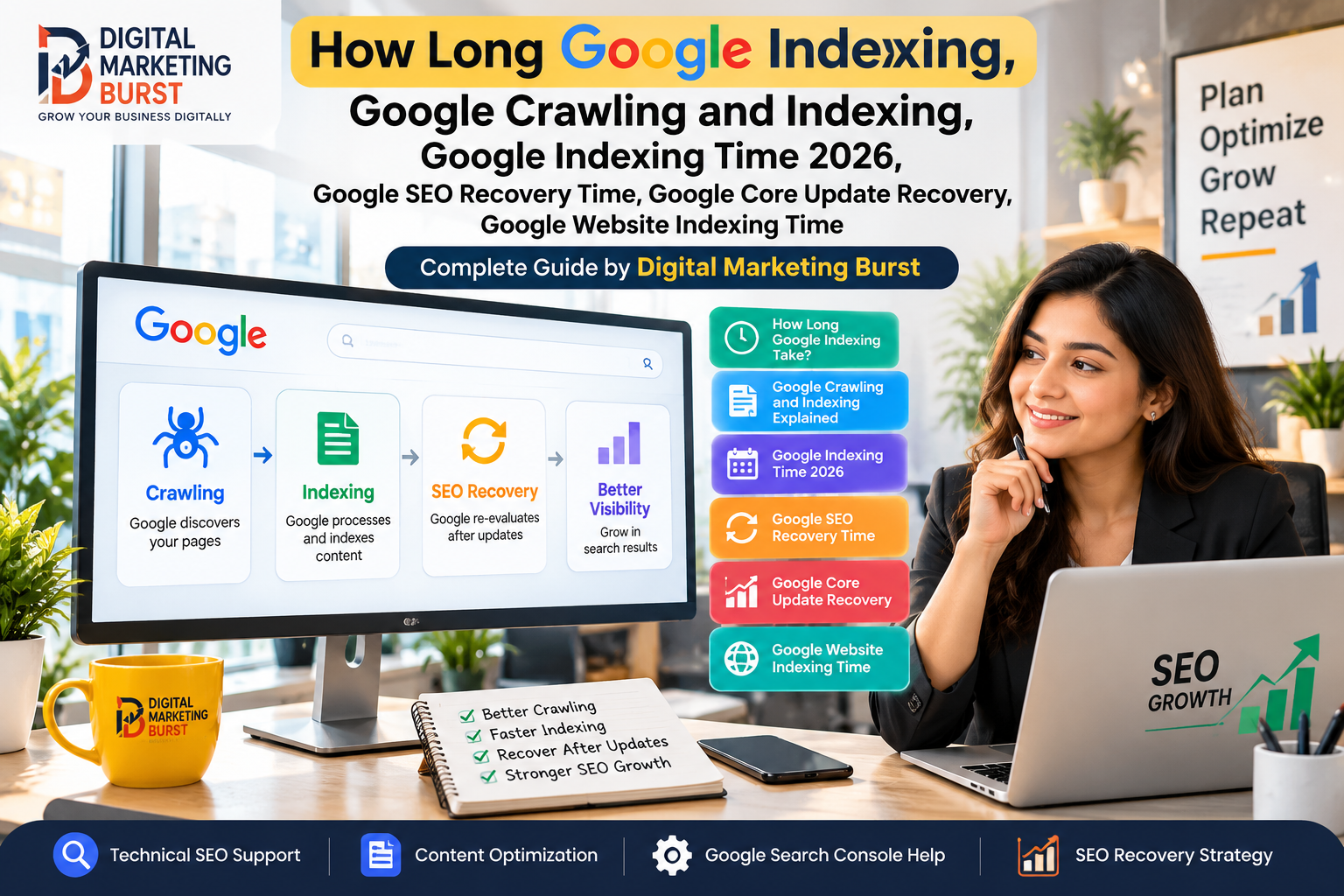
Crawling, Indexing and Recovery Are Not the Same Thing
Before discussing Google Indexing Time 2026, it is important to separate three concepts.
Google describes Search as broadly involving crawling, indexing and serving search results. During crawling, Google discovers and downloads content. During indexing, its systems analyse that content and may store it in Google’s index. Serving happens when Google returns relevant information in response to searches. Google for Developers
Therefore:
Crawled does not automatically mean indexed.
Likewise:
Indexed does not mean the page will rank prominently.
SEO recovery is different again. A website recovering after a core update, migration, technical problem or manual action may require Google to recrawl pages, reassess changes and process various signals before meaningful Search performance changes become visible.
This distinction explains why asking only “How Long Does Google Indexing Take?” sometimes misses the actual problem.
A page may still be waiting for discovery. Another may already have been crawled but not indexed. A third could be indexed correctly but simply not performing well in Search.
Identifying the stage where the problem exists should come before trying to speed anything up.
Google Crawling and Indexing: What Happens First?
The journey normally begins with discovery.
Google needs to know that a URL exists before it can crawl and process it. Discovery can happen through crawlable links, sitemaps and other mechanisms.
After discovery, Googlebot can retrieve the page. Google then processes its content and determines whether it should become part of the index.
That sounds linear, but real websites introduce complications.
Canonicalisation, duplicate pages, JavaScript rendering, server availability, internal linking, robots directives, content quality and other signals can affect what happens at different stages.
Google specifically notes that a sitemap can help it learn about URLs, but a sitemap neither guarantees indexing nor improves rankings by itself. Google for Developers
That is why a successful sitemap submission should never be treated as proof that every submitted URL will appear in Search.
How Long Does Google Indexing Take in 2026?
This is where the recently reported figures become particularly interesting.
According to the attendee recap of Gary Illyes’ October 2026 presentation, a new URL’s typical discovery time was reported at around 20 hours, while refreshing a known URL was reported at around 30 days. Sitemap processing was listed at around 24 hours in the typical case.
For end-to-end indexing, the recap listed a typical time of around 1.5 hours, while the slowest outcome could extend to months—or potentially never result in indexing where quality is a factor. Search Engine Journal
These numbers need careful interpretation.
They do not mean:
Publish at 10 AM → guaranteed Google index at 11:30 AM.
The reported table does not publicly establish the sample size, measurement period or precise definition of “typical.” Google also publicly states that crawling and indexing timing cannot be guaranteed. Search Engine Journal
So, the practical lesson is not “Google indexes pages in 1.5 hours.”
It is that Google’s systems can process some stages quickly, while individual URLs may take considerably longer depending on discovery, crawling, quality and other conditions.
Google Indexing Time: Why Your Page May Take Longer
A marketer may publish an article today and see it in Google relatively quickly. Another business could publish a page and still find it missing days later.
That difference does not automatically indicate a penalty.
Google’s troubleshooting documentation says that for most websites, new pages can take at least several days to be noticed, and most sites should not expect same-day crawling unless they operate in areas involving highly time-sensitive content, such as news. Google for Developers
Several factors can affect the process.
Google May Not Have Discovered the URL Properly
A page sitting several clicks deep inside a website with few or no internal links can be harder for crawlers to discover.
An XML sitemap can help Google discover URLs, particularly on newer or larger websites. However, submitting the same sitemap repeatedly does not force faster crawling.
Google explicitly advises against repeatedly submitting an unchanged sitemap throughout the day. Google for Developers
Robots.txt Could Be Blocking Crawling
A technically excellent page cannot be crawled normally if Googlebot is prevented from accessing it.
This is especially worth checking after a website redesign, staging-to-production migration or developer deployment.
Temporary rules used during development can accidentally remain live.
A Noindex Directive May Be Present
A page intended for Search should not contain an unintended noindex directive.
This sounds obvious, but migration errors can introduce exactly this problem. Google’s site-move troubleshooting documentation specifically identifies leftover noindex directives and robots.txt blocks as common migration mistakes. Google for Developers
Server Problems Can Slow Crawling
Googlebot needs a stable server response.
If a website frequently times out, responds slowly or encounters availability problems, Google’s ability to crawl it can be affected. Google recommends using Search Console’s Crawl Stats report when diagnosing availability-related crawling issues. Google for Developers
Crawling Does Not Guarantee Indexing
This deserves emphasis because it is frequently misunderstood.
Google may successfully crawl a page without adding that page to its searchable index.
Its documentation explicitly separates crawling from indexing and notes that crawled pages may still not appear in Search. Google for Developers
Therefore, repeatedly requesting indexing is not a substitute for diagnosing why the page is not being selected for indexing.
Google Website Indexing Time for a New Website
A newly launched website introduces another variable: Google has less history with it.
Suppose an Indian local business launches a new website with 20 service and information pages.
The wrong approach would be to publish all pages, submit the homepage for indexing and expect every URL to appear immediately.
A better approach is to ensure that:
- important pages are linked through normal crawlable navigation;
- the XML sitemap contains the canonical indexable URLs;
- robots.txt is not blocking essential content;
- pages intended for Search do not contain
noindex; - canonical tags point to the correct URLs;
- the server reliably returns appropriate status codes;
- each page provides a distinct purpose rather than being a near-duplicate of another page.
After that, Search Console can help you inspect individual important URLs and monitor indexing.
Google allows site owners to request recrawling through URL Inspection for individual URLs. For larger sets of URLs, a sitemap is the appropriate discovery mechanism. Google also warns that repeated recrawl requests for the same URL will not make crawling happen faster. Google for Developers
That last point matters.
Pressing Request Indexing repeatedly is not an SEO strategy.
How Long Google Takes to Index a Website After Changes
Updates to an existing page can behave differently from publishing a new URL.
Google already knows the URL, but its systems still need to revisit the page before updated information can be processed.
For example, imagine an Indian ecommerce business changes:
- a page title;
- product information;
- internal links;
- canonical configuration;
- structured data.
Those changes do not become Google’s current understanding of the page simply because the website owner pressed “Update” in WordPress.
Google must recrawl and process them.
The recently reported Search Central Live recap listed a typical title-change timeframe of one to two days, with slower cases extending considerably longer. The same general reported range was shown for snippet changes. Search Engine Journal
Again, those are reference points rather than publishing guarantees.
How Long Can Canonical Changes Take?
Canonical changes are particularly important because conflicting signals can make diagnosis confusing.
According to the October 2026 attendee recap, canonicalisation changes were shown with a typical range of one to three weeks, while conflicting signals could push the process into months. Search Engine Journal
This offers a useful practical lesson.
If you change a canonical today, checking Search Console tomorrow and concluding that Google “ignored” the fix may be premature.
At the same time, waiting for months without checking the implementation is equally unhelpful.
Verify that the canonical is technically correct, internal links support the preferred URL, sitemap entries are consistent and redirects are not sending contradictory signals.
Then monitor Google’s response over time.
How Long Can Sitemap Processing Take?
The reported October 2026 recap listed roughly 24 hours as a typical sitemap-processing time, with a slower range extending up to 14 days or potentially not proceeding as expected where quality is involved. Search Engine Journal
However, sitemap processing and indexing are different events.
A processed sitemap tells Google about URLs. It does not force those URLs into the index.
For practical SEO work, think of a sitemap as a discovery aid rather than an indexing command.
Google SEO Recovery Time: Why Recovery Can Be Slow
The phrase Google SEO Recovery Time can refer to several very different situations.
A website might be recovering from:
- a core update impact;
- a manual action;
- an unsuccessful migration;
- technical indexing errors;
- server downtime;
- accidental
noindex; - major content-quality problems.
Each situation requires a different diagnosis.
If organic traffic falls sharply, do not automatically label the event a “Google penalty.”
Google recommends using Search Console data to understand traffic drops and checking for technical issues, security problems, manual actions, algorithmic changes, seasonality and changing search demand. Google for Developers
That diagnostic step is far more useful than immediately rewriting hundreds of pages.
Google Core Update Recovery: How Long Can It Take?
This is one of the most important sections for businesses that have experienced an organic traffic decline.
According to the reported Search Central Live recap, core update recovery was shown at around three to six months in a typical case, with slower cases potentially extending from six months to a year and being associated with the next core update. Search Engine Journal
Do not interpret that as a countdown timer.
A website affected by a core update does not automatically recover after three months.
Recovery depends on whether meaningful improvements were actually made and whether Google’s systems reassess the website favourably.
Google’s longstanding core-update guidance similarly explains that improvements do not guarantee recovery or any fixed position in Search. Google for Developers
Therefore, Recover From Google Core Update should not mean finding a quick technical trick.
The work should begin by understanding what changed and whether the affected pages still provide competitive value for users.
SEO Recovery Time After Google Update: What Should You Actually Do?
If your traffic drops around an update, avoid changing everything at once.
First, establish whether the decline is genuinely connected to a Google update.
Compare Search Console clicks and impressions before and after the change. Look at which queries, pages, countries and devices lost visibility.
Then ask more specific questions.
Did only one content cluster decline?
Did branded searches remain stable while non-branded traffic fell?
Did impressions fall, or did only clicks fall?
Was there a migration, redesign or technical deployment at roughly the same time?
Has search demand for the affected queries changed?
Google specifically recommends using the Performance report to identify queries that lost traffic and comparing demand through Google Trends when seasonality or changing interests may be involved. Google for Developers
This turns “Google killed our traffic” into a diagnosable problem.
A Practical Google Recovery Workflow
Start with measurement rather than assumptions.
Step 1: Establish the Date of the Decline
Use Search Console and analytics data to determine when performance changed.
A gradual decline over six months is different from a sudden fall on a specific date.
Step 2: Separate Indexing Problems From Ranking Problems
Search Console’s URL Inspection tool can help determine whether important URLs are indexed.
If they remain indexed but impressions and average positions decline, repeatedly requesting indexing is unlikely to solve the actual issue.
The problem may be related to relevance, competition, content quality, search intent or broader Search changes.
Step 3: Check Technical Access
Review:
- robots.txt;
noindex;- canonical tags;
- redirects;
- HTTP status codes;
- XML sitemap;
- internal links;
- server availability.
Technical problems should be fixed before content teams spend weeks rewriting pages unnecessarily.
Step 4: Evaluate the Affected Content
Ask whether each important page still provides the best answer you can reasonably offer.
Does it answer the query directly?
Is important information current?
Does it contain original value?
Are claims accurate?
Does it demonstrate genuine knowledge rather than simply summarising competing pages?
Is the page substantially different from other pages on your own website?
These questions are more useful than chasing a particular word count.
Step 5: Improve What Actually Needs Improvement
Do not change a good page simply because traffic elsewhere declined.
Focus resources where evidence points to a problem.
For an Indian service business, that could mean improving thin service pages with clearer pricing context, processes, service limitations, FAQs based on real customer concerns and accurate business information.
For a publisher, the improvement may instead involve updating outdated information, removing unsupported claims and consolidating overlapping articles.
Step 6: Give Google Time to Reprocess Changes
Once meaningful changes are live and technically accessible, monitoring begins.
Avoid reversing improvements every few days simply because rankings have not immediately moved.
Google Search involves interconnected processes. A delay in discovery or crawling can affect what happens later, which was also highlighted in the recap of Illyes’ presentation. Search Engine Journal
Site Migration Recovery Can Take Longer Than Expected
Website migrations deserve separate treatment because they can involve hundreds or thousands of URLs.
Google’s official documentation says small-to-medium websites can take a few weeks for most pages to move, while larger sites may take longer. The speed depends partly on the number of URLs and how quickly servers can respond to Googlebot. Google for Developers
The October 2026 attendee recap reported a typical site-move range of roughly one to three months, while slow cases could extend from six months to more than a year. Search Engine Journal
Those statements are not necessarily contradictory.
Google’s public documentation discusses how long most pages may take to move in common situations, while the event recap appears to describe broader timing ranges from Google’s internal analysis.
For SEO teams, the practical takeaway is simple: migrations need monitoring, not an arbitrary deadline.
What to Check After a Site Migration
Create a URL mapping before moving.
Every important old URL should have a relevant destination. Permanent redirects need to work correctly, internal links should point directly to new URLs, and the new sitemap should contain the new canonical URLs.
Google recommends keeping redirects in place for generally at least one year so its systems have sufficient time to transfer signals and revisit relevant URLs. Google for Developers
Also check Search Console after launch.
Watch for unexpected 404s, blocked URLs, incorrect canonicalisation and indexing changes.
If the migration involved a domain change, do not remove the old setup prematurely simply because the homepage appears under the new domain.
Why Repeated Indexing Requests Usually Do Not Solve the Problem
One of the easiest mistakes to make is treating Search Console’s Request Indexing button like a ranking button.
It is not.
Google states that requesting a crawl does not guarantee immediate inclusion—or inclusion at all. It also says repeatedly requesting recrawling for the same URL will not make it happen faster. Google for Developers
If a page repeatedly fails to become indexed, investigate the page rather than repeatedly submitting it.
Check discovery, crawl access, canonicalisation, duplication, server behaviour and whether the content genuinely warrants its own searchable URL.
“Discovered” and “Indexed” Should Not Be Used Interchangeably
A useful SEO report should tell a business owner what stage a URL has reached.
Consider these four situations:
URL A: Google does not know it exists.
URL B: Google knows the URL but has not crawled it yet.
URL C: Google crawled the URL but it is not currently indexed.
URL D: The URL is indexed but receives almost no impressions.
Each requires a different response.
Adding more keywords to URL A does nothing to solve discovery.
Submitting URL D for indexing does nothing to solve poor search demand or weak relevance.
Good SEO diagnosis begins by identifying the actual problem.
Common Indexing Mistakes Indian Businesses Should Avoid
Small and medium-sized businesses often have limited development resources, so unnecessary technical changes can create more problems than they solve.
Avoid these patterns:
Submitting the same URL repeatedly. Google says repeated requests do not make recrawling faster. Google for Developers
Publishing many near-identical location pages. A unique city name does not automatically make otherwise duplicated pages useful.
Changing URLs unnecessarily. Every URL change introduces additional crawling, redirects and signal-processing work.
Using robots.txt as an indexing-removal tool without understanding its purpose. Crawling controls and indexing controls are not interchangeable.
Assuming sitemap submission guarantees indexing. It does not. Google for Developers
Making constant changes while waiting for recovery. If the implementation keeps changing, it becomes difficult to determine which improvements helped.
When Should You Start Investigating an Indexing Delay?
There is no universal number of hours or days after which every URL becomes “late.”
Context matters.
A newly published article on an established frequently crawled website behaves differently from a page on a brand-new domain.
Instead of using a rigid deadline, look for evidence.
If important URLs remain absent from Search, inspect them in Search Console. Confirm Google can access them, review the declared and selected canonical, check indexing status and examine whether similar URLs are being treated differently.
For crawling problems, Google’s documentation recommends checking availability, crawlability, sitemaps, links and server capacity. Google for Developers
A delay becomes actionable when diagnostics point to something that can actually be fixed.
Can You Speed Up Google Crawling and Indexing?
You can make discovery and processing easier. You cannot force Google to index a page on demand.
Useful actions include creating crawlable internal links, maintaining an accurate sitemap, keeping important pages accessible, providing stable server responses and using URL Inspection appropriately for important individual URLs.
For updated indexed pages, accurate lastmod information in a sitemap can also help communicate meaningful changes. Google’s crawling guidance recommends using lastmod to indicate when an indexed URL has been updated. Google for Developers
However, none of these techniques replaces content quality.
Technical accessibility gets a page into consideration. It does not create an entitlement to indexing or rankings.
A Better Way to Explain Google Indexing Time to Clients
SEO teams often create unnecessary expectations by saying things such as:
“Google will index it within 24 hours.”
A more accurate explanation would be:
“The page is technically available for Google, internally linked and included in the sitemap. Google controls when it crawls and whether it indexes the URL, so we will monitor its status rather than promise a fixed deadline.”
This distinction is valuable for agencies and in-house marketing teams.
It replaces an uncontrollable promise with measurable technical work.
The same principle applies to SEO recovery.
Instead of promising that rankings will return after the next update, explain what was diagnosed, what was improved and which indicators will be monitored.
What the 2026 Google Timing Information Really Tells SEOs
The biggest lesson is not any individual number.
It is the enormous variation between Search processes.
Some changes may be processed quickly. Other processes can take weeks or months, while certain URLs may never reach the expected outcome.
That means SEO teams need two skills at the same time:
patience when systems genuinely need processing time, and diagnostic discipline when waiting will not fix the underlying problem.
Confusing those two situations wastes time.
A technically blocked page does not need patience; it needs a fix.
A properly implemented canonical change that Google is still processing may need monitoring rather than another redesign.
A site affected by a core update needs meaningful improvement rather than daily indexing requests.
Understanding that difference is much more valuable than memorising one “Google indexing time.”
Frequently Asked Questions
How Long Does Google Indexing Take?
There is no guaranteed indexing time. Google says crawling and indexing depend on many factors. Recent reporting from a Search Central Live presentation included much faster typical reference figures for certain indexing processes, but those figures should not be interpreted as deadlines for individual pages. Google for Developers
What Is the Google Website Indexing Time for a New Website?
Google does not publish a guaranteed time for a new website to be completely indexed. Discovery, crawlability, site structure, server availability, content and other factors can influence the process. Google notes that most sites should not expect same-day crawling of every new page. Google for Developers
Can I Force Google to Index My Website?
No. You can help Google discover URLs through crawlable links, sitemaps and URL Inspection, but requesting crawling does not guarantee indexing. Repeated requests for the same URL do not make Google crawl it faster. Google for Developers
How Long Is Google SEO Recovery Time?
There is no universal recovery period because the cause matters. Technical problems, migrations, manual actions and core-update impacts have different processes. The reported October 2026 Search Central Live recap listed core-update recovery at roughly three to six months in a typical case, but that is a reference range rather than a promise. Search Engine Journal
How Do You Recover From a Google Core Update?
Start by confirming the traffic decline and affected pages rather than assuming every drop is caused by an update. Review Search Console data, technical issues, content quality and changing search demand. Make improvements that genuinely help users; Google does not guarantee recovery after changes. Google for Developers
Google Shows How Long Crawling, Indexing & SEO Recovery Can Take in 2026 is useful context for anyone managing organic search, but the reported timing ranges should be treated as reference points rather than deadlines.
The most important distinction is between discovery, Google Crawling and Indexing, ranking and recovery.
If a page is not indexed, diagnose discovery, crawl access, canonicalisation, technical configuration and content before repeatedly requesting indexing. When a website has lost visibility after a major update, determine what actually declined before making large-scale changes.
For Indian businesses and marketers, this approach creates a much more reliable SEO workflow: fix what can be controlled, measure what changes, and give Google’s systems reasonable time to process legitimate improvements.
No technical configuration, indexing request or content update can guarantee indexing, rankings or recovery.
How Long Google Indexing Takes Depends on the Stage
When marketers ask How Long Does Google Indexing Take, they often treat indexing as one event.
In practice, several things have to happen.
Google first needs to discover the URL. Its crawler then needs to access the page, process what it finds and determine how the URL fits within Google’s understanding of the site and the wider web.
Only after those steps can the page potentially become searchable.
This distinction matters because a URL can get stuck—or simply spend time—at different stages.
Imagine an Indian business publishes a new service page on Monday. By Wednesday, the owner cannot find it through a normal Google search.
That alone does not reveal the problem.
The first question should be: What does Google Search Console say about the URL?
That answer is much more useful than searching site:example.com/page repeatedly or submitting the URL every few hours.
A Practical Indexing Diagnosis for Website Owners
When an important page is missing from Search, follow a consistent process.
1. Check Whether the URL Is Accessible
Open the final public URL yourself.
Confirm that it loads correctly and does not redirect somewhere unexpected.
The page intended for indexing should normally return the appropriate successful HTTP response rather than an error.
Next, check whether Googlebot is blocked by robots.txt.
Then confirm there is no accidental noindex directive.
These basic checks are particularly important after:
- website migrations;
- staging-to-live deployments;
- WordPress redesigns;
- SEO plugin changes;
- domain changes;
- development work.
A single configuration mistake can make content inaccessible or ineligible for indexing regardless of how well the page is written.
2. Inspect the URL in Google Search Console
URL Inspection should be one of the first diagnostic tools used for an important page.
Do not look only for a green status.
Read what Google reports about the URL.
Check whether Google knows the page, whether crawling is allowed, what canonical Google has selected and whether the URL is indexed.
If Google selected another canonical URL, repeatedly requesting indexing for the duplicate may not address the real issue.
Canonicalisation should be investigated instead.
3. Check Internal Discovery
Ask a simple question:
How would a crawler reach this page from another important page on the website?
If the answer is “only through the XML sitemap,” the site’s internal architecture may deserve attention.
Important pages should generally have meaningful internal links from relevant content or navigation where appropriate.
For example, an SEO agency publishing a detailed guide about technical SEO could naturally link to a related crawl-optimisation resource.
That helps users move between useful topics and gives search engines a clearer relationship between pages.
4. Check the XML Sitemap
Make sure the URL that you want indexed is actually the canonical URL submitted in the sitemap.
Avoid filling a sitemap with:
- redirects;
- 404 pages;
- duplicate parameter URLs;
noindexURLs;- obsolete pages;
- non-canonical variations.
A clean sitemap communicates more clearly than one containing every URL a CMS happens to generate.
Google’s documentation describes sitemaps as a mechanism that can help Google discover URLs. It does not describe them as a way to force indexing.
5. Evaluate Whether the Page Deserves a Separate URL
This is the step many indexing checklists miss.
Technical accessibility does not answer the question:
Why should this particular URL exist in Google’s index?
Suppose a company creates 50 pages where the only meaningful difference is the city name.
If each page provides almost the same text, same services, same FAQs and same value, technical fixes alone may not solve the underlying quality problem.
A better page should have a clear purpose for the person searching.
That does not mean making every article extremely long.
It means making the URL meaningfully useful.
Google Crawl and Index Problems Need Different Fixes
A crawl problem and an indexing problem should not be treated as synonyms.
If Google cannot crawl a page because access is blocked, improving the introduction will not remove that technical restriction.
Conversely, if Google can crawl the page but does not index it, submitting another sitemap may not resolve why the page was not selected.
This creates a useful diagnostic framework:
Not discovered → improve discovery.
Discovered but not crawled → examine crawl access, server health and site structure.
Crawled but not indexed → investigate canonicalisation, duplication, quality and page purpose.
Indexed but not performing → investigate relevance, search intent, competition, quality and demand.
The final situation is especially important.
An indexed page with weak rankings does not have an indexing problem.
Google Website Indexing Time Should Not Become a Publishing KPI
Teams sometimes measure SEO performance using:
“How quickly did Google index our article?”
That can be useful operational information, but it is not a sufficient measure of content success.
A page can be indexed quickly and attract no meaningful impressions.
Another page may take longer to appear but eventually become useful to its intended audience.
A stronger content workflow tracks several stages:
Published → discovered → crawled → indexed → impressions → clicks → useful business outcome
Each stage answers a different question.
This framework also prevents an SEO team from celebrating indexing while ignoring whether users actually find the page valuable.
How Long Google Takes to Index Website Content After a Redesign
Redesigns can create indexing changes even when the domain stays the same.
Developers may alter:
- navigation;
- internal URLs;
- canonical tags;
- JavaScript rendering;
- page templates;
- metadata;
- robots directives;
- sitemap generation.
The visual appearance of a website may improve while its crawlability becomes worse.
Before launch, create a technical comparison between the old and new website.
Check important URLs, status codes, canonicals, robots directives and internal links.
After launch, monitor Search Console rather than assuming Google will understand every change immediately.
If URLs were changed, redirects become particularly important.
A redesigned website should not casually replace established URLs simply because a new CMS prefers a different structure.
What Happens When You Change a URL?
Changing:
example.com/seo-services/
to:
example.com/best-seo-company-india/
is not merely changing a title.
You have created a different URL.
Search engines now need to process the relationship between the old and new addresses.
If the change is genuinely necessary, use an appropriate permanent redirect and update internal links, canonical references and sitemap entries.
If there is no meaningful reason to change an established URL, keeping it can often avoid unnecessary migration work.
Keywords alone are rarely a good reason to keep changing URLs.
Why New Content Can Be Discovered Faster Than Old Updates
A new URL and an update to an existing URL create different crawling situations.
Google needs to discover a completely new address before processing it.
For an existing URL, Google already knows the address but needs to decide when to revisit it.
The recently reported Search Central Live timing ranges highlighted this difference, with a much shorter reported typical discovery range for new URLs than the reported refresh interval for known URLs.
That does not mean every new page will update faster than every established one.
Instead, it demonstrates why the phrase Google Indexing Time can hide multiple processes behind one number.
Should You Request Indexing After Updating a Page?
For a small number of important URLs, Google’s URL Inspection tool can be appropriate.
However, routine edits do not need to become a cycle of manually requesting indexing every time a sentence changes.
Google’s official recrawling guidance states that requesting a crawl does not guarantee immediate inclusion in search results. Repeated requests for the same URL also do not make crawling happen faster.
For large websites, good architecture, internal linking and accurate sitemaps matter far more than manually submitting hundreds of URLs.
Use manual requests selectively.
Google SEO Recovery Time After a Technical Error
Not every SEO recovery involves an algorithm update.
Consider a business website that accidentally publishes noindex across important service pages.
The immediate job is technical:
- remove the incorrect directive;
- confirm important pages are crawlable;
- update sitemap information where necessary;
- inspect representative URLs;
- monitor crawling and indexing;
- watch Search Console impressions and clicks.
Removing the mistake does not guarantee that every historical ranking returns instantly.
Google still needs to recrawl and process the affected pages.
The same principle applies after accidental robots.txt blocks, server outages and redirect errors.
Fixing the cause starts recovery; it does not define the recovery deadline.
SEO Recovery Time After Google Update Requires Different Thinking
A core update is not the same as an accidental noindex.
There may be no single broken technical element to repair.
Google’s core-update guidance focuses on creating helpful, reliable content and evaluating whether affected pages genuinely serve users well.
For businesses, that means the recovery plan should begin with evidence.
If only five pages lost most of their impressions, a website-wide rewrite may be unnecessary.
When an entire content category declines, examine what those pages have in common.
Perhaps they overlap heavily.
Maybe they contain outdated information.
Some could fail to answer the current search intent.
Others might have been created primarily around keyword variations rather than distinct user needs.
The diagnosis should determine the action.
Recover From Google Core Update Without Panic Editing
When visibility drops, changing everything at once feels productive.
It can actually make analysis harder.
A more controlled process works better.
Identify the Affected Area
Compare Search Console periods before and after the decline.
Look at pages and queries separately.
Determine whether the problem is:
- site-wide;
- directory-specific;
- page-specific;
- query-specific;
- device-specific;
- country-specific.
For an India-focused business, check whether the decline actually occurred in Indian search traffic rather than assuming global data represents the target market.
Check Whether Search Demand Changed
A traffic drop is not always a ranking drop.
If impressions declined while average positions remained relatively stable, demand may have changed.
Seasonal industries in India can show substantial shifts around festivals, admissions, travel periods, weather, financial deadlines and other events.
Google Trends can help provide context.
Compare the Search Results
Search the affected queries manually and analyse what type of result Google currently shows.
Do not copy competitors.
Instead, identify whether the search intent itself has shifted.
A query that previously returned educational articles might now favour tools, product pages, videos or local results.
Updating an article without understanding that change can waste considerable effort.
Google Core Update Recovery Is Not About Reversing the Update
Website owners sometimes ask:
“How do I undo the Google update?”
That is the wrong model.
You cannot reverse Google’s systems from your website.
You can improve what you control.
That includes:
- content usefulness;
- factual accuracy;
- site usability;
- technical accessibility;
- internal architecture;
- page duplication;
- misleading claims;
- outdated information;
- intrusive user experiences.
The goal should not be to reproduce whatever ranked before an update.
Build a website that remains useful even as search systems evolve.
Content Consolidation Can Be Better Than Publishing More
Suppose a digital marketing website already has these articles:
- How Long Google Indexing Takes
- Google Indexing Time
- Website Indexing Time
- How to Get Indexed on Google
- Google Crawl and Index Guide
If each article answers almost the same intent, publishing a sixth near-duplicate may create more internal competition and maintenance work.
A stronger approach may be to consolidate overlapping material into one authoritative resource and redirect obsolete URLs where appropriate.
This is exactly why topic planning should happen before content production.
More URLs do not automatically create more search visibility.
How to Decide Whether Two Pages Should Be Combined
Compare the actual search intent rather than only the keywords.
Ask:
Would the same person reasonably expect one page to answer both queries?
If yes, combining them may make sense.
For example:
Google Website Indexing Time
and
How Long Google Takes to Index Website
have nearly identical intent.
They do not require separate 2,000-word articles simply because the wording differs.
By contrast, Google Core Update Recovery has a different enough problem to justify substantial dedicated coverage, even though it relates to the broader concept of SEO recovery.
Keyword variations should shape sections, not automatically create separate URLs.
Technical SEO Changes That Can Accidentally Hurt Indexing
Some indexing problems are self-created during optimisation.
Incorrect Canonical Tags
A page can accidentally point its canonical to another URL.
This may tell Google that the other URL is the preferred version.
Always check generated canonical tags after changing themes, SEO plugins or templates.
Site-Wide Noindex
Development websites often use noindex intentionally.
The danger occurs when that setting remains active after launch.
Include an indexability check in every launch checklist.
Broken Internal Links
Changing URL structures without updating internal links can leave crawlers following unnecessary redirects or reaching errors.
Update important internal links to point directly to the final URL.
Redirect Chains
A redirect from A → B → C → D creates unnecessary complexity.
Where possible, important historical URLs should redirect directly to the current destination.
Incorrect Status Codes
A page that visually displays an error while returning HTTP 200 can confuse monitoring and crawling.
Likewise, a page intended to exist should not accidentally return an error response.
Technical SEO needs to consider what the server communicates, not only what appears in a browser.
JavaScript and Google Crawling and Indexing
Modern websites frequently rely on JavaScript.
Google can process JavaScript, but rendering introduces another layer between fetching a page and understanding its final content.
Critical information should not become unnecessarily difficult to access.
For an Indian business website, essential details such as services, locations, headings, contact information and important explanatory content should be implemented robustly.
If developers make major JavaScript changes, test representative URLs rather than assuming that because users can see content, crawlers process it exactly the same way.
Does Faster Crawling Improve Rankings?
Not automatically.
Crawling enables Google to discover and process changes.
It does not make a weak page more relevant.
Imagine two pages targeting the same search.
Page A gets crawled within hours but contains generic, repetitive information.
Page B is processed later but directly answers the user’s problem with accurate, useful and original information.
The crawl timing alone does not determine which page deserves stronger search visibility.
This is why attempts to manipulate crawl frequency rarely solve fundamental content problems.
Crawl Budget: Should Small Businesses Worry?
For most small business websites, crawl budget should not become the first explanation for every indexing issue.
Google’s crawl-budget documentation is primarily aimed at very large or rapidly changing sites where managing crawling at scale becomes important.
A 50-page local business website with several missing URLs should first investigate basic discovery, accessibility, canonicalisation, duplication and quality.
Jumping straight to “crawl budget optimisation” can distract from simpler causes.
Large ecommerce platforms, marketplaces and publishers have different requirements.
Scale changes the problem.
When Google Website Indexing Time Becomes a Technical Warning
Waiting becomes less reasonable when multiple signals indicate a systemic issue.
For example:
- large groups of important URLs disappear from indexing;
- Googlebot encounters repeated server errors;
- canonical selection changes unexpectedly across templates;
- a migration produces widespread 404s;
- important directories are accidentally blocked;
- Search Console reports a sudden indexing pattern that matches a recent technical deployment.
In those cases, do not simply “wait for Google.”
Investigate.
Patience is appropriate for normal processing. It is not a replacement for technical diagnosis.
A 24-Hour, 7-Day and 30-Day Monitoring Framework
Instead of obsessing over a single indexing deadline, businesses can use checkpoints.
First 24 Hours
Confirm that the page:
- loads correctly;
- returns the intended status;
- is indexable;
- has the correct canonical;
- is internally linked;
- appears in the appropriate sitemap.
For a high-priority individual URL, inspect it in Search Console.
Do not panic if it is not indexed immediately.
During the First Week
Check whether Google has discovered or crawled the URL.
Review Search Console information.
If the page remains absent, investigate whether its internal linking and content purpose are strong enough.
Avoid resubmitting it every day.
Over the Following Weeks
If important URLs consistently fail to index, look for patterns.
Are all affected pages from the same template?
Do they have very similar content?
Are canonical signals inconsistent?
Did a technical change occur?
Pattern analysis often reveals more than inspecting isolated URLs.
These checkpoints are a workflow, not guaranteed Google timelines.
What Should an SEO Report Say About Indexing?
Avoid reports that simply state:
95 pages submitted to Google.
Submission is an action, not an outcome.
A better report might separate:
Indexable URLs
Pages technically intended for Search.
Indexed URLs
Pages Google currently reports as indexed.
Important non-indexed URLs
Pages worth investigating.
Technical exclusions
Redirects, noindex pages, canonical alternatives and other intentional exclusions.
Organic performance
Impressions, clicks and relevant query trends.
This gives a business owner information they can actually use.
Why Search Console Data Should Be Read in Context
Search Console is essential, but one number rarely tells the entire story.
Suppose clicks fall 30%.
That statement alone does not explain why.
Impressions may have fallen because demand decreased.
Rankings could have changed.
SERP features may have affected click behaviour.
A small number of previously high-traffic queries could account for most of the decline.
The same discipline applies to indexing reports.
A large number of “not indexed” URLs may be completely normal if those URLs are duplicates, redirects or intentionally excluded pages.
Focus on important canonical pages that you actually want users to find.
Indexing Every URL Is Not the Goal
This point is often overlooked.
A healthy website does not necessarily need every technically accessible URL indexed.
Filter combinations, duplicate archives, parameter URLs, internal search pages and other low-value variations may not need independent Search visibility.
The better question is:
Are the important canonical pages that serve genuine search intent discoverable and indexable?
That shifts the objective from maximising an indexing count to maintaining a useful searchable website.
How Indian Businesses Can Build a Safer Publishing Workflow
A simple process can prevent many indexing problems before they happen.
Before publishing:
Check search intent and confirm the page does not substantially duplicate an existing article.
During production:
Create useful content, accurate headings, appropriate internal links and honest claims.
Before launch:
Check indexability, canonicalisation, status codes, mobile rendering and metadata.
After publishing:
Confirm the URL appears in the sitemap and can be reached through relevant internal links.
Then monitor Search Console.
This approach is less exciting than searching for an “instant indexing trick,” but it is far more sustainable.
The Most Important Lesson About Google Indexing Time 2026
The central question is not:
“What is the exact number of hours before Google indexes my page?”
A better question is:
“Have I made it technically easy and genuinely worthwhile for Google to discover, process and potentially index this page?”
That change in thinking matters.
Reported Google timing ranges provide useful context for understanding how long certain processes may take. They do not replace technical diagnosis, content quality or patience.
When Google Crawling and Indexing works normally, avoid unnecessary intervention.
When evidence reveals a technical problem, fix it.
When a page is crawled but consistently not indexed, evaluate whether it offers enough distinct value.
When rankings decline after an update, investigate the actual affected pages and queries before launching a site-wide rewrite.
That is a much stronger SEO strategy than repeatedly pressing Request Indexing and hoping the next click changes the outcome.
How Long Does Google Indexing Take After Major Content Changes?
Updating an existing article does not reset it like a completely new page.
Google already knows the URL in many cases. However, the crawler still needs to revisit the page before Google’s systems can process the new version.
Consider a business that substantially improves an old guide by:
- replacing outdated information;
- adding first-party explanations;
- correcting factual errors;
- improving internal links;
- removing irrelevant sections;
- updating images;
- clarifying the page’s search intent.
The changes exist on the website immediately, but Google’s understanding of them may not change immediately.
That distinction is fundamental to understanding Google Indexing Time.
Publishing is controlled by the website owner. Recrawling and subsequent processing are controlled by Google.
A page owner can make discovery easier, but cannot force a specific processing deadline.
Minor Edits and Major Improvements Should Not Be Treated Equally
Changing one sentence is different from substantially improving a page.
SEO teams sometimes make tiny edits purely to change a modification date and then request indexing again.
That approach does not automatically make the content fresher or more useful.
Google’s documentation advises using meaningful lastmod values in sitemaps rather than changing them simply because insignificant modifications occurred.
A useful update should reflect a genuine reason to revisit the content.
For example, updating an article about Google Indexing Time 2026 when Google publishes new crawling guidance would be meaningful.
Changing “website” to “site” in three paragraphs would not transform the value of the article.
What If Google Crawls the Updated Page but Rankings Do Not Improve?
This is where indexing and ranking are often confused.
Suppose Search Console confirms that Google has crawled an updated page.
The URL is indexed.
Its canonical is correct.
There are no obvious technical restrictions.
Yet rankings remain weak.
Submitting another indexing request is unlikely to solve that situation because the page is already indexed.
The next investigation should move towards search performance.
Ask whether the page actually satisfies the current query better than before.
Look at relevance, usefulness, originality, search intent, competition and changing demand.
An indexing tool cannot repair a weak value proposition.
Google SEO Recovery Time After Content Improvements
Businesses naturally want to know when improvements will translate into traffic.
There is no reliable universal answer.
The type of problem matters.
Fixing an accidental noindex directive is fundamentally different from improving a large group of low-value articles. Recovering after server downtime is different from rebuilding a website after a broad core update impact.
Therefore, Google SEO Recovery Time should be discussed in relation to the cause.
A useful recovery plan records:
what changed, why it changed, when it was implemented and what metrics should respond if the improvement works.
This creates a measurable process without promising a ranking deadline.
Build an SEO Change Log Before Recovery Work
One practical improvement many small businesses can make is maintaining a simple SEO change log.
It does not need complicated software.
A spreadsheet can record:
- date;
- affected URL;
- problem identified;
- change made;
- reason for the change;
- technical status;
- Search Console observations;
- later performance notes.
This becomes particularly valuable when several people manage a website.
Imagine organic traffic declines on 20 October.
Without a change log, the team may blame a Google update.
With one, they might discover that developers changed canonical tags across the service-page template on 18 October.
That changes the investigation immediately.
Correlation still does not automatically prove causation, but accurate records make diagnosis far stronger than memory.
Separate Google Update Recovery From Technical Recovery
This distinction deserves its own workflow.
Technical Recovery
Technical recovery starts with an identifiable implementation problem.
Examples include:
- accidental
noindex; - robots.txt blocking;
- incorrect redirects;
- server errors;
- broken canonicals;
- migration mistakes;
- inaccessible resources.
The response is usually straightforward in principle:
identify → fix → validate → allow recrawling → monitor.
Core Update Recovery
Google Core Update Recovery may not provide one obvious broken setting.
A technically healthy website can still lose search visibility.
The investigation therefore needs to examine broader questions about relevance, usefulness, trust, originality and how well content serves its intended audience.
Do not treat a core update as a robots.txt error.
Equally, do not begin rewriting content if a technical error is actually preventing Google from accessing the website.
Diagnosis comes first.
Recover From Google Core Update by Looking at Patterns
A site-wide traffic graph is only the starting point.
Move deeper into the data.
Compare Directories
Did /blog/ decline while service pages remained stable?
Did product categories fall while individual product pages did not?
Directory-level patterns can reveal whether the impact is concentrated.
Compare Page Types
Separate:
- informational articles;
- commercial pages;
- local landing pages;
- product pages;
- category pages.
Different page types serve different search intents.
Combining them into one traffic chart can hide useful patterns.
Compare Queries
A page can lose traffic even while remaining indexed.
Look at which queries disappeared or weakened.
Perhaps Google now associates the page with fewer searches.
Maybe competitors provide a better answer.
The search intent itself may have changed.
Compare India Separately
For a website primarily targeting India, analyse Indian Search Console performance independently where relevant.
A global decline does not necessarily describe the performance of the intended market.
Similarly, a query may behave differently across locations.
Do Not Assume Every Traffic Drop Is a Core Update
A decline occurring near a Google update can still have another cause.
Potential explanations include:
- seasonality;
- reduced search demand;
- technical problems;
- migration errors;
- security problems;
- manual actions;
- competitor changes;
- changes in search-result presentation.
Google’s documentation on debugging Search traffic drops recommends analysing the shape and timing of the decline and comparing Search Console data rather than immediately assigning one cause.
This is especially useful for Indian businesses with seasonal demand.
A travel business, education company, retailer or festival-related service may naturally experience demand changes throughout the year.
Search demand and ranking performance are not identical.
What Should You Do During Google Core Update Recovery?
Start with affected content rather than site-wide panic edits.
Review pages that lost meaningful visibility.
Ask whether the content is:
- accurate;
- current;
- clearly written;
- useful beyond information available elsewhere;
- created for the intended audience;
- supported by appropriate sources where required;
- free from exaggerated claims;
- sufficiently distinct from other pages on the website.
Do not automatically add 1,000 words.
Length does not fix weak intent.
Sometimes recovery work means removing unnecessary sections rather than adding more.
Update, Merge, Redirect or Remove?
Every underperforming page does not require the same action.
A simple four-way decision framework can help.
Update
Choose this when the page still serves a valid search intent but contains outdated, incomplete or weak information.
Keep the existing URL when possible.
Merge
Choose consolidation when multiple pages compete for essentially the same purpose.
For example:
Google Website Indexing Time
and
How Long Google Takes to Index Website
can reasonably be answered within the same comprehensive resource.
They do not automatically deserve separate articles.
Redirect
A permanent redirect may be appropriate when an obsolete page has a clear replacement.
The destination should be genuinely relevant.
Do not redirect unrelated deleted pages to the homepage simply to avoid a 404.
Remove
Some content may no longer deserve to exist.
A page with no useful purpose, no appropriate replacement and no reason to remain accessible does not need to be preserved solely because it was once published.
Content maintenance includes knowing when not to keep a URL.
Why This Article Should Target Several Related Keywords on One URL
Your keyword set illustrates an important SEO principle.
These phrases are closely related:
How Long Google Indexing
How Long Does Google Indexing Take
Google Indexing Time 2026
Google Indexing Time
Google Website Indexing Time
How Long Google Takes to Index Website
They largely belong to the same informational journey.
Creating a separate article for every phrase could lead to repetitive content.
A stronger page can answer the broader intent comprehensively while using different wording naturally where appropriate.
The same applies to:
Google Crawling and Indexing
and
Google Crawl and Index.
They do not need separate pages merely because the wording changes.
Google Core Update Recovery Has a Related but Deeper Intent
The phrases:
Google Core Update Recovery
and
Recover From Google Core Update
are related to the article’s broader recovery theme, but users searching them may need substantially deeper information.
That creates a potential content-cluster opportunity.
This article can explain recovery timing and diagnosis.
A separate future guide could focus entirely on a detailed core-update recovery methodology—provided it adds substantial information rather than reproducing the sections here.
The two pages could then link contextually to one another.
That is a healthier content strategy than producing several near-identical “Google recovery time” posts.
Should You Delete Content After a Core Update?
Not automatically.
A traffic decline is not proof that every affected page should disappear.
First determine why the content is weak.
Some pages may need updating.
Others may need consolidation.
A few could genuinely have no useful purpose.
Mass deletion without analysis can remove useful information and disrupt internal linking.
Similarly, keeping hundreds of weak pages because they once generated impressions is not automatically the right choice.
Make URL-level decisions based on purpose and evidence.
Should You Change the Publication Date?
Only when it accurately reflects the content.
Changing a visible date from 2024 to 2026 without meaningfully updating the article can mislead readers.
A genuine update might involve:
- checking current Google documentation;
- correcting outdated instructions;
- replacing obsolete screenshots;
- reviewing external references;
- updating examples;
- adding material changes;
- removing recommendations that no longer apply.
After meaningful revision, showing an accurate updated date can help users understand the content’s freshness.
Freshness should be real, not cosmetic.
Google Crawling and Indexing After Internal-Link Changes
Internal links help users and search engines understand relationships between pages.
If an important page is isolated, adding relevant internal links can improve its discoverability.
However, internal linking should remain contextual.
Do not place the same keyword-rich anchor on dozens of unrelated pages solely to influence rankings.
For example, a technical SEO article can naturally link to a website crawl optimization guide where crawling architecture is discussed.
A social-media article probably does not need that link.
Relevance is more useful than volume.
How Often Should You Check Search Console?
Constant checking rarely improves decision-making.
The appropriate frequency depends on the situation.
After a major migration, closer monitoring is reasonable.
For routine evergreen publishing, checking indexing status every few minutes adds little value.
Create monitoring intervals that match the type of change.
Look for meaningful trends rather than reacting to every daily fluctuation.
SEO data can move even when nothing is technically wrong.
Google Website Indexing Time and News Content Are Different
Not every website operates at the same publishing speed.
A news publisher producing time-sensitive stories has different crawling needs from a local accounting firm publishing one evergreen guide each month.
Google’s own crawling documentation acknowledges that highly time-sensitive sites can behave differently.
That is why benchmarking a small Indian business against a major news website is not particularly useful.
Judge indexing patterns within the context of the site itself.
Ask whether Google consistently discovers important new pages, not whether it matches another publisher’s speed.
Can Backlinks Make Google Index a Page Faster?
External links can help Google discover pages, but backlinks should not be treated as an indexing switch.
Buying random links simply to get a URL indexed creates the wrong incentive.
If a page is technically inaccessible or offers little independent value, link acquisition does not repair those problems.
Build links because the page is useful enough to deserve references, not because you want to force Google’s crawler to visit it.
Does Updating the Sitemap Force Reindexing?
No.
A sitemap provides information that helps search engines discover and understand URLs.
It is not a command requiring Google to reindex a page.
Accurate lastmod information can communicate meaningful updates, but manipulating dates without substantive changes does not create genuine freshness.
Keep sitemap information accurate and automated where possible.
Does Request Indexing Improve Rankings?
No direct ranking improvement should be assumed from pressing Request Indexing.
The feature helps communicate that a URL should be recrawled.
Once Google processes the page, its search performance depends on broader systems and signals.
A useful page still needs to satisfy its intended query.
A poor page does not become competitive because it was manually submitted.
This distinction prevents a common misunderstanding:
Request Indexing helps with processing; it is not a ranking optimisation button.
What If a Page Is Indexed but Gets Zero Impressions?
Now you are dealing with a different problem.
First, confirm that enough time has passed to gather meaningful data.
Then inspect the page’s target query and purpose.
Possible questions include:
Does anyone search for the topic?
Does the page match what searchers actually want?
Is the topic excessively narrow?
Is another page on your site a stronger match?
Has Google selected the intended canonical?
Does the page provide anything meaningfully different from existing results?
Do not immediately add keywords.
Zero impressions can result from demand, relevance, competition or other factors—not simply keyword frequency.
What If Impressions Exist but Clicks Are Low?
This situation also needs a different diagnosis.
Look at the queries generating impressions and the positions where the page appears.
Review whether the title accurately communicates what the user will get.
Check whether your snippet aligns with the searcher’s intent.
Remember that Google may generate title links and snippets using information beyond your manually written SEO title and meta description.
Also consider the search-results environment.
Featured elements, videos, local results and other SERP features can affect click behaviour.
CTR should be interpreted alongside position and query intent.
What If Rankings Return but Traffic Does Not?
Demand may have changed.
Suppose an article returns to roughly its previous average position, yet clicks remain lower.
Compare impressions.
If impressions are also lower, fewer people may be searching for those queries.
This is why Google Core Update Recovery should not be measured using rankings alone.
A useful recovery dashboard can include:
- indexed status;
- impressions;
- clicks;
- query mix;
- average position;
- landing-page performance;
- conversions or relevant business outcomes.
No single metric tells the whole story.
Why Recovery Should Be Measured at Page Level
Site-wide traffic is important for business reporting, but it can hide recovery.
Suppose ten important commercial pages improve while an old blog directory continues declining.
Overall organic traffic might appear flat.
Page-level and directory-level analysis would reveal the improvement.
Conversely, a website-wide increase driven by one viral article does not prove that previously affected service pages recovered.
Segment the data before drawing conclusions.
A Practical SEO Recovery Dashboard for Indian Businesses
A straightforward monthly dashboard can contain:
Organic clicks from India
This shows actual Google Search visits from the target country.
Organic impressions from India
This helps separate visibility changes from click behaviour.
Important indexed pages
Monitor business-critical URLs rather than trying to maximise every indexable variation.
Top gaining and declining pages
This helps prioritise investigation.
Top gaining and declining queries
Query movement can reveal changing intent.
Conversions from organic traffic
For a business, visibility should ultimately connect with meaningful outcomes such as enquiries, bookings, purchases or qualified leads.
SEO reporting should move beyond “we submitted 100 pages.”
When Should You Stop Waiting and Take Action?
There is no single deadline, but evidence can tell you when waiting alone is unlikely to help.
Investigate when:
- important pages remain inaccessible;
- unexpected
noindexdirectives appear; - canonical signals are wrong;
- Googlebot repeatedly encounters server errors;
- a migration generates widespread broken URLs;
- major page groups disappear unexpectedly;
- important URLs are repeatedly crawled but not indexed;
- traffic declines align with a technical deployment.
Waiting is reasonable when Google simply needs to process a correctly implemented change.
Waiting is not a strategy when the website is technically broken.
When Should You Avoid Making More Changes?
The opposite situation also occurs.
Suppose you corrected a canonical implementation yesterday and verified that it now works.
Changing the URL structure again tomorrow because Search Console has not updated would be premature.
Give correctly implemented changes time to be processed.
Maintain records.
Monitor the relevant signals.
Intervene again when new evidence justifies it.
This balance between action and patience is one of the most valuable lessons behind Google’s reported timing ranges.
Google Indexing Time 2026: A Decision Framework
When an important page does not appear as expected, use this sequence:
Can Google access it?
If no, fix accessibility.
Is indexing allowed?
If no, correct unintended directives.
Is the intended canonical clear?
If no, resolve conflicting signals.
Can Google discover the page naturally?
If no, improve internal discovery and sitemap accuracy.
Does the URL provide distinct value?
If not, improve, consolidate or reconsider it.
Is it already indexed?
If yes, stop treating the issue as indexing.
Has search performance declined?
If yes, analyse queries, intent, quality, demand and relevant Google updates.
That sequence is more useful than asking for a universal indexing deadline.
Frequently Asked Questions
How Long Does Google Indexing Take After Publishing?
Google does not guarantee a fixed indexing period. Discovery, crawling, technical accessibility, canonicalisation and content-related considerations can all influence what happens. A newly published URL should therefore be monitored rather than expected to meet a guaranteed deadline.
How Long Google Takes to Index Website Changes?
Google needs to recrawl an existing URL before it can process updated content. The timing varies according to the site and URL. Updating a page in a CMS does not mean Google’s indexed version changes at the same moment.
What Is Google SEO Recovery Time After Fixing Technical Issues?
There is no universal recovery period. Google needs to revisit and process affected URLs after technical fixes, while search performance can take additional time to change. The severity and scale of the original problem also matter.
How Can a Website Recover From Google Core Update Changes?
Begin with evidence from Search Console and other relevant analytics. Identify affected pages and queries, rule out technical or demand-related causes, then make substantial improvements where users genuinely benefit. Recovery is not guaranteed simply because content was edited.
Does Request Indexing Guarantee Google Website Indexing?
No. Google’s official documentation states that requesting crawling does not guarantee that a URL will be included in the index. Repeated requests for the same URL also do not make crawling happen faster.
Should I Publish Separate Pages for Every Indexing Keyword?
Usually not when the keywords express the same search intent. Closely related terms such as Google Website Indexing Time and How Long Google Takes to Index Website can naturally be covered by one comprehensive page rather than creating near-duplicate articles.
Final Conclusion
The question behind Google Shows How Long Crawling, Indexing & SEO Recovery Can Take in 2026 sounds simple, but the practical answer depends on what stage of Search you are actually waiting for.
Discovery can take time. Crawling can take time. Indexing is not guaranteed merely because crawling occurred. Ranking changes and Google SEO Recovery Time introduce additional processes that should not be confused with basic indexing.
The most useful response is therefore not to memorise one number.
Build pages that have a clear purpose. Keep important URLs technically accessible. Maintain clean canonical and internal-link signals. Use sitemaps accurately. Diagnose Search Console data before changing the website, and avoid repeatedly requesting indexing when the real problem lies elsewhere.
After a Google update, determine whether the decline actually reflects an update before attempting recovery. When evidence points to content quality, improve what genuinely needs improvement rather than artificially increasing word count or publishing more keyword variations.
Most importantly, distinguish normal processing time from an actionable problem.
Why Choose Digital Marketing Burst for SEO & Digital Marketing in India?
SEO is not simply about publishing content and waiting for rankings. Businesses need to understand how Google crawling and indexing, technical SEO, content quality and search visibility work together.
Digital Marketing Burst positions itself as a top digital marketing agency in India and a best digital marketing agency in Lucknow, helping businesses build practical digital strategies around long-term search visibility rather than shortcuts or unrealistic ranking promises.
Our approach focuses on identifying the actual problem first. If a page is not appearing in Google, the issue could involve discovery, crawlability, indexing, canonicalisation, internal linking or content quality. When organic visibility declines, the solution may require a different approach involving technical analysis, content improvement and performance monitoring.
SEO Strategies Built Around Real Search Problems
Modern SEO requires more than adding keywords to a webpage.
At Digital Marketing Burst, our digital marketing approach can cover areas such as SEO, Local SEO, website optimisation, content strategy, Google Search Console analysis and AI-search visibility.
For businesses dealing with Google Website Indexing Time, crawling problems or SEO performance changes, the priority should be understanding why the issue exists before making unnecessary website changes.
That diagnostic approach is particularly important after migrations, technical changes and major Google updates.
Technical SEO, Crawling & Indexing Support
A website can contain excellent content and still face search visibility problems if its technical foundation is weak.
Technical SEO can involve reviewing:
- crawlability and indexability;
- robots directives;
- XML sitemaps;
- canonicalisation;
- redirects and broken URLs;
- internal linking;
- website structure;
- Search Console indexing signals.
These checks help separate a genuine technical problem from normal Google processing time.
No responsible SEO agency should promise that fixing one technical element will guarantee indexing or rankings. The objective is to create a technically sound website that gives search engines clear, consistent signals while providing a better experience for users.
SEO Recovery After Google Updates
Businesses searching for Google SEO Recovery Time often want a quick answer.
In reality, recovery starts with diagnosis.
A decline may involve a Google update, technical problem, migration, changing search demand, content quality or several factors together. That is why Digital Marketing Burst focuses on analysing the affected pages and search performance before recommending large-scale changes.
For Google Core Update Recovery, meaningful improvements matter more than panic editing, unnecessary URL changes or repeatedly requesting indexing.
SEO for Businesses in Lucknow and Across India
Digital Marketing Burst works with a digital-first approach suitable for businesses looking for SEO and digital marketing support in Lucknow and across India.
Our positioning combines local-market understanding with broader digital strategies, including traditional Google Search optimisation and emerging AI-search visibility.
Instead of treating SEO as a one-time ranking exercise, the goal is to build stronger foundations across technical SEO, content, search intent, website experience and measurable visibility.
Digital Marketing Burst — Top Digital Marketing Agency in India
For businesses searching for a Digital Marketing Agency in India, SEO Agency in Lucknow, or a team that understands modern crawling, indexing and search-visibility challenges, Digital Marketing Burst provides an integrated approach to digital growth.