






Claude Design for UX: How AI Could Change UI/UX Design in 2026
Claude Design for UX: How AI Could Change UI/UX Design in 2026
Claude Design for UX, Claude Design for UI, Claude AI for Designers, AI Tools for Designers, and AI Tools for UX are becoming important topics as artificial intelligence moves deeper into modern design workflows. In 2026, designers are exploring how AI can help with research, wireframes, interface concepts, prototypes, design systems, and collaboration. Claude Design brings many of these ideas into one visual workflow, but its real value depends on how designers use it rather than simply how much it can generate.
UI and UX design have already changed considerably because of AI. A designer no longer has to begin every concept with an empty canvas. Instead, AI can help turn an idea into an early interface, explore alternative layouts, and speed up repetitive stages.
However, faster generation does not automatically create better user experiences.
Good UX still requires understanding people, business goals, accessibility, usability, context, and real problems. Therefore, the most interesting question is not whether AI can create an interface. The bigger question is whether tools such as Claude Design can help designers make better decisions while reducing unnecessary production work.
This guide explores that question in detail. It also explains what Claude Design could mean for UX designers, UI professionals, graphic designers, product teams, agencies, and businesses in 2026.
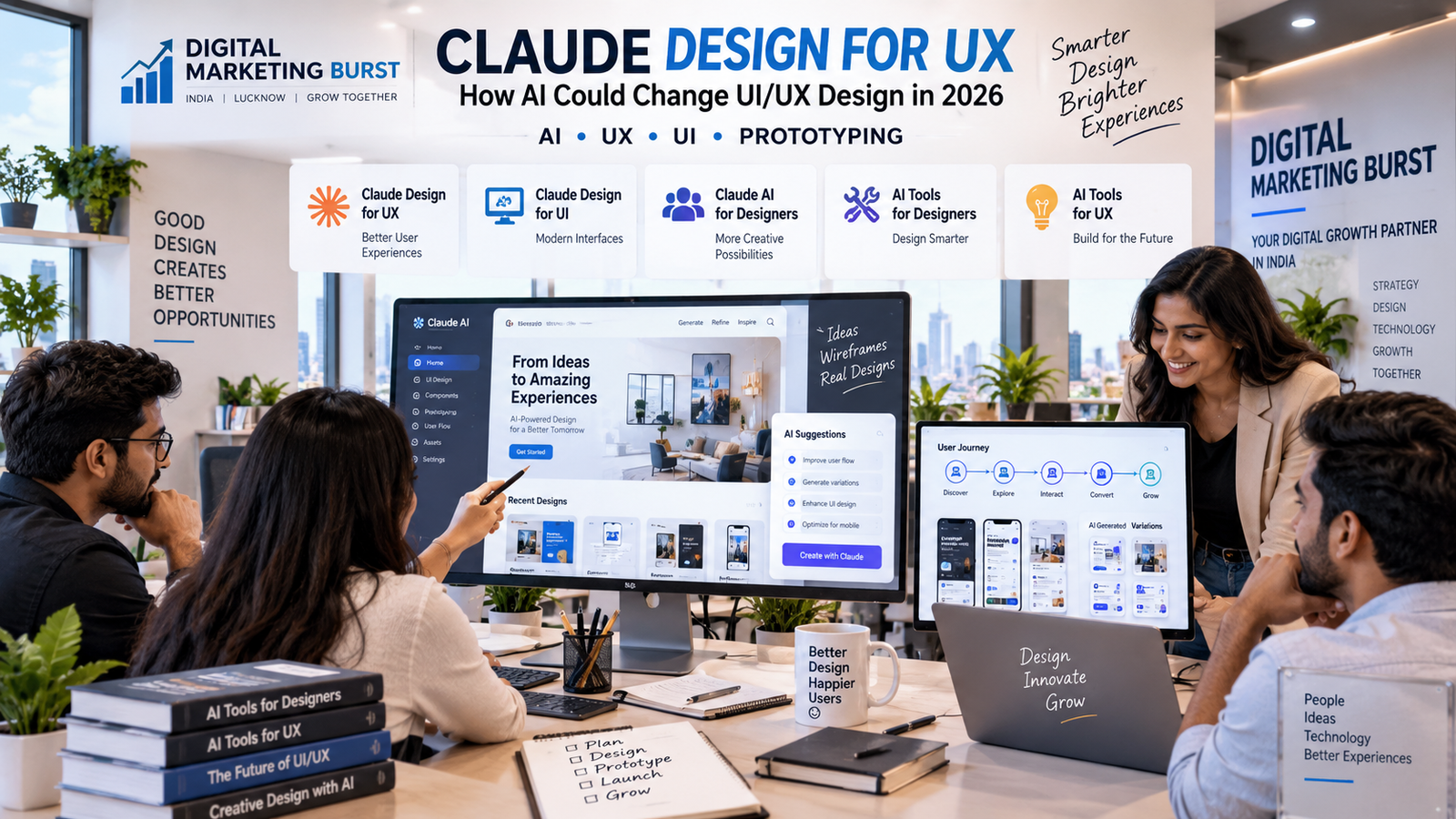
What Is Claude Design and Why Is It Important for UX?
Claude Design is an experimental visual design environment from Anthropic that brings AI-assisted creation into a canvas-based workflow. Instead of using Claude only as a conversational assistant, designers can work with visual concepts, prototypes, interface ideas, and editable design elements.
This matters because design work rarely happens in one straight line.
A UX professional may begin with a product requirement. Next comes research, user flows, wireframes, interface concepts, feedback, prototypes, and developer handoff. Traditionally, these stages can require several different tools.
AI is beginning to connect some of them.
For example, a designer could describe a product idea and generate an initial concept. That concept can then be refined through direct visual editing or natural-language instructions. The result can become an interactive prototype rather than remaining only a written suggestion.
Still, Claude Design should not be confused with a guaranteed replacement for established design platforms. It remains an evolving product. Moreover, AI-generated output still requires professional review.
Its importance lies in workflow compression. If an idea can move from written requirement to visual prototype faster, teams can spend more time testing whether the idea actually works.
Claude Design for UX
Claude Design for UX could become useful when designers need to move quickly from a problem statement to something people can see and test.
Traditional UX work often begins before polished visual design. Designers need to understand what the user is trying to accomplish. They may map journeys, identify friction, organize information, and create low-fidelity wireframes.
AI can accelerate some of those steps.
Suppose a product team wants to redesign an appointment-booking experience. A designer could describe the target user, main task, required screens, and common problems. Claude could then help generate an initial structure for discussion.
However, that first output should be treated as a hypothesis.
Real users may behave differently. Business requirements can introduce constraints. Accessibility issues may appear. A flow that seems logical to an AI system may still confuse a human being.
Therefore, the strongest use case is collaboration rather than blind automation.
The designer provides context and judgment. AI provides speed and alternative directions. Testing then determines what survives.
That combination could make UX work faster without reducing it to automatic screen generation.
Claude AI for UX Design
Claude AI for UX Design becomes more interesting when AI is used before the visual interface is finalized.
UX professionals spend significant time understanding requirements. They also organize research notes, compare feedback, write user stories, map journeys, and explain decisions to stakeholders.
Claude can assist with these text-heavy tasks.
For instance, a designer may have several interview notes. AI can help organize recurring themes. It may identify questions worth investigating further. Likewise, it can help transform a complicated product brief into a clearer flow for discussion.
Yet AI-generated research conclusions should never be treated as evidence by themselves.
If Claude says users prefer a particular feature, that does not make the statement true. Actual research is still needed.
This distinction is critical in 2026.
AI is excellent at helping teams process information. It is not a substitute for collecting valid information from real users.
As a result, the best workflow uses Claude as an analytical assistant while keeping human validation at the centre of UX decisions.
Claude Design for UI
Claude Design for UI can reduce the time needed to explore visual directions.
UI designers regularly make decisions about hierarchy, spacing, typography, components, navigation, forms, cards, buttons, and responsive layouts. Creating several variations manually can take time.
Generative design can make exploration faster.
A designer could request a clean dashboard for a healthcare product, for example. The first result may establish the broad composition. From there, individual sections can be changed.
Perhaps the navigation needs to become simpler. Maybe the primary action requires stronger emphasis. The designer can continue refining the concept instead of rebuilding everything from zero.
However, attractive output can create a false sense of quality.
A visually impressive dashboard may still have weak information architecture. A beautiful form can still confuse users. Likewise, a polished mobile screen can remain inaccessible.
Therefore, visual generation should be followed by design evaluation.
The interface must support the user’s task first. Aesthetic quality should strengthen that experience rather than hide weaknesses inside it.
Claude AI for UI Design
Claude AI for UI Design could change how teams approach early interface exploration.
Previously, a designer might create several mockups manually before stakeholders could compare directions. AI can make those early alternatives much faster to produce.
That changes the economics of experimentation.
Instead of asking whether a second concept is worth several hours of work, a designer can explore more possibilities before committing to one direction.
However, more options can also create another problem.
Teams may spend too much time comparing endless variations.
Therefore, designers still need a clear decision framework. User needs, product goals, brand requirements, accessibility, and technical feasibility should determine which direction moves forward.
AI increases the number of possibilities. It does not automatically improve the decision.
That is why experienced designers remain valuable. Their role may shift from producing every pixel manually toward directing, evaluating, and refining a larger range of possible solutions.
Claude AI for Designers
Claude AI for Designers is broader than generating UI screens.
Designers can use AI across research, planning, ideation, writing, documentation, critique, and prototyping. That makes Claude relevant to UX designers, UI designers, product designers, web designers, and creative teams.
For example, a designer may ask Claude to challenge an interface decision.
Instead of requesting “make this better,” the designer can provide the target audience and task. Claude can then identify potential friction points worth reviewing.
That does not mean every suggestion should be accepted.
Instead, the feedback can act as another perspective.
AI can also help designers explain their work. Many professionals can make good design decisions but struggle to communicate the reasoning behind them to clients.
Claude can help organize that reasoning into clearer language.
Consequently, the value is not limited to creating assets. Communication itself becomes an AI-assisted design task.
This can be especially useful inside agencies where designers frequently need to explain decisions to marketers, developers, clients, and management teams.
Claude for Graphic Designers
Claude for Graphic Designers may initially sound less relevant because Claude is not simply an image-editing application. However, graphic design involves much more than producing a final visual.
Designers need concepts.
They need campaign ideas, messaging, creative directions, visual hierarchy, audience understanding, and feedback.
Claude can help during those stages.
A graphic designer working on a campaign may use AI to explore different creative concepts before opening a design application. It can also help turn a vague client brief into a clearer creative direction.
However, brand identity still needs human control.
Automatically generated ideas can become generic when the input is generic. Therefore, designers need to provide strong context.
What does the brand represent? Who is the audience? What should the viewer feel? Which visual conventions should be avoided?
Better context produces more useful exploration.
The designer then makes the final creative choices.
In that sense, Claude may become less of an automatic designer and more of a creative thinking partner.
AI Tools for Designers
AI Tools for Designers have moved beyond novelty features.
In 2026, AI can assist with ideation, research, copy, layouts, images, prototyping, code, documentation, and workflow automation.
However, designers should not select a tool simply because it has an AI label.
The better question is whether it removes a genuine bottleneck.
If a designer spends hours converting rough ideas into testable prototypes, AI prototyping may offer clear value. If research notes are difficult to organize, an AI assistant may help structure them.
On the other hand, adding AI to a workflow that already works efficiently can create more complexity.
Tool selection should therefore start with the problem.
This principle is especially important because design teams can quickly accumulate subscriptions. Each platform promises faster output, yet constantly switching between applications can reduce productivity.
A smaller collection of well-integrated tools may provide more value than dozens of disconnected AI features.
The goal should be better design work, not simply more AI usage.
AI Tools for UX
AI Tools for UX can support several parts of the user-experience process.
Research is one obvious area.
AI can help organize interview transcripts, group observations, summarize large sets of notes, and prepare questions for further investigation.
Ideation is another area.
Designers can ask an AI system to suggest alternative flows or identify potential edge cases. Those suggestions can then be evaluated by the team.
Prototyping provides another major opportunity.
Instead of spending substantial time creating an early concept, teams can generate something testable much sooner.
Yet UX professionals should be careful.
A fast prototype can encourage premature commitment. Stakeholders may see a polished interface and assume the product decision has already been made.
Therefore, designers need to communicate the status clearly.
An AI-generated prototype is still a prototype. It represents an idea to test, not proof that the solution works.
AI Tools for UX Designers
AI Tools for UX Designers are most valuable when they reduce repetitive work without removing critical thinking.
A UX designer may spend hours formatting research findings, creating documentation, rewriting similar interface copy, or preparing multiple versions of a basic flow.
AI can shorten these tasks.
That gives the designer more time for higher-value work.
For example, they can spend more time speaking with users, understanding business constraints, testing prototypes, and evaluating difficult trade-offs.
However, automation should not eliminate the moments where designers learn.
Manually reviewing research can reveal subtle details that disappear inside an automated summary. Building a flow can expose problems that are easy to overlook when an AI generates it instantly.
Therefore, experienced UX professionals need to decide which tasks should be accelerated and which should remain deliberately hands-on.
The best AI workflow is not the fastest possible workflow. It is the one that preserves the thinking required to make good decisions.
What Claude Design Could Mean for UX
What Claude Design Could Mean for UX goes beyond faster wireframes.
The bigger change may be the relationship between ideas and prototypes.
Historically, an idea often had to pass through several stages before stakeholders could interact with it. Someone wrote requirements. A UX designer created wireframes. A UI designer refined the screens. A prototype was assembled. Developers then evaluated feasibility.
AI can shorten that distance.
A written idea may become interactive much earlier.
That can improve collaboration because people respond differently to something they can actually use.
However, faster prototyping also increases the risk of building the wrong thing faster.
Therefore, research becomes more important rather than less important.
Teams need confidence that they understand the problem before they invest heavily in the solution.
Claude Design may accelerate execution. UX professionals still need to protect the quality of the decisions behind that execution.
Claude UX Design Workflow in 2026
A Claude UX Design Workflow in 2026 could begin with problem definition rather than interface generation.
The team first describes the user, task, context, and business objective.
Claude can then help organize requirements and surface unanswered questions.
Next, designers can explore possible user flows.
Early wireframes may follow. These should remain easy to change because the team is still learning.
Once a direction appears promising, a more interactive prototype can be created.
Testing follows.
Feedback should then change the design.
This sounds obvious, yet AI makes it tempting to skip directly to polished screens.
That is the wrong lesson.
The real advantage of faster generation is that teams can iterate more often.
Instead of spending most of the project producing one solution, they can test several ideas before committing.
Therefore, AI should increase experimentation rather than reduce discovery.
Claude AI UX Workflow for Product Teams
A Claude AI UX Workflow for Product Teams can also improve communication between different departments.
Product managers often think in requirements. Designers think in user journeys and interfaces. Developers think about implementation. Marketers focus on positioning and acquisition.
These perspectives can create friction.
AI can help translate between them.
For example, a product requirement can be converted into a structured user flow for discussion. A prototype can then make that flow more concrete.
Developers can identify technical concerns earlier.
Marketing teams can understand how the product experience supports the promise being advertised.
However, Claude should not become the authority that settles disagreements.
Teams still need human conversations.
AI can make information easier to understand, but people remain responsible for priorities and trade-offs.
Claude for UX Prototyping
Claude for UX Prototyping may be one of the most practical uses of the technology.
Prototypes help teams learn before expensive development begins.
The problem is that creating them can require significant time.
If AI reduces that production effort, teams can test more ideas.
Suppose a checkout redesign has three possible approaches.
Previously, time constraints might force the team to prototype only one. With AI assistance, several directions may become testable.
That creates a better learning opportunity.
Still, quantity alone is not enough.
Each prototype should answer a question.
Can users find the primary action? Do they understand the pricing? Can they recover from an error?
Clear questions turn prototypes into research tools.
Without those questions, AI simply produces more screens.
AI Prototyping Tools for UX Designers
AI Prototyping Tools for UX Designers are changing the speed at which product ideas become interactive.
This can benefit startups in particular.
A small team may not have enough design resources to prototype every concept. AI can help them explore ideas before committing development time.
Agencies can benefit too.
Early prototypes can make client discussions more concrete.
However, businesses should not confuse prototype quality with production readiness.
A prototype may look complete while missing accessibility requirements, error handling, responsive behaviour, analytics, security considerations, and many other production details.
Therefore, AI prototyping should accelerate validation rather than encourage premature launches.
A prototype asks, “Could this work?”
A production product must answer, “Does this work reliably for real users?”
Those are very different standards.
AI Wireframe Tools for UX Design
AI Wireframe Tools for UX Design can reduce the friction between an idea and its first visual representation.
Wireframes are useful because they focus on structure before visual polish.
AI can generate an initial arrangement quickly.
However, the designer should still challenge it.
Is the most important information visible first? Is the navigation logical? Are unnecessary steps present? Does the layout match the user’s mental model?
These questions matter more than how quickly the wireframe appeared.
Therefore, AI wireframing works best as a starting point.
Designers can generate, critique, revise, and test.
That cycle can happen faster than before while preserving professional judgment.
AI UI Generator for Designers
An AI UI Generator for Designers can produce impressive screens quickly. Yet visual quality should not become the only measure of success.
Modern AI can create familiar dashboard patterns, landing pages, forms, and application layouts.
The danger is sameness.
If thousands of designers rely on similar prompts, digital products may begin to look increasingly alike.
Brand differentiation therefore becomes more important.
Designers need to move beyond default AI aesthetics.
Typography, spacing, imagery, interaction, tone, and content should reflect the actual product.
Human creative direction can transform generic output into a distinctive interface.
As AI makes acceptable design easier to produce, memorable design may become harder and more valuable.
Generative AI for UX Design
Generative AI for UX Design changes the cost of exploring alternatives.
Creating ten rough concepts no longer needs to take ten times as long as creating one.
That can improve divergent thinking.
Teams can examine several possibilities before narrowing the direction.
However, AI can also create false variety.
Ten screens with different colours are not ten different UX solutions.
True alternatives change the underlying approach.
One checkout may use a single-page structure. Another may use progressive steps. A third may prioritize guest checkout differently.
Therefore, designers should ask AI for conceptual variation, not merely visual variation.
This distinction makes generative design much more valuable.
Generative AI for UI Design
Generative AI for UI Design can speed up visual exploration, especially during early concept development.
Designers can test different hierarchy, density, layout, and component approaches.
Still, generated interfaces need consistency.
Buttons should behave predictably. Typography should follow a system. Spacing needs logic. Components must work across multiple states.
Therefore, design systems remain important.
In fact, AI may increase their importance.
Without a strong system, generated interfaces can drift visually from one screen to another.
A well-defined design system gives AI boundaries.
Those boundaries can help produce faster output without sacrificing consistency.
Claude Design Systems and AI
Claude Design Systems and AI could become a valuable combination for larger product teams.
Design systems define reusable components, styles, patterns, and interaction rules.
When AI understands those constraints, generated concepts can stay closer to the real product.
This reduces one of the biggest problems with generic AI design: inconsistency.
For example, a generated checkout screen should not invent a completely new button style when the product already has an established component.
Likewise, spacing and typography should follow existing rules.
AI becomes more useful when it creates within a system rather than inventing everything each time.
Therefore, mature design teams may gain more from generative design than teams without clear standards.
AI Design Systems for UI UX
AI Design Systems for UI UX could also change maintenance.
A design system grows over time.
Components receive new states. Accessibility requirements evolve. Brand guidelines change.
AI may help designers identify inconsistencies across a large product.
However, automated suggestions still require governance.
Someone must decide which pattern is correct.
Otherwise, AI could simply reproduce existing inconsistencies.
Design-system teams may therefore spend less time on repetitive auditing and more time establishing clear rules.
The role becomes more strategic.
Claude Design and Figma Workflow
A Claude Design and Figma Workflow is likely to interest designers who already use established visual-design tools.
AI does not need to replace an existing platform to be useful.
One tool can support ideation and rapid prototyping. Another can remain the source of truth for detailed interface work and team collaboration.
This hybrid approach is often more realistic than expecting one application to handle everything.
Designers should focus on the handoff between tools.
If moving a concept requires rebuilding everything manually, much of the time saving disappears.
Therefore, interoperability will become a major competitive factor for AI design platforms.
The best tool may not be the one that generates the most impressive demo. It may be the one that fits most naturally into the team’s existing workflow.
Claude Design and Claude Code Workflow
The Claude Design and Claude Code Workflow points toward a broader change in product development.
Design and implementation have traditionally been separate stages.
A designer creates the experience. A developer interprets it.
That interpretation can create gaps.
If design concepts can move more directly into development workflows, teams may reduce some handoff friction.
However, generated code still needs engineering review.
Visual similarity does not guarantee good architecture, security, performance, or maintainability.
Therefore, designers and developers should collaborate rather than allowing AI to bypass either profession.
A faster handoff is useful. An unreviewed handoff is risky.
AI Design to Code Workflow
An AI Design to Code Workflow could become one of the biggest productivity shifts in digital product creation.
Small teams may be able to test functioning concepts much earlier.
Agencies can create demonstrations before full development begins.
Product teams can also evaluate interactions that static screens cannot communicate.
Yet design-to-code systems should not encourage teams to treat generated code as finished software.
Production development involves far more than appearance.
Performance, accessibility, security, data handling, responsive behaviour, testing, and maintainability all matter.
Therefore, AI can shorten the distance between design and code while still requiring professional engineering.
AI UX Research Tools
AI UX Research Tools can help researchers work with large amounts of qualitative information.
Interview transcripts, survey responses, usability notes, and support conversations can contain valuable patterns.
AI can assist with organization.
However, researchers should review the underlying evidence.
An automated summary may overemphasize common phrases while missing subtle but important behaviour.
Context can also disappear.
Therefore, AI should help researchers navigate information rather than replace interpretation.
Good research requires curiosity.
Why did a participant hesitate? What did they expect? Which assumption was wrong?
Those questions still require thoughtful investigation.
AI Tools for UX Research
AI Tools for UX Research can also make preparation faster.
Researchers can use AI to draft interview questions, organize study plans, or generate alternative hypotheses.
That can reduce administrative work.
However, leading questions remain dangerous even when an AI writes them.
Researchers need to review every question.
The same applies to participant summaries.
AI-generated conclusions should be traceable to real evidence.
This principle protects research quality.
Speed is useful only when the result remains trustworthy.
AI Tools for User Experience Research
AI Tools for User Experience Research can be particularly useful when businesses have large amounts of customer feedback.
Support tickets, reviews, chat transcripts, surveys, and sales conversations may reveal recurring problems.
AI can help cluster those issues.
That can give UX teams a starting point.
However, frequency is not the same as importance.
A problem mentioned by fewer users may still block a high-value task.
Therefore, quantitative context and business impact should be considered alongside AI-generated themes.
Human prioritization remains necessary.
AI Tools for Usability Testing
AI Tools for Usability Testing can assist with planning and analysis.
For example, AI may help create task scenarios or organize observations after a test.
However, watching real users remains extremely valuable.
Their hesitation, confusion, and behaviour can reveal things that a summary cannot capture.
Therefore, teams should resist the temptation to automate the entire process.
AI can reduce paperwork.
It should not remove contact with users.
The closer a design team remains to actual behaviour, the stronger its decisions are likely to become.
AI UX Design Tools for Startups
AI UX Design Tools for Startups can reduce the cost of early experimentation.
Startups often operate with limited design resources.
Founders may need to validate an idea before hiring a large team.
AI can help turn a rough concept into something testable.
That is valuable.
However, founders should not assume that a generated interface proves product-market fit.
A polished prototype can make a weak idea appear more convincing than it really is.
Therefore, startups should use the saved design time to talk with more customers.
AI should accelerate learning, not merely accelerate presentation.
AI Design Tools for Small Businesses
AI Design Tools for Small Businesses can make professional digital experiences more accessible.
A smaller company may not have a dedicated UX department.
AI can help structure a landing page, simplify content, or explore a better booking flow.
Still, business owners should seek professional input for important customer journeys.
A confusing checkout or lead form can directly affect revenue.
Therefore, AI is useful for exploration, but critical experiences deserve proper review.
The lower cost of creating designs should allow more businesses to improve their digital presence.
That is one of the most positive opportunities created by these tools.
AI UX Design for Ecommerce Websites
AI UX Design for Ecommerce Websites has clear commercial importance.
Small improvements to product discovery, filters, cart flows, and checkout can affect conversions.
AI can help teams generate alternative approaches quickly.
However, ecommerce UX depends heavily on real customer behaviour.
A visually cleaner checkout does not automatically increase sales.
Therefore, changes should be tested.
Analytics can reveal where users leave.
Usability research can explain why.
AI can then help explore possible solutions.
This sequence is stronger than asking AI to redesign the entire store without evidence.
AI UX Design for Healthcare Websites
AI UX Design for Healthcare Websites requires particular care.
Healthcare users may be stressed, older, unfamiliar with technology, or trying to complete an urgent task.
Therefore, clarity matters more than visual novelty.
AI can help explore appointment flows, information hierarchy, or patient-facing interfaces.
However, healthcare experiences need careful human review.
Accessibility, privacy, medical accuracy, and regulatory requirements can all matter.
A generated interface should never be trusted simply because it looks professional.
For hospitals and clinics, AI is best used to accelerate design exploration while experienced teams remain responsible for the final experience.
AI UX Design for Mobile Apps
AI UX Design for Mobile Apps can speed up screen generation, but mobile constraints require thoughtful decisions.
Space is limited.
Touch targets must remain usable.
Navigation should feel natural.
Users may also interact with the app in distracting environments.
Therefore, desktop layouts cannot simply be compressed.
AI-generated mobile concepts need device-specific review.
Designers should test the actual flow on a phone rather than judging only from a large monitor.
Real context often reveals problems that are invisible inside a design canvas.
AI UX Design for Websites
AI UX Design for Websites can help teams explore landing pages, navigation structures, forms, and content hierarchy.
However, a website must work across screen sizes.
It also needs strong performance and accessibility.
Therefore, an attractive desktop concept is only the beginning.
Designers should consider mobile behaviour from the start.
Content also matters.
A beautiful interface cannot rescue unclear messaging.
AI can help with both design and copy, but businesses should ensure the final experience reflects real customer needs.
Will AI Replace UX Designers?
Will AI Replace UX Designers? This question is popular because AI can already perform tasks that once required substantial manual effort.
However, UX design is not simply the production of wireframes.
The profession involves understanding people, identifying problems, balancing constraints, facilitating decisions, testing assumptions, and communicating with teams.
AI can support each activity.
Yet responsibility still belongs to humans.
Someone must decide what problem deserves attention.
Someone must evaluate whether research is valid.
Someone must consider ethics and accessibility.
Therefore, the role is more likely to evolve than disappear.
Designers who learn to direct AI effectively may become more productive.
Those who define their value only by manual screen production may face greater pressure.
Will AI Replace UI Designers?
Will AI Replace UI Designers? Generative tools can already create visually polished screens, so the concern is understandable.
However, professional UI work includes systems thinking.
A product needs consistency across hundreds of states and interactions.
It also needs brand identity, accessibility, responsive behaviour, and maintainable components.
Generating one attractive screen is much easier than maintaining a coherent product.
Therefore, UI designers may spend less time on repetitive production and more time on direction, systems, quality, and differentiation.
AI raises the baseline.
That may make strong creative judgment even more important.
Problems With AI Generated UX Design
Problems With AI Generated UX Design begin when teams mistake plausibility for evidence.
AI can generate a flow that looks reasonable.
That does not mean users understand it.
Another issue is generic design.
Models learn from patterns. As a result, output may gravitate toward familiar conventions even when the product requires something different.
Accessibility can also be overlooked.
Likewise, edge cases may remain hidden.
Therefore, every generated solution should be treated as something to evaluate.
The speed of AI makes testing more affordable.
Teams should use that advantage rather than skipping validation.
Risks of AI in UX Design
The risks of AI in UX Design extend beyond poor layouts.
Privacy is one concern.
Teams should understand what information they are providing to AI systems, especially when research includes confidential customer data.
Bias is another concern.
AI output can reflect patterns in its training data.
That may create assumptions about users that do not apply to a specific audience.
Overreliance is another risk.
Designers can gradually stop questioning output because the system appears confident.
Therefore, organizations need clear AI-use policies.
The technology is most valuable when paired with critical thinking.
AI Design Accessibility Problems
AI Design Accessibility Problems deserve serious attention.
Generated interfaces may use weak contrast, poor labels, small touch targets, unclear focus states, or interaction patterns that are difficult for assistive technologies.
Therefore, accessibility testing remains necessary.
Designers should incorporate accessibility requirements into the prompt and review process.
However, prompting alone is not enough.
Automated checks and human evaluation should follow.
Accessibility is not a decorative feature added at the end.
It is part of whether the product actually works.
AI Design Tools and User Privacy
AI Design Tools and User Privacy become especially important when teams upload research material.
Customer interviews may contain personal information.
Internal product documents may contain confidential business details.
Therefore, teams should understand the data policies and controls of the AI services they use.
Sensitive information should not be casually pasted into tools without authorization.
Organizations may also need internal rules for acceptable usage.
The convenience of AI should never remove basic data responsibility.
Human Centered AI UX Design
Human Centered AI UX Design offers a useful principle for 2026.
AI should help designers understand and serve people better.
It should not make the process revolve around the technology itself.
A product does not need an AI feature simply because AI is popular.
Likewise, a design workflow does not need full automation.
The right question is always about value.
Does this help the user accomplish something more easily?
Does it reduce confusion?
Does it improve accessibility?
Does it solve a genuine problem?
When those questions guide the process, AI becomes a tool rather than the purpose of the design.
Future of UX Design With AI
The Future of UX Design With AI is likely to involve faster creation and greater emphasis on judgment.
Production tasks will become cheaper.
Ideas will become easier to visualize.
Prototypes will appear earlier.
Therefore, the scarce skill may shift toward choosing the right problem and recognizing the right solution.
Research becomes more important.
Strategy becomes more important.
Communication becomes more important.
Designers who understand business goals as well as user needs may gain an advantage.
AI can generate screens.
It cannot take responsibility for whether a company should build the experience in the first place.
Future of UI Design With AI
The Future of UI Design With AI may involve designers acting more like creative directors of intelligent systems.
Instead of manually creating every variation, designers can define constraints and evaluate generated alternatives.
Design systems can provide those constraints.
Brand guidelines can provide another layer.
The designer then ensures coherence.
This does not remove craft.
Instead, craft moves toward decisions that have the highest impact.
Typography, hierarchy, motion, interaction, accessibility, and emotional tone still require thoughtful direction.
As generic interfaces become easier to generate, distinctive interfaces may become more valuable.
Best AI Tools for Designers in 2026
The search for the Best AI Tools for Designers in 2026 should begin with workflow needs rather than rankings.
One designer may need faster prototyping.
Another may need image generation.
A UX researcher may need help organizing interviews.
A product designer may want a stronger design-to-code workflow.
Therefore, no single AI application can automatically be called best for every designer.
Claude Design is interesting because it pushes Claude into a more visual creation environment.
Other established design platforms are also integrating AI deeply.
Competition will continue.
Designers should therefore evaluate tools according to output quality, control, integration, privacy, collaboration, and the time actually saved.
Best AI UX Design Tools 2026
Best AI UX Design Tools 2026 is likely to remain a competitive search topic because the market is changing quickly.
However, feature count should not determine the winner.
A UX tool needs to support learning.
If it generates beautiful screens but makes testing difficult, its value may be limited.
Likewise, an excellent research assistant that cannot fit into the team’s workflow may create friction.
The strongest toolset will often combine several capabilities.
Research, prototyping, design systems, testing, and development handoff all matter.
Teams should measure the improvement in their process rather than the number of AI buttons available.
How to Use Claude for UX Design
How to Use Claude for UX Design should start with context.
Do not begin with “design an app.”
Explain the user.
Describe the task.
State the business objective.
Mention important constraints.
Then ask Claude to help explore the problem before generating a solution.
This can produce more thoughtful results.
After an initial concept appears, critique it.
Ask what could confuse users.
Identify edge cases.
Create alternatives.
Finally, test the strongest direction with real people.
This process turns AI into part of UX rather than a shortcut around UX.
How to Use Claude for UI Design
How to Use Claude for UI Design also benefits from clear constraints.
Provide the product type, audience, visual direction, component requirements, and desired hierarchy.
If a design system exists, use it as guidance.
Next, generate a concept.
Review the interface rather than accepting it immediately.
Check spacing, hierarchy, consistency, accessibility, and responsive behaviour.
Then refine individual sections.
The designer should remain in control of the direction.
Prompting is not the final skill.
Evaluation is.
How Designers Can Prepare for AI UX in 2026
How Designers Can Prepare for AI UX in 2026 starts with strengthening fundamentals.
Learn research.
Understand accessibility.
Improve information architecture.
Study interaction design.
Develop visual judgment.
These skills help designers recognize when AI output is weak.
Next, learn how to communicate clearly with AI systems.
Good prompts require good thinking.
Designers should also understand enough technology to collaborate with developers.
As design and code move closer together, that knowledge becomes increasingly useful.
Finally, remain curious.
Tools will change quickly.
Strong fundamentals make those changes easier to navigate.
Digital Marketing Burst Claude Design for UX Strategy
Digital Marketing Burst Claude Design for UX Strategy can focus on connecting AI-assisted design with actual marketing and business outcomes.
A landing page is not successful simply because it looks modern.
It needs to communicate clearly.
Visitors should understand the offer.
Calls to action need to make sense.
The mobile experience must work.
Likewise, a lead-generation form should not create unnecessary friction.
AI can speed up design exploration. However, the final experience still needs to support conversions and user expectations.
This is where combining digital marketing knowledge with UX thinking becomes useful.
Traffic alone is not enough.
Once a visitor reaches the website, design affects what happens next.
Digital Marketing Burst Claude AI for UX Design
Digital Marketing Burst Claude AI for UX Design can approach AI as a tool for faster research, ideation, prototyping, and optimization rather than a replacement for strategy.
Businesses increasingly need websites that work for both users and marketing campaigns.
SEO may bring organic traffic.
Google Ads and Meta Ads can bring paid visitors.
However, poor UX can waste both.
Therefore, design decisions should connect with the traffic source and user intent.
AI can help teams test different landing-page structures and user flows faster.
Yet performance data should determine which changes create value.
This combination of AI, UX, and digital marketing can make optimization more practical for growing businesses.
Digital Marketing Burst AI Tools for Designers
Digital Marketing Burst AI Tools for Designers can focus on selecting tools according to business problems rather than trends.
For example, a creative team may need faster campaign ideation.
A web team may need prototypes.
Another business may need better conversion-focused landing pages.
The AI tool should match that requirement.
This approach avoids unnecessary software and keeps the workflow focused.
Digital Marketing Burst can also use AI-assisted workflows alongside SEO, advertising, content, graphics, and website optimization.
The important point is integration.
A design should support the broader marketing strategy instead of existing as an isolated visual asset.
Digital Marketing Burst AI Tools for UX
Digital Marketing Burst AI Tools for UX can connect user experience improvements with measurable website performance.
Businesses often know that a website has a problem but cannot identify exactly where.
Users may leave a landing page.
Forms may receive few submissions.
Mobile visitors may abandon a process.
AI can help teams explore possible explanations and generate alternative designs.
However, analytics and real behaviour should guide the diagnosis.
Changing a page because an AI says it looks better is not enough.
A stronger approach combines data, user experience principles, creative experimentation, and measurement.
Digital Marketing Burst AI UX Design Services
Digital Marketing Burst AI UX Design Services can be positioned around AI-assisted research and design combined with human review.
Businesses do not simply need more screens.
They need experiences that help users understand, trust, and act.
Therefore, a design workflow should begin with the goal.
Is the website trying to generate leads?
Sell products?
Book appointments?
Educate users?
Different goals require different experiences.
AI can accelerate the production side. Strategy gives that production direction.
This distinction is essential for companies considering AI-powered design services in 2026.
Digital Marketing Burst AI UI Design Strategy
A Digital Marketing Burst AI UI Design Strategy can combine visual design with conversion and brand requirements.
A website should look professional, but visual polish is only one layer.
The hierarchy should guide attention.
Buttons should be clear.
Content needs readable structure.
Mobile layouts must remain usable.
Moreover, the design should feel connected to the brand.
AI-generated layouts can provide a starting point.
Human designers can then refine them according to real requirements.
That hybrid workflow can provide speed without accepting generic output.
Digital Marketing Burst UI UX Design in 2026
Digital Marketing Burst UI UX Design in 2026 can focus on a broader change in digital marketing.
Search engines, advertising platforms, and AI search systems may bring users to a website.
However, the website experience still determines whether those users continue.
That makes UX closely connected with SEO and advertising performance.
A slow or confusing landing page can reduce the value of paid traffic.
Poor navigation can make organic visitors leave.
Therefore, modern digital marketing agencies increasingly need to understand experience design.
AI makes collaboration between these disciplines easier.
Yet the objective remains the same: create useful digital experiences that support real business goals.
AI UX Design for SEO and Digital Marketing
AI UX Design for SEO and Digital Marketing is becoming increasingly relevant as businesses focus on the full customer journey.
SEO can improve discoverability.
Good UX helps users after they arrive.
These areas should not work against each other.
For example, a page written only for keywords may become difficult to read.
Likewise, an extremely minimal design may remove useful content searchers need.
The stronger approach balances search intent, content, usability, and conversion.
AI can help teams explore this balance more quickly.
However, decisions should remain grounded in users and performance data.
AI UX Design for Conversion Rate Optimization
AI UX Design for Conversion Rate Optimization can speed up experimentation.
Businesses often want to test different headlines, form structures, calls to action, layouts, and trust elements.
Creating every variation manually can slow the process.
AI reduces that production cost.
However, a generated variation is not automatically an improvement.
Testing remains essential.
A page should be evaluated against a meaningful business metric.
That might be qualified leads, completed purchases, bookings, or another relevant action.
AI can create options. Data decides which option performs better.
AI Landing Page Design for Better Conversions
AI Landing Page Design for Better Conversions should begin with visitor intent.
Someone arriving from a search result may have different expectations from a person clicking a social advertisement.
Therefore, the landing page should match the promise that brought the visitor there.
AI can help create alternative page structures.
It can also assist with messaging and hierarchy.
Still, the final page needs human review.
Trust, clarity, mobile usability, and load performance all affect conversions.
An attractive design without those qualities may perform poorly.
Claude Design for Website UX
Claude Design for Website UX could help businesses prototype improvements before making expensive development changes.
For example, a company may want to simplify navigation.
Instead of immediately rebuilding the website, the team can explore several concepts first.
Those concepts can be tested internally or with users.
The strongest direction can then move toward implementation.
This reduces the risk of investing development time in an untested idea.
Therefore, AI design can create value even when the generated prototype is never used directly in production.
Its purpose may simply be to help the team learn faster.
Claude Design for Mobile UI UX
Claude Design for Mobile UI UX can help teams visualize responsive and mobile-first concepts earlier.
This is important because many users experience businesses primarily through smartphones.
A desktop-first design may fail when compressed onto a smaller screen.
Navigation becomes more difficult.
Forms can become frustrating.
Important information may disappear below unnecessary content.
Therefore, mobile needs to be considered from the beginning.
AI can generate mobile concepts quickly, but designers should test them on real devices.
Screen size, touch interaction, and context all affect usability.
Claude Design for Product Designers
Claude Design for Product Designers could support the entire path from concept exploration to interactive prototype.
Product designers often operate between UX, UI, product strategy, and development.
That makes an integrated AI workflow particularly relevant.
Claude can help organize requirements and explore flows.
Visual design capabilities can turn those ideas into interfaces.
A development handoff can then make the concept more concrete.
However, product designers still need to manage trade-offs.
Business objectives, technical limitations, user needs, and deadlines often conflict.
AI can suggest options.
The designer still decides which compromise is acceptable.
Claude Design for Web Designers
Claude Design for Web Designers may reduce repetitive layout work while increasing the importance of creative direction.
A web designer can generate initial concepts more quickly.
However, websites still need responsive behaviour, accessibility, brand consistency, SEO-friendly structure, and performance.
Therefore, generated visuals need refinement.
Web designers who understand both design and basic development may benefit particularly strongly.
They can evaluate whether a concept is practical rather than judging only its appearance.
AI can shorten production.
Professional knowledge determines whether the result is actually usable.
Claude Design for Beginners
Claude Design for Beginners may make interface creation more approachable because users can describe ideas in natural language.
This lowers the technical barrier to experimentation.
However, beginners should avoid assuming that good-looking output equals good design.
Learning fundamentals still matters.
Hierarchy, contrast, spacing, accessibility, research, and usability provide the foundation for evaluating generated results.
AI can help beginners create faster.
Education helps them understand what they created.
The combination is much stronger than either alone.
Claude Design Limitations for UX Designers
Claude Design Limitations for UX Designers should be considered alongside its possibilities.
The product is still evolving.
AI-generated interfaces can contain weak assumptions.
Output may require significant refinement.
Established design workflows may also offer deeper collaboration or component-management capabilities depending on the team’s needs.
Moreover, AI does not provide genuine user evidence automatically.
Therefore, teams should evaluate Claude Design based on actual workflow improvement.
A new tool should solve a problem.
Novelty alone is not enough reason to reorganize an entire design process.
Is Claude Design Good for UX Designers?
Is Claude Design Good for UX Designers? It can be useful for rapid ideation, visual exploration, wireframes, prototypes, and collaboration.
Its value depends on the workflow.
A designer who already prototypes quickly may see less benefit than someone who spends substantial time turning concepts into interactive examples.
Likewise, teams need to consider integration with their existing tools.
The best way to judge it is through a real project.
Choose a small design problem.
Compare the AI-assisted process with the current workflow.
Measure time saved, output quality, revision effort, and usability.
That provides more useful information than judging a product only from promotional demos.
Is Claude Design the Future of UI UX?
Is Claude Design the Future of UI UX? One product is unlikely to define the entire future of design.
However, the workflow it represents is important.
Natural-language creation, visual editing, rapid prototyping, and closer design-to-development handoff are likely to become increasingly common.
Therefore, designers should pay attention to the direction even if they do not adopt every new tool.
The future may not be “Claude versus designers.”
It may be designers working with increasingly capable systems.
The competitive advantage will then come from knowing what to automate, what to question, and what requires human judgment.
Claude Design for UX: What Businesses Should Remember
Businesses considering Claude Design for UX should focus on outcomes rather than the novelty of AI-generated screens. Faster wireframes and prototypes can reduce production time. However, user research, accessibility, testing, brand consistency, and business strategy still determine whether an experience succeeds.
AI should therefore increase the number of ideas a team can explore.
It should also make iteration cheaper.
The saved time can then be invested in understanding customers and validating decisions.
For agencies and businesses, this is the more valuable interpretation of AI design in 2026.
Conclusion: How AI Could Change UI/UX Design in 2026
Claude Design for UX, Claude Design for UI, Claude AI for Designers, AI Tools for Designers, and AI Tools for UX point toward a design industry where creating an interface becomes faster, but deciding what should be created becomes more important. Claude can assist with research, ideation, wireframes, prototypes, visual concepts, documentation, and handoff. Yet none of those capabilities removes the need to understand real users.
The strongest designers will not compete with AI by trying to work exactly as they did before.
Instead, they can use automation for repetitive production while strengthening research, strategy, accessibility, creative direction, and decision-making.
For Digital Marketing Burst, this shift also creates an important opportunity. SEO, paid advertising, website design, conversion optimization, and UX can work more closely together when AI makes experimentation faster.
Ultimately, better tools do not automatically create better experiences. Better decisions do. In 2026, the teams that combine AI speed with human understanding are likely to get the greatest value from the next generation of UI and UX design.
Claude AI Design Workflow for Modern UX Teams
A Claude AI design workflow for modern UX teams can make early-stage design work much faster when teams use it with clear goals. Instead of opening a blank canvas, designers can begin with the user problem, product purpose, and expected action. AI can then help translate those ideas into a rough visual direction.
However, the first result should never be treated as final.
Design teams still need to review hierarchy, navigation, spacing, accessibility, and user flow. In addition, they should ask whether the screen solves the original problem.
This workflow works best when teams move in short cycles. First, define the problem. Next, generate a concept. Then, review and refine it. After that, test it with real users or internal stakeholders.
Because the production stage becomes faster, designers can explore more alternatives before development begins.
That is where AI can create genuine value. It allows teams to spend less time building the first version and more time improving the right version.
How Claude AI Could Change UX Research
How Claude AI could change UX research is an important question because research often creates large amounts of unstructured information.
Interview notes, survey responses, support tickets, product reviews, and usability observations can quickly become difficult to organize. AI can help designers group themes, summarize repeated issues, and create a first overview.
However, the summary should not replace the source material.
A single sentence from a user may carry important context that disappears inside an automated theme. Therefore, researchers should return to original notes before making major decisions.
AI can also help prepare interview questions. It may suggest possible follow-up questions or identify missing topics in a research plan.
Still, researchers must remove leading or biased questions.
The strongest use is assistance, not authority.
Human researchers understand tone, hesitation, emotion, and context in ways that simple summaries can miss.
Therefore, AI can make research processing faster while designers remain responsible for interpreting what users actually mean.
How AI Could Improve UX Research Analysis
How AI could improve UX research analysis becomes clearer when teams work with hundreds of responses.
Manually reading every response is valuable, but it takes time. AI can help create an initial structure.
For example, comments can be grouped around onboarding problems, pricing confusion, navigation issues, and feature requests. Researchers can then examine each group more closely.
This approach saves time without losing control.
However, teams should avoid treating the most common theme as automatically the most important problem.
A rare issue may affect a critical user journey.
For instance, only a few customers may report a payment failure. Yet that problem can be far more serious than a commonly mentioned colour preference.
Therefore, frequency, severity, business impact, and user impact should all be considered.
AI can organize the evidence. Human judgment still determines priority.
AI User Research Tools for Product Designers
AI user research tools for product designers can support both discovery and validation.
During discovery, AI can help organize existing information about users and markets. It may also help product designers prepare hypotheses before interviews.
During validation, teams can use AI to structure usability notes and identify repeated patterns.
However, designers should not create fictional research personas and then treat them as real users.
That is a major risk.
An AI-generated persona may look detailed and believable. Yet it is still generated from assumptions unless it is grounded in actual research.
Therefore, product teams should use real customer evidence whenever possible.
AI can help convert that evidence into usable documentation.
This creates a healthier workflow because technology supports research instead of inventing research.
Claude AI for User Journey Mapping
Claude AI for user journey mapping can help designers organize complex customer experiences.
A user journey often includes many stages. Someone may discover a brand, compare options, visit a website, create an account, complete a purchase, and contact support later.
Designers need to understand what happens at each stage.
AI can help structure those steps and surface questions.
Where could the user become confused? Which information is missing? What happens if payment fails? What does the person need before making a decision?
These prompts can make journey workshops more productive.
Still, the map must reflect actual customer behaviour.
If the team has analytics, interviews, support data, or sales feedback, those sources should guide the journey.
AI should help organize the journey. It should not invent customer behaviour simply to complete a diagram.
AI Customer Journey Mapping for UX Teams
AI customer journey mapping for UX teams can also help different departments understand the same customer experience.
Marketing may focus on acquisition.
Sales may focus on conversion.
Product teams may focus on usage.
Support teams may see problems after purchase.
When these groups work separately, no one sees the complete journey.
AI can help combine information from different departments into one structured view.
However, collaboration remains necessary.
Each team needs to verify whether the map represents what it actually sees.
That shared review is important because customer experience extends beyond the interface.
A perfectly designed application can still create a poor experience if billing, support, or communication fails.
Therefore, UX teams should think beyond screens.
Claude AI for User Flow Design
Claude AI for user flow design can speed up one of the most important stages of product planning.
A user flow shows how someone moves from one step to another.
For example, an appointment-booking flow may begin with choosing a service. Next comes selecting a professional, choosing a date, entering details, and confirming the booking.
AI can quickly suggest a structure.
Yet designers should immediately question it.
Can any step be removed? What happens if the preferred time is unavailable? Does the user need an account? What happens after cancellation?
These edge cases determine whether the flow works in practice.
Therefore, generated flows are useful as starting points.
They help teams get ideas onto the table quickly. Human review then turns those ideas into a realistic experience.
Best AI Tools for User Flow Design
Best AI tools for user flow design should be evaluated on more than the ability to draw a flowchart.
The real value lies in helping teams think through decisions and exceptions.
A good tool should make it easy to change the structure.
It should support collaboration.
It should also allow designers to move from flow to prototype without unnecessary rebuilding.
However, teams should not chase tools simply because they generate attractive diagrams.
The diagram is only useful if it improves the product.
Therefore, compare tools by the time they save and the clarity they create.
A simple workflow that teams actually use is more valuable than a powerful system that becomes difficult to maintain.
AI Information Architecture for Websites
AI information architecture for websites could help teams organize large amounts of content more efficiently.
Information architecture determines how pages, categories, navigation, and content relate to each other.
Poor structure makes even good content difficult to find.
AI can help examine existing page lists and suggest logical groupings.
However, real user behaviour should guide the final structure.
A company may organize services according to internal departments. Customers may think about them completely differently.
Therefore, designers need to understand the language people actually use.
Search data, navigation analytics, interviews, and card-sorting exercises can help.
AI can make organization faster. Yet user understanding remains the foundation.
AI Navigation Design for Better User Experience
AI navigation design for better user experience can help teams explore simpler menu structures.
Large websites often accumulate too many navigation items over time.
Every department wants visibility.
Eventually, the menu becomes crowded.
AI can help group similar pages and suggest cleaner structures.
However, removing items from the main menu is not automatically an improvement.
Important destinations still need to remain discoverable.
Therefore, teams should test navigation changes before launching them widely.
Analytics can also reveal which menu items people actually use.
AI suggestions are useful when combined with evidence.
This can create navigation that feels simpler without hiding important content.
Claude AI for Wireframe Generation
Claude AI for wireframe generation could significantly reduce the time between an idea and its first visual representation.
Wireframes are useful because they focus on structure before visual polish.
A designer can explore where navigation, headings, forms, images, and calls to action should appear.
AI can generate an early arrangement quickly.
However, the first layout may follow familiar patterns rather than the best pattern for the product.
Therefore, designers should ask for alternatives.
One version may prioritize information. Another may prioritize action. A third may simplify the number of choices.
Comparing those directions is more valuable than polishing one generated layout immediately.
The ability to explore several structures quickly is one of the strongest benefits of AI-assisted wireframing.
AI Wireframe Generator for Websites
An AI wireframe generator for websites can help agencies and businesses move faster during early project discussions.
Clients often struggle to respond to abstract descriptions.
A wireframe gives them something concrete.
Instead of saying, “The services section will appear below the hero,” the team can show the proposed structure.
This can reduce misunderstandings.
However, the wireframe should not become a contract for the final design too early.
Client feedback, user needs, SEO content, and technical requirements may all change the structure.
Therefore, early wireframes should remain intentionally flexible.
AI helps create them quickly. The team should preserve the freedom to change them.
AI Website Prototyping for UX Teams
AI website prototyping for UX teams can make stakeholder discussions more useful because people can interact with an idea instead of only looking at a screenshot.
Interaction exposes problems.
A menu may look simple but feel confusing when used. A form may appear clean but require too many steps.
Prototypes make these issues easier to identify.
AI can reduce the time required to build the prototype.
Therefore, teams can test earlier.
That is valuable because problems discovered before development are usually easier to fix.
However, prototypes should represent the questions being tested.
If the team only wants to test navigation, there is no need to build every detail.
A focused prototype often produces clearer feedback.
AI Mobile App Prototyping in 2026
AI mobile app prototyping in 2026 can help founders and product teams explore mobile experiences without committing to full development.
This is especially useful during early product validation.
Teams can create a simple flow, show it to users, and observe whether they understand it.
However, mobile prototypes need realistic interactions.
Touch targets should be large enough.
Navigation should follow familiar patterns where appropriate.
Users should be able to recover from mistakes.
Therefore, designers need to test on an actual phone.
A prototype viewed only on a desktop monitor may hide issues that become obvious on a smaller screen.
Claude AI for Interactive Prototypes
Claude AI for interactive prototypes can help product teams demonstrate how a concept should behave rather than only how it should look.
Interaction matters because UX is about actions.
Buttons lead somewhere.
Forms respond to input.
Navigation changes state.
A static mockup cannot fully communicate those behaviours.
Interactive prototypes provide a closer representation.
Still, teams should avoid making the prototype unnecessarily complex.
The purpose is learning.
If a simple interaction answers the research question, there is no need to build a near-production application.
AI should reduce effort, not encourage unnecessary work.
AI Design Tools for Faster Client Approval
AI design tools for faster client approval can be valuable for agencies because much of project time is spent waiting for feedback.
Clients sometimes struggle to imagine a design from written descriptions.
A quick prototype can make the discussion clearer.
However, faster generation can also encourage too many options.
Showing ten variations may create more confusion than showing two carefully selected directions.
Therefore, agencies should curate AI output.
The designer should decide which concepts deserve client attention.
This keeps the conversation strategic.
AI can produce many possibilities. Professional judgment decides which ones are worth presenting.
AI Design Tools for Digital Marketing Agencies
AI design tools for digital marketing agencies can support websites, landing pages, campaign creatives, lead-generation flows, and rapid experiments.
Agencies often work under tight deadlines.
Therefore, faster ideation can be valuable.
However, marketing design needs to support measurable objectives.
A landing page may need leads.
An ecommerce page may need purchases.
A hospital page may need appointment bookings.
Therefore, the design should be evaluated against the goal.
AI can generate visual options quickly. Yet conversion data, user behaviour, and campaign performance should guide refinement.
This creates a stronger connection between design and marketing outcomes.
AI Website Design for Digital Marketing
AI website design for digital marketing can help teams produce pages faster, but speed alone does not make the page effective.
Search visitors need relevant information.
Paid-ad visitors need message consistency.
Mobile users need fast, easy navigation.
Therefore, design should support the traffic source.
For example, a Google Ads landing page may need a focused conversion path. A long-form SEO page may need stronger information hierarchy and internal navigation.
AI can help generate both.
However, each page should reflect its purpose.
A universal template rarely works equally well for every user journey.
AI UX for SEO Landing Pages
AI UX for SEO landing pages can help businesses balance ranking needs with readability.
Long-form content can attract organic traffic.
However, large blocks of text can become difficult to scan.
Design can solve part of this problem.
Clear headings, useful navigation, visual breaks, FAQs, and strong information hierarchy can improve the experience.
AI can help suggest layouts that support longer content.
Yet SEO pages should not be overloaded with unnecessary design elements.
The content must remain easy to access.
Therefore, the best approach combines SEO strategy with UX principles.
Search engines bring users to the page. Good experience helps them stay and act.
AI Landing Page UX for Google Ads
AI landing page UX for Google Ads can help businesses create variations quickly.
A paid-search visitor often arrives with strong intent.
Therefore, the landing page should match the advertisement closely.
If the ad promises a specific service, the page should make that service immediately clear.
AI can help test different hero sections, form placements, trust elements, and calls to action.
However, only performance data can confirm the stronger version.
A page that looks better to the design team may convert worse.
Therefore, AI should support experimentation while analytics determines the winner.
AI Landing Page UX for Meta Ads
AI landing page UX for Meta Ads requires a slightly different approach because social users may have lower initial intent.
The visitor may have clicked because a creative captured attention.
Therefore, the landing page needs to continue that story.
The visual style, message, and offer should feel connected to the ad.
AI can help teams produce variations that match different campaign angles.
For example, one page can emphasize price. Another can emphasize trust. A third may focus on a specific customer problem.
However, changing everything at once makes testing difficult.
Therefore, teams should test systematically.
AI UX Design for Lead Generation
AI UX design for lead generation can help businesses reduce unnecessary friction in enquiry forms and landing pages.
Every additional field creates work for the visitor.
However, removing too much information can create low-quality leads.
Therefore, teams need balance.
AI can help explore shorter forms, multi-step forms, and alternative call-to-action structures.
Still, lead quality must be measured.
A design that doubles form submissions but produces poor enquiries may not improve business performance.
Therefore, UX and marketing teams should evaluate both quantity and quality.
AI UX Design for Conversion Funnels
AI UX design for conversion funnels can help teams visualize the entire journey rather than optimizing one page in isolation.
A funnel may begin with an advertisement or search result.
Next comes the landing page.
Then the visitor may complete a form, schedule a call, make a purchase, or create an account.
Every transition can create friction.
AI can help map these stages and suggest improvements.
However, funnel optimization should rely on evidence.
Analytics can identify where people drop.
Research can explain why.
AI can then help create alternatives.
This order reduces guesswork.
AI UX Design for Ecommerce Conversion
AI UX design for ecommerce conversion can support product discovery, product pages, cart flows, and checkout.
Online stores have many opportunities for friction.
Filters may be confusing.
Product information may be incomplete.
Delivery charges may appear too late.
Checkout may require unnecessary account creation.
AI can help teams identify possible improvements and generate new layouts.
However, ecommerce decisions should be tested carefully.
Small interface changes can affect revenue significantly.
Therefore, use experiments where appropriate.
The strongest workflow combines AI speed with customer behaviour data.
AI UX Design for Healthcare Marketing
AI UX design for healthcare marketing can help hospitals, clinics, and healthcare businesses create clearer digital journeys.
Healthcare users often need quick answers.
They may be looking for a doctor, department, appointment, emergency number, or treatment information.
Therefore, navigation should be clear.
AI can help explore simpler structures.
However, healthcare content needs careful review.
Medical claims must remain accurate.
Privacy also matters.
Moreover, accessibility is especially important because healthcare websites serve users across different ages and abilities.
Design should reduce stress rather than add it.
AI UX Design for Hospital Websites
AI UX design for hospital websites can support appointment booking, doctor discovery, department navigation, and patient information.
Many hospital websites become crowded because they contain large amounts of information.
AI can help organize that content.
However, the most important tasks should remain prominent.
A patient should not need to search through several menus to find an emergency number or book an appointment.
Therefore, UX teams should begin with user priorities.
AI can then assist with alternative layouts and flows.
The result should remain simple, trustworthy, and easy to use on mobile devices.
AI UX Design for Local Businesses
AI UX design for local businesses can help smaller companies improve websites without starting from zero.
A local business usually needs a clear service explanation, contact information, location details, trust signals, and an easy enquiry path.
AI can quickly generate layout ideas.
However, the website should reflect the real business.
Generic AI text and generic stock-style visuals can reduce trust.
Therefore, owners should provide authentic information, real photographs, accurate service areas, and clear contact details.
AI can assist with structure.
Authenticity should come from the business.
AI UX Design for Small Business Websites
AI UX design for small business websites can reduce the cost of experimenting with better layouts.
A small company may not have a large design team.
Therefore, AI can help create an initial structure.
However, business owners should avoid publishing the first generated version without review.
The site still needs proper SEO, mobile usability, accessibility, speed, and accurate content.
AI makes creation easier.
Professional review helps ensure the result is usable.
This combination can give smaller businesses access to design workflows that were previously more expensive.
AI UX Design for SaaS Products
AI UX design for SaaS products can help teams explore onboarding, dashboards, feature discovery, and account management.
SaaS interfaces can become complex as features grow.
Therefore, navigation and hierarchy are critical.
AI can suggest ways to simplify dashboards.
However, product analytics should guide priorities.
Which features are used most often? Where do users abandon onboarding? Which settings cause support requests?
These questions provide evidence.
AI can then help teams visualize potential solutions.
That is more useful than asking AI to redesign the dashboard based only on appearance.
AI UX Design for B2B Websites
AI UX design for B2B websites requires attention to longer decision cycles.
B2B visitors often need detailed information before contacting sales.
They may compare features, pricing, case studies, integrations, and security details.
Therefore, simplifying a website does not mean removing useful information.
The goal is better organization.
AI can help restructure content and explore clearer navigation.
However, sales and customer-facing teams should be involved.
They understand the questions prospects ask repeatedly.
Those questions should influence the UX.
Claude AI for Design Critique
Claude AI for design critique can provide designers with another perspective during review.
For example, a designer can describe the target audience and ask what could create confusion.
AI may identify unclear labels, weak hierarchy, or missing states.
However, generated critique should be treated like feedback from a junior reviewer, not a final verdict.
Some suggestions may be useful.
Others may not fit the context.
The designer needs to decide which concerns deserve attention.
This process can be particularly valuable when a designer works alone and lacks immediate peer feedback.
AI Design Critique for UI UX Designers
AI design critique for UI UX designers can also help teams challenge familiar patterns.
Designers become accustomed to their own work.
After looking at a screen for several hours, problems can become harder to notice.
AI can ask fresh questions.
Is the primary action obvious?
Does the page contain competing calls to action?
Could an error message be clearer?
However, user testing remains stronger evidence than automated critique.
Therefore, AI should support internal review before real testing, not replace it.
AI UX Writing Tools for Designers
AI UX writing tools for designers can help improve button labels, form instructions, error messages, onboarding copy, and empty states.
UX writing often receives less attention than visual design.
Yet unclear wording can create major usability problems.
AI can generate alternative phrases quickly.
However, the final wording should match the brand and user context.
A banking application needs a different tone from a social entertainment app.
Clarity should come first.
Clever wording is less useful when users do not understand what happens after they tap a button.
Claude AI for UX Writing
Claude AI for UX writing can be particularly useful when designers need several microcopy alternatives.
For example, an error message can be rewritten to explain both the problem and the next action.
A confusing button can be simplified.
Onboarding instructions can become shorter.
However, AI may produce unnecessarily polished language.
UX copy often works best when it is direct.
Therefore, designers should edit generated text.
The goal is not to make every message sound impressive.
The goal is to help the user continue.
AI UX Writing for Better Conversions
AI UX writing for better conversions can support landing pages and forms by reducing ambiguity.
A visitor should understand what they receive after submitting information.
The call to action should match the next step.
For example, “Submit” communicates less than “Book a Consultation” when that is the actual action.
AI can help create alternatives.
Still, conversion copy must remain accurate.
Businesses should not use AI to exaggerate offers or create misleading urgency.
Trust has long-term value.
AI UX Design and Accessibility in 2026
AI UX design and accessibility in 2026 should become a central topic as automated design grows.
AI can generate interfaces faster than teams can manually review them.
Therefore, accessibility checks need to be built into the workflow.
Colour contrast, keyboard navigation, focus states, labels, semantic structure, text size, and touch targets all matter.
AI can help identify some issues.
However, automated checks cannot detect every accessibility problem.
Human testing remains valuable, particularly with people who use assistive technologies.
The faster design becomes, the more important systematic quality checks become.
AI Accessibility Tools for UX Designers
AI accessibility tools for UX designers can help catch common problems before development.
They may flag low contrast, missing labels, or other obvious concerns.
However, compliance tools should not become the only definition of accessibility.
A product can technically pass checks and still be difficult to use.
Therefore, teams should think about the complete experience.
Can someone understand the navigation?
Are error messages clear?
Does the page work at high zoom?
Can keyboard users complete the main task?
These questions require broader UX thinking.
AI Inclusive Design for Digital Products
AI inclusive design for digital products means considering a wider range of users during creation.
Users differ in age, language, physical ability, digital confidence, and context.
AI can help teams brainstorm edge cases.
For example, it may remind designers to consider low-bandwidth conditions or large text.
However, generated suggestions should be validated with actual users where possible.
Inclusive design works best when people with different needs are involved in the process.
AI can expand the questions.
Real users provide the answers.
AI UX Design for Multilingual Websites
AI UX design for multilingual websites is particularly relevant in markets such as India.
Users may prefer English, Hindi, or another regional language.
Simply translating words is not enough.
Text length can change.
Navigation labels may become longer.
Cultural expectations can differ.
AI can assist with early translation and content adaptation.
However, native-language review remains important.
A technically correct translation may still sound unnatural.
Therefore, localization should combine AI efficiency with human language expertise.
AI UI Design for Indian Businesses
AI UI design for Indian businesses can help companies create digital experiences faster, but local context matters.
India has enormous diversity in language, device quality, internet speed, and digital familiarity.
Therefore, a design copied from a premium Western SaaS product may not always fit.
Mobile-first thinking is especially important.
Forms should remain simple.
Payment expectations may differ.
Language options can improve accessibility for some audiences.
AI can help teams generate variations for these contexts.
However, research with Indian users should guide the final experience.
AI UX Design Trends in India 2026
AI UX design trends in India 2026 are likely to be shaped by mobile usage, multilingual experiences, conversational interfaces, faster prototyping, and the growing use of AI assistants.
Businesses are also becoming more comfortable with AI-supported workflows.
However, adoption quality will vary.
Some teams will use AI only to generate visual screens.
Others will integrate it across research, design, testing, and development.
The second approach may produce more value because it improves the whole process.
Still, businesses should avoid adopting AI only because competitors are doing it.
The technology should solve a real workflow or customer problem.
Future of Product Design With AI
The future of product design with AI may shift the designer’s role from producing every asset manually toward directing systems and evaluating outcomes.
This can make strategic thinking more valuable.
Designers will need to understand users deeply.
They will also need stronger communication skills.
Moreover, technical knowledge can help because prototypes and development may become more closely connected.
AI reduces the cost of making something.
Therefore, deciding what deserves to be made becomes a more important skill.
This could raise the value of strong product thinking.
Future of Web Design With AI
The future of web design with AI may include faster layout generation, automated responsive variations, AI-assisted content, and easier prototyping.
However, websites will still need differentiation.
If every company uses the same generation patterns, many sites may begin to look similar.
Therefore, brand strategy becomes more important.
Strong photography, original content, distinctive typography, and thoughtful interaction can help businesses stand apart.
AI can produce a competent baseline.
Designers can push beyond that baseline.
Future of Graphic Design With Claude AI
The future of graphic design with Claude AI may involve more concept development, campaign planning, and creative collaboration.
Graphic designers can use Claude to explore messaging and visual directions before creating assets.
However, a text-based AI system does not replace visual craft automatically.
Designers still need composition, typography, brand understanding, and visual judgment.
The advantage lies in faster thinking.
A designer can explore more concepts before choosing one.
That can improve creativity when AI is used deliberately.
AI Design Jobs in 2026
AI design jobs in 2026 may increasingly require designers to work comfortably with intelligent tools.
Job descriptions may mention AI prototyping, generative design, prompt-driven workflows, and design-to-code tools.
However, employers will still need people who understand design fundamentals.
A candidate who can generate a beautiful interface but cannot explain the user problem may have limited value.
Therefore, designers should not abandon core skills.
Instead, they should add AI capability on top of them.
That creates a stronger professional profile.
UX Designer Skills for AI Era
UX designer skills for AI era include research, information architecture, interaction design, accessibility, facilitation, analytics, and critical thinking.
AI literacy becomes another important skill.
Designers should understand what these systems can and cannot do.
They also need to know how to give useful context.
However, prompting alone is not a career advantage.
Strong designers can recognize poor output.
That requires knowledge.
Therefore, the best preparation is a combination of fundamentals and modern tools.
UI Designer Skills for AI Era
UI designer skills for AI era may place more emphasis on visual systems and creative direction.
AI can generate individual screens quickly.
Therefore, designers need to ensure consistency across the entire product.
Typography systems matter.
Component rules matter.
Motion and interaction matter.
Brand expression also matters.
A designer who understands these elements can guide AI rather than simply accepting its first output.
That is likely to become increasingly valuable.
Should UX Designers Learn AI in 2026?
Should UX designers learn AI in 2026? Yes, understanding AI-assisted workflows is increasingly useful.
However, learning AI does not mean abandoning traditional design methods.
Instead, designers should learn where AI actually saves time.
Try it for research organization.
Use it for ideation.
Experiment with rapid prototypes.
Compare the results with your current workflow.
Then keep the parts that genuinely help.
This practical approach is better than trying to use AI in every task.
The goal is improved design work, not maximum automation.
Should UI Designers Learn Claude?
Should UI designers learn Claude? It can be worthwhile because Claude is expanding beyond simple text interaction into broader creative and product workflows.
UI professionals can explore ideas, critique designs, improve interface copy, and create prototypes.
However, they should also remain skilled in their primary design tools.
The design market changes quickly.
One product may become popular today and less important later.
Strong fundamentals transfer between tools.
Therefore, designers should learn Claude as an additional capability rather than building their entire professional identity around one platform.
Claude Design vs Traditional UX Workflow
Claude Design vs traditional UX workflow is better viewed as acceleration rather than complete replacement.
Traditional UX processes can involve research, flows, wireframes, prototyping, testing, and refinement.
Those stages still matter.
Claude can make several of them faster.
For example, wireframes can appear sooner. Prototype variations can take less time. Documentation can become easier.
However, the process should still include validation.
Removing the thinking stages simply because production became faster would weaken the workflow.
Therefore, AI changes how quickly teams move through UX, not the reason those stages exist.
AI Design Workflow vs Manual Design Workflow
An AI design workflow vs manual design workflow comparison should look beyond speed.
AI is clearly faster for some repetitive tasks.
However, manual work can force designers to think deeply about details.
Therefore, the best workflow may combine both.
Use AI for exploration.
Work manually when precision matters.
Automate repetitive variations.
Review critical interactions carefully.
This hybrid model gives teams speed without sacrificing control.
The goal should not be to eliminate manual work completely.
It should be to spend human effort where it has the greatest value.
Can AI Create Better UX Than Humans?
Can AI create better UX than humans? There is no universal answer.
AI can generate options quickly.
It can recognize common patterns.
It may also help identify obvious problems.
However, UX depends on understanding real people in specific contexts.
Human designers can speak with users, interpret ambiguity, negotiate business constraints, and take responsibility for decisions.
Therefore, AI may outperform a rushed or inexperienced designer in some narrow tasks.
Yet strong UX remains a collaborative human process.
The better question is whether humans using AI can produce better results than humans working without it.
In many workflows, that is where the biggest opportunity lies.
Does AI Make UX Design Faster?
Does AI make UX design faster? It can make production stages significantly faster.
Research organization can be quicker.
Wireframes can appear sooner.
Prototypes can be generated with less manual effort.
However, faster output does not always mean a shorter project.
Teams may use the saved time to test more ideas.
That is often positive.
The aim should not always be to finish sooner.
Sometimes the better use of AI is to learn more within the same project timeline.
That can improve quality.
Why AI Generated UI Can Still Fail
Why AI generated UI can still fail is simple: appearance is only one part of a digital experience.
A screen may look polished but contain confusing labels.
Navigation may be inconsistent.
Error handling may be missing.
Accessibility may be poor.
The design may also solve the wrong user problem.
Therefore, teams should never approve a generated interface based only on visual appeal.
Test the main tasks.
Review edge cases.
Check accessibility.
Confirm that the interface supports business and user goals.
Beautiful design is valuable, but usable design comes first.
Why AI UX Still Needs Human Designers
Why AI UX still needs human designers comes down to responsibility and context.
AI systems can produce suggestions.
They do not own the outcome.
A human team decides whether the design is safe, ethical, accessible, and appropriate for the audience.
Designers also communicate with stakeholders.
They resolve competing priorities.
They explain why one solution is stronger than another.
These responsibilities go beyond screen generation.
Therefore, the rise of AI does not make design thinking less important.
It makes clear judgment more important.
Digital Marketing Burst AI UX Strategy for Businesses
A Digital Marketing Burst AI UX Strategy for Businesses can connect AI-assisted design with SEO, paid media, websites, lead generation, and conversion performance.
Businesses often treat design as the final visual layer.
That approach misses its commercial impact.
A confusing website can waste organic traffic.
It can also waste Google Ads and Meta Ads budgets.
Therefore, UX should be part of marketing strategy from the beginning.
AI makes it easier to experiment with alternative flows and page structures.
However, performance data should decide what remains.
The strongest process combines design thinking, marketing intent, analytics, and AI-assisted production.
Digital Marketing Burst AI Website UX Optimization
Digital Marketing Burst AI Website UX Optimization can focus on helping businesses identify and improve user friction.
The process may begin with the website’s goal.
Next, analytics can reveal where visitors leave.
Design review can identify possible reasons.
AI can then help teams generate alternative structures or layouts.
After implementation, performance should be monitored.
This creates a cycle of continuous improvement.
AI supports the cycle.
It does not replace measurement.
For businesses, this is more valuable than simply redesigning a website because the current version looks old.
Digital Marketing Burst AI Conversion Design
Digital Marketing Burst AI Conversion Design can connect user experience with measurable business action.
A conversion could be a purchase, enquiry, appointment, call, registration, or another important event.
The design should make that action easy without pressuring users unfairly.
AI can help test different layouts and messaging.
However, trust matters.
A short-term increase created by misleading urgency can damage the brand.
Therefore, conversion design should remain clear and ethical.
The strongest pages help users make confident decisions.
Digital Marketing Burst AI Design for SEO
Digital Marketing Burst AI Design for SEO can help businesses create pages that are useful for both search engines and people.
SEO needs relevant content.
UX needs clear structure.
These goals can work together.
For example, long-form content can use strong headings, helpful navigation, readable sections, and supporting visuals.
AI can help organize the page.
However, content should remain original and useful.
A page filled with repeated keywords will not become better simply because the design looks professional.
Search visibility and user experience should support each other.
Digital Marketing Burst AI UX for Google Ads
Digital Marketing Burst AI UX for Google Ads can help businesses reduce wasted paid traffic.
A user may click an advertisement because the message matches their need.
If the landing page feels unrelated, confusing, or slow, the opportunity is lost.
Therefore, ad message and landing-page experience should remain consistent.
AI can help create targeted page variations faster.
Testing can then reveal which version performs better.
This approach connects creative, advertising, and UX rather than treating them as separate services.
Digital Marketing Burst AI UX for Meta Ads
Digital Marketing Burst AI UX for Meta Ads can focus on maintaining the story from creative to landing page.
Social ads often create demand before the user was actively searching.
Therefore, the page may need more explanation and trust.
AI can help explore different storytelling structures.
However, the final page should remain easy to scan.
Mobile usability is especially important because many social visitors arrive from phones.
Therefore, testing on real mobile devices should be part of the workflow.
Digital Marketing Burst AI UI UX Services in India
Digital Marketing Burst AI UI UX Services in India can combine AI-assisted design speed with human strategy for businesses seeking stronger digital experiences.
The Indian market includes users with different devices, languages, connectivity levels, and digital habits.
Therefore, one design pattern does not fit everyone.
Businesses need interfaces that reflect their actual customers.
AI can accelerate exploration.
Human designers can refine the result according to brand, audience, accessibility, and conversion goals.
That hybrid approach is more practical than completely automated design.
Digital Marketing Burst AI Design Strategy 2026
A Digital Marketing Burst AI Design Strategy 2026 should focus on useful adoption rather than using AI everywhere.
The first question should be simple: where does the current workflow lose time or quality?
Perhaps wireframes take too long.
Maybe landing-page testing is too slow.
Research notes could be difficult to organize.
Once the problem is identified, the right AI workflow can be introduced.
This prevents businesses from adding technology without a clear reason.
AI becomes valuable when it solves something measurable.
How Businesses Should Use AI UX Design in 2026
How businesses should use AI UX design in 2026 depends on their stage and goals.
A startup may use AI for fast prototypes.
A mature business may use it to optimize existing journeys.
An ecommerce company might test checkout alternatives.
A service business may improve lead-generation forms.
Therefore, there is no universal workflow.
The common principle is validation.
Every significant design change should connect to a real user or business need.
AI creates options.
Evidence determines which option deserves investment.
How Agencies Should Use Claude Design in 2026
How agencies should use Claude Design in 2026 is not by generating endless client mockups.
Instead, agencies can use it to shorten early exploration and make client discussions more concrete.
A team can quickly test alternative structures.
It can demonstrate interaction ideas.
It may also accelerate the movement from concept toward prototype.
However, the agency should remain responsible for strategy and quality.
Clients are paying for judgment, not simply access to a generation tool.
Therefore, AI should increase the value of professional expertise rather than hide it.
How Designers Can Avoid Generic AI Design
How designers can avoid generic AI design will become increasingly important as more people use similar tools.
Generic output often happens because generic input was provided.
Therefore, designers should include brand context, audience, product goals, visual principles, and design-system constraints.
Next, they should refine the output manually.
Typography can become more distinctive.
Spacing can be improved.
Photography and illustration can reflect the brand.
Interactions can become more thoughtful.
AI should provide raw material.
Creative direction turns that material into something recognizable.
How to Make AI Generated UX Feel Human
How to make AI generated UX feel human starts with real language.
Interfaces should sound like the organization they represent.
They should also respond to actual user concerns.
Generic messages such as “Something went wrong” can often be improved by explaining what happened and what the user can do next.
Real customer research helps too.
When designers understand how users speak, interfaces become more natural.
AI can assist with variations.
However, empathy comes from understanding the situation.
The final experience should feel considerate rather than automated.
How to Test AI Generated UX
How to test AI generated UX should follow the same core principles used for any interface.
Give users realistic tasks.
Observe what they do.
Avoid explaining the design before they use it.
Watch where they hesitate.
Ask what they expected.
Afterward, compare behaviour across participants.
AI can help organize the notes.
However, the observations themselves matter most.
If several users struggle with the same step, the design needs attention regardless of how polished it looks.
Testing protects teams from being impressed by their own generated output.
Measuring AI UX Design Performance
Measuring AI UX design performance requires meaningful metrics.
The correct metric depends on the experience.
An ecommerce flow may focus on checkout completion.
A lead-generation page may focus on qualified enquiries.
An onboarding experience may track completion and activation.
Therefore, teams should define success before redesigning.
AI can help create alternatives.
Analytics can show what happened after launch.
Without measurement, teams may confuse visual improvement with business improvement.
That is a dangerous assumption.
AI UX Metrics Businesses Should Track
AI UX metrics businesses should track can include task completion, conversion rate, abandonment, error rate, engagement, form completion, and customer feedback.
However, no single metric tells the complete story.
A higher conversion rate may come with lower lead quality.
More engagement may simply mean users are struggling longer.
Therefore, metrics need context.
Qualitative research can explain behaviour.
This is why strong UX combines numbers with observation.
AI can support analysis, but teams still need to interpret what the numbers mean.
Common AI UX Design Mistakes in 2026
Common AI UX design mistakes in 2026 include generating screens before understanding the problem.
Another mistake is accepting the first output.
Teams may also ignore accessibility because the screen looks polished.
Some businesses use AI-generated copy without checking accuracy.
Others create too many variations and lose focus.
All of these problems come from treating generation as the goal.
The goal should be solving a real user problem.
Therefore, teams need a disciplined workflow.
AI makes work faster. Discipline keeps the work useful.
AI Design Mistakes Businesses Should Avoid
AI design mistakes businesses should avoid include copying trends without understanding their audience.
A style that works for a technology startup may not work for a hospital.
A playful interface may feel inappropriate for financial services.
Therefore, brand and context matter.
Businesses should also avoid removing professional review.
AI output can contain errors.
A final human check remains essential before launch.
Speed should never become an excuse for publishing something weak.
Final Thoughts on Claude and the Future of UX Design
The future of design will probably not be a simple battle between designers and AI. It is more likely to become a collaboration between people who understand users and systems that make exploration faster.
Tools such as Claude can shorten research processing, ideation, wireframing, prototyping, copy development, and design review. However, the user still needs to remain at the centre.
The strongest teams will use AI to create more time for meaningful work.
They can test more ideas.
They can explore difficult problems earlier.
They can also connect design more closely with marketing, analytics, and development.
For Digital Marketing Burst, the opportunity lies in combining those capabilities with SEO, website strategy, paid advertising, content, and conversion optimization.
Better technology can accelerate a workflow. Better judgment determines whether that workflow produces a better experience.
Claude Design for UX and the Next Stage of AI-Assisted Design
The next stage of Claude Design for UX is not simply about generating interfaces faster. The bigger opportunity is creating a workflow where research, ideas, prototypes, testing, and development become more connected. Designers may spend less time recreating the same concepts across different tools. Instead, they can focus more attention on user problems and product decisions.
However, faster creation also increases responsibility. When an interface takes minutes instead of hours to produce, teams may be tempted to skip research. They may also move into development before validating the idea. Therefore, speed should create more opportunities for testing, not fewer.
In 2026, successful UX teams are likely to treat AI-generated work as an editable starting point. They can challenge the structure, test assumptions, and refine the experience with real evidence.
The result is a different relationship with design tools. Designers no longer need to control every repetitive production step manually. Yet they still need to control the direction, standards, and final decisions.
That balance between automation and human judgment could define modern AI-assisted UX.
Claude AI for UX Design and Faster Product Discovery
Claude AI for UX Design can support product discovery before teams invest heavily in an interface. Product discovery is important because many failed experiences begin with the wrong assumption rather than poor visual design.
A team may believe users need another feature. However, customer interviews could reveal that existing features are simply difficult to find. In that case, building more functionality may increase complexity.
Claude can help organize initial assumptions and questions. It can also help teams examine alternative explanations for a problem.
For example, designers could provide anonymized research findings and ask for different hypotheses worth investigating. Those ideas can guide further research.
Still, AI-generated hypotheses are not findings.
They need evidence.
This distinction protects teams from designing around plausible but unverified ideas.
When used carefully, AI can increase the number of questions teams consider during discovery. Better questions can lead to better research. In turn, stronger research can reduce the risk of building an impressive solution to the wrong problem.
Claude Design for UI and Visual Exploration in 2026
Claude Design for UI can make visual exploration faster because designers can create alternative interface directions without rebuilding every concept manually.
Imagine a team designing an analytics dashboard. One version may prioritize charts. Another could emphasize actionable recommendations. A third might focus on a simplified summary for less technical users.
These are meaningful differences.
Changing only colours would not provide the same value.
Therefore, designers should use generative tools to explore different interface strategies rather than endless cosmetic variations.
Once promising directions emerge, visual craft becomes important. Typography, spacing, component consistency, imagery, responsive behaviour, and interaction all need attention.
Brand identity also matters.
If AI tools generate similar visual patterns for thousands of companies, default-looking interfaces may become increasingly common. Businesses will then need stronger creative direction to remain distinctive.
Consequently, AI may make average UI easier to create while making memorable UI even more valuable.
Claude AI for UI Design and Responsive Interfaces
Claude AI for UI Design can assist with responsive exploration, but designers still need to understand how experiences change across devices.
A desktop page may have enough space for a large navigation menu, supporting content, and several actions. On mobile, the same approach may become crowded.
Therefore, responsive design is not simply shrinking a desktop layout.
Priorities need to change.
Designers should decide which information users need first on smaller screens. Forms may need fewer visible fields. Navigation may need a different structure.
AI can generate alternatives quickly.
However, every important screen should still be tested at realistic sizes.
Touch interaction matters too. A button that looks fine on a large monitor may become difficult to use on a phone.
AI can accelerate responsive production. Human evaluation ensures that the resulting experience actually works.
Claude AI for Designers and Creative Problem Solving
Claude AI for Designers can be valuable before anyone asks the system to create a screen.
Creative problem solving often begins with reframing the problem.
For example, a business may say, “We need a new homepage.” A designer should ask why.
Perhaps visitors cannot understand the service. Maybe mobile conversions are weak. The navigation could be confusing. Alternatively, the homepage may be fine while the real problem sits inside the enquiry process.
Claude can help teams generate diagnostic questions.
It can also challenge assumptions and suggest different ways of framing the problem.
However, designers should avoid allowing AI to define the problem without evidence.
Analytics, customer conversations, usability testing, and business information remain essential.
Once the actual problem becomes clearer, generative design becomes much more useful.
Good design starts with a strong question. AI can help designers explore answers faster.
Claude for Graphic Designers and Brand Experience
Claude for Graphic Designers can support brand thinking as well as digital interface work.
A graphic designer may need to develop campaign directions, visual themes, content structures, or brand messaging. AI can help generate initial ideas.
However, brands need consistency.
If every campaign begins with unrelated AI output, the visual identity can quickly become fragmented.
Therefore, designers should establish clear brand rules before using generative systems at scale.
Typography, photography direction, illustration style, layout principles, tone, and visual hierarchy can provide boundaries.
AI can then explore within those boundaries.
This approach is stronger than allowing the system to invent a new style every time.
As generative tools become common, recognisable brand identity may become an even greater competitive advantage.
AI Tools for Designers and the Problem of Tool Overload
AI Tools for Designers are appearing quickly, which creates a new problem: tool overload.
One platform handles research. Another creates wireframes. A third generates images. Another produces interfaces. Then a separate system converts designs into code.
Individually, each tool may save time.
Together, they can create a fragmented workflow.
Files need to move between platforms. Teams need multiple subscriptions. Designers must learn different interfaces. Version control can become confusing.
Therefore, businesses should evaluate the entire workflow rather than individual AI features.
A tool deserves a place when it removes meaningful friction.
Integration is also important.
If an AI application produces excellent concepts but requires hours of rebuilding elsewhere, the real productivity gain may be small.
The strongest design technology stack is not necessarily the largest. It is the smallest combination that allows the team to research, create, test, collaborate, and deliver effectively.
AI Tools for UX and Better Decision-Making
AI Tools for UX should ultimately improve decisions rather than simply increase output.
Generating 50 wireframes sounds productive. However, it provides little value if the team does not know which problem those wireframes solve.
Therefore, UX teams need clear evaluation criteria.
What user task is being improved? Which problem was identified? What evidence supports it? How will success be measured?
AI can help organize those questions.
It can also help teams compare alternatives against defined requirements.
However, humans should make the final trade-offs.
A design decision may need to balance usability, revenue, development time, accessibility, brand requirements, and legal constraints.
There is rarely one mathematically perfect answer.
Professional judgment remains necessary.
The best AI-supported UX process therefore combines faster exploration with stronger evaluation.
AI Tools for UX Designers and Everyday Productivity
AI Tools for UX Designers can remove many small tasks that consume time throughout a project.
Designers may need to rewrite interface copy, organize workshop notes, create research summaries, prepare stakeholder presentations, or document design decisions.
None of these tasks defines UX by itself.
Yet together they can take many hours.
AI can reduce that workload.
The saved time can then be used for user interviews, design critique, accessibility review, and prototype testing.
However, automation needs boundaries.
Research containing personal or confidential information requires careful handling. Designers should follow organizational data policies before entering sensitive material into any AI platform.
Accuracy also matters.
AI-generated summaries should be reviewed against the source material.
Productivity is useful only when the resulting work remains trustworthy.
Best AI Tools for UX Designers in India 2026
Best AI Tools for UX Designers in India 2026 is a growing search area because Indian design teams work across startups, agencies, SaaS businesses, ecommerce companies, hospitals, financial products, and global technology projects.
However, the “best” tool depends on the task.
A researcher may prioritize analysis and organization. A UI designer may need visual generation. Product designers may care more about interactive prototypes and development handoff.
Cost can also matter for Indian freelancers and smaller agencies.
Therefore, designers should compare tools according to actual time saved rather than promotional feature lists.
Language support is another consideration.
India’s digital audience is multilingual. Teams may need to create and test experiences in English, Hindi, and regional languages.
An effective AI design workflow should therefore support local user needs instead of assuming that every product serves the same English-speaking audience.
Claude AI Design Tools for Indian Designers
Claude AI design tools for Indian designers can become useful across product design, agency work, website projects, and startup prototyping.
Indian teams often work with both domestic and international clients. Therefore, designers may need to adapt quickly to different audiences and industries.
AI can help accelerate early research and ideation.
However, cultural context still requires human understanding.
An interface designed for users in Lucknow may require different language and communication choices from a product designed for customers in London.
Likewise, healthcare, finance, education, and ecommerce users have different expectations.
Designers should provide detailed context before asking AI to generate solutions.
Generic prompts produce generic experiences.
Local understanding can make those experiences more relevant.
AI UI UX Design Trends 2026
AI UI UX Design Trends 2026 are moving beyond simple text-to-image generation.
One major trend is prompt-to-prototype creation.
Another is closer integration between design and development.
AI-assisted research analysis is also becoming more common. Meanwhile, design systems are becoming useful constraints for generative workflows.
Conversational interfaces are another important area.
Users increasingly interact with products through natural language rather than only menus and buttons.
Therefore, UX designers need to think about conversation design alongside traditional interfaces.
Personalization may also grow.
However, personalization should remain useful and transparent.
A product that changes constantly without clear logic can confuse users.
The strongest trends will be those that solve genuine problems rather than simply demonstrate what AI can generate.
AI UX Design Trends India 2026
AI UX Design Trends India 2026 will likely reflect India’s mobile-first digital environment.
Many users experience businesses primarily through smartphones.
Therefore, mobile usability, performance, simple forms, and clear calls to action remain essential.
Multilingual interfaces are another important opportunity.
AI can make translation and localization faster, but human review remains necessary for important customer-facing content.
Voice and conversational experiences may also become more relevant for users who prefer speaking over typing.
However, businesses should not add an AI chatbot simply because competitors have one.
Every interaction should serve a clear purpose.
For Indian businesses, practical UX improvements can often create more value than flashy AI features.
How AI Is Changing UI UX Design in 2026
How AI is changing UI UX design in 2026 can be understood through one major shift: the cost of creating an idea is falling.
Previously, producing a polished concept required significant manual effort.
Now, teams can move from description to visual direction much faster.
This changes experimentation.
Designers can explore alternatives earlier.
Stakeholders can react to prototypes sooner.
Developers may evaluate feasibility before a project becomes deeply committed to one solution.
However, cheaper creation also means the internet could fill with more average experiences.
Therefore, quality control becomes critical.
Businesses need designers who can distinguish between something that merely looks finished and something that genuinely works.
AI changes production economics. It does not remove the need for design expertise.
How Generative AI Is Changing UX Design
How generative AI is changing UX design becomes most visible during ideation.
Designers no longer need to imagine every alternative entirely in their heads.
They can describe a direction and create something tangible.
This can make workshops more productive.
Instead of discussing abstract ideas for hours, teams can compare prototypes.
However, visualizing an idea quickly can make people emotionally attached to it.
That creates a new UX risk.
A polished prototype can feel more convincing than a rough sketch even when both are based on equally weak assumptions.
Therefore, teams should deliberately separate visual quality from evidence.
Ask whether users need the solution before debating how attractive it looks.
AI makes ideas easier to see. UX research determines whether they deserve to exist.
AI Powered UX Design Workflow
An AI powered UX design workflow can begin with research and end with measurement.
First, teams identify the user problem.
Next, they gather evidence.
AI can help organize that information and generate hypotheses.
Designers can then explore flows, wireframes, and prototypes.
After testing, the strongest direction can move into detailed UI design.
Development follows.
Finally, analytics and user feedback reveal how the experience performs.
AI can assist at nearly every stage.
However, no stage should become automatically trustworthy simply because AI was involved.
Research still needs validation.
Design still needs critique.
Code still needs review.
Performance still needs measurement.
This end-to-end view prevents AI from becoming an isolated novelty inside the design process.
AI First UX Design Workflow
An AI first UX design workflow should not mean “AI makes every decision first.”
A healthier interpretation is that AI becomes available throughout the workflow whenever it can reduce repetitive work.
Designers can still begin with human research.
They can then use AI to organize information.
During ideation, AI can generate alternatives.
Later, it can assist with prototypes and documentation.
The designer remains responsible for the process.
This distinction matters.
An AI-first organization that stops questioning generated output can produce poor experiences very quickly.
A human-led team using AI strategically can increase both speed and learning.
Therefore, the goal is not maximum automation.
The goal is intelligent allocation of work.
AI Design Thinking for UX Designers
AI design thinking for UX designers can support brainstorming, but the traditional logic of understanding users remains important.
Empathy cannot be generated from nothing.
Teams need real information about people’s experiences.
AI can help analyze that information.
During ideation, it can suggest many possible solutions.
Prototyping can also become faster.
Testing then provides new evidence.
Therefore, AI can accelerate the design-thinking cycle without replacing its purpose.
In fact, faster prototypes may allow teams to repeat the cycle more often.
That can lead to stronger products if teams remain willing to change direction when evidence challenges their assumptions.
Claude AI for Design Thinking
Claude AI for design thinking can help teams challenge a narrow view of a problem.
Suppose a business wants more leads.
The immediate reaction may be to make the call-to-action button larger.
Claude could help the team explore other possibilities.
Maybe the offer is unclear. Perhaps users lack trust. The form may ask too many questions. Mobile performance could be poor.
These possibilities can become hypotheses for investigation.
However, AI cannot confirm which explanation is correct without reliable data.
Analytics and research remain necessary.
This approach turns AI into a questioning partner.
That can be more valuable than using it only as a screen generator.
AI UX Strategy for Businesses in 2026
An AI UX strategy for businesses in 2026 should begin with business and user outcomes.
Companies should identify where customers struggle.
Perhaps visitors cannot find important information.
Maybe checkout abandonment is high.
Appointment booking may be confusing.
Once the problem is clear, AI can accelerate solution exploration.
However, companies should avoid redesigning everything at once.
Smaller experiments are easier to measure.
For example, improving one important form can reveal whether the approach works before a full website redesign begins.
This reduces risk.
AI makes experimentation cheaper. Businesses should use that advantage to become more evidence-driven.
AI UX Strategy for Startups
An AI UX strategy for startups can focus on learning before scale.
Startups often operate with limited money and time.
Therefore, building the wrong product is expensive.
AI can help create prototypes quickly.
Founders can show those prototypes to potential users and gather feedback.
However, they should avoid spending weeks polishing an AI-generated concept before confirming the underlying demand.
A simple test may provide more useful information.
The ability to create polished interfaces quickly can become a distraction.
Startups should remember that product success depends on solving a meaningful problem.
AI lowers production barriers. It does not create customer demand automatically.
AI UX Strategy for Ecommerce Businesses
An AI UX strategy for ecommerce businesses should focus on measurable shopping problems.
Product discovery is one area.
Checkout is another.
Mobile usability, delivery information, returns, trust, and payment options can also affect customer decisions.
AI can help create alternative layouts and flows.
However, changes should connect to data.
If users leave during shipping selection, redesigning the homepage may not solve the problem.
Therefore, businesses need diagnosis before design.
AI can make the treatment faster once the real problem has been identified.
AI UX Strategy for Healthcare Businesses
An AI UX strategy for healthcare businesses should prioritize clarity and accessibility.
Patients may arrive on a website while worried or in a hurry.
Therefore, finding a doctor, department, appointment option, address, or emergency contact should not require complicated navigation.
AI can help teams explore simpler structures.
However, healthcare information must be reviewed carefully.
Accuracy is critical.
Privacy also matters when AI systems interact with patient-related information.
Businesses should therefore combine AI efficiency with appropriate professional, legal, privacy, and accessibility review.
AI UX Design for Appointment Booking Websites
AI UX design for appointment booking websites can help reduce unnecessary steps.
A user may need to select a service, professional, location, date, and time.
Every extra decision increases cognitive effort.
Therefore, designers should ask which information is truly required at each stage.
AI can generate alternative flows quickly.
One version may show available times first. Another may begin with a professional. A third could prioritize service selection.
Testing can reveal which structure users understand more easily.
The best flow depends on context.
AI creates options. Research identifies the better option.
AI UX Design for Hospital Appointment Booking
AI UX design for hospital appointment booking needs extra attention because patients may not know which specialist they need.
A system that requires users to choose a department immediately can create friction.
Alternative flows might allow them to search by doctor, condition, speciality, or service.
AI can help teams visualize these options.
However, medical guidance should not be improvised by a design model.
Healthcare professionals need to review any functionality that could influence clinical decisions.
UX can simplify access without pretending to provide medical expertise.
AI UX Design for Travel Websites
AI UX design for travel websites can help businesses organize complex information such as destinations, dates, prices, availability, and booking conditions.
Travel users often compare many options.
Therefore, filters and search need to remain understandable.
AI can help create alternative booking flows.
However, price transparency is essential.
Unexpected fees late in the process can damage trust.
Mobile design matters too because travellers often research while moving.
A strong travel UX should make comparison easier rather than overwhelm users with choices.
AI UX Design for Education Websites
AI UX design for education websites can help students find courses, admissions information, fees, schedules, and learning resources.
However, education audiences vary widely.
A school parent has different needs from a university applicant.
An online learner may need a completely different interface.
Therefore, AI-generated layouts should reflect the specific audience.
Accessibility also matters.
Educational websites should work for users with different abilities and levels of digital confidence.
AI can speed up structure and prototyping. Human understanding ensures the experience remains appropriate.
AI UX Design for Real Estate Websites
AI UX design for real estate websites can improve property search, filtering, enquiries, and comparison.
Users often want to filter by location, budget, property type, size, and amenities.
Too many controls can become overwhelming.
Therefore, designers need to balance power with simplicity.
AI can help explore different filtering patterns.
However, real user behaviour should guide the final design.
Mobile usability is especially important because users may browse listings from phones.
High-quality information and clear enquiry options remain more important than unnecessary visual effects.
AI UX Design for Finance Apps
AI UX design for finance apps requires clarity, trust, and strong error prevention.
Financial actions can have serious consequences.
Therefore, interfaces should make amounts, recipients, fees, and confirmation states easy to understand.
AI can help generate layouts.
However, financial UX needs extensive review.
Accessibility, security, compliance, and user protection all matter.
Dark patterns should be avoided.
The goal is not simply increasing clicks.
Users need confidence that they understand the action before completing it.
AI UX Design for Banking Websites
AI UX design for banking websites can support account navigation, product comparison, forms, and service discovery.
However, banking experiences require a higher standard than ordinary promotional websites.
Security messaging needs to be clear.
Forms should reduce errors.
Users must understand important financial information.
AI can help teams create and compare interface concepts.
Still, experienced professionals need to review the final product.
High-stakes experiences should never be deployed solely because an AI-generated screen looks convincing.
AI UX Design for SaaS Onboarding
AI UX design for SaaS onboarding can help product teams reduce the time between signup and first value.
Many SaaS products lose users because onboarding asks too much before showing a benefit.
AI can help teams explore shorter flows.
However, onboarding should be based on actual user behaviour.
Analytics can show where people leave.
Support questions can reveal confusion.
Research can explain expectations.
AI can then generate alternative experiences.
The result is a stronger process than simply copying another SaaS onboarding pattern.
AI UX Design for Mobile App Onboarding
AI UX design for mobile app onboarding should focus on what users need before they can begin.
Some applications display several introductory screens that users immediately skip.
Therefore, teams should question whether each screen adds value.
AI can generate shorter alternatives.
It can also help explore contextual onboarding, where guidance appears only when a feature becomes relevant.
Testing should determine the better approach.
A good onboarding experience teaches enough without delaying the user’s goal.
AI UX Design for Checkout Optimization
AI UX design for checkout optimization can help ecommerce teams test forms, payment choices, address entry, delivery information, and order confirmation.
However, checkout changes need careful measurement.
Removing a field may increase completion.
Yet it may also create fulfilment problems later.
Therefore, teams should understand operational requirements before simplifying the interface.
AI can generate alternatives rapidly.
The business then needs to test them against conversion, error rates, support issues, and order quality.
Optimization is about the complete outcome.
AI UX Design for Form Optimization
AI UX design for form optimization can help almost every service business.
Long forms often create friction.
However, the solution is not always deleting fields.
Sometimes better grouping is enough.
Progressive disclosure can also help.
AI can generate single-page and multi-step alternatives.
Designers can compare them.
Clear labels, useful error messages, appropriate input types, and mobile-friendly controls remain essential.
The best form asks for the information the business genuinely needs while making the process feel manageable.
AI UX Design for Better Mobile Conversion
AI UX design for better mobile conversion should prioritize speed, clarity, and low effort.
Mobile visitors have less screen space.
They may also be using slower networks or interacting while distracted.
Therefore, unnecessary content becomes more costly.
AI can help teams explore simplified mobile layouts.
However, designers should avoid hiding important information simply to make the page shorter.
Users still need enough detail to make a confident decision.
A strong mobile experience balances simplicity with useful information.
AI UX Design for Voice Interfaces
AI UX design for voice interfaces introduces different challenges from visual screens.
Users cannot scan a long list of choices as easily through voice.
Therefore, conversations need clear structure.
Error recovery also matters.
If the system misunderstands a request, the user needs an easy way to correct it.
AI can help create dialogue variations.
However, voice experiences should be tested with real people.
Language, accent, background noise, and context can all affect usability.
India’s linguistic diversity makes this especially important.
AI UX Design for Conversational Interfaces
AI UX design for conversational interfaces is becoming increasingly important as chat-based experiences appear across websites and applications.
A conversational interface should not pretend to know something it does not know.
Clear boundaries improve trust.
Users also need ways to recover when the system misunderstands them.
Therefore, designers need to consider fallback messages, escalation, history, privacy, and transparency.
AI can power the conversation.
UX determines whether that conversation feels useful.
This is an area where design and AI are becoming deeply connected.
AI Chatbot UX Design Best Practices
AI chatbot UX design best practices should begin with purpose.
A chatbot should solve a defined problem.
It might answer common questions, help users find information, or support a booking process.
However, adding a chatbot to every page can create unnecessary friction.
Users should also know when they are interacting with an automated system.
If the bot cannot solve the issue, a clear next step should be available.
Good chatbot UX is not about making the AI appear human at all costs.
It is about helping the user accomplish a task efficiently.
AI UX Design and Personalization
AI UX design and personalization can make experiences more relevant, but it also introduces privacy and consistency concerns.
A website may adapt recommendations based on user behaviour.
That can be helpful.
However, users should not feel that the interface is changing unpredictably.
Personalization should also avoid manipulative practices.
Therefore, businesses need clear rules about what data is used and why.
AI can make personalization more sophisticated.
Good UX ensures that sophistication remains understandable and beneficial.
AI UX Personalization for Ecommerce
AI UX personalization for ecommerce can help users discover relevant products more quickly.
Recommendations may consider browsing or purchase behaviour.
However, personalization should not trap users inside a narrow set of options.
They still need control.
Filters, search, and category navigation remain useful.
Transparency can also improve trust.
When recommendations are clearly presented as suggestions, users understand their role.
AI should assist discovery rather than control it.
AI UX Design and Customer Experience
AI UX design and customer experience are closely connected because digital interfaces often form a major part of the customer’s relationship with a brand.
However, UX does not end when someone leaves the website.
Delivery, support, billing, communication, and after-sales service also shape the experience.
Therefore, businesses should avoid optimizing one screen while ignoring the larger journey.
AI can help connect information across touchpoints.
Yet departments still need to collaborate.
Customer experience is a business responsibility, not only a design responsibility.
AI UX Design and Conversion Rate Optimization
AI UX design and conversion rate optimization can work together when teams begin with evidence.
Analytics can identify a weak stage.
UX research can explore why the problem occurs.
AI can generate possible solutions.
Testing then measures the impact.
This creates a structured optimization cycle.
However, businesses should avoid using conversion as the only measure of quality.
A manipulative design can increase a short-term metric while damaging trust.
Sustainable optimization helps users make decisions more easily.
That is better for both customer experience and long-term business performance.
Claude Design for UX vs Figma
Claude Design for UX vs Figma is likely to attract attention because designers naturally compare new AI workflows with established platforms.
However, the comparison should not be reduced to declaring one universal winner.
The tools may serve different stages and working styles.
Claude Design emphasizes natural-language creation, visual exploration, prototypes, and a connection with Claude’s broader AI ecosystem. Figma has a mature collaborative design environment and established workflows across many professional teams.
Therefore, the practical question is about fit.
Does a team need faster early exploration? Does it rely heavily on existing design systems? How important is multiplayer collaboration? What does the development handoff look like?
Designers should test the tools on a real project rather than choosing based on hype.
Claude Design vs Figma for UX Designers
Claude Design vs Figma for UX designers also depends on whether AI is being used as an ideation layer or as the main design workspace.
A UX professional may find value in generating a quick interactive concept with AI.
Later, detailed refinement may continue elsewhere.
Another team may prefer to keep most work inside an established design platform.
Both workflows can be valid.
The important factor is unnecessary duplication.
If designers constantly recreate the same work between tools, productivity falls.
Therefore, the winning workflow is likely to be the one that moves ideas smoothly from research to design, testing, and development.
Claude Design vs Canva for UI UX
Claude Design vs Canva for UI UX represents a different comparison because the products serve overlapping but distinct creative needs.
Canva is widely used for visual communication, marketing assets, presentations, and accessible design creation. Claude Design is oriented toward AI-assisted visual and interactive product exploration.
Therefore, businesses should choose according to the task.
A social-media creative and an interactive application prototype are different design problems.
Trying to force one platform into every workflow can reduce efficiency.
The broader lesson is simple: choose tools according to outcomes, not popularity.
Claude Design vs Traditional Design Tools
Claude Design vs traditional design tools highlights the difference between direct manual creation and conversational generation.
Traditional tools give designers precise control.
AI tools can make the first draft dramatically faster.
However, precision becomes more important as the project moves toward production.
Therefore, many teams may use a hybrid workflow.
AI handles early exploration.
Professional tools handle detailed refinement where necessary.
This combination can preserve control while reducing repetitive production.
The future of design may therefore be less about replacing tools and more about connecting them intelligently.
Claude Design Pros and Cons for UX Designers
Claude Design pros and cons for UX designers should be considered before changing an established workflow.
The potential benefits include faster concept creation, rapid iteration, natural-language interaction, interactive prototyping, and closer movement toward implementation.
However, limitations remain.
Generated concepts can be generic.
Research still needs real users.
Detailed design-system needs may require additional work.
AI output also needs accessibility and quality review.
Therefore, teams should run a practical trial.
Use Claude Design for a real but manageable project.
Then compare the time saved against the amount of correction required.
That provides a more useful answer than simply asking whether the technology is good or bad.
Is Claude Design Better Than Figma for UX?
Is Claude Design better than Figma for UX? There is no reliable universal answer because the products and workflows are different.
A designer seeking fast AI-assisted exploration may value Claude Design.
A large product team with an established collaborative design system may prioritize other capabilities.
Furthermore, both products will continue to evolve.
Therefore, designers should avoid making permanent workflow decisions from a single 2026 feature comparison.
Test actual tasks.
Measure productivity.
Evaluate control.
Consider collaboration.
Then choose the combination that fits the team.
Is Claude AI Good for UI Design?
Is Claude AI good for UI design? It can be useful for ideation, prototyping, interface exploration, critique, and related design tasks.
However, professional UI work requires more than generating an attractive screen.
Consistency matters.
Accessibility matters.
Responsive behaviour matters.
Brand differentiation matters.
Therefore, Claude can support the designer, but the designer still needs to evaluate the result.
Its usefulness increases when strong design knowledge guides the prompts and revisions.
Is Claude AI Good for UX Research?
Is Claude AI good for UX research? It can assist with preparation, organization, summarization, and hypothesis generation.
However, it should not replace actual research participants.
AI cannot independently tell a company what its real customers think.
Teams need genuine evidence.
They should also consider privacy before processing research data.
When used carefully, Claude can reduce administrative effort.
Researchers can then spend more time investigating the reasons behind user behaviour.
Can Claude AI Create Wireframes?
Can Claude AI create wireframes? AI-assisted Claude workflows can help move product ideas toward visual structures and prototypes. However, the more important question is whether the generated wireframe solves the right problem.
A wireframe is not valuable because it exists.
It is valuable because it helps the team evaluate information hierarchy, navigation, actions, and user flow.
Therefore, generated wireframes should be reviewed and revised.
The speed advantage becomes most useful when designers use it to explore several meaningful approaches before choosing one.
Can Claude AI Create UI Prototypes?
Can Claude AI create UI prototypes? Claude’s expanding design capabilities make interactive prototyping an important part of the conversation around its visual workflow.
Still, a prototype should not be confused with a production product.
Prototype interactions may be simplified.
Data may be simulated.
Edge cases can be missing.
Therefore, teams should use prototypes for communication and testing.
Development professionals should review the final implementation.
AI can shorten the path to something interactive. It does not eliminate production engineering.
Can Claude Design Replace Figma?
Can Claude Design replace Figma? For some individual workflows, users may find that AI-assisted creation covers a larger part of their process. For many professional teams, however, replacement is too broad a conclusion.
Existing design tools contain years of workflow, collaboration, components, plugins, and organizational practices.
Switching tools has a cost.
Therefore, teams should evaluate whether Claude Design complements, reduces, or replaces particular stages.
The answer may change as the product develops.
For now, workflow fit is more useful than declaring a universal replacement.
Can Claude Design Replace UX Designers?
Can Claude Design replace UX designers? Generating screens does not equal understanding users.
UX professionals research behaviour, frame problems, design flows, test assumptions, facilitate decisions, and balance competing constraints.
AI can help with many of these tasks.
However, human teams remain accountable for outcomes.
Therefore, the profession is more likely to change than disappear.
Designers who combine UX fundamentals with AI-assisted workflows may become significantly faster.
The strongest advantage will come from knowing when the generated answer is wrong.
Will AI Replace Graphic Designers?
Will AI replace graphic designers? Some production tasks are becoming easier to automate.
However, graphic design also involves brand thinking, concept development, visual judgment, and communication.
Businesses still need coherent creative direction.
As AI makes generic visuals cheap, original brand thinking may become more valuable.
Therefore, designers should learn to use generative tools while strengthening the skills that help them direct those tools.
The profession may change substantially, but creative responsibility remains important.
Why AI Design Needs Human Creativity
Why AI design needs human creativity becomes clear when many systems can produce technically acceptable work.
If everyone can generate a clean dashboard, clean dashboards stop being a major competitive advantage.
Meaningful differentiation requires understanding the brand and audience.
Human designers can make unusual connections.
They can also decide when breaking a convention improves the experience.
AI can suggest possibilities.
Creative direction gives those possibilities purpose.
Therefore, automation may increase the value of original thinking rather than eliminate it.
Why UX Research Matters More in the AI Era
Why UX research matters more in the AI era may sound surprising.
If AI makes design easier, why invest more in research?
Because producing the wrong solution is becoming easier too.
A team can now create a polished interface before it has deeply understood the problem.
That creates false confidence.
Research protects against this.
Real conversations, behavioural data, usability tests, and customer feedback reveal whether the assumptions are correct.
Therefore, faster production should encourage teams to validate more ideas.
Research becomes the filter that separates plausible AI output from useful product decisions.
Why Accessibility Matters in AI Generated Design
Why accessibility matters in AI generated design is simple: faster creation can multiply mistakes just as quickly as it multiplies good ideas.
If an AI-generated component has weak contrast or poor keyboard behaviour, that pattern may spread across many screens.
Therefore, accessibility standards need to become part of the generation and review process.
Design systems can help.
Automated checks can also help.
However, human testing remains valuable.
Teams should treat accessibility as a quality requirement rather than a final checklist.
Why AI Design Still Needs User Testing
Why AI design still needs user testing comes down to uncertainty.
An AI model can predict what a familiar interface might look like.
It cannot guarantee that a specific audience will understand it.
Users may interpret labels differently.
They may miss the main action.
A flow may require information they do not have.
Testing exposes these problems.
AI makes prototypes cheaper to produce, which means teams have fewer excuses for skipping validation.
The ability to test earlier may become one of the greatest benefits of generative design.
Digital Marketing Burst Claude Design for UI Strategy
Digital Marketing Burst Claude Design for UI Strategy can connect AI-assisted interface creation with branding, website performance, and conversion goals.
A business does not need a visually impressive page that fails to communicate its offer.
Therefore, interface decisions should support the marketing message.
AI can help generate alternatives quickly.
Human designers can refine hierarchy, branding, responsiveness, and accessibility.
Analytics can then reveal how users respond.
This creates a more complete workflow than simply generating a page and publishing it.
Digital Marketing Burst Claude AI for Designers
Digital Marketing Burst Claude AI for Designers can represent an AI-assisted approach to creative and digital workflows.
Designers can use Claude to organize ideas, explore creative directions, develop prototypes, improve interface copy, and review possible user-experience problems.
However, Digital Marketing Burst can keep human strategy at the centre of the process.
The objective is not to automate every design decision.
Instead, AI can reduce repetitive effort so more attention goes toward audience understanding, brand consistency, and measurable results.
That approach connects technology with practical marketing outcomes.
Digital Marketing Burst AI Tools for Designers 2026
Digital Marketing Burst AI Tools for Designers 2026 can focus on selecting technology according to real workflow problems.
Some teams need faster creative concepts.
Others need better website prototypes.
Another business may need conversion-focused landing-page experiments.
Therefore, tool selection should follow the requirement.
This prevents businesses from paying for overlapping applications they rarely use.
Digital Marketing Burst can combine design thinking with SEO, website strategy, advertising, graphics, and conversion optimization.
AI then becomes part of a larger digital-growth workflow.
Digital Marketing Burst AI Tools for UX Designers
Digital Marketing Burst AI Tools for UX Designers can focus on using AI across research organization, wireframes, prototypes, UX writing, design critique, and optimization.
However, every generated recommendation needs context.
For example, an AI system may suggest shortening a form.
That could improve completion. Yet the removed fields might be essential for qualifying leads.
Therefore, UX changes should connect to business requirements and user evidence.
This balance between user experience and commercial outcomes is particularly important for marketing-focused websites.
Digital Marketing Burst AI UX Design for Indian Businesses
Digital Marketing Burst AI UX Design for Indian Businesses can address the realities of India’s digital market.
Mobile-first behaviour is important.
Language diversity matters.
Users may also have different levels of digital familiarity.
Therefore, imported interface patterns should not be adopted automatically.
AI can help generate alternatives for different audiences.
Human strategy can then refine those options according to real customer behaviour.
For Indian businesses, practical simplicity can often produce more value than visual complexity.
Digital Marketing Burst AI UI Design for Business Growth
Digital Marketing Burst AI UI Design for Business Growth can connect interface quality with measurable actions.
A business website may need calls, enquiries, appointments, registrations, or purchases.
Therefore, UI should guide users naturally toward those goals.
AI can help teams test layouts and messaging faster.
However, growth should not rely on manipulative design.
Clear information and trustworthy interfaces create stronger long-term relationships.
Digital design works best when business goals and user goals align.
Digital Marketing Burst AI Website Design 2026
Digital Marketing Burst AI Website Design 2026 can combine AI-assisted speed with SEO, responsive design, content structure, branding, and conversion thinking.
AI may produce a page quickly.
However, a business website also needs useful content, fast performance, clear navigation, and mobile usability.
Therefore, publishing the first generated design would rarely be the best workflow.
The stronger approach is generate, review, customize, test, and improve.
That keeps AI efficiency while maintaining professional quality.
Digital Marketing Burst AI UX for SEO 2026
Digital Marketing Burst AI UX for SEO 2026 can help businesses understand that search visibility and user experience should work together.
SEO brings discoverability.
UX helps visitors understand and use the page.
A search-optimized page that frustrates visitors is incomplete.
Likewise, a beautiful page with weak information may struggle to answer search intent.
AI can help teams organize content and explore better layouts.
However, original expertise and useful information remain important.
Design should make that information easier to consume.
Digital Marketing Burst AI UX for Conversion Optimization
Digital Marketing Burst AI UX for conversion optimization can use AI to create testable alternatives faster.
A landing page may need a shorter form.
Another may need stronger trust information.
A third could require better mobile hierarchy.
Instead of redesigning blindly, teams can begin with analytics.
Once the friction point is identified, AI can accelerate possible solutions.
Testing then shows whether the change works.
This creates a disciplined relationship between AI and conversion optimization.
Digital Marketing Burst Claude Design and Digital Marketing
Digital Marketing Burst Claude Design and Digital Marketing can bring UX, creative design, SEO, paid advertising, and website optimization closer together.
These areas often affect the same customer journey.
An advertisement creates interest.
A landing page continues the message.
UX determines whether the visitor can complete the next action.
Analytics reveals what happened.
Therefore, businesses gain more when these areas are considered together.
AI can accelerate experimentation across the journey.
Human strategy keeps those experiments focused on real goals.
Best AI UX Agency in Lucknow for Modern Businesses
Businesses searching for the best AI UX agency in Lucknow for modern businesses should look beyond claims about AI technology.
The important question is how an agency connects technology with business needs.
AI can accelerate prototypes and creative exploration.
However, strong digital work also requires SEO knowledge, website strategy, advertising understanding, content, branding, and conversion thinking.
Digital Marketing Burst can position its AI-assisted design approach around this broader combination.
Rather than treating AI as a replacement for professional expertise, it can be used to improve the speed of research, experimentation, and execution.
That creates a more practical value proposition for businesses exploring modern design workflows.
AI UI UX Agency in Lucknow for 2026
An AI UI UX agency in Lucknow for 2026 should understand both technology and local business needs.
Companies may want modern websites, but they also need leads, calls, bookings, sales, or stronger brand communication.
Therefore, visual design should support those objectives.
AI can reduce the time required to explore new concepts.
However, human review remains necessary for branding, accessibility, mobile usability, and conversion flow.
Digital Marketing Burst can connect these areas through an integrated digital marketing approach.
The value comes from combining AI speed with business-focused execution.
AI UX Design Services in India for Growing Brands
AI UX design services in India for growing brands can help businesses experiment without making every design change expensive.
AI can accelerate wireframes, prototypes, landing-page concepts, and content structure.
However, growing brands need consistency.
A different AI style on every page can weaken identity.
Therefore, design systems and brand guidelines remain important.
Businesses should also measure results.
A redesign should improve something meaningful.
That could be usability, conversion, engagement, lead quality, or another relevant outcome.
AI makes experimentation easier. Measurement ensures the experimentation creates value.
How Digital Marketing Burst Uses AI for Better UX Thinking
How Digital Marketing Burst uses AI for better UX thinking can be framed around combining technology with marketing strategy.
The starting point should remain the customer problem.
Next comes evidence from website behaviour, search intent, campaigns, or business requirements.
AI can then support idea generation and prototype exploration.
Designers refine the strongest concepts.
Testing and analytics provide feedback.
This approach keeps AI in the right position.
It supports decisions rather than replacing them.
For businesses, that means technology is used to solve a problem instead of becoming the entire sales message.
Preparing Your Website for AI-Driven UX in 2026
Preparing your website for AI-driven UX in 2026 does not require rebuilding everything around artificial intelligence.
Start with fundamentals.
Users need fast pages.
Navigation should remain clear.
Content needs understandable structure.
Forms should work properly on mobile.
Accessibility deserves attention.
Once these basics are strong, AI can help teams experiment with improvements.
This order matters.
Adding advanced AI features to a confusing website does not fix the underlying UX.
Technology works best on top of a solid foundation.
How to Build an AI-Ready Design System
How to build an AI-ready design system begins with clear rules.
Components need defined states.
Typography should follow a hierarchy.
Spacing should be consistent.
Colours need accessible usage rules.
Interaction patterns should also be documented.
When these standards are clear, AI has better constraints.
Generated interfaces can remain closer to the real product.
Without a design system, each new AI-generated screen may introduce another visual direction.
Therefore, structured design systems may become one of the most important foundations for scalable AI-assisted UI work.
How to Create Better Claude Design Prompts for UX
How to create better Claude Design prompts for UX begins with describing the problem rather than only the desired appearance.
Explain who the user is.
Describe what they need to accomplish.
Mention the business objective.
Add important constraints.
Then request alternatives.
For example, asking for “a beautiful appointment page” provides limited context. Explaining that older mobile users need to find and book a specialist with minimal steps gives the system a much stronger design problem.
However, even a detailed prompt cannot replace testing.
Prompt quality improves the starting point.
Evidence improves the final solution.
How to Create Better AI Prompts for UI Design
How to create better AI prompts for UI design requires both visual and functional context.
Designers can describe brand personality, hierarchy, audience, component requirements, platform, and responsive behaviour.
They can also mention what should be avoided.
However, overly detailed prompts can become restrictive.
Sometimes it is useful to generate several directions before specifying every visual detail.
Therefore, prompting can follow stages.
Start broad.
Choose a promising direction.
Then refine it with stronger constraints.
This approach keeps exploration open while providing control later.
How to Review AI Generated UI Before Launch
How to review AI generated UI before launch should include more than visual inspection.
Check the primary user task.
Review navigation.
Test forms.
Verify error states.
Examine mobile behaviour.
Accessibility also needs attention.
Content should be accurate.
Brand consistency should be reviewed.
Developers need to assess technical quality if generated code is involved.
Finally, real users should test important journeys whenever possible.
AI can make an interface look finished very quickly.
A structured review prevents visual polish from hiding unfinished thinking.
How to Improve AI Generated UX Content
How to improve AI generated UX content starts with removing unnecessary language.
Generated interface copy can be too formal or repetitive.
Buttons should remain clear.
Instructions should be short when possible.
Error messages need to explain the next action.
The tone should also match the brand.
For Indian audiences, language may need localization rather than literal translation.
Therefore, UX writing deserves human editing.
AI can produce alternatives quickly.
A skilled editor chooses the wording that feels natural and useful.
AI Design Ethics for UX Professionals
AI design ethics for UX professionals includes privacy, transparency, bias, accessibility, and manipulation.
Designers should understand what information is being provided to AI tools.
Sensitive research data requires careful handling.
Teams should also review generated experiences for unfair assumptions.
Another concern is dark patterns.
AI should not be used to make cancellation deliberately difficult or to pressure users into decisions they do not understand.
Technology does not remove ethical responsibility.
In fact, faster automation can make responsible design practices more important.
Responsible AI Design for User Experience
Responsible AI design for user experience means considering the effect of the system on real people.
Users should understand important actions.
They should have meaningful control.
Errors need recoverable paths.
Personalization should respect privacy.
Automated decisions may also need explanation depending on their context and impact.
Therefore, responsible AI design is not only a technical issue.
It is a UX issue.
Designers play an important role because they shape how people experience intelligent systems.
Human AI Collaboration in UX Design
Human AI collaboration in UX design is a more useful way to think about the future than asking whether one will replace the other.
AI is good at rapid generation and processing large amounts of information.
Humans bring context, empathy, responsibility, creativity, and judgment.
Combining these strengths can create a stronger workflow.
However, collaboration requires designers to remain active.
If the human simply approves whatever AI generates, the benefit of professional expertise disappears.
Designers should question the system.
They should refine it.
Most importantly, they should remain accountable for the final experience.
Future of Claude Design for UX Professionals
The future of Claude Design for UX professionals will depend on how well AI-assisted visual creation integrates with real design work.
Rapid generation alone is not enough.
Professional teams need collaboration, design systems, accessibility, version management, prototyping, and development handoff.
They also need control.
As these capabilities evolve, AI could become a more regular part of product-design workflows.
However, designers should remain adaptable.
Specific tools will change.
The ability to understand users and evaluate solutions will remain useful across platforms.
Future of AI Tools for UX Designers
The future of AI Tools for UX Designers is likely to move toward deeper integration.
Instead of separate AI features for research, wireframes, prototypes, and development, workflows may become more connected.
Research findings could influence a prototype directly.
Design-system rules could constrain generated components.
Testing feedback could suggest revisions.
This could make iteration much faster.
However, automation also increases the need for oversight.
If an incorrect assumption enters early in an automated workflow, it could influence many later stages.
Therefore, humans need visibility into how decisions are made.
What UX Designers Should Learn After Claude Design
What UX designers should learn after Claude Design is not simply better prompting.
Designers should strengthen research and accessibility.
They should understand analytics.
Basic technical knowledge can also help.
Design systems will become increasingly valuable.
Communication remains essential because designers still need to explain decisions to clients, developers, and product teams.
AI literacy should sit on top of these skills.
A professional who understands both UX fundamentals and modern AI workflows will be better prepared than someone who knows only one specific tool.
What UI Designers Should Learn for AI Design
What UI designers should learn for AI design includes systems thinking, visual direction, accessibility, responsive design, interaction, and brand consistency.
AI can generate individual screens.
The designer needs to make the entire product coherent.
Therefore, component thinking becomes important.
Designers should also learn how to critique generated output.
Why does one layout work better?
Which hierarchy is clearer?
Where does the design become generic?
The ability to answer these questions separates professional direction from simple generation.
What Businesses Should Know Before Using AI Design Tools
What businesses should know before using AI design tools is that faster creation does not automatically reduce every project cost.
Generated work still needs review.
Research may still be required.
Developers may need to rebuild or improve code.
Accessibility and privacy checks remain important.
Therefore, companies should evaluate the complete workflow.
The best outcome occurs when AI reduces low-value production work while professionals focus on decisions that matter.
Businesses should measure actual productivity rather than assuming that every AI feature creates savings.
Common Myths About AI UX Design in 2026
Common myths about AI UX design in 2026 include the idea that AI removes the need for research.
It does not.
Another myth is that generating a polished screen means the UX is complete.
That is also incorrect.
Some people assume AI automatically understands every audience. Yet models still need context and validation.
Another misconception is that AI makes design systems unnecessary.
In reality, clear systems can make generative workflows more consistent.
Understanding these limitations helps businesses use AI more effectively.
Is UX Design Dead Because of AI?
Is UX design dead because of AI? No. The production side of design is changing, but UX is broader than producing screens.
Someone still needs to understand users.
Someone must identify the right problem.
Teams still need testing, accessibility, information architecture, product strategy, and decision-making.
AI can assist with each area.
However, assistance is not the same as ownership.
The profession may evolve considerably.
Designers who adapt their workflows can use AI to become more capable rather than less relevant.
Is UI Design Dead Because of AI?
Is UI design dead because of AI? Generative tools make basic interface production easier, but that does not remove the need for strong visual systems.
As generic UI becomes easier to generate, differentiation becomes harder.
Brands still need identity.
Products still need consistency.
Accessibility and interaction remain important.
Therefore, UI designers may shift toward systems, art direction, quality control, and complex interaction design.
The work changes.
The need for visual judgment remains.
Does AI Make Everyone a UX Designer?
Does AI make everyone a UX designer? AI can make UX tools easier to access, but access to tools does not automatically create expertise.
A person can generate a wireframe without understanding research.
They can create a form without recognizing accessibility problems.
They may produce an attractive flow that solves the wrong problem.
Therefore, AI lowers the barrier to creating design artefacts.
It does not eliminate the knowledge required to evaluate them.
Professional expertise remains valuable precisely because generation becomes easier.
Final UX Checklist Before Using Claude Design
A final UX checklist before using Claude Design should begin with the problem rather than the tool. Teams should know who the user is, what the person needs to accomplish, and what business outcome matters.
After generation, the work needs evaluation.
Does the flow make sense? Is the content understandable? Can mobile users complete the task? Are important accessibility requirements addressed?
Next comes validation.
Whenever the experience is important, test it with real users or reliable behavioural evidence.
Finally, review implementation quality.
This sequence keeps AI inside a professional UX process instead of allowing the tool to define the process.
Conclusion: Claude Design, AI and the Future of UI/UX in 2026
The rise of Claude Design for UX shows how quickly the relationship between designers and software is changing. Claude Design for UI, Claude AI for Designers, AI Tools for Designers, and AI Tools for UX all point toward a future where ideas can become visible and interactive much faster.
However, faster design does not remove the difficult part of UX.
Teams still need to understand people.
They must identify real problems, evaluate trade-offs, protect accessibility, respect privacy, and test assumptions.
AI can generate a prototype in far less time than traditional workflows. That saved time becomes valuable when designers use it to conduct better research and explore stronger alternatives.
For Digital Marketing Burst, AI-assisted UI and UX also connects naturally with digital marketing. SEO can bring visitors. Google Ads and Meta Ads can create demand. Content can explain an offer. Yet the website experience ultimately influences whether users understand the business and take the next step.
Therefore, the biggest opportunity in 2026 is not simply faster design. It
Why Digital Marketing Burst Is One of the Best Digital Marketing Agencies in India for AI-Powered UX
The future of digital marketing is no longer limited to SEO, advertisements, or social media. Website experience, interface quality, AI-assisted design, conversion optimization, and search visibility now work together. This is where Digital Marketing Burst aims to stand apart as one of the top digital marketing agencies in India for businesses preparing for AI-driven digital experiences.
Instead of treating UI/UX as only visual design, Digital Marketing Burst connects design with marketing objectives. A website should look professional, but it should also help visitors understand a business, navigate easily, and move toward the right action.
The agency’s broader service offering already covers SEO, website designing, graphic designing, Google Ads, social media marketing, and other areas of digital growth. Therefore, AI-assisted UX can fit naturally into a wider marketing strategy rather than becoming an isolated design activity.
For modern businesses, this combination matters. Traffic without good UX can lead to missed opportunities. Attractive design without visibility can struggle to reach users. Digital Marketing Burst focuses on bringing these areas together.
Best Digital Marketing Agency in Lucknow for AI UX Design
Businesses searching for the Best Digital Marketing Agency in Lucknow for AI UX Design need more than someone who can create attractive screens. They need a strategy that connects design with traffic, customer behaviour, branding, and business growth.
Digital Marketing Burst is based in Lucknow and publicly offers website design alongside SEO, PPC/Google Ads, graphic design, social media marketing, and other digital marketing services.
This wider skill set can be valuable for AI-assisted UX projects.
For example, an SEO landing page needs strong content architecture. A Google Ads landing page needs a focused conversion journey. A social media campaign needs consistency between the creative and destination page. Meanwhile, a business website needs clear navigation and a strong brand identity.
Therefore, UI/UX should not operate separately from digital marketing.
Digital Marketing Burst can position itself around this integrated approach. AI can accelerate concepts and experimentation, while marketing strategy helps determine what the design should achieve.
Top AI UI UX Digital Marketing Agency in Lucknow
As a Top AI UI UX Digital Marketing Agency in Lucknow, Digital Marketing Burst can focus on a simple principle: AI should make design workflows smarter, not remove human strategy.
AI tools can accelerate research organization, wireframing, content planning, prototype exploration, and design ideation. However, businesses still need professionals to understand their audience.
A generated page may look excellent while failing to generate enquiries.
Similarly, a beautiful interface may contain weak SEO structure or confusing navigation.
Digital Marketing Burst brings digital marketing thinking into the design conversation. The goal is not merely to generate a new interface. Instead, the experience should support visibility, engagement, branding, and conversion.
That combination makes AI-assisted UI/UX more commercially useful.
Best AI UX Agency in Lucknow for Business Growth
Being considered the Best AI UX Agency in Lucknow for Business Growth should depend on how effectively technology connects with real business objectives.
Every website has a purpose.
A hospital may want appointment enquiries. An ecommerce business needs purchases. A service company may want qualified leads. A local business could prioritize phone calls and enquiries.
Therefore, UX should begin with that objective.
Digital Marketing Burst can use AI-assisted workflows to explore different layouts, user journeys, landing pages, and content structures. However, the final direction should remain connected to customer behaviour and measurable outcomes.
This makes the approach more practical.
AI provides speed. UX provides clarity. Digital marketing provides reach. Analytics provides evidence.
When these elements work together, businesses receive more than attractive design.
Digital Marketing Burst Claude Design for UX Strategy
Digital Marketing Burst Claude Design for UX Strategy can focus on using modern AI capabilities as part of a wider digital workflow.
Claude and other emerging AI design technologies can help teams move from an idea toward a prototype faster. However, generating something quickly should not become the final objective.
The important questions remain the same.
Who is the customer? What are they trying to accomplish? Where are they getting confused? What action should the website make easier?
Once these questions are understood, AI becomes much more valuable.
Digital Marketing Burst can combine AI-assisted ideation with website strategy, SEO, branding, and performance marketing. This creates a workflow where design decisions have a business reason behind them.
Digital Marketing Burst Claude Design for UI and Website Experience
Digital Marketing Burst Claude Design for UI can help businesses explore modern interface concepts while maintaining their brand identity.
AI-generated interfaces can easily become generic.
Therefore, brand consistency matters.
Typography, colours, imagery, spacing, calls to action, and content hierarchy should reflect the business rather than simply following the latest AI-generated design trend.
Digital Marketing Burst’s existing service portfolio includes website and graphic design alongside its marketing services. This creates a useful foundation for connecting visual design with broader digital campaigns.
A website should feel like the same brand users discover through search, social media, or advertising.
That continuity can strengthen the overall digital experience.
Digital Marketing Burst Claude AI for Designers
Digital Marketing Burst Claude AI for Designers represents a human-plus-AI approach rather than complete automation.
Designers can use AI to accelerate ideas, organize requirements, compare different approaches, improve UX copy, and develop early concepts.
However, human designers still need to make important decisions.
They need to understand brand identity. They need to consider accessibility and mobile behaviour. Most importantly, they need to determine whether an interface actually makes sense for its intended users.
Digital Marketing Burst can therefore use AI as a creative and productivity layer.
The objective is not to replace creativity.
Instead, technology can reduce repetitive work and provide more time for strategic thinking, refinement, and experimentation.
Digital Marketing Burst AI Tools for Designers
Digital Marketing Burst AI Tools for Designers can become part of a broader workflow that connects design with SEO and digital marketing.
Different AI tools solve different problems.
Some help with research. Others assist with prototypes, content, visual exploration, or analysis.
However, adding more tools does not automatically improve a project.
Digital Marketing Burst can focus on selecting tools according to the actual business requirement.
If the problem is poor landing-page conversion, the workflow should address conversion. If users struggle with navigation, the focus should remain on information architecture. If branding feels inconsistent, visual identity needs attention.
Technology should follow the problem.
That approach prevents AI from becoming a gimmick.
Digital Marketing Burst AI Tools for UX
Digital Marketing Burst AI Tools for UX can help businesses improve the complete customer journey rather than concentrating only on individual screens.
A visitor may first discover a company through Google Search.
Later, they could see an Instagram post.
Then, a Google or Meta advertisement might bring them to a landing page.
Finally, the person may complete a form or contact the business.
Every stage influences the experience.
Digital Marketing Burst can connect SEO, advertising, content, website design, and UX thinking across that journey. Its publicly listed services span several of these areas.
This integrated approach can make AI-assisted UX more useful for businesses that want growth rather than design for design’s sake.
Best Digital Marketing Agency in Lucknow for AI Website Design
A Best Digital Marketing Agency in Lucknow for AI Website Design should understand that website design and digital marketing cannot be completely separated.
SEO may bring organic visitors.
Google Ads can generate targeted traffic.
Social media can create awareness.
However, all that marketing effort can lose value if the website is confusing.
Digital Marketing Burst can approach website design from both sides.
The visual experience should be attractive and professional. At the same time, pages should support clear navigation, useful content, mobile usability, and conversion paths.
AI can accelerate design exploration.
Human strategy can determine which direction is worth implementing.
This is the combination businesses should look for when adopting AI-assisted website design.
Best AI-Powered Digital Marketing Agency in India
Digital Marketing Burst can position itself as a strong choice for businesses searching for the Best AI-Powered Digital Marketing Agency in India by connecting emerging AI workflows with established digital marketing disciplines.
The important distinction is integration.
AI should not become a standalone service added only because it is trending.
It can support SEO research, content workflows, design ideation, UX improvement, marketing analysis, and campaign experimentation.
Digital Marketing Burst already publishes extensively around AI search, SEO, and future-facing digital strategies, while its core website presents a broader combination of SEO, web design, PPC, social media, and creative services.
That creates a relevant foundation for expanding AI-assisted UX and design strategy.
Top Digital Marketing Agency in India for AI-Driven Design
Businesses looking for a Top Digital Marketing Agency in India for AI-Driven Design should consider more than how quickly an agency can generate a page.
Speed is only one advantage of AI.
The bigger opportunity lies in faster experimentation.
Teams can compare different landing-page structures. They can explore new customer journeys. They can test alternative messaging and interface directions before investing heavily in development.
Digital Marketing Burst can combine this experimentation with marketing knowledge.
The goal is a digital experience designed around traffic, users, and measurable business actions.
Therefore, AI becomes a growth tool rather than simply a design shortcut.
Why Choose Digital Marketing Burst for AI UI UX and Digital Growth?
Choosing Digital Marketing Burst for AI UI UX and digital growth means bringing several connected areas of digital marketing into one strategy.
A business does not operate only through its website.
Its customers interact with search results, social media, advertisements, content, graphics, landing pages, and other digital touchpoints.
Digital Marketing Burst’s publicly listed services span SEO, Google Ads/PPC, website design, graphic design, social media marketing, email marketing, and related areas.
This allows UI and UX thinking to connect with the wider marketing journey.
AI can then accelerate research, ideation, prototyping, and experimentation.
Human expertise remains responsible for strategy.
That combination is what can help Digital Marketing Burst build its positioning as one of the top digital marketing agencies in Lucknow and India for modern AI-powered digital growth.
Digital Marketing Burst — Where AI, UX, SEO and Digital Marketing Work Together
The future of digital growth is becoming increasingly connected.
SEO cannot work in complete isolation from UX. Advertising cannot ignore landing-page experience. Branding cannot ignore website design. Meanwhile, AI can influence each of these areas.
Digital Marketing Burst can build its positioning around bringing these disciplines together.
For businesses searching for the Best Digital Marketing Agency in Lucknow, Top Digital Marketing Agency in India, Best AI UX Agency in Lucknow, AI UI UX Agency in India, or AI-Powered Digital Marketing Agency in India, the message should remain consistent:
Digital Marketing Burst combines modern AI-assisted workflows with SEO, website design, branding, advertising, content, and digital growth strategy to help businesses build stronger online experiences.
That is a stronger and more defensible brand position than relying only on an unsupported “No. 1” claim.