






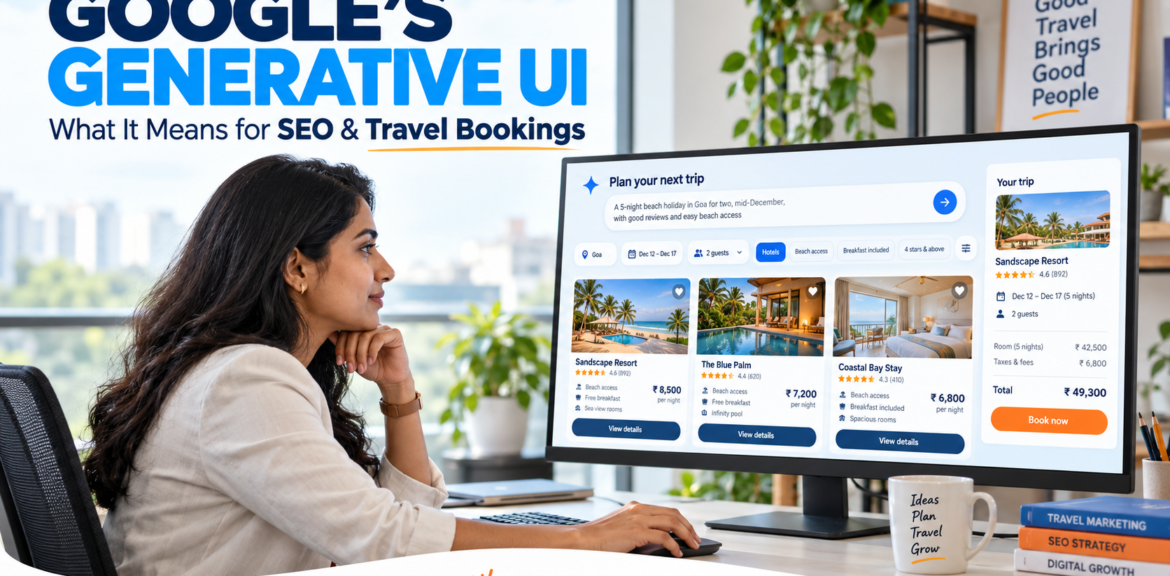

Google’s Generative UI: What It Could Mean for SEO and Travel Bookings
Google’s Generative UI: What It Could Mean for SEO and Travel Bookings
Google’s generative UI allows Search to create a visual or interactive response around a user’s question. Instead of receiving only a written answer, someone might get a comparison layout, calculator or another interface designed for the task. Google has described these capabilities in its official Search announcements. blog.google
For businesses researching Google Generative UI SEO, the practical question is what happens when search helps customers compare options and move towards a purchase before they visit a business website.
Travel provides a useful example. Google has introduced hotel-booking capabilities within AI Mode for eligible users and properties. However, its current help documentation limits that particular booking feature to the United States, in English, for select properties. It should not be presented as a fully available Indian hotel-booking service. Travel Help
Indian businesses can still prepare sensibly. Clear product information, accurate availability, useful comparisons and a reliable booking journey remain valuable whether a customer discovers a business through conventional search, an AI-generated answer or a travel platform.
This guide explains the differences between these technologies, the opportunities they suggest and the decisions worth making before investing in another SEO service or website feature.
Google Generative UI Explained: What Does It Actually Mean?
A user interface is the part of a digital product that people interact with: buttons, filters, tables, forms and other controls.
On a conventional website, a designer and developer usually decide the layout in advance. A hotel website might have a fixed booking form containing arrival date, departure date, number of guests and a search button.
With generative UI, an AI system can assemble or generate an interface in response to the task. The presentation can change according to what the user is trying to understand or accomplish.
Google Research describes generative UI as generating an experience as well as content. Its published work includes dynamically created visual experiences, interactive tools and simulations. research.google
Consider the difference between these two requests:
“Explain the difference between refundable and non-refundable hotel rates.”
“Help me compare a refundable room with a cheaper non-refundable room for a trip that might change.”
The first request may be answered adequately with text. The second could benefit from a comparison table or an interactive calculation.
For example, an interface could help someone examine the extra cost of flexibility alongside the amount they could lose if their plans change. That is an illustrative use case, not a claim that Google currently provides that exact hotel comparison tool for every search.
The important shift is that the format can be chosen around the decision.
Generative UI is different from adding a chatbot
A chatbot is commonly presented as a conversation. Users type a message and receive a reply, perhaps with links or images.
Generative UI can include conversation, but it can also create controls that let users explore the answer directly. A person might adjust a budget, change a variable or compare alternatives through an interactive view.
For a website owner, this means that answering a question and helping someone complete a task are related but separate goals.
An article can explain hotel cancellation policies. A booking interface must also show which policy applies to a particular room, rate and date.
Businesses need to think about both.
How Generative UI, AI Search and Booking Fit Together
It is easy to combine several developments into one headline. Doing so can make the technology sound more complete or widely available than the evidence supports.
These concepts serve different purposes:
| Concept | What it does | Business implication |
|---|---|---|
| Generative UI | Creates or adapts the interface around a task | Customers may compare information through a dynamically arranged experience |
| AI search | Helps users research questions and explore information | A business may be discovered within a broader answer or comparison |
| Live availability data | Shows whether a specific option can currently be purchased | Accurate inventory and prices matter |
| Booking integration | Enables a reservation through a participating provider | Eligibility and commercial arrangements need separate checking |
| Customer support | Handles issues after purchase | The responsible provider must remain identifiable |
An attractive comparison interface does not, by itself, create access to live room inventory. Similarly, an AI-generated travel plan does not automatically mean that every recommendation can be booked within the same experience.
A complete booking journey needs dependable information and a working transaction process behind the interface.
A useful way to assess any announcement
When reading about a new Google travel feature, ask:
- What can the interface display?
- Where does its information come from?
- Can the user complete a transaction?
- Who processes and manages the booking?
- Which countries, accounts and properties are eligible?
These questions are more useful than assuming every AI search update introduces the same capabilities.
They also help a business separate an SEO task from a booking-system task. Improving a destination guide and connecting room inventory to a distribution partner are different projects, even when both support the same customer journey.
What Google Has Confirmed—and What Remains a Possibility
Google’s November 2025 announcement described generative UI in AI Mode, including layouts, interactive tools and simulations tailored to a query. Its May 2026 announcements subsequently described plans to make generative UI capabilities available more broadly in Search. Neither announcement means every query receives an interactive interface. blog.google
Separately, Google’s August 2026 travel announcement described new AI Mode features for travel planning, including hotel booking and flight-price tracking. These are product developments that should be checked individually for availability. blog.google
For publication, keep the distinction clear:
- Confirmed development: Google has introduced generative UI capabilities and AI Mode travel-booking functionality.
- Availability restriction: The specific hotel-booking flow documented in Google Travel Help is currently limited to eligible US users and select properties.
- Strategic possibility: More research and comparison activity could happen inside search interfaces.
- Unproven outcome: A particular Indian hotel will lose traffic, gain bookings or replace its existing distribution channels because of these features.
The last two points require analysis and evidence. They should not be presented as established results.
Why availability matters for Indian readers
An Indian hotel owner could read a global announcement and reasonably wonder whether a new integration is immediately necessary.
Before spending money, check whether the feature supports the business, its target customers and its booking partners. A feature available to selected users overseas may be worth monitoring without requiring an urgent website rebuild.
Equally, the location of a property and the location of an eligible user are not necessarily the same thing. Avoid making assumptions about supported hotels based only on the country where they are located.
Read the current product requirements and confirm eligibility with the relevant provider.
Could Google Become the Next Booking.com?
The comparison is understandable. If people can research accommodation, compare options and complete eligible bookings within Search, Google can participate in more stages of the customer journey.
However, the comparison has limits.
Google’s hotel-booking help page says the reservation is made with a booking partner. That partner processes payment, sends the confirmation email and handles reservation changes. Google also directs cancellation and refund requests to the partner. Travel Help
The interface a customer uses and the business responsible for the transaction can therefore be different.
For marketers, the relevant question is:
Which parts of discovery, comparison, booking and customer service will happen on each platform?
This is more actionable than predicting that one company will replace another.
What might change for a hotel website?
A customer could arrive on a hotel’s website having already compared location, facilities and room options elsewhere.
That visitor may need less introductory information and more help confirming a specific detail:
- Is the displayed room suitable for three adults?
- Is breakfast included in this rate?
- What time does the cancellation window close?
- Can the hotel confirm an early check-in?
- Is parking on-site?
- Who should the guest contact after booking?
This is a strategic interpretation of how a more capable search experience could affect the journey. It is not a measured result for every hotel.
The practical response is to make those details easy to find and consistent with the information shown by booking partners.
Google Generative UI SEO: What Changes for Website Owners?
The most useful adjustment is to examine whether your website helps people make decisions.
A page can rank for a relevant query and still leave essential questions unanswered. A visitor may understand that a property is “family friendly” without knowing whether it has a lift, connecting rooms or suitable occupancy options.
Generative search experiences make that information gap more noticeable because users can ask increasingly specific questions.
Nevertheless, Google does not describe generative UI as a separate ranking system with a published list of special optimisation tricks. Its Search guidance continues to emphasise foundational SEO and useful, reliable content. developers.google.com
Make claims specific enough to evaluate
Compare these descriptions:
Vague description
“Our hotel offers excellent facilities and comfortable rooms for every traveller.”
More useful description template
“The property offers [verified room types], [verified parking arrangement] and [verified access facilities]. Check the selected rate for meal inclusions and cancellation terms.”
The second version requires the business to supply real details. That is its advantage.
Before publishing, replace every placeholder with verified information. If a facility is unavailable, explain that plainly where it matters to the booking decision.
Specificity helps readers judge suitability. It should not become an excuse to invent additional amenities or make stronger claims than the property can support.
Separate permanent facts from changing offers
Some business information changes infrequently:
- Address.
- General location.
- Contact details.
- Building access.
- Standard room categories.
Other information may change by date, occupancy or offer:
- Room availability.
- Nightly price.
- Meal inclusions.
- Cancellation conditions.
- Promotional discounts.
Presenting both categories as permanent prose can create errors.
For example, a blog post should not imply that a room is always available at a particular price. A general room page should direct visitors to the applicable dates and rate conditions rather than treating one offer as universal.
Build for the reader’s next decision
For each important page, identify the question a visitor needs to resolve before moving forward.
A destination guide might help someone select an area. A hotel page should help them assess a property. A booking page must help them understand the exact reservation they are about to make.
Trying to make every page serve all three purposes often produces repetition and confusion.
Give each page a clear role, then connect related pages through useful internal links.
How Google AI Travel Booking Could Affect the Customer Journey
A travel purchase usually involves more than one decision. Someone may first choose a destination, then a neighbourhood, a property and finally a room or rate.
AI-assisted interfaces could help users work through several of these decisions in one place.
Imagine a traveller researching:
“A hotel in Jaipur for two adults, close to the old city, with parking and flexible cancellation.”
This is a hypothetical example. It does not describe a test result or a confirmed Google recommendation.
The request contains several different needs:
| Requirement | Information needed to evaluate it |
|---|---|
| Jaipur | Correct property location |
| Two adults | Suitable room occupancy |
| Close to the old city | A clear location reference and realistic access information |
| Parking | Verified parking availability and conditions |
| Flexible cancellation | The policy attached to the selected rate |
A broad travel article is unlikely to answer all of these questions reliably. Different parts of the answer may depend on property information, maps, booking inventory and rate terms.
For an Indian travel business, the opportunity is to improve the information it controls instead of assuming one long article can replace everything else.
Why detailed content still matters
Some needs cannot be reduced to a price or filter.
A guest may want to know whether a hotel entrance is accessible by car during a festival. Another may need to understand the walk between a parking point and the reception.
Where these details are relevant, provide verified explanations and original photographs where possible. Include limitations and describe when arrangements can change.
Such information can help customers make better decisions even if the initial comparison happens elsewhere.
Its value comes from solving a real problem, rather than repeating descriptions already present on several booking platforms.
How Google AI Hotel Booking Works in the Documented Flow
Google’s published help instructions describe a journey in which an eligible user searches for a hotel, selects a property and reviews booking options.
When available, the user can continue within Google’s interface, select a room, review reservation details and proceed to payment. An external website option is shown when the property cannot be booked through that flow. Travel Help
The full reservation remains dependent on the booking partner and the terms attached to the selected option.
For website owners, three questions follow:
- Is the information shown about the property accurate?
- Does the chosen rate clearly explain what the guest receives?
- Can the guest identify who manages the reservation?
These are useful checks across distribution channels, including those a business already uses.
Do not confuse visibility with booking eligibility
Being mentioned in an AI answer is not the same as being eligible for an integrated booking feature.
A destination article may help a reader understand an area without providing bookable inventory. A property may appear in research results while the transaction takes place on another website.
Treat visibility, inventory participation and transaction completion as separate things when evaluating performance or discussing services with an agency.
Google AI Mode SEO: Which Fundamentals Still Matter?
Google’s guidance states that established SEO practices remain relevant to AI features. Its documentation says that special AI files or a dedicated type of schema are not required simply to appear in AI Overviews or AI Mode. developers.google.com
That does not remove the need for technical work. It helps identify what deserves attention first.
Make essential pages accessible
Check whether important pages can be reached through normal website navigation and internal links.
For a hotel, this might include room information, location, policies and contact details. A tour operator might need clear itinerary, inclusion, exclusion and cancellation pages.
If a customer cannot find a page easily, review its place in the website structure.
Keep important details readable
Avoid putting essential information only inside promotional graphics.
A beautifully designed image may look attractive, but users should also be able to read the relevant details as text on the page. This is particularly useful for policies, contact information, facilities and booking conditions.
Images can support the explanation rather than carry every fact alone.
Make structured data truthful
Use structured data that matches the business and the visible page content. Do not mark up facilities, ratings or offers that the page cannot substantiate.
The objective is accurate representation. Adding more schema types does not automatically create a stronger page.
Maintain the booking destination
If a search visitor clicks through to your website, the next step should work.
Test links, date selectors, enquiry forms and confirmation messages on mobile. Check that users do not lose their selected dates or room choice when moving between the website and booking engine.
A visibility improvement is less useful if interested customers cannot complete the next action.
A Practical Starting Exercise for Indian Businesses
Before creating a new “AI SEO” project, choose one important customer journey and examine it from beginning to end.
For a small hotel, the exercise could be:
Customer need: A family wants to understand room suitability and cancellation flexibility.
Pages to inspect: Room page, booking engine and cancellation policy.
Questions to answer:
- Is occupancy explained clearly?
- Are extra-person arrangements verified?
- Can visitors identify which facilities apply to the room?
- Does the cancellation policy match the selected rate?
- Is the total payable amount clear before confirmation?
- Is the contact route easy to find when a guest needs clarification?
Record each problem, its owner and the action required.
For example, unclear parking information may need confirmation from the property manager. A broken booking link belongs with the website team. An incorrect rate description may require the booking provider.
This turns a broad technology discussion into work the business can actually complete.
Turn Your Google Generative UI SEO Strategy into a Practical Audit
Preparing for more interactive search experiences starts with understanding what customers need to know before they book.
For a hotel, that may involve room occupancy, location, meal plans and cancellation conditions. A tour operator may need to explain departure points, walking requirements, inclusions and the circumstances in which an itinerary can change.
The useful question is:
Can a customer confidently decide whether this offer meets their requirements using the information we publish?
Start with one valuable booking journey. Choose a property, package or service that matters to the business, then examine its pages and booking process together.
A practical audit should produce a list of specific corrections. “Improve AI visibility” is too broad to assign. “Confirm whether the family room accommodates three adults and update the room page” is an actionable task.
Create one shared audit sheet
Use a spreadsheet with these columns:
| Field | What to record |
|---|---|
| Customer question | The decision the visitor needs to make |
| Relevant page | The page expected to answer it |
| Current information | What the website actually says |
| Evidence or owner | Who can verify the information |
| Problem | Missing, outdated, inconsistent or difficult-to-find details |
| Required action | The specific correction |
| Responsible person | Who will complete it |
| Review date | When the information should be checked again |
For example, a hotel might record that its room page says “breakfast available”, but the booking engine does not clearly distinguish breakfast-inclusive rates from room-only rates.
The action would be to clarify the meal-plan options and check their consistency across the room page and booking flow.
That is a customer-experience improvement regardless of which search interface sends the visitor.
Step 1: Identify the Questions That Influence a Booking
Keyword research can reveal how people describe a need. It does not always explain which missing detail prevents them from booking.
Combine search research with information your business already receives:
- Enquiries submitted through the website.
- Questions asked on calls.
- Common pre-booking emails.
- Customer-service queries.
- Feedback about confusing policies.
- Questions raised by the reservations team.
Review these sources without publishing personal details. Look for recurring decisions rather than copying individual conversations into articles.
Organise questions by stage
A simple structure helps you decide where each answer belongs.
| Customer stage | Example question | Suitable page |
|---|---|---|
| Choosing a destination | Which area is convenient for a short Jaipur visit? | Destination or neighbourhood guide |
| Comparing properties | Does this property have on-site parking? | Hotel facilities or location page |
| Selecting a room | Can this room accommodate three adults? | Room page and booking engine |
| Reviewing a rate | Is breakfast included, and can I cancel? | Rate details and booking summary |
| Preparing to arrive | How do I reach reception from the drop-off point? | Arrival guide or confirmation information |
This prevents a destination blog from becoming a mixture of sightseeing advice, room descriptions and reservation terms.
Each page can serve a clear purpose while linking to the next useful step.
Include questions that reveal limitations
Businesses often describe what is available more prominently than what is unavailable.
However, limitations can determine suitability. Examples include:
- A property without a lift.
- Parking located away from the building.
- A room category unsuitable for an extra bed.
- A tour involving stairs or extended walking.
- A check-in arrangement requiring advance confirmation.
Publish relevant limitations clearly and accurately. They can help avoid unsuitable enquiries and booking misunderstandings.
Step 2: Build a Reliable Source of Business Information
When the website, booking platform and customer-service team use different descriptions, customers can receive conflicting answers.
Create a central information record for the property or service. This does not require an expensive system at the beginning. A controlled spreadsheet or shared document can work if someone owns the updates.
Separate facts by how often they change
| Information type | Examples | Suggested management approach |
|---|---|---|
| Relatively stable | Address, building access, room categories | Review when the property or service changes |
| Operational | Reception arrangements, parking instructions, temporary access restrictions | Assign an operational owner and review as needed |
| Rate-dependent | Breakfast, cancellation, extra-person charges | Manage against the applicable rate |
| Date-dependent | Availability, seasonal offers, departure schedules | Maintain through the relevant booking or inventory system |
Do not copy live prices into multiple evergreen blog posts unless you have a dependable process for updating them.
A page can explain how rates work without presenting a temporary offer as a permanent fact.
Use precise terms consistently
“Parking available” can mean several things:
- Private parking inside the property.
- A reserved space nearby.
- Paid public parking.
- Roadside parking subject to availability.
These arrangements are not interchangeable.
Likewise, “airport transfer available” does not tell a customer whether it is included, chargeable or subject to advance booking.
Choose wording that accurately describes the arrangement, then use it consistently across the channels you control.
Step 3: Improve Property and Service Pages Before Adding More Blogs
A travel business may publish destination articles while leaving its core commercial pages incomplete.
That creates a gap. Readers discover the business through useful content but cannot establish whether its actual offer meets their needs.
Before expanding the blog, review the pages that support enquiries and bookings.
What a useful hotel page should explain
Include verified information relevant to the property, such as:
- Its location and address.
- Available room categories.
- Occupancy arrangements.
- Facilities and important limitations.
- Check-in and check-out policies.
- How to review current rates and availability.
- Where to find cancellation conditions.
- A clear contact or booking option.
The page does not need to contain every rate rule in a long paragraph. It should help visitors find the conditions that apply to their chosen reservation.
What a useful tour page should explain
A tour description should make the experience understandable before payment.
Useful details may include:
- Where the trip begins and ends.
- The itinerary and whether its order can change.
- What the price includes.
- What customers must pay separately.
- Any walking, stairs or physical requirements.
- Vehicle or accommodation categories, when applicable.
- Cancellation and rescheduling conditions.
- The process for confirming availability.
Avoid “all-inclusive” unless the inclusions are clearly defined and the description is accurate.
Example: Replace an unclear package description
Unclear description:
“Enjoy a complete Varanasi experience with comfortable travel and all major attractions.”
More useful structure:
“The itinerary includes [verified stops]. The package price covers [confirmed inclusions]. Entry tickets, meals and other expenses are [state the actual arrangement]. Some locations require walking from the permitted vehicle drop-off point.”
This is a writing template, not a description of an existing package. Every bracketed detail must be supplied and verified before publication.
The improvement comes from helping the customer understand the offer, rather than adding more promotional adjectives.
Step 4: Create Content That Supports Specific Decisions
An article about a destination can attract readers without helping them decide where to stay, how long to allow or which practical constraints matter.
Useful supporting content answers questions that a commercial page cannot cover comfortably.
For example, a hotel near a pedestrian area could publish an arrival guide explaining the relationship between the permitted drop-off point and the property entrance.
A tour operator could explain which parts of an itinerary involve walking and which can be reached by vehicle.
Choose topics using three tests
Before approving a new article, ask:
- Does a real customer need this answer?
- Can the business contribute verified detail?
- Does an existing page already answer the same question?
If the third answer is yes, updating that page may be more useful than creating another URL.
For Digital Marketing Burst, the same principle applies to the current article. Its role is to explain generative interfaces and booking journeys. A general AI SEO article should remain the broader introduction rather than repeating the same explanation here.
Avoid creating a page for every wording variation
These searches may express broadly the same need:
- Hotel near a railway station.
- Accommodation close to the station.
- Where to stay near the railway terminal.
They do not automatically require three articles.
A well-written page can address related language naturally. Create a separate page when the user’s task or the information required is genuinely different.
Step 5: Use Comparisons That Help Readers Choose
Interactive interfaces are useful partly because they can make alternatives easier to examine. Your website can support better decisions through clear comparisons without building a complex tool.
For a hotel, a room-category comparison may be enough.
| Comparison field | What to provide |
|---|---|
| Room category | The actual room name |
| Occupancy | Verified adult and child arrangements |
| Bed configuration | Confirmed options and any request conditions |
| Access | Relevant floor or lift information |
| Facilities | Features that distinguish the room |
| Current price | A link to date-specific availability |
| Cancellation | Where to review the selected rate’s terms |
Do not fill empty fields with assumptions. If the information is not confirmed, assign someone to verify it.
Explain trade-offs rather than declaring a universal winner
A larger room may suit one family, while another traveller prefers a lower price. A central location can be convenient but may involve a longer walk from parking.
Explain the difference and let the reader decide.
A comparison becomes less useful when every row simply labels the business’s preferred option as “best”.
Step 6: Keep Important Information Accessible as Text
A promotional image may show an offer attractively, but customers should not need to enlarge a poster to understand essential booking conditions.
Provide readable text for important information such as facilities, policies and inclusions. Google’s guidance for AI search features also recommends making important content available in textual form. developers.google.com
For example:
- Put room facilities in the room description.
- Write the cancellation summary beside the applicable rate.
- Include the address on the location page.
- Explain offer conditions outside the promotional graphic.
Images should reinforce the information. They should not be its only accessible location.
Make photographs informative
A genuine room photograph can answer questions that a broad description leaves unresolved.
Useful images might show:
- The room layout.
- The bathroom.
- The property entrance.
- Parking access.
- Relevant common facilities.
Captions can clarify what is shown, especially when an image applies only to a particular room category.
If a photograph shows one category, do not let the layout imply that every room looks the same.
Label conceptual illustrations appropriately
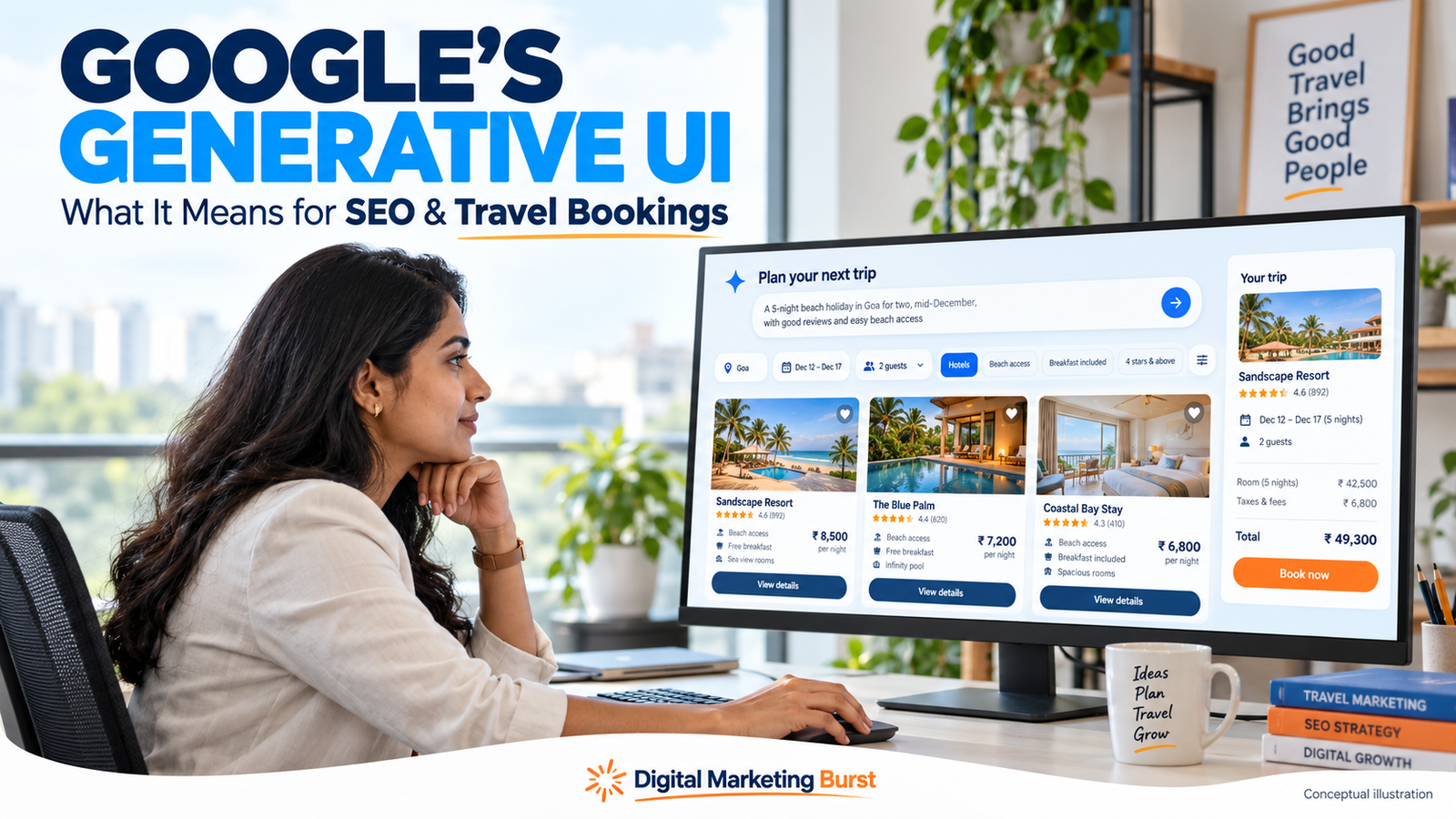
AI-created imagery can be useful for explaining an idea, including generative UI itself. However, a conceptual interface should not be presented as an authentic screenshot of Google.
For this article, any generated comparison screen should carry a caption such as:
“Conceptual illustration of an AI-assisted travel comparison interface.”
That keeps the visual useful without implying that it documents a live product.
Step 7: Test the Website-to-Booking Handoff
A visitor may leave the main website and enter a separate booking engine. This transition is easy to overlook when content and reservations are managed by different teams.
Test it from the customer’s perspective.
Follow one complete booking path
Choose a room or service and proceed through the journey as far as you can without placing an unintended reservation.
Check whether:
- The booking button opens the correct destination.
- Selected dates carry through where expected.
- Occupancy remains correct.
- Room names match between systems.
- Inclusions are explained consistently.
- Cancellation conditions are visible before commitment.
- Mandatory charges are disclosed clearly.
- The customer knows how to obtain help.
Repeat the check on a mobile phone. A desktop review alone can miss difficult selectors, obscured buttons or awkward forms.
Record where information changes unexpectedly
Suppose a room page describes breakfast as included, but the booking engine opens a room-only rate. That mismatch needs investigation.
The problem may be a link, an outdated description or a booking-engine configuration. Identify the cause rather than covering it with a general disclaimer.
A clear handoff is valuable whether the customer arrives from Google, social media, email or a travel recommendation.
Step 8: Check Technical SEO Without Chasing Special AI Tricks
A content audit should include technical accessibility. Strong information cannot help if important pages are broken or inaccessible.
Google’s current guidance continues to connect generative AI search visibility with established SEO practices. It does not describe a special file or schema type that guarantees inclusion. developers.google.com
Begin with the pages that matter most to customers.
| Check | Practical question |
|---|---|
| Page availability | Does the intended page load successfully? |
| Indexing controls | Is an important public page accidentally marked noindex? |
| Canonical URL | Does the page identify the intended version? |
| Internal links | Can visitors reach it from related pages? |
| Mobile usability | Can users read and act on its content comfortably? |
| Booking links | Do they lead to the correct property, room or service? |
| Structured data | Does it match the visible, verified information? |
These checks identify problems to investigate. They do not establish that every page must be indexed or that correcting one issue will produce a particular ranking.
Be careful with date and filter URLs
Booking systems can create many URL variations for dates, occupancy and filters.
Do not automatically turn every variation into an indexable landing page. First decide which pages provide useful, distinct information and which exist mainly to support a user’s temporary selection.
A technical review may be needed where filters create a large number of near-identical URLs.
The appropriate setup depends on the booking platform and website architecture. Avoid changing indexing controls across the site without understanding their effect.
A Worked Example for an Independent Indian Hotel
Consider a hypothetical hotel in Lucknow. This is a planning example, not a client case study.
The property receives enquiries about parking, family occupancy and late arrival. Its website has an attractive homepage but limited room details.
A practical audit could produce the following actions:
| Finding | Action | Responsible team |
|---|---|---|
| “Family-friendly rooms” is not explained | Publish verified occupancy and extra-bed arrangements | Reservations |
| Parking description is vague | State the actual parking location and conditions | Property operations |
| Room photographs lack category labels | Associate photographs with the correct room type | Website/content |
| Cancellation page gives only a broad statement | Explain where guests can see rate-specific terms | Reservations/booking provider |
| Booking button opens a generic search page | Link to the correct property booking journey | Website developer |
| Arrival questions repeat frequently | Publish a concise, verified arrival guide | Front desk/content |
None of these actions depends on a promise of AI search placement.
Together, they make the property easier to understand and its booking journey easier to complete. That is a concrete result the team can review.
What should the hotel avoid?
It should avoid creating several generic articles about “the best hotel in Lucknow” while the underlying information remains unclear.
It should also avoid adding unverified accessibility claims, fabricated testimonials or unsupported statements about being recommended by an AI platform.
The priority is to improve the offer’s representation and the customer’s ability to evaluate it.
Assign Ownership Before Information Goes Out of Date
Content quality is partly an operational responsibility.
A writer may produce an accurate room description today, but the page can become misleading after a policy or facility changes.
Assign responsibility for important information:
- Reservations: Occupancy, rates and booking conditions.
- Property operations: Facilities, access and temporary changes.
- Content team: Clear wording and consistency.
- Website team: Page functionality and links.
- Marketing or analytics team: Journey measurement and reporting.
One person may hold several of these roles in a small business. The important point is that each update has an owner.
Use events to trigger reviews
A calendar reminder is helpful, but some changes should trigger an immediate review.
Examples include:
- Introducing a new room category.
- Changing the booking engine.
- Revising cancellation terms.
- Closing a facility temporarily.
- Changing parking or arrival arrangements.
- Launching a new package.
Check every affected page and distribution channel when the underlying information changes.
Prioritise Work by Customer Impact
Not every improvement needs to happen at once.
A useful order is:
- Correct misleading information. Address errors that could cause a customer to book an unsuitable option.
- Repair broken journeys. Fix failed booking links, forms and important page errors.
- Answer missing decision questions. Add occupancy, access, inclusion and policy details.
- Improve supporting content. Publish guides that help customers choose and prepare.
- Evaluate optional tools. Consider an interactive comparison only when a simpler page does not meet the need.
This sequence keeps the work connected to real booking problems.
A custom calculator or AI feature may be useful later. It should have a clear purpose, a dependable information source and someone responsible for maintaining it.
How to Measure the Impact of Google Generative UI on Your Business
A useful Google Generative UI SEO strategy should connect website improvements with customer decisions and business outcomes.
Search visibility is one part of that picture. A business also needs to understand whether visitors find suitable information, continue towards a booking and complete a worthwhile transaction.
Separate these stages when reporting results:
| Stage | What to measure | What the result tells you |
|---|---|---|
| Discovery | Relevant search appearances and recorded visits | Whether people encounter the business |
| Evaluation | Use of room, service and comparison pages | Whether visitors explore the offer |
| Booking interest | Booking-button clicks and suitable enquiries | Whether visitors attempt the next step |
| Reservation | Confirmed bookings | Whether a reservation was created |
| Business outcome | Completed stays, cancellations and net booking value | What happened after the initial booking |
A booking-button click is not a completed reservation. Similarly, a confirmed booking is not necessarily a completed stay.
Keeping these distinctions clear prevents an encouraging dashboard from hiding problems later in the customer journey.
Define the purpose of each website change
Suppose a hotel adds a comparison of its family rooms because customers frequently ask about occupancy.
The initial review should establish whether the information is accurate and easy to understand. The reservations team can then monitor whether customers still need the same clarification.
An increase in traffic would not prove that the comparison caused more bookings. However, fewer misunderstandings and better-informed enquiries would support its practical value.
Before approving a task, write down:
- The customer problem.
- The change being made.
- The person responsible.
- The evidence needed to assess it.
This makes the work easier to review than a general instruction to “improve AI visibility”.
Check the Journey Between Your Website and Booking Engine
Travel websites often send customers to a separate booking system. That transition needs careful checking.
A visitor may choose dates on the main website, then arrive at a booking page where the dates, occupancy or room category have changed.
Test the journey on mobile and desktop. Confirm that:
- The booking button opens the correct property.
- Selected details remain correct where expected.
- Room names match across systems.
- Meal inclusions are clear.
- Cancellation conditions apply to the selected rate.
- Mandatory charges are disclosed before confirmation.
- Help is available if the customer has a question.
If a customer encounters contradictory information, investigate the underlying cause. A disclaimer cannot compensate for an incorrect room description or broken booking link.
Understand what your analytics can establish
Ask the person managing analytics to explain which steps are recorded.
If the website measures only a click to an external booking engine, report it as a booking-engine click. Do not describe it as revenue or a confirmed reservation.
Where reservations can be reconciled with marketing reports, document the method and its limitations. Avoid double-counting transactions or mixing bookings created during a month with stays completed during that month.
Digital Marketing Burst’s ChatGPT referral traffic drop guide provides further context on the difference between recorded attribution and the full discovery journey.
Monitor AI Visibility Without Mistaking It for Revenue
An AI visibility report can document what happened for a selected set of questions. It cannot establish everything every potential customer sees.
For each observation, record the question, date, platform, location settings where known, and the resulting mention or citation.
Distinguish between:
- A business name appearing.
- A website receiving a link.
- A recorded visit.
- A qualified enquiry.
- A completed booking.
These events may be related, but one does not prove the next.
The AI visibility report guide on Digital Marketing Burst can support a more detailed reporting process. Keep that reporting alongside website and booking data rather than replacing them.
Prioritise inaccurate information
A prominent mention is not useful if it gives customers the wrong impression.
Check whether important descriptions correctly represent the business’s location, facilities, service coverage and booking conditions.
When an error appears, review the information you control first. Correct inconsistent pages and listings where appropriate, then monitor subsequent observations.
An edit does not guarantee an immediate change in an AI-generated response.
Should You Build an Interactive Tool on Your Website?
A custom interface can help customers explore a complex choice. It also needs reliable information, testing and maintenance.
Before commissioning one, ask whether a simpler comparison table or form would solve the problem.
| Customer need | A practical starting point |
|---|---|
| Compare a few room categories | A clear comparison table |
| Understand package inclusions | An inclusion-and-exclusion section |
| Check date-specific availability | A working booking engine |
| Explain an unusual requirement | A structured enquiry form |
| Explore several changing variables | A carefully scoped interactive tool |
The most advanced option is not automatically the most useful.
A tool should have a defined purpose and a clear owner. Its calculations must be checked, and its limitations should be visible.
Separate estimates from confirmed offers
A suggested itinerary is not a reservation. An indicative package cost is not necessarily a final quotation.
Explain what the tool actually provides. If availability or pricing requires confirmation, say so before the customer relies on the result.
Also provide a fallback. Visitors should still be able to read essential details or contact the business when a tool does not work.
What Indian Businesses Should Prioritise
Preparation does not require predicting every future Google feature.
Start with problems that affect customers today:
- Correct conflicting information. Align room descriptions, facilities and policies across the channels you control.
- Repair booking obstacles. Fix broken links, unclear forms and inconsistent handoffs.
- Answer decision questions. Explain suitability, access, inclusions and limitations.
- Measure meaningful actions. Separate visits, enquiries, reservations and completed business.
- Review new integrations selectively. Confirm eligibility and maintenance requirements before investing.
Use SEO templates and checklists to assign the work. Each task should identify a problem, owner and review method.
For broader strategy, link to your existing generative engine optimisation strategy guide. Keep this article focused on the implications of generative interfaces and travel booking.
Questions to Ask an AI SEO Provider
Before buying a service, ask the provider to explain:
- Which customer problem the work addresses.
- Which pages or systems will change.
- Which recommendations have official documentation.
- Which activities are experiments.
- Whether booking integrations are included.
- How results will be measured.
- Who maintains the changes.
A proposal should name concrete deliverables. These might include an information audit, booking-journey review, revised descriptions or a measurement plan.
No provider can independently guarantee that Google will recommend a business or include it in a generated interface.
Frequently Asked Questions
Does appearing in an AI answer make a hotel bookable through Google?
No. Search visibility and booking eligibility are separate. An integrated reservation depends on the applicable feature, participating provider and eligibility conditions.
Does generative UI mean Google reproduces my website’s design?
Google describes interfaces generated around a user’s task. Businesses should not assume that their website layout will be reproduced inside Search.
Should a small travel business develop an API immediately?
Only when there is a documented integration need. First check whether an existing booking provider already supports the required connection.
Can a business use AI-generated interface images in this article?
Yes, as conceptual illustrations. Clearly label them and avoid presenting them as authentic Google screenshots.
Should destination guides display fixed hotel prices?
Only when the business can maintain them accurately and explain the applicable dates and conditions. Otherwise, link to current availability.
Why Choose Digital Marketing Burst for Your AI Search Strategy?
If you are searching for the best digital marketing agency in Lucknow, look for a team that connects its recommendations with your business goals. As Google develops generative interfaces and AI-assisted booking experiences, businesses need accurate content, a usable website and meaningful performance reporting.
Digital Marketing Burst offers SEO, content strategy, website development and analytics services. For hotels and travel businesses, these services can support a clearer journey from discovering an offer to making an enquiry or booking.
SEO and Content That Help Customers Decide
A useful AI search optimisation strategy for Indian businesses starts with the questions customers need answered. Room suitability, service coverage, package inclusions and booking conditions should be explained clearly and supported by verified information.
Digital Marketing Burst can help businesses organise that information into relevant pages and connect it through useful internal links.
Website Improvements with a Practical Purpose
For businesses exploring hotel website SEO services in Lucknow, visibility is only part of the task. Customers also need working booking links, readable mobile pages and straightforward enquiry forms.
The priority should be to identify obstacles and improve the next step—not simply add more content.
Reporting Connected to Business Goals
An SEO and analytics strategy for travel businesses should distinguish search visibility, website visits, qualified enquiries and completed bookings. That makes reports more useful when deciding what to improve next.
Planning your next step? Discuss your website, audience and business goals with Digital Marketing Burst to identify the work your digital marketing strategy needs.
Conclusion
Google Generative UI SEO is about preparing for search experiences that help people research, compare and act through more interactive formats.
For Indian travel businesses, the practical response is to improve the information and journeys they control. Publish verified details, explain meaningful differences, maintain a dependable booking process and measure actual business outcomes.
Monitor new Google capabilities, but separate confirmed availability from predictions. Useful information and a straightforward next step remain worthwhile investments wherever discovery begins.