







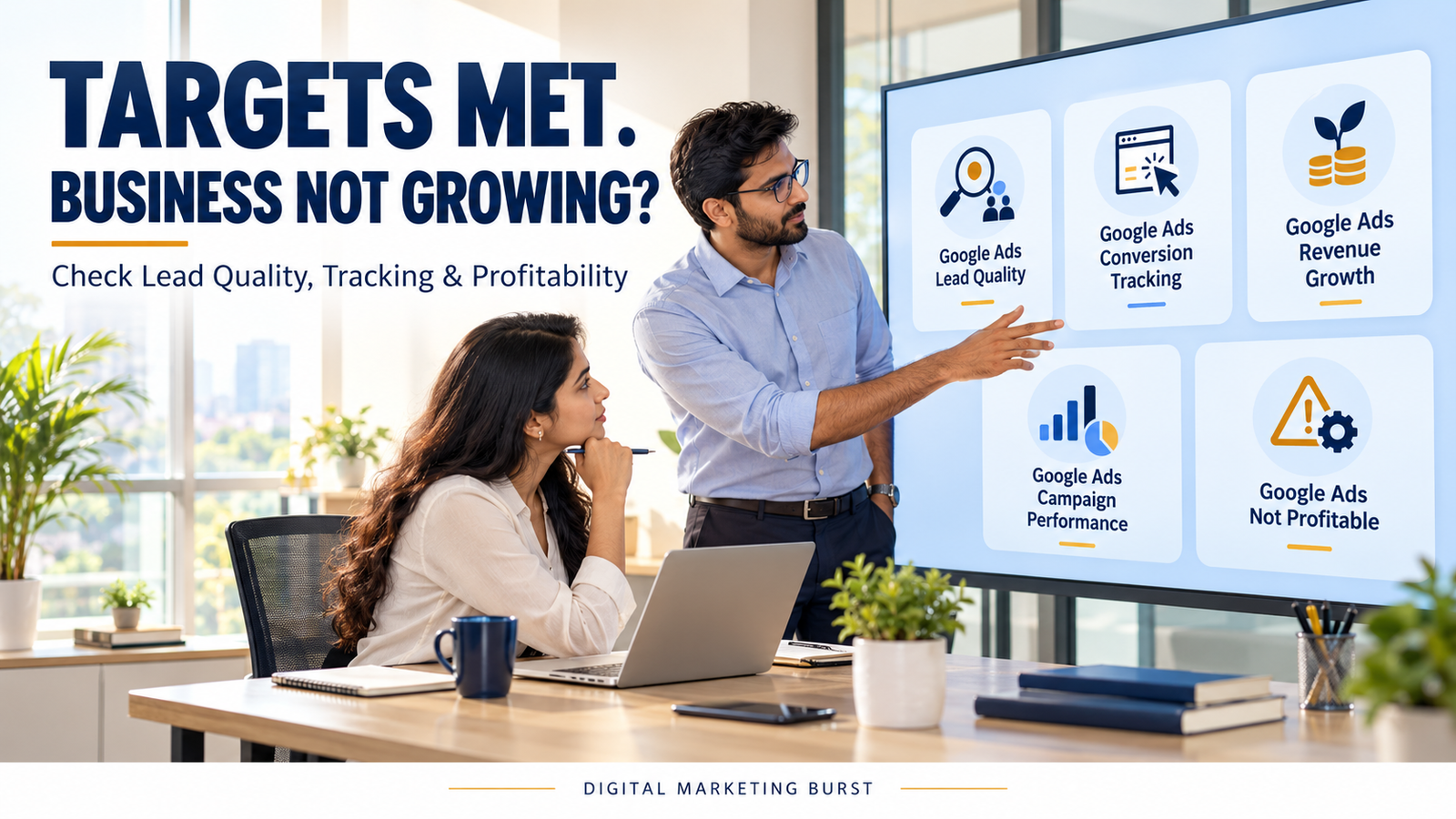
Google Ads Targets Are Being Met, So Why Isn’t Your Business Growing?
Your Google Ads account can meet its cost-per-lead target while the business struggles to generate profitable sales. One reason may be Google Ads lead quality: the campaign is producing enquiries, but too few come from people who need the service, can purchase it or receive a timely response.
Tracking can also create a misleading picture. A reported conversion might be a phone-number click, a form submission or a page view—not necessarily a qualified customer.
The problem is not always inside the Ads account. Pricing, service coverage, stock availability, sales follow-up and the time customers take to decide can all affect the outcome.
Before increasing the budget or replacing the agency, trace the journey from the ad interaction to the final business result. That will show whether the gap is in measurement, lead quality, sales handling or the offer itself.
What Does It Mean When Google Ads Meets Its Targets?
A target is useful only when everyone understands what it measures.
A campaign may be judged against:
- Cost per reported conversion.
- Number of form submissions.
- Number of calls.
- Conversion value.
- Return on ad spend.
- Traffic or click volume.
Each number answers a different question. None automatically tells you whether the business gained a profitable new customer.
Consider a hypothetical business that sets a target of ₹500 per reported lead.
At the end of the month, the account shows:
| Google Ads measure | Hypothetical result |
|---|---|
| Ad spend | ₹50,000 |
| Reported conversions | 100 |
| Cost per reported conversion | ₹500 |
| Target cost per reported lead | ₹500 |
The account has met the target mathematically.
The business owner still needs to know what those 100 reported conversions represent. If several are repeated forms, calls from existing customers or enquiries outside the service area, the reported cost per conversion does not describe the cost of obtaining a suitable prospect.
Meeting the target is an observation. Whether the target supports the business is the next question.
Ask what happens after the reported conversion
Follow the chain:
Ad interaction → enquiry → valid enquiry → qualified lead → sales opportunity → customer → collected revenue → profit
Not every business uses these exact stages. The point is to define the stages that matter to yours and record what happens after the first interaction.
A lead-generation campaign may be doing its assigned job while the sales team struggles to contact prospects. Equally, prompt follow-up cannot turn every irrelevant enquiry into a suitable customer.
The diagnosis needs evidence from both sides.
Google Ads Lead Quality: Why More Enquiries May Not Mean More Customers
A lead is an expression of interest. Its quality depends on whether the person’s need matches the business’s actual offer.
For a local service provider, a qualified lead might need:
- A service the business currently offers.
- A location the business serves.
- A realistic requirement.
- Contact details that allow a response.
- An appropriate decision timeline.
A business selling industrial equipment may use different criteria, such as technical suitability, order size or purchasing authority.
Define quality before examining the numbers. Otherwise, one person may count every message as a lead while another counts only people ready to buy.
A valid lead and a qualified lead are different
Use separate definitions:
| Stage | Suggested meaning |
|---|---|
| Reported conversion | An action recorded in Google Ads under the account’s settings |
| Valid enquiry | A genuine, usable request rather than spam or a test |
| Qualified lead | An enquiry that meets the business’s agreed suitability criteria |
| Sales opportunity | A qualified prospect with a defined potential purchase |
| Customer | A person or organisation that has completed the business’s agreed purchase milestone |
These definitions are examples. Adapt them to your process and use them consistently.
A customer might be counted when an order is paid, a contract is signed or a service is delivered. Choose one definition for the report and state it.
Example: A local service with limited coverage
Imagine a Lucknow-based business that installs water purifiers only within selected areas.
Its ad receives enquiries from:
- People seeking installation in its service area.
- People seeking repairs the business does not offer.
- Customers in cities it does not serve.
- Existing customers looking for support.
- People asking for jobs.
All are contacts, but they do not represent the same sales opportunity.
The campaign report alone may not reveal that distinction. The business needs to record the reason an enquiry was qualified or disqualified.
That information can then guide a review of targeting, ad wording, landing-page information and follow-up.
Calculate the Cost of a Qualified Lead
The cost per reported conversion is:
Ad spend ÷ reported Google Ads conversionsFor a business with a reliable lead record, a separate operational measure can be:
Ad spend for the selected cohort ÷ qualified leads in that cohortThe second calculation depends on the quality of the business’s records. It should not be presented as an exact Google Ads attribution measure when the sources or records are incomplete.
Hypothetical example
Assume a campaign spends ₹50,000 on interactions in a defined period. The team records the following outcomes for the corresponding lead cohort:
| Stage | Count |
|---|---|
| Valid enquiries | 80 |
| Qualified leads | 40 |
| Customers | 8 |
The calculations are:
Cost per qualified lead = ₹50,000 ÷ 40 = ₹1,250Cost per customer = ₹50,000 ÷ 8 = ₹6,250These are illustrative calculations, not client results or industry benchmarks.
The cost per qualified lead is different from the earlier ₹500 cost per reported conversion. That difference can change the business decision.
The campaign may still be worthwhile. To decide, the owner needs to compare acquisition cost with the value and cost of serving those customers.
Do not compare mismatched time periods
A lead may arrive in one month and purchase in another.
If you divide October ad spend by sales closed in October, some of those sales may come from earlier leads. Recent enquiries may still be under consideration.
A better investigation follows a defined group of leads from its starting period through a reasonable follow-up period.
Record:
- When the lead entered.
- When it was qualified.
- Whether an opportunity was created.
- When the sale was completed.
- Which outcome was recorded at the review date.
The newest cohort will often have more unresolved leads than an older one. Show that openly instead of treating every open enquiry as a lost sale.
Find Where the Business Funnel Is Losing People
Before changing targeting or bids, identify the stage where the numbers weaken.
Use a simple funnel worksheet.
| Stage | Count | Question |
|---|---|---|
| Reported conversions | ___ | What actions are included? |
| Valid enquiries | ___ | How many were genuine and usable? |
| Qualified leads | ___ | How many matched the offer and service area? |
| Contacted leads | ___ | How many received a response? |
| Sales opportunities | ___ | How many had a defined purchase need? |
| Customers | ___ | How many reached the agreed sales milestone? |
| Collected revenue | ₹___ | How much was actually collected? |
The worksheet is a diagnostic tool. It does not automatically prove which campaign caused a sale.
Read the pattern before choosing the fix
Different patterns suggest different investigations.
| Observed pattern | Investigate first |
|---|---|
| Many reported conversions, few genuine enquiries | Conversion actions, duplicate events and spam |
| Many genuine enquiries, few qualified leads | Search intent, location, offer and landing page |
| Many qualified leads, few contacted | Response process, staffing and contact details |
| Many contacted leads, few opportunities | Qualification, customer needs and sales conversations |
| Many opportunities, few customers | Pricing, follow-up, competition and sales process |
| Customers acquired but little profit | Pricing, fulfilment costs, refunds and acquisition cost |
Do not assume the first visible weakness has only one cause.
For example, a low contact rate may involve incomplete phone numbers, missed calls or an enquiry form that sends messages to an unmonitored inbox.
The sales team and marketing team need to review the same evidence.
Check Whether the Account Is Measuring the Right Actions
Google Ads can measure actions such as purchases, form submissions and calls. The business chooses which actions matter for its objectives.
That choice affects how the account’s results are interpreted.
Google distinguishes conversion actions by their settings and campaign goals. Primary actions associated with a goal used for bidding can appear in the Conversions column and inform bidding. Secondary actions are generally observed in All conversions, with an important exception when included in a custom goal. Google Ads Help
This means the label “conversion” should never be read without checking the underlying action.
A phone-number click is not always a completed call
Imagine someone taps the phone number on a mobile website but closes the dialler before calling.
Depending on the setup, the click may still be recorded as an action. That record does not, by itself, establish that a conversation occurred.
Likewise:
- A form-button click may differ from a successfully delivered submission.
- A successful submission may differ from a qualified enquiry.
- A call may concern customer support rather than a new sale.
- A quotation request may not become a paid order.
These distinctions do not make early actions useless. They determine how those actions should be labelled and used.
Review the conversion-action inventory
Ask the account manager to provide a list of active actions.
For each one, record:
| Field | What to check |
|---|---|
| Action name | Is the name understandable? |
| Source | Website, call, imported event or another source |
| Business meaning | What happened from the customer’s perspective? |
| Primary or secondary | How is the action configured? |
| Goal used by the campaign | Is this action associated with an active optimisation goal? |
| Counting setting | Can the configuration count repeated actions? |
| Value | Is the assigned amount real, estimated or a placeholder? |
| Validation | How was the action tested? |
Do not change primary actions simply because a checklist says to do so. Understand the current setup, affected campaigns and bidding implications first.
A sudden measurement change can make before-and-after reports difficult to compare.
Look for Duplicate or Misleading Conversions
A target can appear to be met when the same business action is measured more than once.
For example, a website form might be recorded through two separate setups. A confirmation page may also be revisited.
These are possibilities to investigate, not proof that your account has duplicate tracking.
Test one controlled enquiry
With the website and Ads teams, agree on a safe test process.
Record:
- Which form or call action is being tested.
- The time of the test.
- Whether the action was completed successfully.
- Whether the business received the enquiry.
- Which analytics events fired.
- Which Google Ads conversion actions later recorded the test.
- Whether any test records need to be excluded from business reporting.
Do not expect a test interaction to appear instantly in every reporting system. Processing and attribution settings can affect what appears and when.
Google notes that performance and conversion data have different freshness characteristics. Google Ads Help
Investigate confirmation-page behaviour
Ask the developer:
- Can the confirmation page be opened directly?
- Does refreshing it trigger the event again?
- Does every form submission reach that page?
- Can a failed submission still trigger a conversion event?
- Is the same successful action recorded by more than one setup?
The answers should be based on the actual website implementation.
A page title saying “Thank you” does not prove that the enquiry reached the business.
Measure the Customer Journey, Not Only the Form
A person may click an ad, read the service page, leave, return later and then contact the business.
Another person might call immediately. A third might submit a form, receive a quotation and take several weeks to decide.
A single reporting period may not contain the entire journey.
This matters when an owner compares recent ad spend with sales closed during the same calendar month.
Understand conversion delay
Google Ads describes conversion lag as the delay between an ad interaction and a conversion action. Recent periods can look incomplete because some actions have not yet occurred or been reported. Google Ads Help
Business sales can have an additional delay after the initial enquiry.
For example:
Day 1: Ad interaction and enquiry
Day 3: Initial discussion
Day 10: Quotation
Day 25: Customer confirms the order
Day 35: Payment is collected
This is a hypothetical journey, not a benchmark.
If the team reviews performance on Day 5, the lead may be promising but has not yet generated revenue. A report should show that it is still open.
Compare cohorts at a similar stage
A practical comparison might examine:
- Enquiries received in an earlier period.
- Their status after an agreed follow-up interval.
- Enquiries received in a later period.
- Their status after the same interval.
Include open cases.
Do not compare a mature cohort with a recent cohort and assume that the recent one has permanently performed worse.
The appropriate follow-up period depends on the business’s sales process.
Separate Revenue From Profit
Revenue answers how much money was received or recognised under the business’s reporting method. Profit requires the relevant costs to be considered.
A campaign can produce sales while leaving too little after product, fulfilment and advertising costs.
Illustrative unit economics
Assume a business sells a service for ₹20,000.
| Item | Hypothetical amount |
|---|---|
| Customer payment | ₹20,000 |
| Direct delivery cost | ₹11,000 |
| Contribution before advertising and other costs | ₹9,000 |
| Allocated acquisition cost | ₹6,000 |
| Amount remaining before other costs | ₹3,000 |
This is a simplified example.
It does not include all overheads, taxes, refunds or other costs. The figure remaining should not be called final net profit.
If the same customer later buys again, that may change the economics—but only include repeat revenue that the business can support with evidence or clearly labelled estimates.
Do not confuse ROAS with profit
Return on ad spend generally compares recorded conversion value with advertising cost. It does not automatically subtract product costs, salaries, refunds or fulfilment expenses.
Google’s documentation distinguishes conversion value and return-on-ad-spend measures from the broader calculation of return on investment. support.google.com
A healthy-looking ROAS can therefore coexist with weak profit if margins are low or costs are omitted.
Ask finance and operations which costs should be included before calling a campaign profitable.
Investigate Sales Follow-Up Before Blaming the Campaign
A qualified enquiry still needs an appropriate response.
Review the process:
- Where does the enquiry arrive?
- Who is responsible for responding?
- Is there a backup when that person is unavailable?
- How is the outcome recorded?
- What happens after a missed call?
- How are unsuitable enquiries identified?
- When is an unresolved enquiry reviewed again?
The aim is to identify actual gaps.
Do not assume that every lost sale resulted from slow follow-up. A prospect may choose another option because of pricing, availability, service fit or circumstances outside the business’s control.
Use sales notes to find patterns
A simple reason code can be more useful than a free-text note saying “not converted”.
Possible categories include:
- Outside service area.
- Requested service unavailable.
- Unable to contact.
- Price did not fit.
- Requirement postponed.
- Chose another provider.
- Duplicate or existing customer.
- Reason unknown.
Use these categories consistently and allow the team to record uncertainty.
“Unknown” is better than inventing a reason for every lost enquiry.
Include missed calls in the review
For call-driven businesses, compare available call records with the leads entered into the sales system.
Ask whether:
- The call was answered.
- The caller left usable details.
- The request was new business or support.
- A follow-up occurred.
- The outcome was recorded.
A call count can be useful, but a count alone cannot explain the commercial result.
Review the Offer the Customer Actually Sees
Ad targeting is only one part of the customer’s experience.
A campaign may reach suitable people while the landing page leaves important questions unanswered.
For an Indian business, useful details can include:
- Actual service areas.
- What the service includes.
- Relevant exclusions.
- Whether a quotation is required.
- Delivery or installation conditions.
- The information needed to begin.
- An accurate contact method.
Only publish details the business can verify.
Match the promise to the destination
If an ad highlights a specific service, the destination should help the visitor understand that service.
A visitor looking for commercial installation should not have to search through an unrelated general page to discover whether the company serves their location.
Check the complete path:
Search or ad → landing page → enquiry method → business responseAt each step, ask whether the person can continue without guessing.
An account can meet a low cost-per-conversion target while the business’s offer or follow-up remains unclear.
Use a First Review Meeting to Agree on the Problem
Bring the account manager, sales representative and business owner together with a limited set of records.
The meeting should answer:
- What did Google Ads count as a conversion?
- How many enquiries were valid?
- What made an enquiry qualified?
- How many qualified leads were contacted?
- How many became opportunities or customers?
- Which results are still pending?
- What information is missing?
- Who will investigate each gap?
Avoid turning the meeting into an argument over whether marketing or sales is responsible.
The outcome should be a small action list with owners.
Example action record
| Finding | Next action | Owner |
|---|---|---|
| Some enquiries request an unavailable service | Review ad and landing-page wording | Marketing |
| Several forms have no recorded response | Check inbox delivery and assignment | Operations |
| Two tracking setups may record one submission | Run a controlled tracking test | Website and Ads teams |
| Many qualified leads remain open | Review follow-up dates and customer status | Sales |
| Acquisition cost is known but delivery cost is not | Confirm the relevant cost calculation | Finance or owner |
These are hypothetical findings.
Your account may reveal a different pattern.
What You Should Have Before Changing the Campaign
By the end of the initial review, prepare:
- A list of conversion actions and their meanings.
- A clear definition of a qualified lead.
- A representative set of enquiry outcomes.
- A record of missed or unanswered contacts.
- A distinction between reported conversions and customers.
- A basic view of acquisition cost and direct delivery cost.
- A list of unresolved tracking or attribution questions.
This foundation makes campaign changes more deliberate.
Without it, increasing budget can increase activity without resolving the reason business growth is weak.
How to Improve Google Ads Lead Quality
Improving Google Ads lead quality starts with a clear definition of the customer you can serve.
Before editing keywords or forms, write down:
- The products or services currently available.
- The locations you serve.
- The requirements your team can fulfil.
- The enquiries that should go to sales.
- The requests that belong to support, recruitment or another team.
Then compare those definitions with a representative sample of actual enquiries.
A campaign cannot be judged accurately if the marketing team calls every form submission a lead while the sales team counts only confirmed orders.
Create a shared qualification checklist
A small business can begin with a simple checklist.
| Qualification question | Example |
|---|---|
| Is the request genuine? | The enquiry contains usable information and is not a test or spam |
| Is the service available? | The customer wants a service the business actually provides |
| Is the location covered? | The customer is within the confirmed service area |
| Is there a potential requirement? | The enquiry contains enough information for an appropriate response |
| Can the team follow up? | The customer has supplied a usable contact method |
Add criteria that reflect your business. Avoid declaring someone unqualified merely because they have not yet supplied every detail needed for a final quotation.
A prospect may be at an early research stage and still become a suitable customer later.
Record why an enquiry is unsuitable
Use a reason field instead of deleting the record from your analysis.
For example:
Outside service area
Service not offered
Existing customer support
Duplicate enquiry
Job application
Incomplete contact information
No identifiable requirement
Include an “unknown” option. The sales team should not have to guess why someone stopped responding.
Over time, the reasons can point to different actions. Repeated requests for an unavailable service suggest a different issue from enquiries the team cannot contact.
Audit Google Ads Conversion Tracking Before Changing Bids
The purpose of Google Ads conversion tracking is to record defined customer actions. The business must decide what each action means and how it supports the campaign objective.
An audit should answer:
- Which actions exist?
- What triggers each action?
- Which campaigns use the associated goals?
- What appears in the main reporting columns?
- Does the action represent a meaningful business step?
- Can the same event be counted more than once?
Google Ads groups conversion actions into goals. Its documentation explains that primary and secondary settings affect reporting and bidding, while campaign goal selection also matters. Secondary actions included in a custom goal are an exception to the usual observation-only treatment. Google Ads Help
Step 1: Document the current setup
Before making changes, export or record:
- Conversion-action names.
- Sources.
- Goal categories.
- Primary or secondary settings.
- Account-default and campaign-specific goals.
- Counting settings.
- Conversion windows.
- Values.
- Recent configuration changes.
Record which campaigns depend on each goal.
This baseline helps the team understand what will change and prevents a tracking update from being mistaken for an improvement in customer demand.
Step 2: Compare action names with actual behaviour
A useful action name should describe the event being recorded.
For example:
| Action name | Question to verify |
|---|---|
| Contact form submitted | Was the submission accepted and delivered? |
| Phone number clicked | Was only the link tapped, or was a call completed? |
| Appointment requested | Did the visitor submit a request or receive a confirmed appointment? |
| Qualified lead | Who applied the qualification criteria? |
| Converted lead | What business milestone does this represent? |
A name such as “Lead” can hide several different actions. Rename or document it carefully if the meaning is unclear.
Changing a label does not change the event itself. Verify both.
Step 3: Inspect goals at campaign level
An account-wide list is only part of the picture.
Check whether each important campaign uses account-default goals, campaign-specific goals or a custom goal.
This matters when one campaign seeks phone enquiries while another promotes an online purchase. A shared goal may not be appropriate for both.
Before changing goal selection, document:
- The reason for the change.
- Campaigns affected.
- Existing bidding strategy.
- Current action volume.
- Expected reporting differences.
- The validation plan.
Do not switch every action at once merely to make the dashboard look cleaner.
Test Form Submissions From Click to Inbox
A conversion can be recorded even when the business cannot use the resulting enquiry.
Test the full journey.
A controlled form test
With the website and sales teams:
- Choose a form and record its URL.
- Use clearly identified test information.
- Submit it once.
- Check whether validation works.
- Confirm that the correct success message appears.
- Confirm that the intended inbox or CRM receives the enquiry.
- Record the event seen in the testing tools.
- Review the corresponding Google Ads action after applicable processing.
- Mark the test record so it is not mistaken for a customer lead.
Do not expose personal customer data in screenshots or shared reports.
Check for partial failures
A form can fail in several different ways:
| Visitor experience | Business outcome | What to investigate |
|---|---|---|
| Success message appears | No enquiry is received | Delivery, integration and routing |
| Form appears to fail | Enquiry is received twice | Error handling and repeat submission |
| Form submits | Required details are missing | Validation and field mapping |
| Form submits once | Multiple conversions are recorded | Duplicate tags or events |
| Valid submission occurs | No conversion appears | Trigger, configuration and processing |
Do not assume the tracking platform is responsible for a delivery problem. The form and the measurement setup may fail independently.
Test the confirmation method
If tracking depends on a confirmation page, ask:
- Can the page be opened without submitting the form?
- Does a reload trigger another event?
- Can a failed form submission reach it?
- Do all successful forms use the same page?
- Is another event also recording the same submission?
A page-based implementation may be appropriate, but its behaviour must match the intended action.
Check Calls According to What They Represent
A phone-related conversion can describe different events.
For example:
- A visitor taps a number on the website.
- A call connects through an advertising call feature.
- A call reaches the business.
- A conversation meets a defined duration.
- A staff member identifies a suitable enquiry.
These are not interchangeable.
Create labels that reflect the observed event. If a report says “phone lead”, the owner should be able to tell whether it means a number click, a connected call or a qualified conversation.
Review missed and non-sales calls
With the business’s available records, distinguish:
- New sales enquiries.
- Existing customer support.
- Recruitment calls.
- Wrong numbers.
- Missed calls.
- Calls whose purpose is unknown.
Do not record every missed call as a lost sale. The person’s intent may be unknown.
Where a suitable callback process exists, record whether a response was attempted and what happened next.
Coordinate around business hours
A business may receive enquiries outside its normal response window.
Review whether the website explains when customers can expect a reply and whether the team has a process for those messages.
Advertising schedules, staffing and customer expectations should be considered together. Restricting ads to office hours is one possible decision, not a universal rule.
Test the commercial effect rather than assuming the change will improve results.
Connect Qualified Leads to the Sales Record
Part 1 separated reported conversions, valid enquiries and customers. This section explains how to make those stages usable in day-to-day work.
Start with a simple shared record if the business does not have a CRM.
| Field | Purpose |
|---|---|
| Lead reference | Identify the enquiry without relying on a name alone |
| Enquiry date | Place it in the correct lead cohort |
| Requested service | Check alignment with the offer |
| Location | Check confirmed coverage |
| Contact status | Record whether a response occurred |
| Qualification status | Apply the agreed criteria |
| Reason | Explain a disqualification or unresolved status |
| Opportunity status | Record whether a potential sale is being pursued |
| Sale status | Record the agreed customer milestone |
| Notes | Capture relevant context without unnecessary sensitive detail |
Restrict access to the people who need the information.
Give the sales team an easy update process
A complicated system is unlikely to remain accurate if staff members do not have time to use it.
Make the minimum required updates clear:
- Assign the enquiry.
- Record the contact attempt.
- Select the qualification status.
- Add the next action or outcome.
- Mark duplicates and tests consistently.
Review missing entries regularly.
A report containing many “unknown” outcomes does not necessarily prove that leads are poor. It may show that the process for recording outcomes needs attention.
Avoid using personal information as a reporting shortcut
The marketing team usually needs stage and outcome information. It does not need unrestricted access to every detail of a customer conversation.
For sensitive sectors, including healthcare, ensure that the record and any data sharing follow the organisation’s applicable policies, platform requirements and legal obligations.
Do not upload diagnoses or other sensitive details simply to identify a lead. Agree on permitted fields and access with the responsible team.
Understand Offline Conversions and Enhanced Conversions for Leads
Some businesses close sales after the website enquiry—for example, following a phone call, site visit or quotation.
Where eligible and implemented correctly, imported offline conversion information can help connect later business milestones with advertising measurement.
Google provides categories for actions such as qualified lead and converted lead. Its implementation guidance also covers prerequisites, data handling and verification. support.google.com
This is a measurement project, not a switch that instantly reveals the outcome of every customer.
Define the milestone before importing it
A qualified lead should have a documented meaning.
For a hypothetical commercial cleaning business, the definition might be:
“A genuine enquiry for a service we offer, in a confirmed service area, with enough information for the team to assess the requirement.”
A converted lead might be defined as a signed agreement or a first paid order, depending on the business.
Write the definition before asking staff to apply it. Otherwise, different employees may upload inconsistent outcomes.
Test the connection before using it for bidding
Work with an authorised specialist to review:
- The correct Ads account and conversion action.
- Required account settings.
- The source of the sales-stage data.
- How records are matched.
- The import process.
- Error and diagnostics reports.
- Duplicate handling.
- Privacy and customer-data requirements.
- Reporting and bidding settings.
Google’s implementation checklist describes prerequisites and recommends an initial observation period for a new enhanced-conversions-for-leads action. Follow the current guidance and your account’s setup rather than assuming every implementation is identical. Google Ads Help
Understand the matching limitation
An imported record may not be matched or attributed in every case.
A matching rate should be interpreted in the context of the implementation, consent, available identifiers and time windows. It should not be described as a complete record of every customer influenced by advertising.
Keep the CRM or sales system’s business totals separate from the attributed totals in Google Ads.
Review Search Terms for the Need Behind the Query
The search terms report can help you inspect searches associated with Search Network ads. Google notes that some low-volume queries are omitted to protect privacy, so the report should not be treated as a complete list of every search. Google Ads Help
Review the visible terms alongside actual lead outcomes.
Do not judge a term solely by whether it sounds promising.
Group searches by likely intent
For a hypothetical Lucknow business offering commercial website development:
| Search theme | Possible interpretation | Next question |
|---|---|---|
| Website developer in Lucknow | May indicate a local service search | Does the enquiry match the business’s offer? |
| Website design course | May indicate training intent | Does the business offer courses? |
| Free website templates | May indicate a do-it-yourself need | Is this audience commercially relevant? |
| Website developer jobs | May indicate employment intent | Are these enquiries reaching the sales team? |
| Website maintenance agency | May indicate ongoing support need | Is maintenance offered? |
The examples are hypothetical. A real query can have more than one intent.
Use the landing page and enquiry evidence to investigate rather than assigning a definite motive to every searcher.
Add exclusions carefully
A negative keyword can be useful when it excludes consistently irrelevant demand. It can also remove searches that would have been valuable.
Before adding one:
- Review the actual business offer.
- Check whether the word appears in useful searches.
- Choose the appropriate scope and match type.
- Document the reason.
- Monitor the effect.
For example, excluding a broad term associated with existing customers could also prevent relevant searches from new buyers. Test the implication rather than acting on one ambiguous query.
Check Location Targeting Against Real Service Coverage
A qualified lead depends partly on where the business can fulfil the request.
Compare:
- The locations named in ads.
- Campaign location settings.
- Landing-page coverage.
- Actual operational capability.
- Locations recorded in enquiries.
A business serving selected areas should explain that clearly. Do not publish a nationwide service claim simply because the campaign targets India.
Diagnose an outside-area enquiry
One unsuitable location does not establish a targeting fault.
Investigate:
- What location settings are in use?
- How is the customer’s location being recorded?
- Did the person ask about a service for another location?
- Does the landing page clearly explain coverage?
- Is the enquiry genuinely outside the service area?
A person located elsewhere may be arranging a service for someone in the target city. Qualification should consider the service location, not only where the form was submitted.
Align the handover with operations
The sales team needs a current list of supported locations and exceptions.
If coverage changes, update:
- The website.
- Ad copy where relevant.
- Qualification criteria.
- Internal sales guidance.
- Campaign settings after review.
An outdated service-area list can make suitable leads appear unqualified or attract requests the team cannot fulfil.
Improve the Landing Page for Decision-Making
A landing page should answer the questions that determine whether a visitor should enquire.
For a service business, review:
- What service is offered.
- Who it is suitable for.
- Where it is available.
- What is included or excluded.
- What information is needed for a quotation.
- How the enquiry will be handled.
Avoid vague claims that cannot be supported.
A visitor should understand the offer before submitting personal information.
Replace generic promises with useful scope
Vague example:
“We provide the best solutions with guaranteed satisfaction.”
More useful hypothetical example:
“Request an assessment for commercial water purifier installation in our listed service areas. Our team will confirm equipment suitability and provide a quotation after reviewing your requirements.”
The second version explains the next step and avoids promising a result the business may not control.
Use the actual business’s verified coverage and process.
Check the message against the ad
Review the ad and destination together.
If an ad refers to a specific service, ensure the landing page addresses that service clearly. If eligibility or coverage has an important condition, make it easy to find.
A visitor who must guess whether the offer applies may submit an unsuitable enquiry—or leave without contacting the business.
Test the form on a mobile device
Complete a controlled test using a phone.
Check:
- Whether labels are readable.
- Whether required fields are clear.
- Whether the keyboard suits the input.
- Whether errors explain the problem.
- Whether the submit button works.
- Whether the success message is meaningful.
- Whether the enquiry reaches the team.
Do not add unnecessary fields solely to make leads appear more serious.
Every question should help the business respond or qualify the request.
Balance Qualification With Form Friction
A longer form can provide more information. It can also make enquiry submission harder.
The right balance depends on the purchase.
A complex industrial project may justify asking for technical requirements. A local enquiry may only need a service, location and contact method initially.
Ask for information the team will use
For each field, ask:
“What decision will we make using this answer?”
If the team has no answer, reconsider the field.
Possible useful questions include:
- Which service is required?
- Where is the service needed?
- When would the customer like to begin?
- What is the preferred contact method?
Avoid making sensitive or unnecessary questions mandatory.
Do not measure success by form completion alone
If the team adds fields and submissions fall, review both:
- The number of enquiries.
- The suitability of the enquiries received.
A reduction in form volume may or may not be acceptable. The business needs to consider qualified opportunities and the customer experience, not just one percentage.
Use a defined comparison period and record other changes that may affect the result.
Build a Clear Marketing-to-Sales Handover
The enquiry should reach a person or team with a defined responsibility.
A simple handover can specify:
| Step | Responsible person or team |
|---|---|
| Receive the enquiry | Shared inbox or CRM owner |
| Assign the enquiry | Sales coordinator |
| Contact the prospect | Assigned salesperson |
| Apply qualification criteria | Trained sales or operations team |
| Record the outcome | Assigned owner |
| Review recurring issues | Marketing and business lead |
Adapt the roles to the business. A small company may assign several steps to one person.
The important point is that every enquiry has an owner.
Establish a response expectation
Agree on a realistic internal response process.
Consider business hours, weekends, staffing and the type of enquiry.
Record:
- When the enquiry arrived.
- When the first response was attempted.
- Whether the prospect was reached.
- What should happen next.
A response-time target should reflect what the team can actually deliver. Do not publish a promise before confirming operational capacity.
Review the quality of the conversation
A contacted lead is not necessarily an understood lead.
Where appropriate, review whether the team:
- Confirmed the customer’s requirement.
- Explained the offer accurately.
- Checked location and timing.
- Clarified the next step.
- Recorded unanswered questions.
Use a small, permitted sample and protect customer privacy.
The purpose is to identify process improvements, not assign blame from a single conversation.
Avoid Changing Every Setting at Once
When sales disappoint, it is tempting to change keywords, bids, conversion goals, location targeting and the landing page on the same day.
That makes the outcome harder to interpret.
Instead:
- Fix confirmed measurement or delivery faults.
- Document the baseline and affected campaigns.
- Choose the next change based on evidence.
- Record the implementation date.
- Review the relevant results after enough data and sales follow-up are available.
- Decide whether to continue, revise or stop.
Urgent faults should not wait for an experiment. A broken form needs repair.
For less urgent choices, controlled changes make the learning more useful.
What to Review Before Part 3
By this stage, the business should know:
- What its conversion actions represent.
- Which goals each important campaign uses.
- Whether forms and calls are being measured and handled correctly.
- How qualified leads are defined.
- Where sales-stage outcomes are recorded.
- Which visible search themes may need investigation.
- Whether locations and landing-page claims match actual operations.
- Which changes have been made and when.
The next question is whether those improvements support sustainable economics.
Find Out Why Google Ads Is Not Profitable
Once tracking, lead quality and follow-up have been reviewed, compare the cost of acquiring customers with the value those customers bring.
A campaign can produce real sales and still leave too little money to cover delivery costs and advertising. Conversely, a campaign with a higher cost per lead may be commercially useful if more leads become valuable customers.
Begin with the costs your business can verify.
Calculate contribution before advertising
For a straightforward product or service, start with:
Revenue from the selected sales
− Direct costs of fulfilling those sales
= Contribution before advertising and other costs
Then subtract the advertising cost and any other costs included in your analysis.
The result is useful for assessing the selected sales. It is not automatically final net profit unless all relevant business costs have been included.
Hypothetical example: A service business
Suppose a business reviews one sufficiently mature group of enquiries and records:
| Item | Illustrative amount |
|---|---|
| Advertising spend | ₹60,000 |
| Customers from the selected records | 10 |
| Revenue collected | ₹2,00,000 |
| Direct delivery costs | ₹1,20,000 |
| Contribution before advertising | ₹80,000 |
| Contribution after advertising | ₹20,000 |
The calculations are:
₹2,00,000 revenue − ₹1,20,000 direct costs = ₹80,000₹80,000 contribution − ₹60,000 ad spend = ₹20,000This example is illustrative, not a client result or industry benchmark.
The remaining ₹20,000 is before other relevant costs such as agency fees, software, staff time or overheads. The business should include those where appropriate before drawing a profitability conclusion.
It also assumes the selected customer and cost records can be connected meaningfully to the period being reviewed. In a real account, incomplete attribution may limit that conclusion.
Include the costs that change with the sale
Depending on the business, relevant costs might include:
- Product or material cost.
- Delivery or installation.
- Payment processing.
- Sales commissions.
- Service staff time.
- Refunds or cancellations.
- Agency fees.
- Software used specifically for the campaign.
Work with the business owner or finance team to define the calculation.
The purpose is to make the decision more realistic, not to force every business into an identical accounting model.
Set a Sensible Customer-Acquisition Limit
A cost-per-lead target should be derived from what the business can afford to pay for a customer.
Start with the contribution available from a typical sale, then consider the other costs and profit the business needs to retain.
A simplified planning relationship is:
Maximum affordable advertising cost per customer
= Contribution per customer
− Other allocated costs
− Desired contribution remaining
This is a planning formula, not a substitute for the business’s full financial accounts.
Work backwards to a lead target
Suppose a hypothetical business determines that it can spend up to ₹6,000 on advertising per new customer.
If one in five qualified leads becomes a customer, then an initial planning calculation is:
₹6,000 ÷ 5 qualified leads = ₹1,200 per qualified leadThat calculation assumes the one-in-five rate remains representative and that the qualification process is consistent.
It does not mean the business should automatically set a ₹1,200 target for every form submission. A form submission may not yet be a qualified lead.
Also, a past closing rate is not a guarantee of future performance. Review it using sufficiently mature records.
Use actual variation where possible
A business may sell several services with different prices and delivery costs.
A single customer-acquisition limit can hide that difference.
For example:
| Hypothetical service | Contribution before advertising | Planning implication |
|---|---|---|
| Small one-time service | ₹3,000 | Acquisition cost must leave room for the business’s other costs |
| Larger installation | ₹15,000 | A higher acquisition cost may be viable |
| Recurring service | Depends on retention and delivery costs | Use observed retention, not assumed lifetime revenue |
Where the data is limited, state the uncertainty. Avoid assigning an optimistic lifetime value simply to make the campaign appear profitable.
Review Conversion Values Before Trusting ROAS
Return on ad spend is commonly expressed as:
Recorded conversion value ÷ advertising costIf recorded conversion value is ₹3,00,000 and ad spend is ₹1,00,000, the reported ratio is 3:1, or 300%.
That figure depends on the conversion values recorded in the account.
Google’s conversion-value guidance explains how values support measurement and value-based bidding. The values still need to reflect the business event being measured. support.google.com
Identify placeholder values
Ask whether the account uses:
- Actual transaction values.
- Estimated lead values.
- The same default value for every enquiry.
- Values imported from another system.
- Values that include tax or delivery.
- Values that are updated after refunds or cancellations.
A placeholder value can be useful for a defined measurement plan. It should not be reported to the owner as collected revenue.
Check values against the business record
For a sample of transactions or leads, compare the amount recorded in the account with the corresponding business record.
Document differences such as:
- Tax treatment.
- Refunds.
- Currency.
- Duplicate records.
- Pending payments.
- Different reporting dates.
- Estimated values assigned before the sale.
Do not correct every discrepancy by changing the bid strategy. Some differences originate in the data or reporting definitions.
Use the Same Cohort When Comparing Spend and Outcomes
A fair comparison requires clarity about which enquiries and customers belong in the analysis.
Suppose a business reviews enquiries received during one month. Some customers may purchase later, while others remain undecided.
Record the cohort’s status at a stated review date.
| Cohort field | What to record |
|---|---|
| Enquiry period | Dates when the selected enquiries entered |
| Review date | When outcomes were checked |
| Total enquiries | Number in the selected set |
| Qualified | Number meeting the agreed criteria |
| Customers | Number reaching the defined sale milestone |
| Still open | Enquiries without a final outcome |
| Revenue and cost | Amounts included under the stated method |
| Attribution limit | What can and cannot be connected to Google Ads |
A recent cohort should not be described as a failure merely because its open opportunities have not yet closed.
Google Ads conversion lag and the business’s own sales-cycle delay should both be considered. They are related but not necessarily the same interval. Google Ads Help
Keep reporting dates visible
A monthly financial report may use invoice or payment dates. An advertising report may use a different reporting basis.
Before comparing them, note:
- The date range.
- The action being counted.
- The attribution method.
- The conversion window.
- Whether the amount is estimated or collected.
- Whether refunds and cancellations are included.
A difference between two reports is a reason to investigate their definitions. It is not automatically evidence that one is wrong.
Create a Report the Business Owner Can Use
A useful monthly report should answer:
- What was spent?
- What did the account report?
- What did the business record after follow-up?
- Which outcomes remain unresolved?
- What decision is proposed?
Keep account metrics and business outcomes clearly labelled.
Example report layout
| Measure | This period | Previous comparable period | Notes |
|---|---|---|---|
| Advertising spend | ₹___ | ₹___ | State campaign scope |
| Reported conversions | ___ | ___ | Name the actions included |
| Valid enquiries | ___ | ___ | State the business definition |
| Qualified leads | ___ | ___ | Apply consistent criteria |
| Contacted leads | ___ | ___ | Include the relevant follow-up window |
| Customers | ___ | ___ | State the sales milestone |
| Open opportunities | ___ | ___ | Do not treat as closed sales |
| Collected revenue | ₹___ | ₹___ | State the reporting basis |
| Direct delivery costs | ₹___ | ₹___ | State what is included |
| Proposed action | — | — | Explain the evidence |
If a figure is unavailable, write “not available”.
A blank or clearly labelled gap is more useful than a confident estimate with no source.
Include a short explanation
A useful commentary might say:
“Reported conversions met the account target. The business record shows that a substantial portion of reviewed enquiries requested services outside the current offer. The next action is to review the relevant search terms and landing-page wording.”
That is a hypothetical example. It connects an observation to a specific next step without assuming the fix will work.
Choose a Budget Decision Based on Evidence
The owner’s question is often: “Should we spend more, reduce the budget or pause?”
The answer depends on what has been established.
| Situation | Sensible next investigation |
|---|---|
| Tracking is unreliable | Validate measurement before judging the target |
| Enquiries are relevant but not being answered | Fix the handover and response process |
| Most enquiries are outside the offer | Review search intent, targeting and landing-page clarity |
| Sales are occurring but margins are weak | Review pricing and direct costs |
| Recent leads remain open | Allow for the business’s actual follow-up period |
| A specific campaign has poor-quality outcomes | Investigate its audience, search terms and offer before reallocating |
| Evidence is incomplete | Identify the missing data and assign an owner |
A business may still need to reduce spending during uncertainty. The decision should be documented as a risk-management choice rather than presented as proof of the underlying cause.
Increase budget only with a capacity plan
Before increasing spend, ask:
- Can the team respond to additional enquiries?
- Is the service available in the promoted locations?
- Is there sufficient stock or delivery capacity?
- Are conversion records reliable?
- Are qualified customers commercially viable?
- How will the team review the result?
More enquiries are useful only if the business can handle them appropriately.
A growth plan should include operations and sales, not just the advertising budget.
Avoid Four Common Reporting Traps
1. Celebrating a low cost per lead without checking suitability
A low figure can be attractive, but its value depends on what was counted.
Report cost per reported conversion and cost per qualified lead separately when the data supports both.
If qualification records are incomplete, state that limitation.
2. Treating every open enquiry as a lost sale
A recent enquiry may still be considering a quotation.
Use an explicit “open” status and an agreed follow-up date. Compare cohorts at similar stages.
3. Calling recorded conversion value collected revenue
An account may use estimated values or count an early action.
Name the measure correctly. Revenue should come from the business’s defined financial record.
4. Declaring a campaign profitable from ROAS alone
ROAS does not automatically include direct service costs, agency fees or refunds.
Use the business’s financial inputs to assess contribution and profit.
Example: When the Dashboard Looks Healthy but Sales Are Weak
Consider a fictional Lucknow-based office furniture supplier.
Its Google Ads campaign reports a target cost per lead. The sales team says that revenue from new customers has not grown as expected.
A review finds three possible issues:
- Some enquiries ask for furniture repair, which the business does not offer.
- A phone-number click is included in reported conversions, even when no conversation is confirmed.
- Several suitable quotation requests have no recorded follow-up outcome.
None of those findings alone explains the whole result.
The business can assign separate actions:
| Finding | Proposed action | Review evidence |
|---|---|---|
| Repair enquiries | Clarify the offer and review visible search terms | Changes in enquiry reasons |
| Number clicks | Relabel and evaluate the action’s role | Controlled measurement test |
| Missing follow-up outcomes | Assign owners and update records | Proportion of enquiries with a status |
After implementing changes, compare a sufficiently mature set of enquiries with an appropriate earlier set.
Record other changes that could affect the outcome, including pricing, stock and seasonal demand. A difference in results does not automatically prove which action caused it.
A Four-Week Investigation Plan
This schedule organises the work; it is not a promise of business growth within four weeks.
Week 1: Establish the measurement baseline
- List conversion actions and campaign goals.
- Record what each action means.
- Test a form and the enquiry handover.
- Define valid and qualified leads.
- Select a cohort for review.
Deliverable: A measurement inventory and list of confirmed faults.
Week 2: Review enquiry quality and follow-up
- Review a representative sample of enquiries.
- Record disqualification reasons.
- Check missed and unanswered contacts.
- Compare service requests with actual coverage.
- Identify open opportunities.
Deliverable: A lead-stage worksheet with owners for incomplete records.
Week 3: Make focused improvements
- Repair confirmed tracking or form faults.
- Clarify the landing-page offer.
- Review visible search terms and location settings.
- Agree on any carefully scoped exclusions.
- Document every material change.
Deliverable: A change log and validation record.
Week 4: Review the business economics
- Calculate qualified-lead and customer costs where records allow.
- Compare revenue with direct delivery costs.
- Identify pending opportunities.
- Review whether the team can handle the current enquiry volume.
- Choose the next action.
Deliverable: A concise report stating what is known, what remains uncertain and what the business will do next.
For the wider budget discussion, an existing paid media strategy guide may help frame how this campaign fits alongside other channels.
When to Pause, Repair or Continue
A binary “Google Ads works” or “Google Ads does not work” conclusion is rarely enough.
Pause or restrict a broken customer journey
If the promoted page cannot receive enquiries or the business cannot provide the advertised service, investigate whether affected campaigns should be paused or limited while the issue is repaired.
Document the reason and confirm when it is suitable to resume.
Repair confirmed measurement problems
If one enquiry is recorded twice, correct the implementation through a controlled plan.
Keep the change date visible in reports. Results before and after the repair may use different definitions.
Continue observing unresolved sales
If qualified prospects have received quotations and remain within the business’s normal decision process, keep them open and follow up appropriately.
Do not create a sale in the report before the agreed customer milestone occurs.
FAQs
Can Google Ads meet its target and still attract poor-quality leads?
Yes. A target can be met for the actions configured in the account while some enquiries do not match the business’s offer or service area. Review the underlying actions and qualified-lead outcomes.
Should every form submission be a primary conversion?
Not automatically. Its role depends on the campaign objective, goal configuration and the availability of reliable later-stage data. Review the account and business process before changing the setting.
Is a higher cost per lead always a problem?
No. A higher cost may be acceptable if a greater proportion of leads become commercially valuable customers. Compare outcomes using consistent definitions and mature data.
Does a high ROAS prove the campaign is profitable?
No. Check what conversion value represents and account for relevant delivery and business costs.
How quickly should results be judged after a tracking change?
There is no universal period that proves an outcome for every business. Consider data processing, conversion delay, the business’s sales cycle and the amount of reliable data available.
Can offline conversion imports identify every sale influenced by Google Ads?
No. Matching and attribution have limitations. Keep imported advertising outcomes separate from the complete business sales record.
Should the business increase the budget as soon as leads improve?
First check sales capacity, service availability, tracking and unit economics. A budget increase should be tied to a defined review plan.
Looking for the Best Digital Marketing Agency in Lucknow to Improve Google Ads Lead Quality?
Meeting a Google Ads target is useful when it supports the results your business needs. That means looking beyond enquiry numbers to understand lead quality, sales follow-up and profitability.
Digital Marketing Burst, based in Lucknow, offers Google Ads, website and digital marketing services to help businesses review their customer journey—from the ad and landing page to the enquiry process.
For businesses comparing a top Google Ads agency in India or the best digital marketing agency in Lucknow, ask how the agency will approach:
- Google Ads lead quality: Defining which enquiries match your services and locations.
- Conversion tracking: Checking what the account counts and how actions are configured.
- Campaign performance: Reviewing search terms, landing pages and reported outcomes.
- Sales follow-up: Identifying gaps between receiving an enquiry and responding to it.
- Profitability: Comparing acquisition costs with the business’s revenue and relevant delivery costs.
A clear scope and a reporting process help you understand what is being measured and what action comes next.
Contact Digital Marketing Burst to discuss your Google Ads lead quality and business growth goals.
Conclusion: Judge Google Ads by the Business Outcome
Google Ads lead quality matters because a reported conversion is only the beginning of the customer journey.
Start by checking what the account counts. Follow genuine enquiries through qualification, contact, sales and collected revenue. Then compare customer-acquisition costs with the contribution available from the sale.
When a target is being met but the business is not growing, the answer may involve tracking, audience fit, follow-up, pricing or delivery capacity. Use evidence to find the weakest part of the journey before changing the budget.
A useful Google Ads report should help the business make a decision—not simply confirm that a dashboard target is green.